You need *Department Manager* or *Install Fire Station* permissions to install Fire Station Desktop.
The first time you install Fire Station Desktop, you need to download the installer from the Department Hub. 1. On a browser, go to [https://hub.firestationsoftware.com](https://hub.firestationsoftware.com/) and sign in. 2. In the left menu click *Install* in the *Fire Station* section. - Alternatively, click the "Install" shortcut button in the top bar. 3. Click the "Download Installer" button to download the *Fire Station Setup* installer. 4. Double click the downloaded file to run the *Fire Station Setup* installer and install *Fire Station Desktop*. 5. Sign in with your FSSID to register your device and complete the installation. [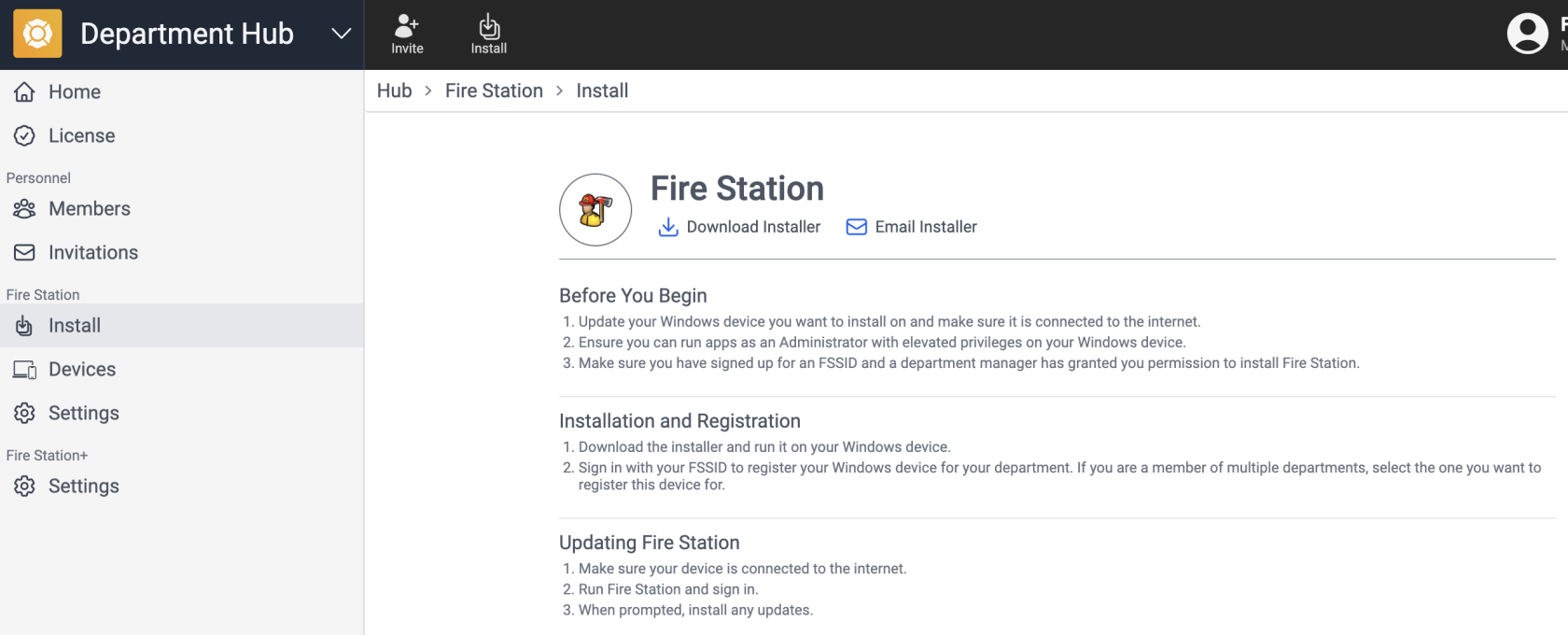](https://docs.firestationsoftware.com/uploads/images/gallery/2024-08/1-install.png) --- ### Email a Link to the InstallerYou need *Department Manager* permissions to send installation links.
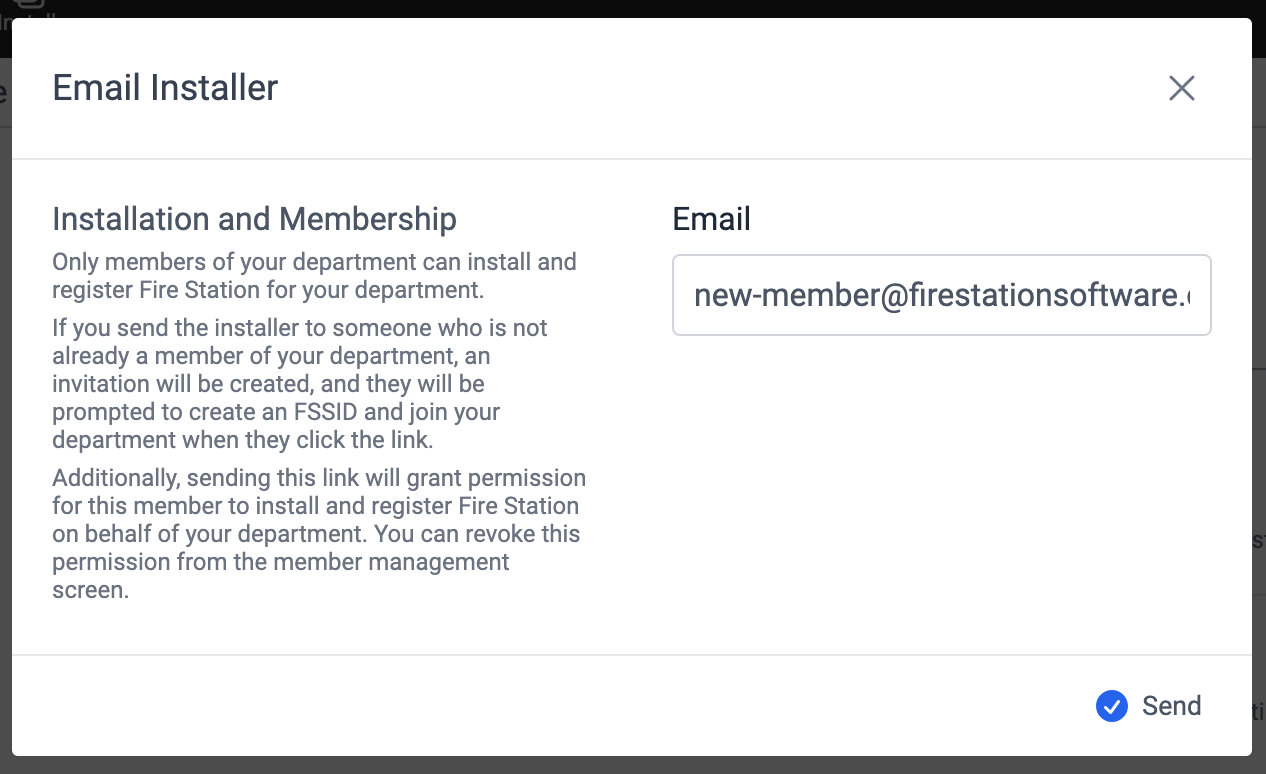
You can send an email with a link to the installation page in the Department Hub. 1. On a browser, go to [https://hub.firestationsoftware.com](https://hub.firestationsoftware.com/) and sign in. 2. In the left menu click *Install* in the *Fire Station* section. - Alternatively, click the "Install" shortcut button in the top bar. 3. Click the "Email Installer" button. 4. Enter the email address of the person you want to send the installer to. 5. Click the "Send" button.If the installation link is sent to an email address that is not associated a member of your department, then the link will double as an invitation to join your department. After the recipient accepts the invitation, they will be redirected to the installation page.
[](https://docs.firestationsoftware.com/uploads/images/gallery/2024-08/2-send-installer-link.png)