You need *Apparatus* Manager, *Apparatus Checks Coordinator*, or *Apparatus Checks Participant* permissions to view apparatus check history and reports.
You can pick the questions that appear on the checklist when conducting an apparatus check. You can also add custom items to the checklist. 1. On a browser, go to [https://apparatus-checks.platform.firestationsoftware.com/select-apparatus](https://apparatus-checks.platform.firestationsoftware.com/select-apparatus). You may need to sign in. 2. Select the apparatus you want to view. 3. In the left menu select *Check History*. 4. Click the "View Report" button on the right side of a completed check row. [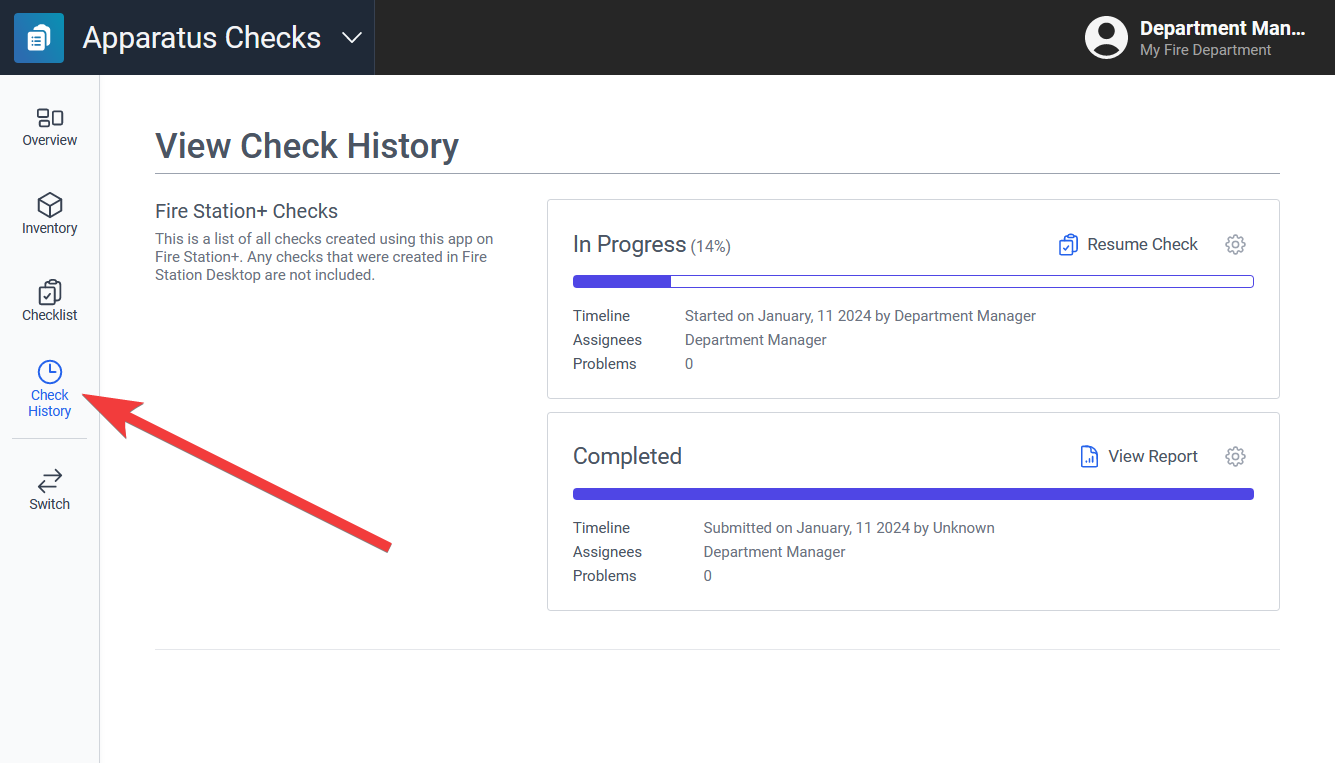](https://docs.firestationsoftware.com/uploads/images/gallery/2024-08/1-check-report.png) --- ## Delete a CheckYou need *Apparatus* Manager permissions to delete apparatus checks.
1. Click the gear button on the right side of a check row. 2. Select "Delete". 3. Click "Confirm" at the bottom of the modal dialog. [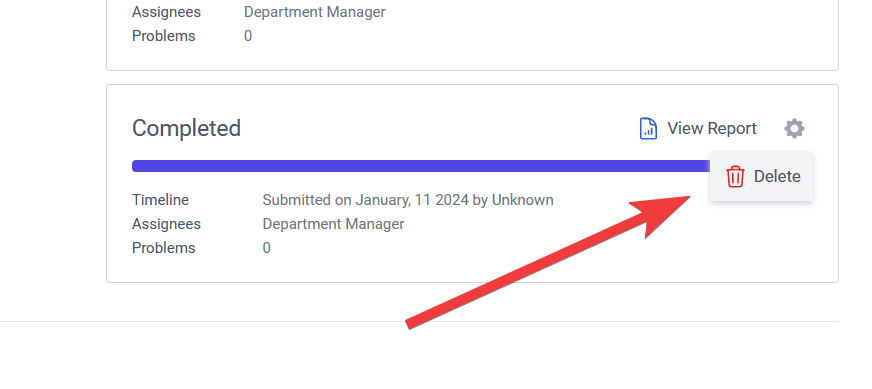](https://docs.firestationsoftware.com/uploads/images/gallery/2024-08/2-delete-check.png)