Release Notes
Release notes for all Fire Station Software products.
- What's New
- 2026
- 2025
- December 16th, 2025
- December 9th, 2025
- November 25th, 2025
- November 18th, 2025
- November 11th, 2025
- October 28th, 2025
- October 14th, 2025
- October 13th, 2025
- Fire Station Desktop - Version 4.12.0.2
- Fire Station Desktop - Version 4.12.0.1
- Fire Station Desktop - Version 4.12.0.0
- 2024
- 2023
What's New
July 16th, 2026
Inventory modules available online
All inventory modules are now available in Fire Station Online. If your department's license includes them, you should now see Hoses, Hydrants, Inventory, Ladders, PPE, Ropes, and SCBAs. These modules are all fully backwards compatible with the Fire Station Desktop app and if you previously entered inventory from the desktop app it is also available online.
Changes to the Inventory module
The Inventory module has been brought online with support for all the functionality available in the Fire Station Desktop app but with the following changes. This module is fully backwards compatible but has been re-structured to make it easier to use.
The Inventory Items page now shows a consolidated list of all your department's inventory items across all the inventory related modules. This includes personal inventory, hoses, hoses, hydrants, ladders, PPE, ropes, and SCBAs in addition to general inventory items. You can filter the list of inventory items by type as well.
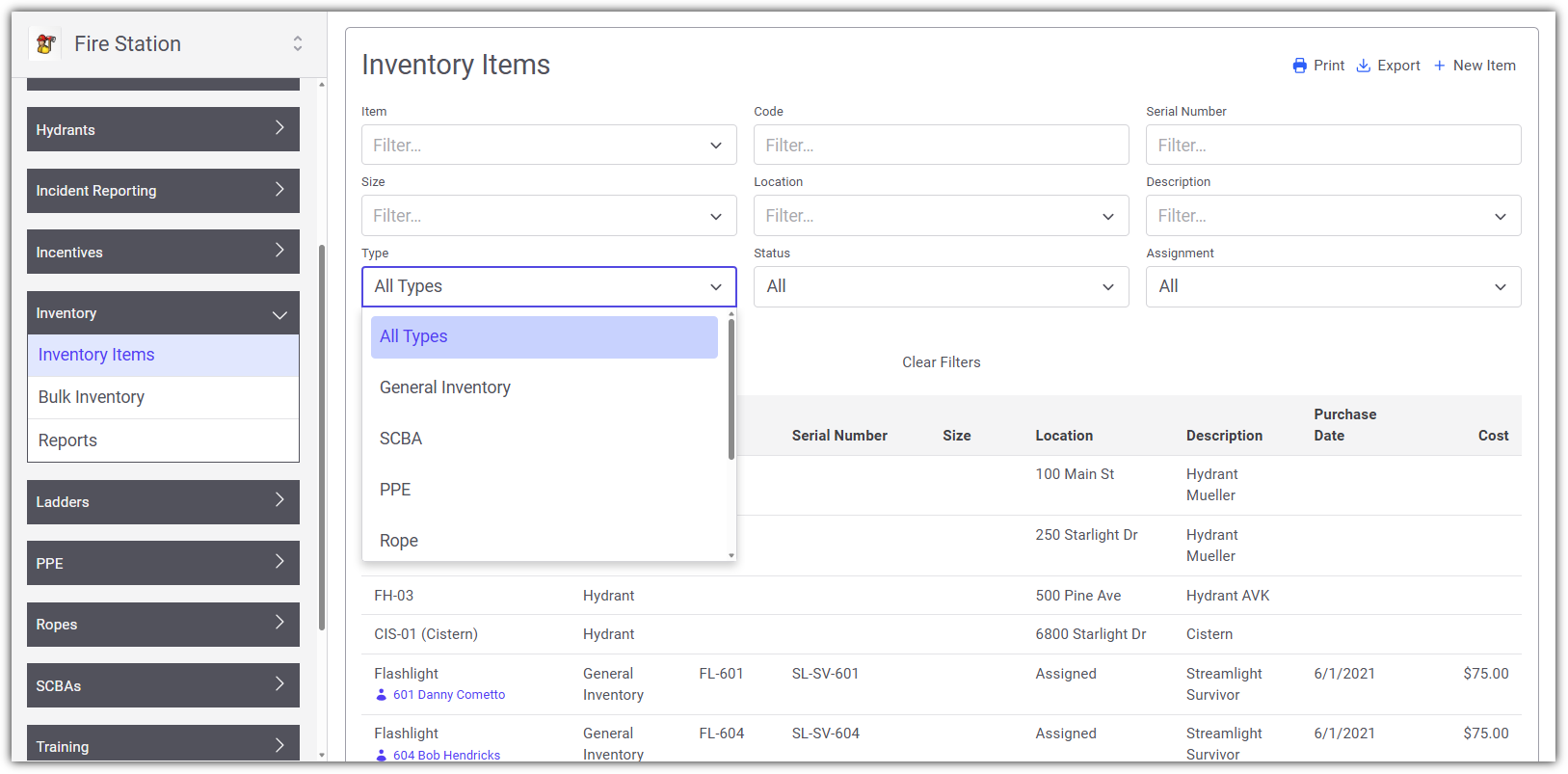
There is now a distinction between individual inventory "items" and bulk or "stocked" inventory. Any item that is tracked individually, meaning each item is entered as a unique record in Fire Station, appears under the Inventory Items page. These are items that have unique identifiers such as serial numbers.
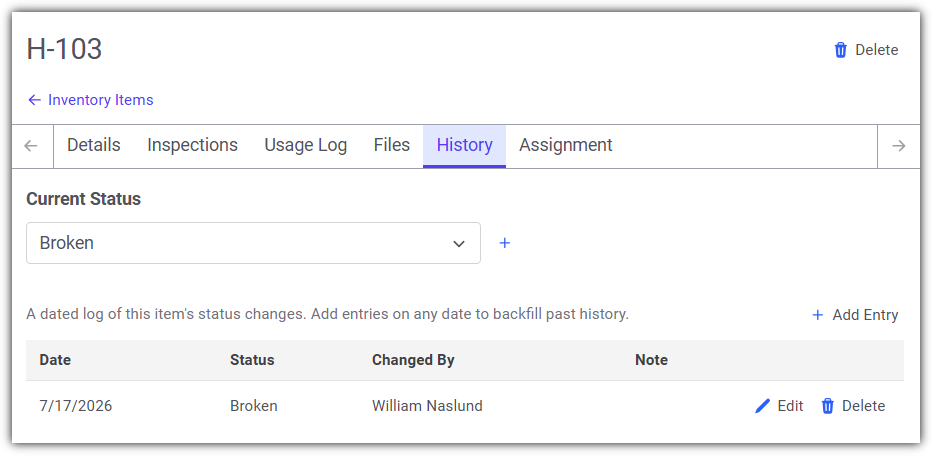
The status of inventory items can also be tracked in Fire Station, giving you a place to record the current state of each item. This can be especially helpful if items get lost, stolen, or broken and you need a way to indicate that the item is unavailable for use while still retaining a record of it in Fire Station.
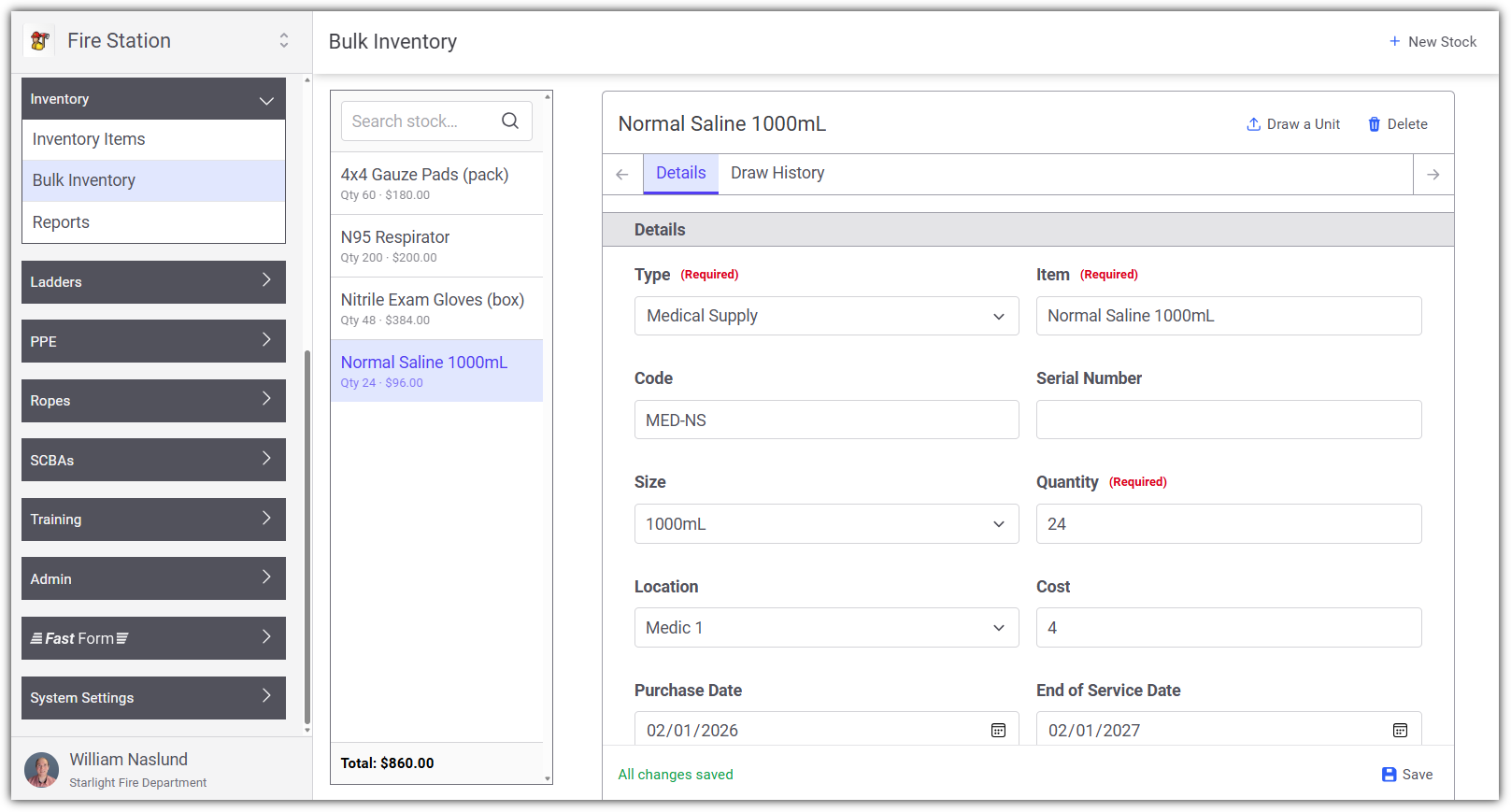
Inventory that is not tracked individually, where a single record has a quantity of items, appears under the Bulk Inventory page. These records are called "stock" records since they represent one or more of the same item. You can draw from stock records, creating an inventory item and decreasing the quantity stocked by 1. This takes the place of the "Move to ..." buttons that were previously available in the Fire Station Desktop app.
June 18th, 2026
This update includes enhancements to the newly released Training and Personnel modules online, along with updates to the Incident Reporting module. This release only applies to Fire Station Online.
Max Length on NERIS and Quick Calls
While editing calls, certain fields had a maximum allowed length that when exceeded caused an error while saving. This appeared as though the call was saving indefinitely and never finished saving. This has been corrected and the fields have been updated to enforce the length limits. Notes have been added to certain fields to indicate their maximum length (when especially short). Such fields include the License Plate Number and Mobile VIN on the Vehicles tab of NERIS and Quick Calls.
Affected Modules: Incident Reporting
Station Grouping on Call and Training Lists
The list of calls on the Edit Entered Calls page and the list of training events on the Edit Entered Events page have been updated to group calls/events by station. Previously the calls/events were only grouped by year.
Affected Modules: Incident Reporting and Training
Sorting by Name in Reports
Reports that support sorting by name have been updated to sort by last name then by first name. This only applies if the report is sorted by name and not by Department ID. Reports that have been updated include:
- In the Training module: Certifications Matrix Report, Certifications Report, Training Year Summary Report, Driver/Operator Hours Report, Check In Sheet Report, OSHA Hours Report, ISO Training Report, Training Payroll Report
- In the Incident Reporting module: Payroll Report, Man Hours Report, Call Attendance Report, Print Non-Emergency Event
- In the Personnel module: Mailing List Report, Length of Service Report, Personnel Report
Affected Modules: Incident Reporting, Training and Personnel
June 17th, 2026
Personnel Module
With the user permissions, you can now fully manage Personnel through the online web interface.
Training Module
With the user permissions, the Training module online offers flexibility for tracking and documenting training activities.
Now categorize training by location. Example: Online, Classroom, On-Site or Off-site
Record Water/Foam usage for individual training events
Report Integration for Gallons Used and Payroll
Training data is now integrated into the Payroll Report and Water/Foam Usage Report of the Incident Reporting module, giving one central location and a single report to include both incident and training details.
March 11th, 2026
This release includes new reports, new features, and several bug fixes across Fire Station Online.
EMS Data from Quick Calls in NERIS
The EMS tab from Quick Calls is now available for use in NERIS calls.
Calls At Location Report
The Calls At Location report is now available in Fire Station Online. This report allows you to view all calls that occurred at a specific location, with support for geo-filtering using coordinates on NERIS calls.
Incident Type Report
The Incident Type report is now available, allowing you to generate reports broken down by incident type.
Active911 Settings Page Errors
Fixed two issues on the Active911 Settings page. The first was a "No Save Context Available" error that appeared when opening the settings page. The second was the Alerts tab getting stuck on "Pending" when reloading alerts. The Alerts tab fix also resolves a broader issue where progress and completion updates for background tasks were not being delivered to the browser.
Units & Location Not Syncing on Converted Calls
Fixed a bug where setting a location on the Basic tab or entering units on the Units tab of a converted Quick Call or NFIRS call was not syncing those changes to the Dispatch tab.
Payroll Report Error
Fixed an error that caused the Payroll PDF report to fail for certain departments with a database error. The report now generates correctly for all departments.
Location Search Coordinate Detection
Fixed a bug where street addresses containing multiple numbers (e.g., "108 6th Ave") were incorrectly detected as GPS coordinates in the location search. The coordinate detection now requires decimal points with sufficient precision, preventing false matches on normal street addresses.
March 5th, 2026
This release includes new reports and several bug fixes for Fire Station Online Incident Reporting.
Incident Type Report
A new Incident Type Report is now available in Fire Station Online. This report allows you to view a breakdown of incidents by their type over a selected date range, making it easier to analyze call trends and identify patterns in incident activity.
Calls at a Location Report
A new Calls at a Location Report has been added to Fire Station Online. This report allows you to search for a location and view all calls that have occurred at that location. The report supports searching by address, and includes filtering options to narrow results by date range and call type.
Call Saving Reliability Improvements
Significant improvements have been made to the reliability of saving NERIS calls in Fire Station Online. The real-time connection between Fire Station and the server has been reworked to better handle acknowledgments, reconnections, and concurrent edits. These changes address issues where calls could fail to save or edits could be lost under certain conditions.
Location Picker Fix
An issue has been fixed where the location picker on NERIS calls could display an error when selecting a location. This was caused by an issue with address parsing that has been corrected.
Call Loading Failure Fix
A bug has been fixed where certain calls could fail to load due to sparse array corruption in the call merging process. This could occur when editing calls that had been previously saved with certain data patterns, resulting in an error when trying to open the call.
February 3rd, 2026
This release includes the following bug fixes:
Call Attendance Report Percentage
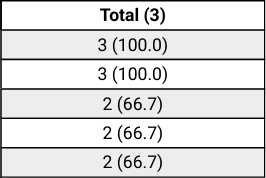
The Call Attendance Report in Fire Station Online has been updated to show the correct percentage in the table. This had previously been broken when we updated this report to sort by the total calls attended.
Before the fix, the report would generate percentages that look like this:
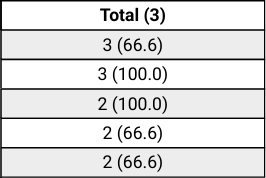
Now, with the fix made, the percentages are correctly placed:
2026
February 3rd, 2026
This release includes the following bug fixes:
Call Attendance Report Percentage
The Call Attendance Report in Fire Station Online has been updated to show the correct percentage in the table. This had previously been broken when we updated this report to sort by the total calls attended.
Before the fix, the report would generate percentages that look like this:
Now, with the fix made, the percentages are correctly placed:
March 5th, 2026
This release includes new reports and several bug fixes for Fire Station Online Incident Reporting.
Incident Type Report
A new Incident Type Report is now available in Fire Station Online. This report allows you to view a breakdown of incidents by their type over a selected date range, making it easier to analyze call trends and identify patterns in incident activity.
Calls at a Location Report
A new Calls at a Location Report has been added to Fire Station Online. This report allows you to search for a location and view all calls that have occurred at that location. The report supports searching by address, and includes filtering options to narrow results by date range and call type.
Call Saving Reliability Improvements
Significant improvements have been made to the reliability of saving NERIS calls in Fire Station Online. The real-time connection between Fire Station and the server has been reworked to better handle acknowledgments, reconnections, and concurrent edits. These changes address issues where calls could fail to save or edits could be lost under certain conditions.
Location Picker Fix
An issue has been fixed where the location picker on NERIS calls could display an error when selecting a location. This was caused by an issue with address parsing that has been corrected.
Call Loading Failure Fix
A bug has been fixed where certain calls could fail to load due to sparse array corruption in the call merging process. This could occur when editing calls that had been previously saved with certain data patterns, resulting in an error when trying to open the call.
March 11th, 2026
This release includes new reports, new features, and several bug fixes across Fire Station Online.
EMS Data from Quick Calls in NERIS
The EMS tab from Quick Calls is now available for use in NERIS calls.
Calls At Location Report
The Calls At Location report is now available in Fire Station Online. This report allows you to view all calls that occurred at a specific location, with support for geo-filtering using coordinates on NERIS calls.
Incident Type Report
The Incident Type report is now available, allowing you to generate reports broken down by incident type.
Active911 Settings Page Errors
Fixed two issues on the Active911 Settings page. The first was a "No Save Context Available" error that appeared when opening the settings page. The second was the Alerts tab getting stuck on "Pending" when reloading alerts. The Alerts tab fix also resolves a broader issue where progress and completion updates for background tasks were not being delivered to the browser.
Units & Location Not Syncing on Converted Calls
Fixed a bug where setting a location on the Basic tab or entering units on the Units tab of a converted Quick Call or NFIRS call was not syncing those changes to the Dispatch tab.
Payroll Report Error
Fixed an error that caused the Payroll PDF report to fail for certain departments with a database error. The report now generates correctly for all departments.
Location Search Coordinate Detection
Fixed a bug where street addresses containing multiple numbers (e.g., "108 6th Ave") were incorrectly detected as GPS coordinates in the location search. The coordinate detection now requires decimal points with sufficient precision, preventing false matches on normal street addresses.
June 17th, 2026
Personnel Module
With the user permissions, you can now fully manage Personnel through the online web interface.
Training Module
With the user permissions, the Training module online offers flexibility for tracking and documenting training activities.
Now categorize training by location. Example: Online, Classroom, On-Site or Off-site
Record Water/Foam usage for individual training events
Report Integration for Gallons Used and Payroll
Training data is now integrated into the Payroll Report and Water/Foam Usage Report of the Incident Reporting module, giving one central location and a single report to include both incident and training details.
June 18th, 2026
This update includes enhancements to the newly released Training and Personnel modules online, along with updates to the Incident Reporting module. This release only applies to Fire Station Online.
Max Length on NERIS and Quick Calls
While editing calls, certain fields had a maximum allowed length that when exceeded caused an error while saving. This appeared as though the call was saving indefinitely and never finished saving. This has been corrected and the fields have been updated to enforce the length limits. Notes have been added to certain fields to indicate their maximum length (when especially short). Such fields include the License Plate Number and Mobile VIN on the Vehicles tab of NERIS and Quick Calls.
Affected Modules: Incident Reporting
Station Grouping on Call and Training Lists
The list of calls on the Edit Entered Calls page and the list of training events on the Edit Entered Events page have been updated to group calls/events by station. Previously the calls/events were only grouped by year.
Affected Modules: Incident Reporting and Training
Sorting by Name in Reports
Reports that support sorting by name have been updated to sort by last name then by first name. This only applies if the report is sorted by name and not by Department ID. Reports that have been updated include:
- In the Training module: Certifications Matrix Report, Certifications Report, Training Year Summary Report, Driver/Operator Hours Report, Check In Sheet Report, OSHA Hours Report, ISO Training Report, Training Payroll Report
- In the Incident Reporting module: Payroll Report, Man Hours Report, Call Attendance Report, Print Non-Emergency Event
- In the Personnel module: Mailing List Report, Length of Service Report, Personnel Report
Affected Modules: Incident Reporting, Training and Personnel
July 16th, 2026
Inventory modules available online
All inventory modules are now available in Fire Station Online. If your department's license includes them, you should now see Hoses, Hydrants, Inventory, Ladders, PPE, Ropes, and SCBAs. These modules are all fully backwards compatible with the Fire Station Desktop app and if you previously entered inventory from the desktop app it is also available online.
Changes to the Inventory module
The Inventory module has been brought online with support for all the functionality available in the Fire Station Desktop app but with the following changes. This module is fully backwards compatible but has been re-structured to make it easier to use.
The Inventory Items page now shows a consolidated list of all your department's inventory items across all the inventory related modules. This includes personal inventory, hoses, hoses, hydrants, ladders, PPE, ropes, and SCBAs in addition to general inventory items. You can filter the list of inventory items by type as well.
There is now a distinction between individual inventory "items" and bulk or "stocked" inventory. Any item that is tracked individually, meaning each item is entered as a unique record in Fire Station, appears under the Inventory Items page. These are items that have unique identifiers such as serial numbers.
The status of inventory items can also be tracked in Fire Station, giving you a place to record the current state of each item. This can be especially helpful if items get lost, stolen, or broken and you need a way to indicate that the item is unavailable for use while still retaining a record of it in Fire Station.
Inventory that is not tracked individually, where a single record has a quantity of items, appears under the Bulk Inventory page. These records are called "stock" records since they represent one or more of the same item. You can draw from stock records, creating an inventory item and decreasing the quantity stocked by 1. This takes the place of the "Move to ..." buttons that were previously available in the Fire Station Desktop app.
2025
December 16th, 2025
This release includes a few enhancements to the NERIS incident reporting process in Fire Station Online.
Updating Address from Active911 Fixed
A fix has been deployed to allow you to update the street number of addresses when importing the address from an Active911 alert.
Ampersand in Active911 Addresses
If there is an ampersand in the address of an alert imported from Active911, and the ampersand is separating two street names, the streets will be imported as cross streets in NERIS now.
Payroll Rate on Non-Emergency Events
In Fire Station Online, the training rate was used insted of the call rate for non-emergency events when running the payroll report. This has been corrected to match the desktop app and use the call rate for non-emergency events.
December 9th, 2025
This release includes various improvements as described below:
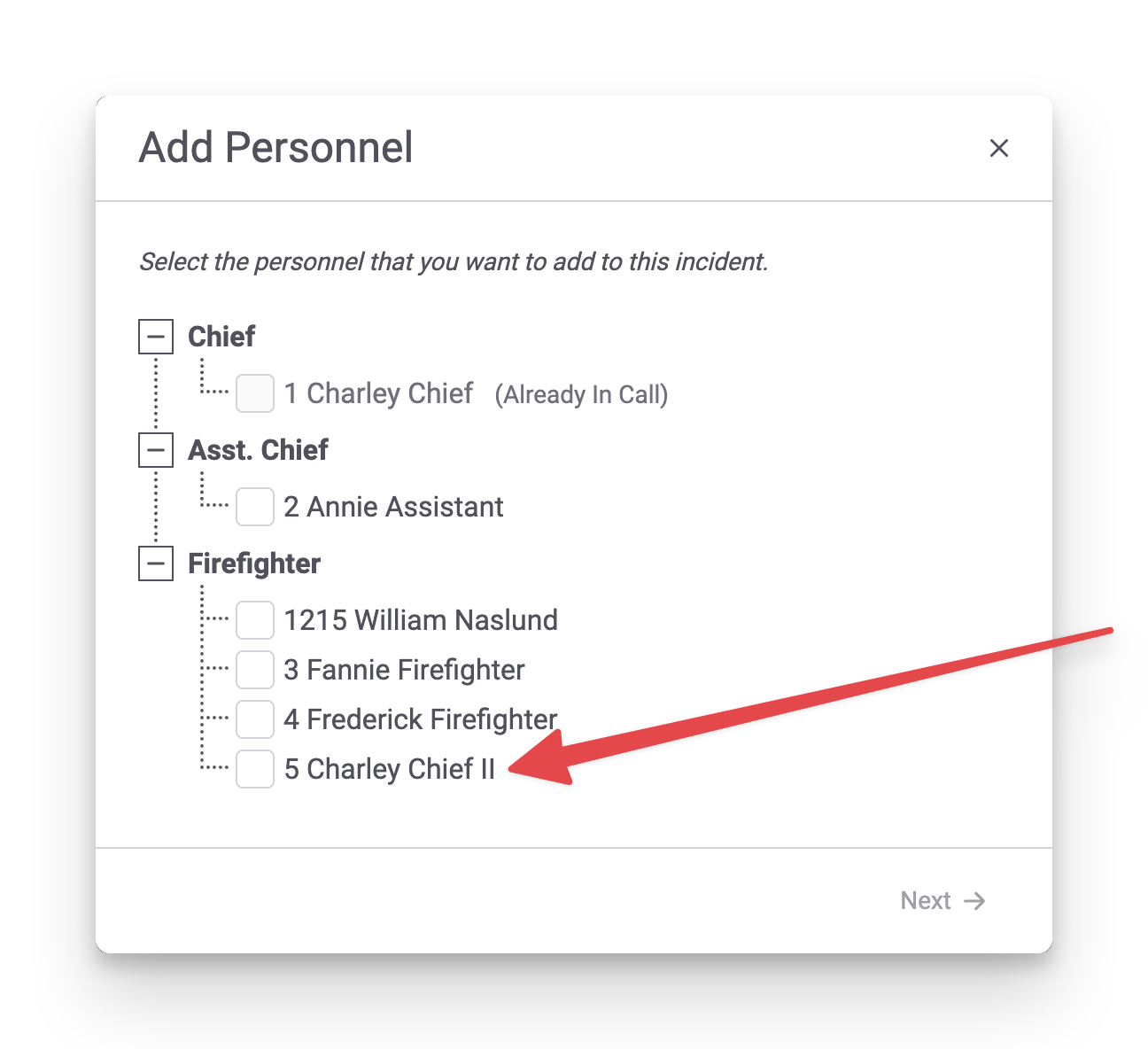
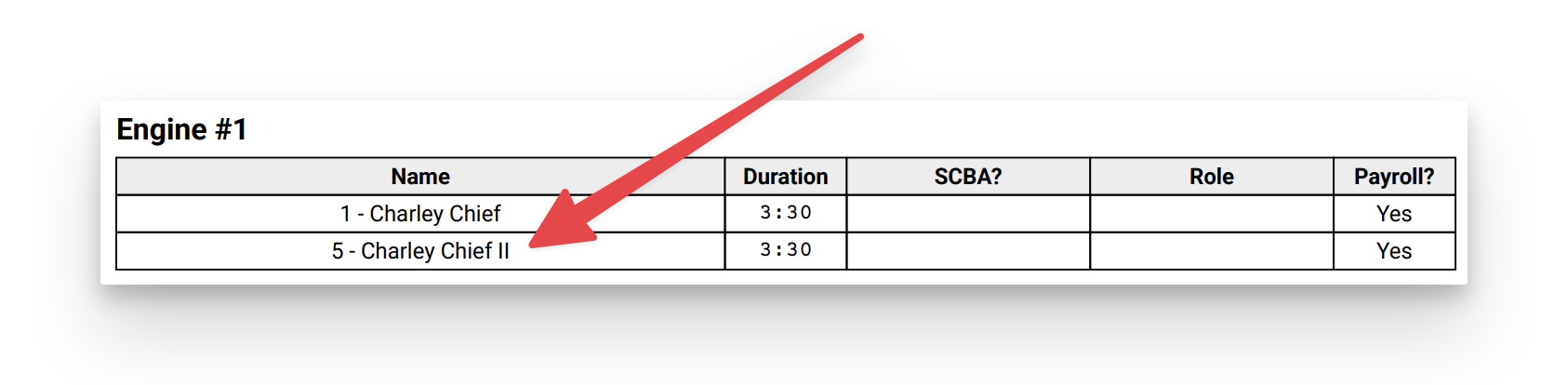
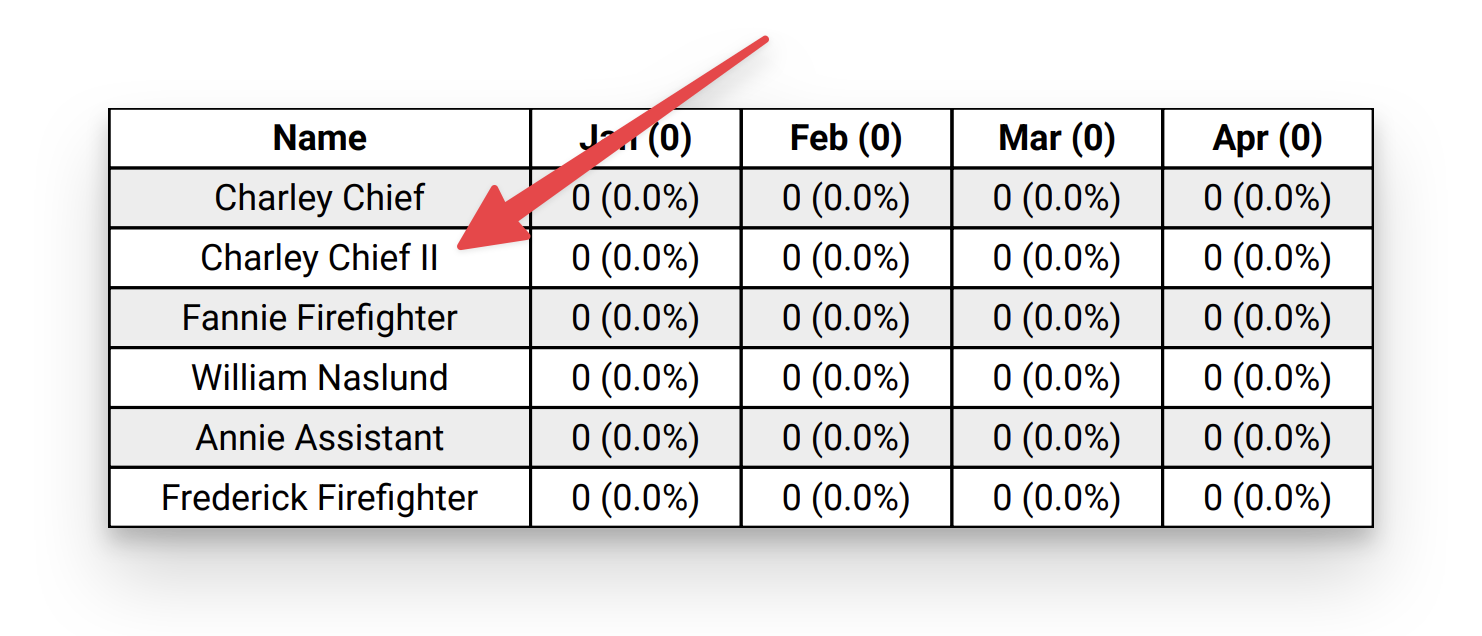
Personnel Suffix In NERIS & Reports
Fire Station Online has been updated to show a person's suffix, in their name, while addins someone to a NERIS call:
When printing a NERIS call:
And on various reports, such as the Year Summary Report:
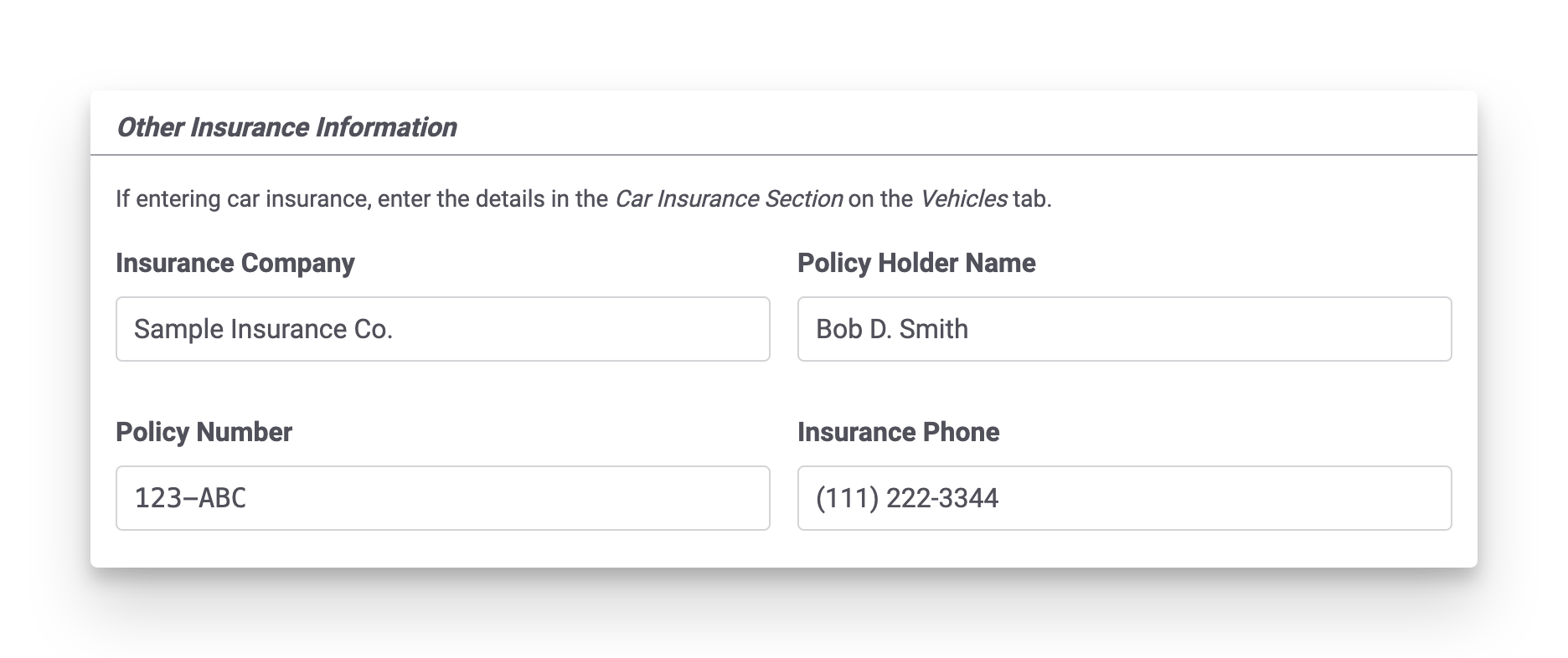
Other Insurance Information for NERIS Calls
A section for Other Insurance Information has been added to the People Involved tab on NERIS calls. This can be used to track insurance information when the incident does not involve vehicles. Car insurance information should still be added to the Vehicles tab, under the Car Insurance Information section.
Water Source In Water/Foam Usage Report Incident Table
The Water/Foam Usage Report has been updated to show water source details from NERIS incidents in the incident row, in addition to the per-water source tables. When water source information is not entered the report remains unchanged except for being in landscape now, to allow for more room in the table.

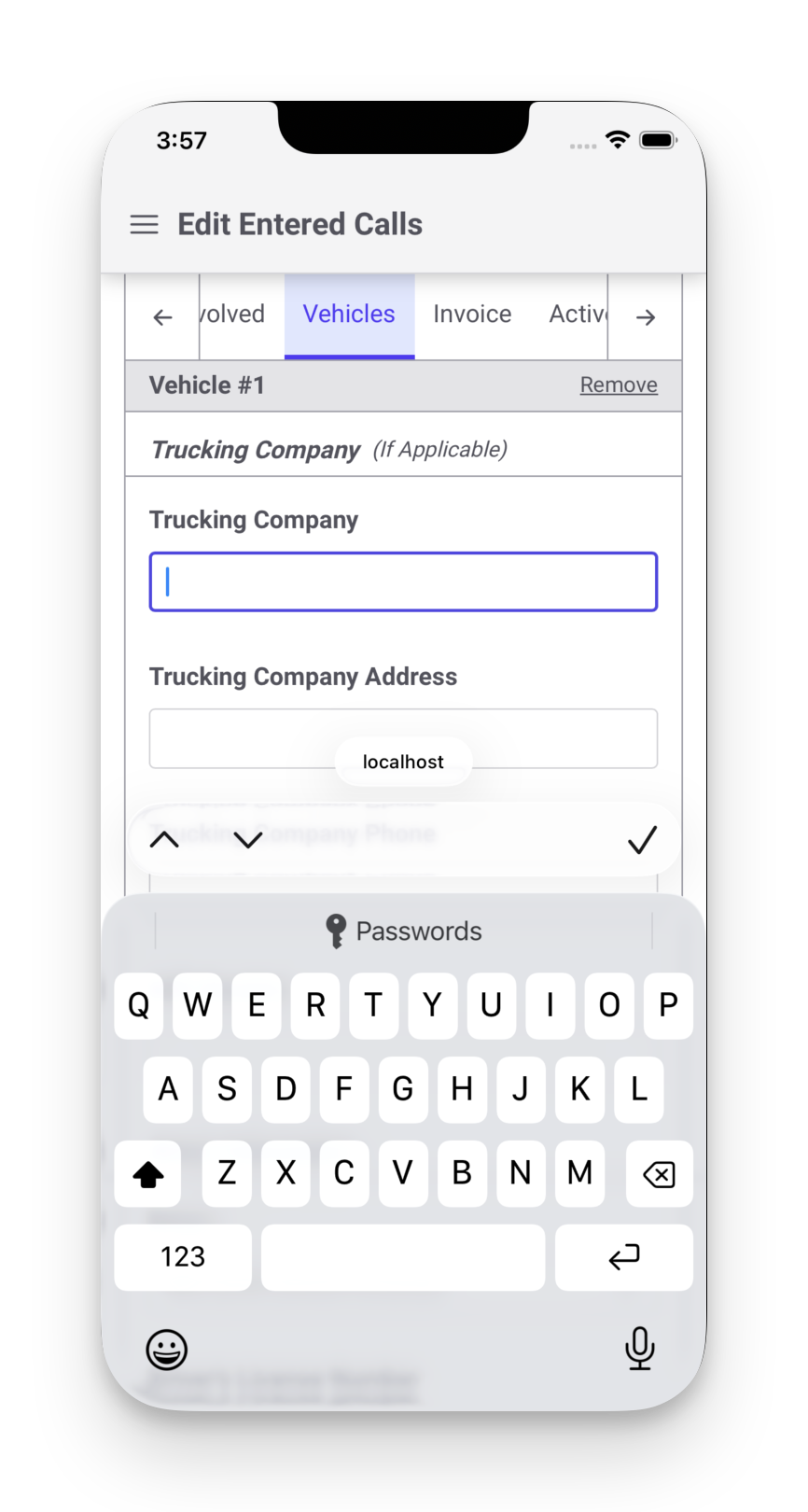
Trucking Company Mobile Keyboard Fixed
Previously, all the fields in the Trucking Company section of the Vehicles tab of a NERIS call showed the numeric keyboard instead of a full keyboard. This has been fixed.
November 25th, 2025
This release adds support for marking attendees at non-emergency events as Excused so that they still get credit for attending, but there is a record that they did not attend.
Non-Emergency Event Attendee Status
To mark an attendee as excused, click the pencil icon next to the attendee's name while entering or updating a non-emergency event:
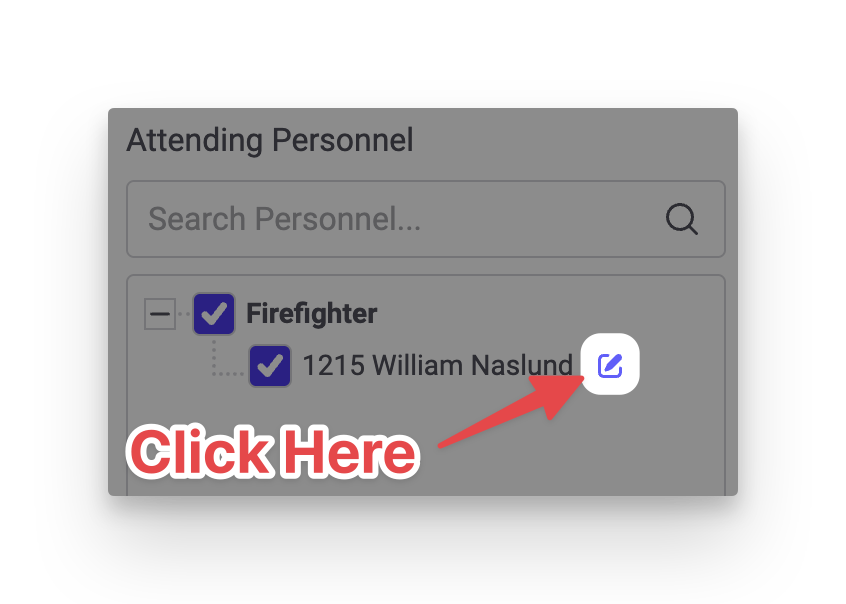
This opens the attendee details. A new Status field has been added. You can select Excused or type in any text you wish.
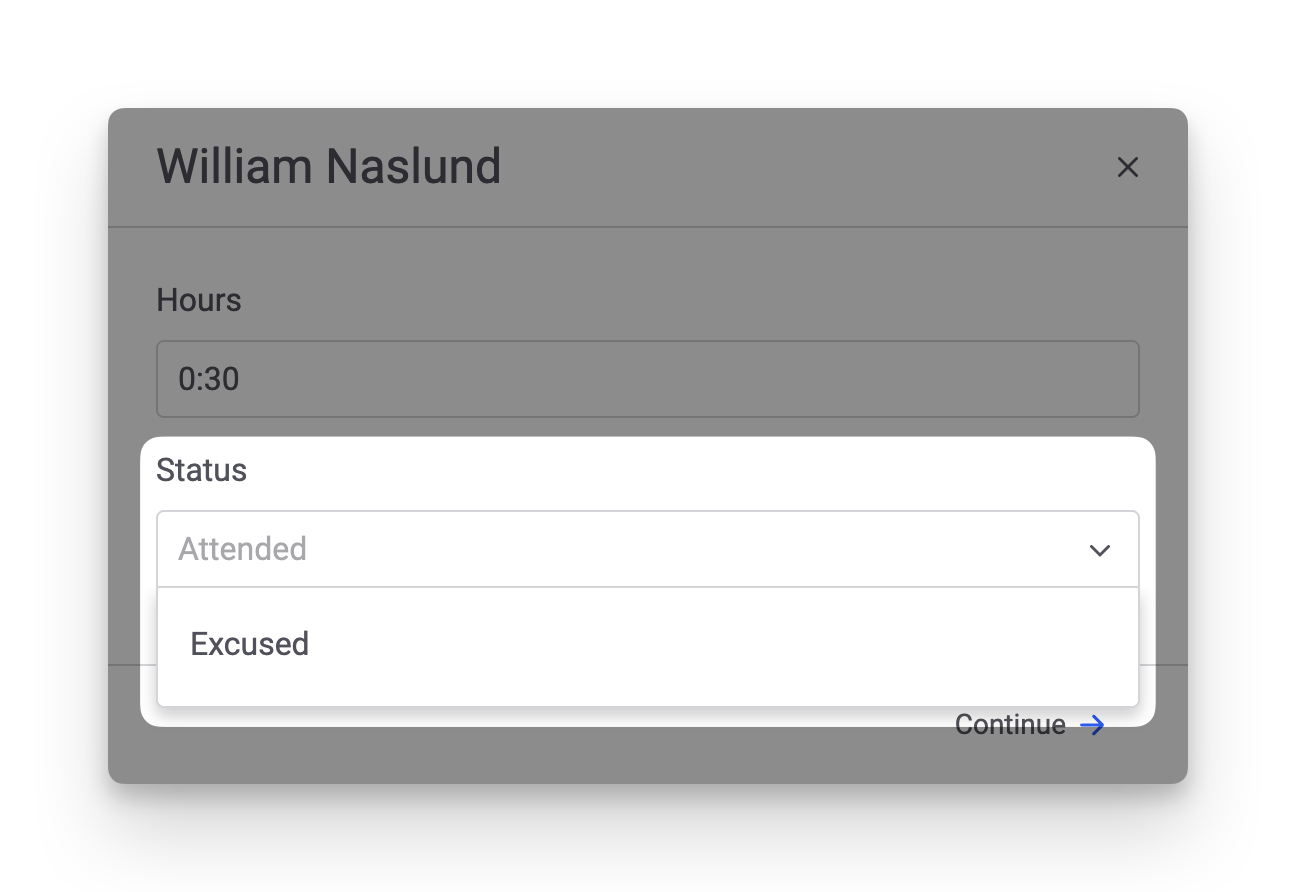
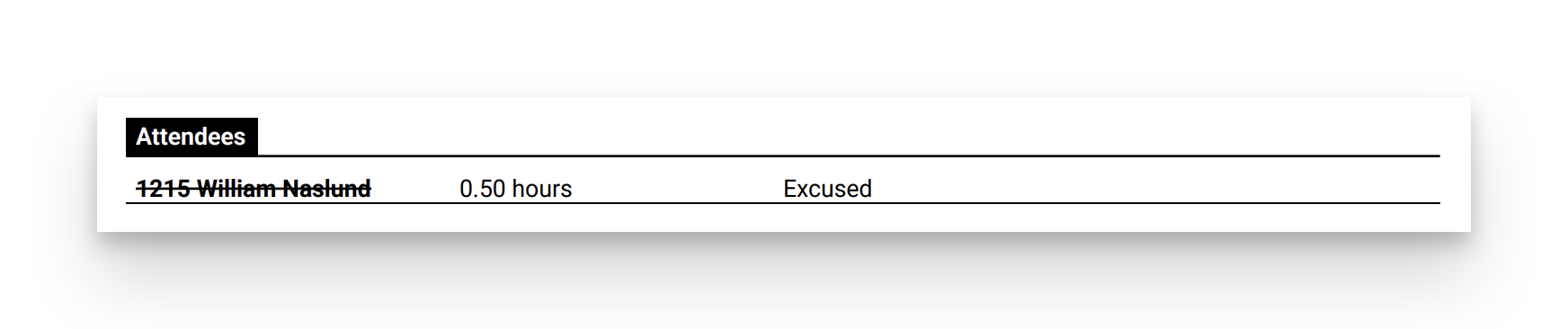
Attendees marked as Excused will appear with a line through their name. The Print page has also been updated to show each attendee's Status, if a value has been entered:
November 18th, 2025
This release adds the Average Response Time Report and contains some small bug fixes.
Average Response Time Report
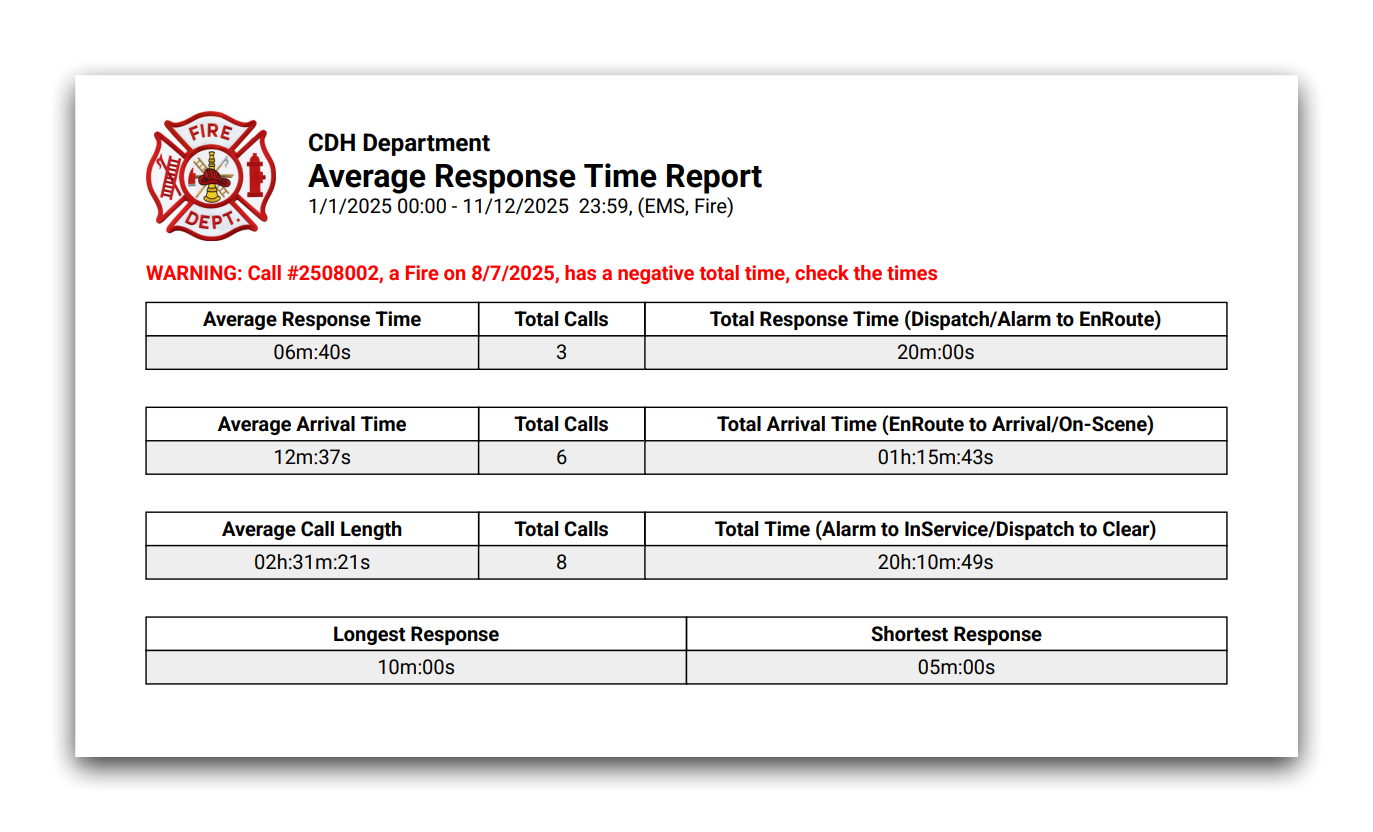
The Average Response Time Report is now available in Fire Station online. It has been updated to support NERIS calls.
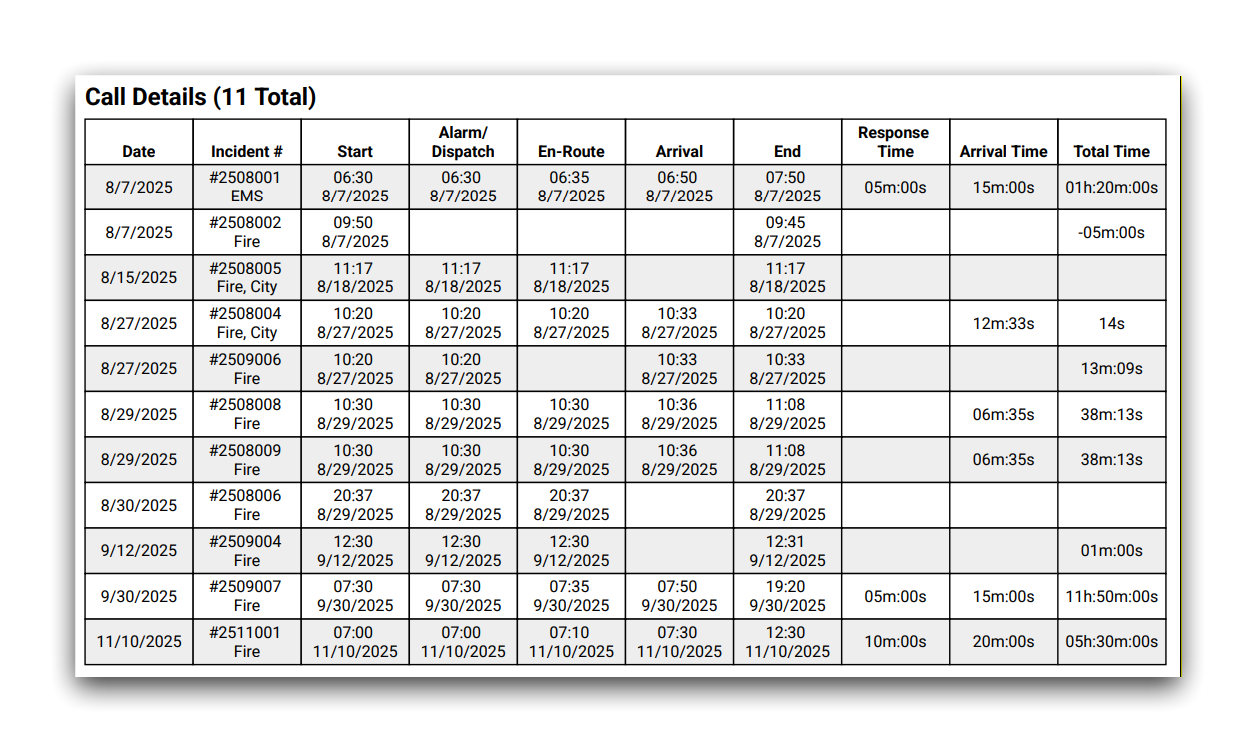
The report has also been updated to include details from the summarized calls. This appears after the first page of the report.
Additional NERIS Unit Validation
When entering NERIS units from Fire Station, the form has been updated to match validation rules that have been added in NERIS.

Bug Fixes
- Fixed personnel appearing that have been deleted or entered in error.
November 11th, 2025
This release adds support for Non-Emergency Events in Fire Station online and includes updates to support changes made in NERIS.
Non-Emergency Events Online
Non-Emergency events may now be managed in Fire Station online. Any non-emergency events entered from the Windows application appear online, and any non-emergency events entered from Fire Station online appear in the Windows application.
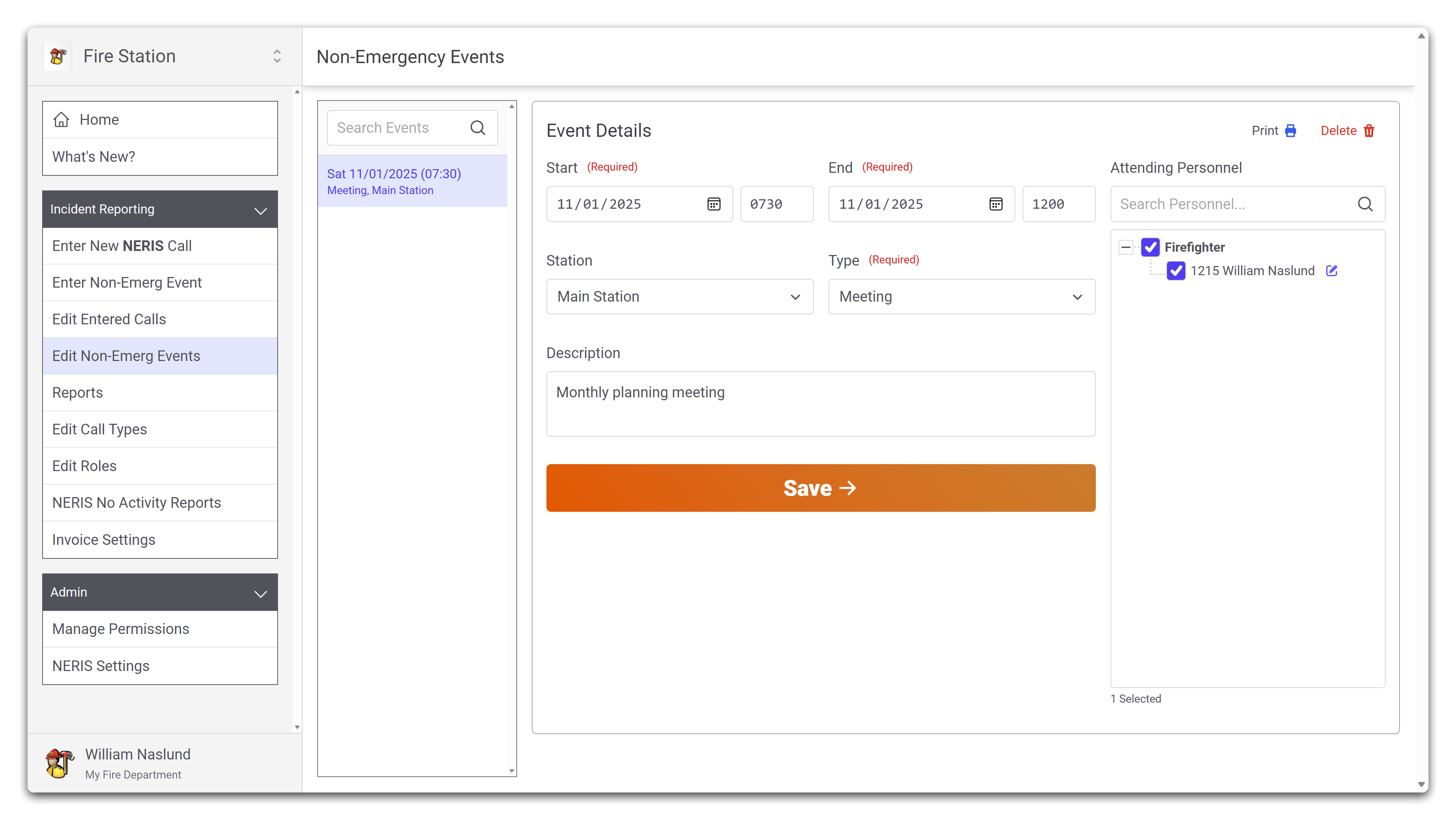
New permissions have been added in addition to the Can Edit Non-Emergency Events to allow more control over creating and deleting non-emergency events:
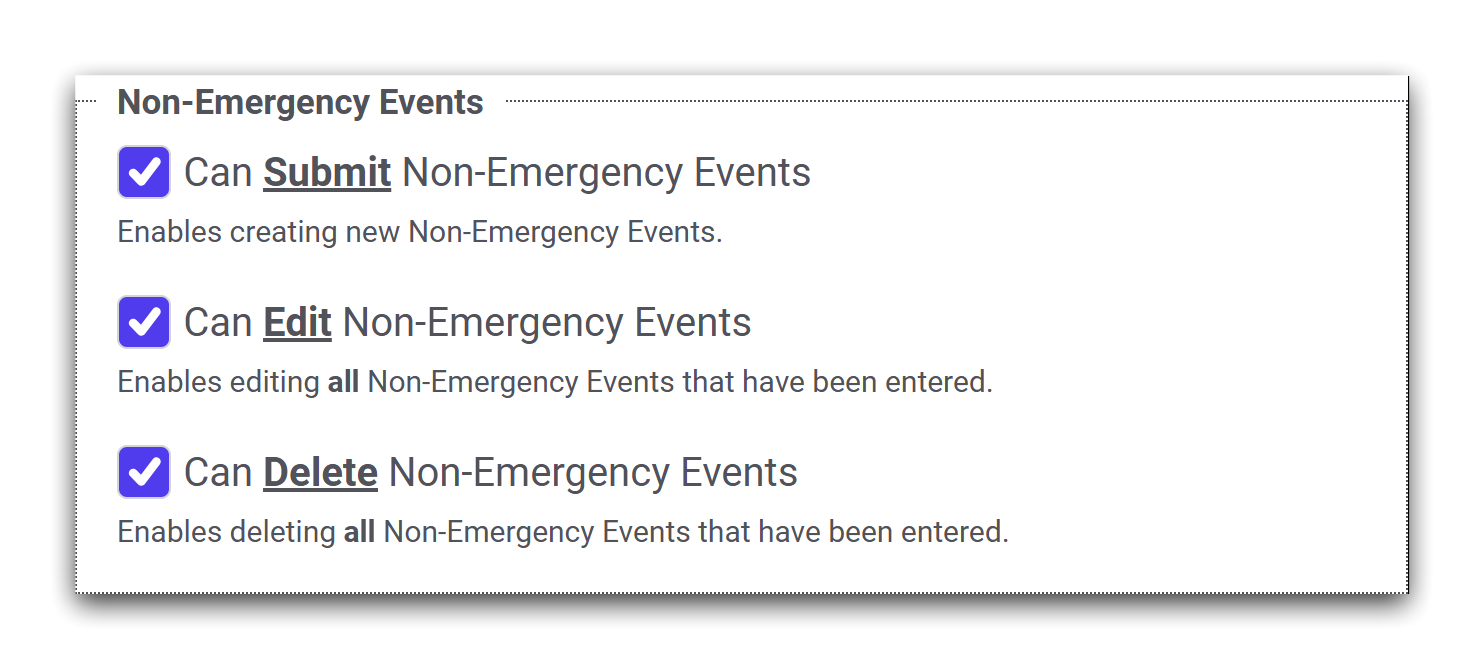
- Can Submit Non-Emergency Events allows someone to create new non-emergency events from Fire Station online.
- Can Edit Non-Emergency Events allows someone to view and edit all non-emergency events that have been entered.
- Please note: In the Windows application, granting this permission allows someone to edit and delete non-emergency events as well. In Fire Station online, granting this permission only allows someone to edit non-emergency events.
- Can Delete Non-Emergency Events allows someone to view and delete any non-emergency in Fire Station online.
Any member of your department that previously had the Can Edit Non-Emergency Events permission has been automatically granted the Can Submit Non-Emergency Events and Can Delete Non-Emergency Events permission, thus enabling all functionality of non-emergency events in Fire Station online.
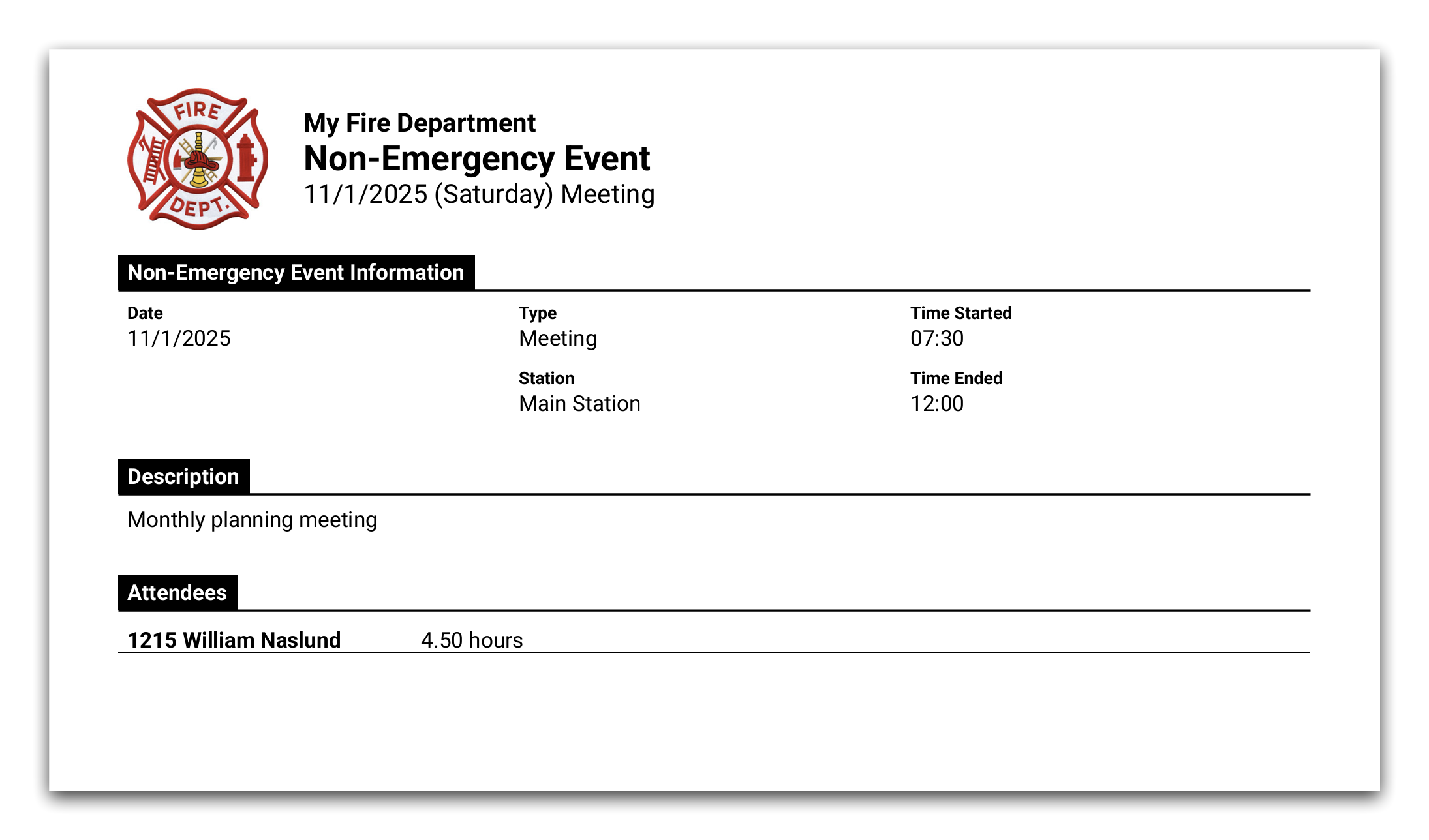
Printing a non-emergency event is also available online. The styling of this report has been updated to be similar in style to printed NERIS reports, but all the same information is there as in the Windows application. It looks like this online:
Updated Validation for Structure Fire NERIS Calls
In accordance with changes made to NERIS, when all aid on a call is SUPPORT_AID and the direction is GIVEN, if the call is a structure fire the alarm and suppression sections on the Fire tab are no longer required. Previously, as a workaround, selecting Not Applicable in the Presence field was required. Fire Station has been updated to no longer show the Required label on sections that aren't required after the NERIS update.
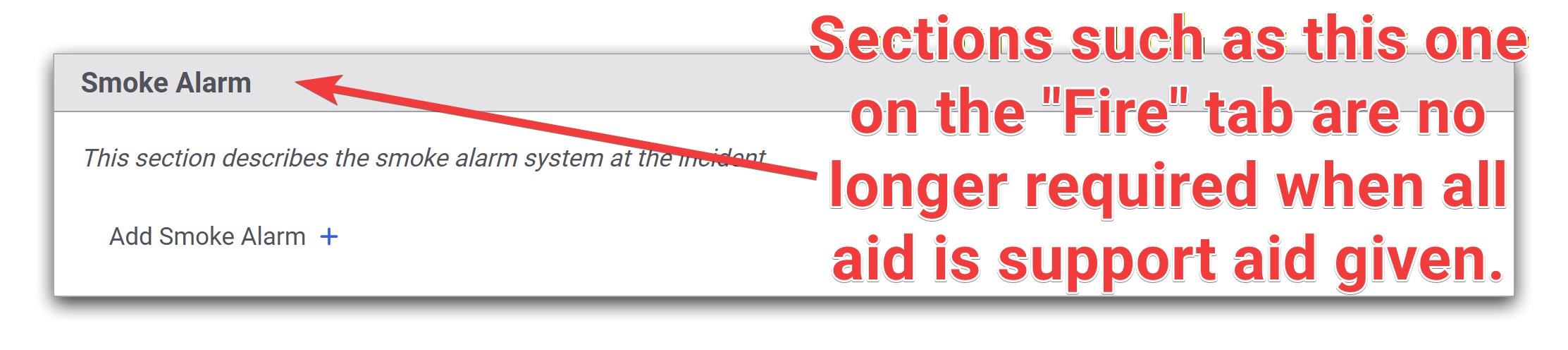
Fire Station will still show an error when validating a NERIS call for structure fires where there is no aid, or not all the aid is support aid given.

EMS Option for Non-FD Aid
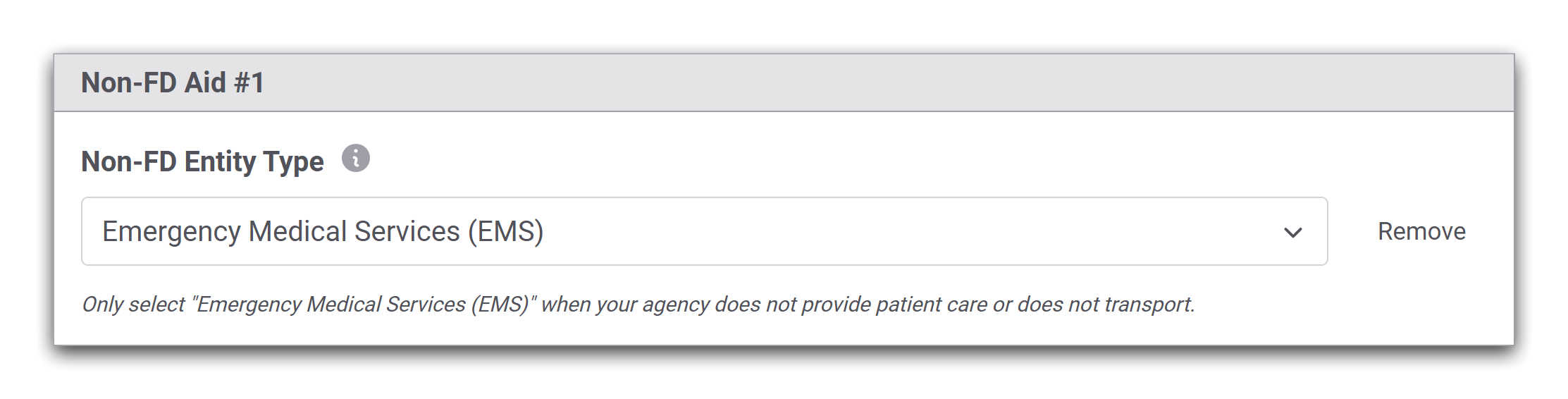
A new option for EMS has been added when specifying the type of Non-FD on the NERIS Basic tab. This option should only be used if your department does not provide patient care or transport and EMS aid was received.
October 28th, 2025
This release adds new functionality to the Fire Station online NERIS Incident Reporting module.
NERIS No Activity Reports
You may now submit No Activity Reports to NERIS directly from Fire Station. Users with the Manage NERIS No Activity Reports permission, which is also new, can create and delete No Activity Reports.
This permission has been enabled automatically for all people with the Can Manage Settings permission.
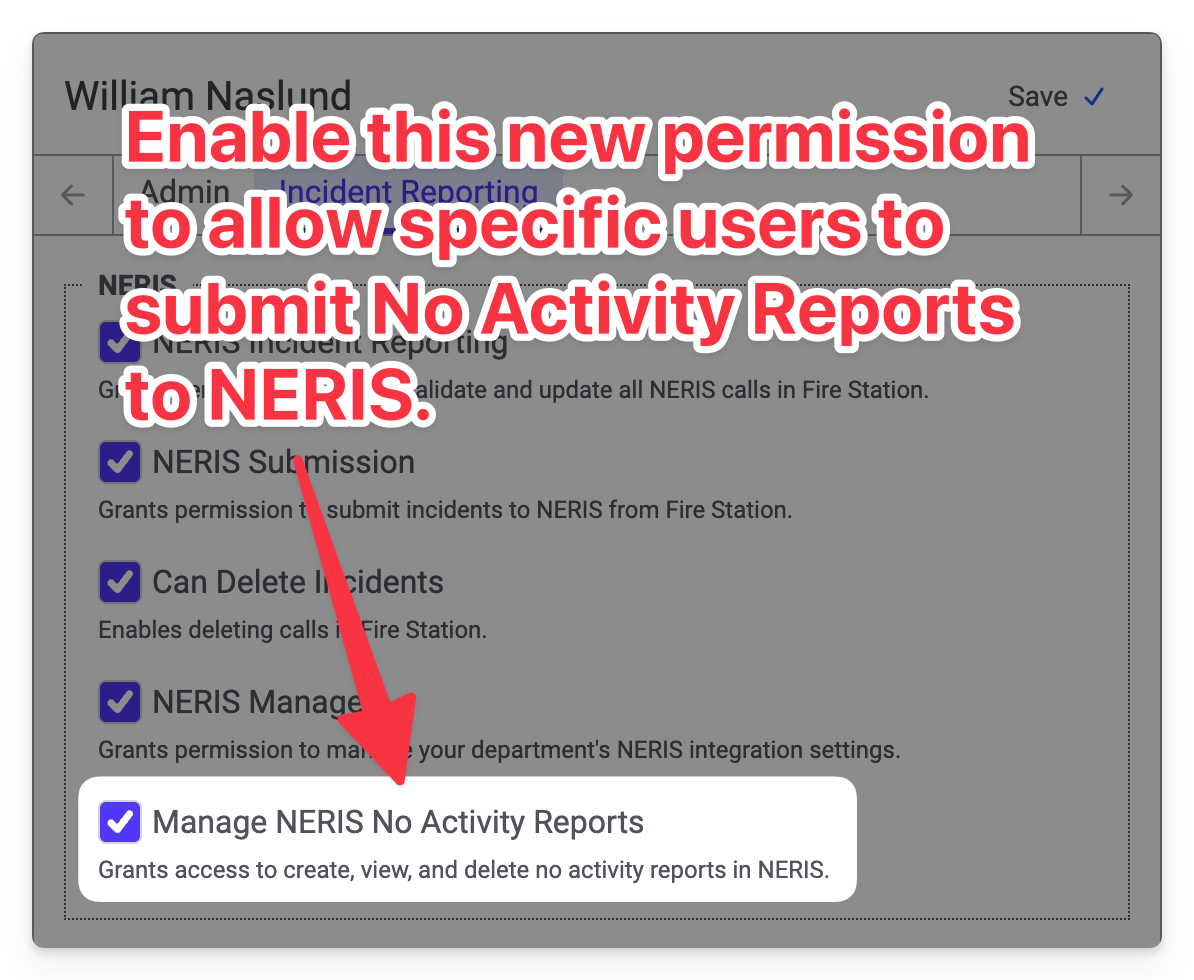
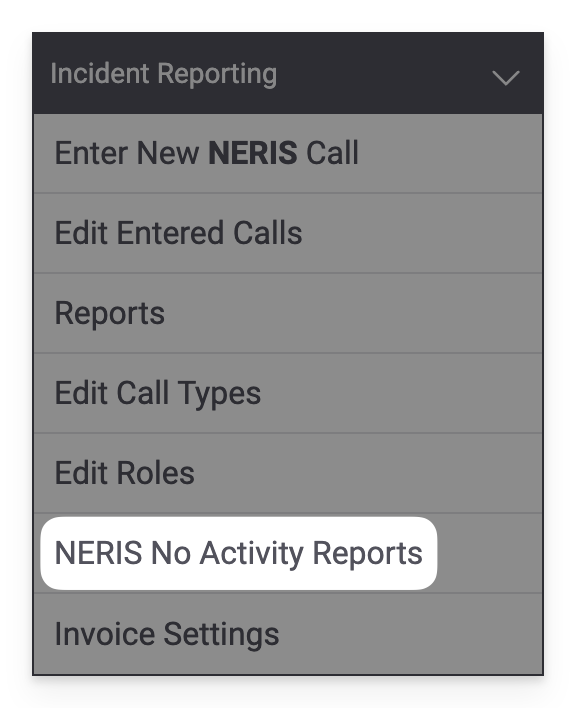
Turning this permission on allows you to access the new NERIS No Activity Reports page in the Incident Reporting menu.
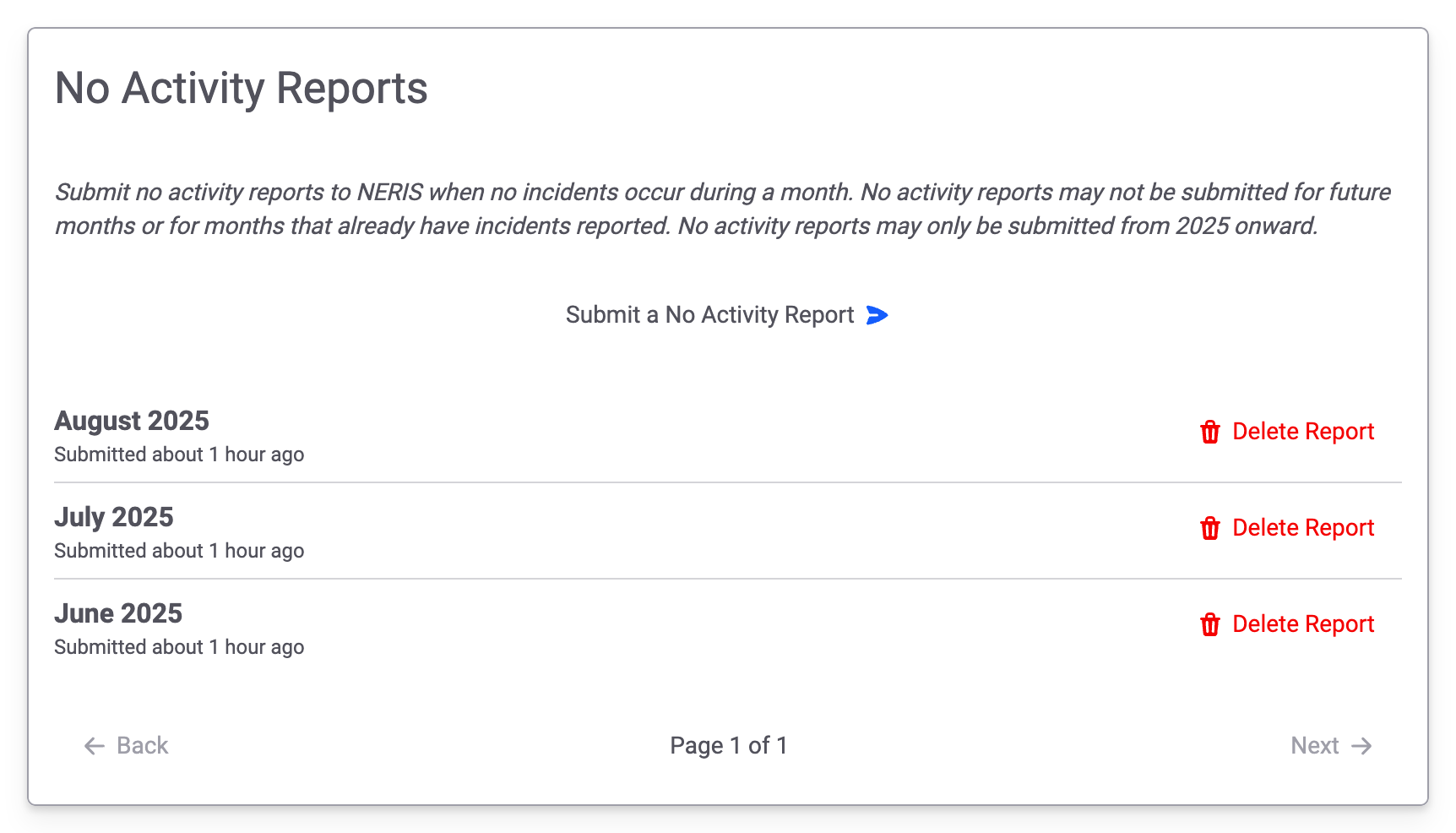
Accessing this link will take you to the new No Activity Reports page. You will see a list of No Activity Reports that have been previously submitted. Clicking the Submit a No Activity Report button allows you to send new reports to NERIS. Clicking the Delete Report button allows you to delete the No Activity Report in both NERIS and Fire Station.
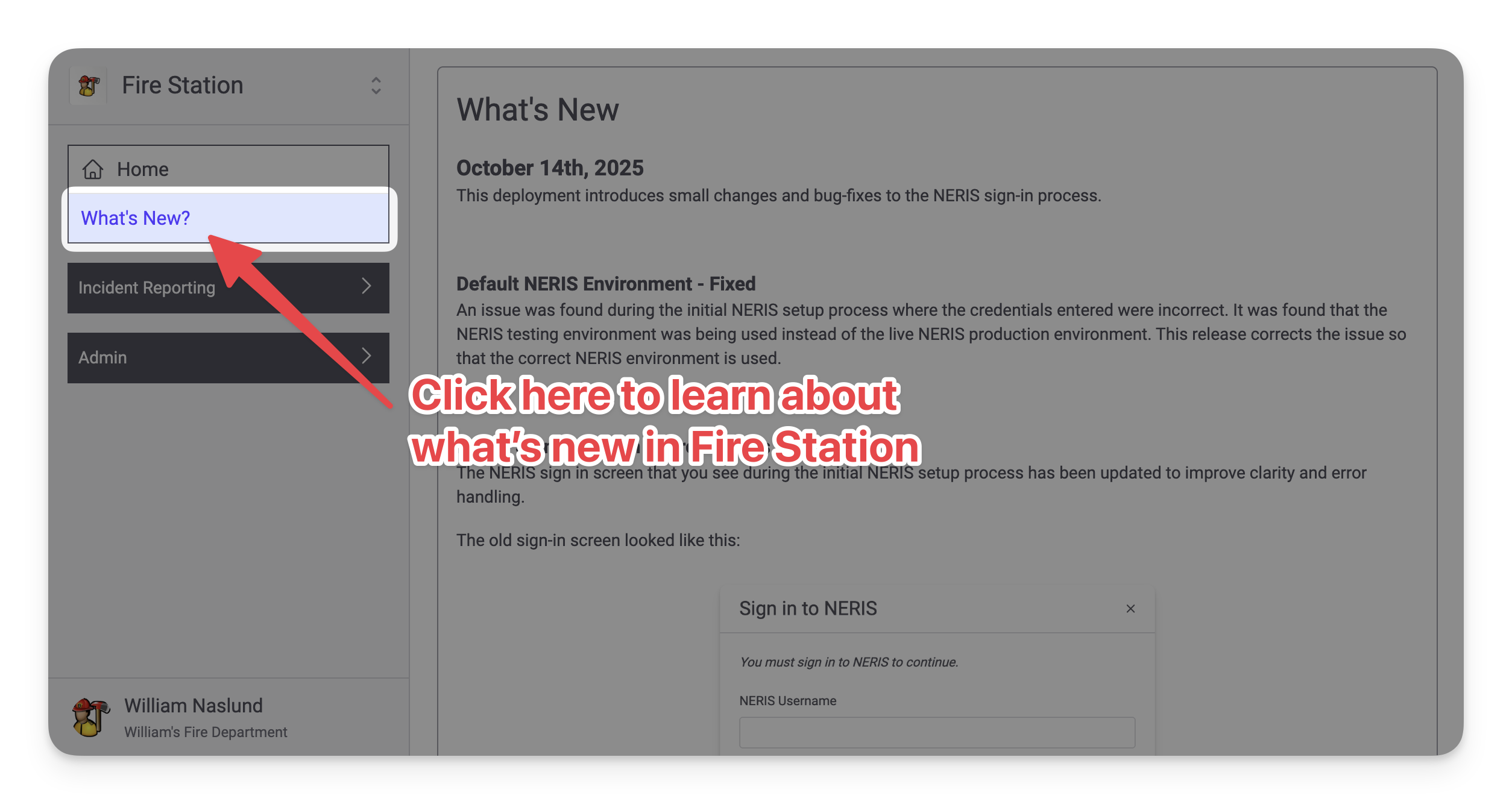
Release Notes in Fire Station
Similar to how the Windows application worked, there is now a What's New? page available in the main menu (right beneath the Home page link). This page shows the latest release notes and will be constantly updated as Fire Station is updated.
Improvements While Editing NERIS Units
The Type dropdown used to create/update NERIS units from Fire Station has been updated to include more details to help you select the correct option:
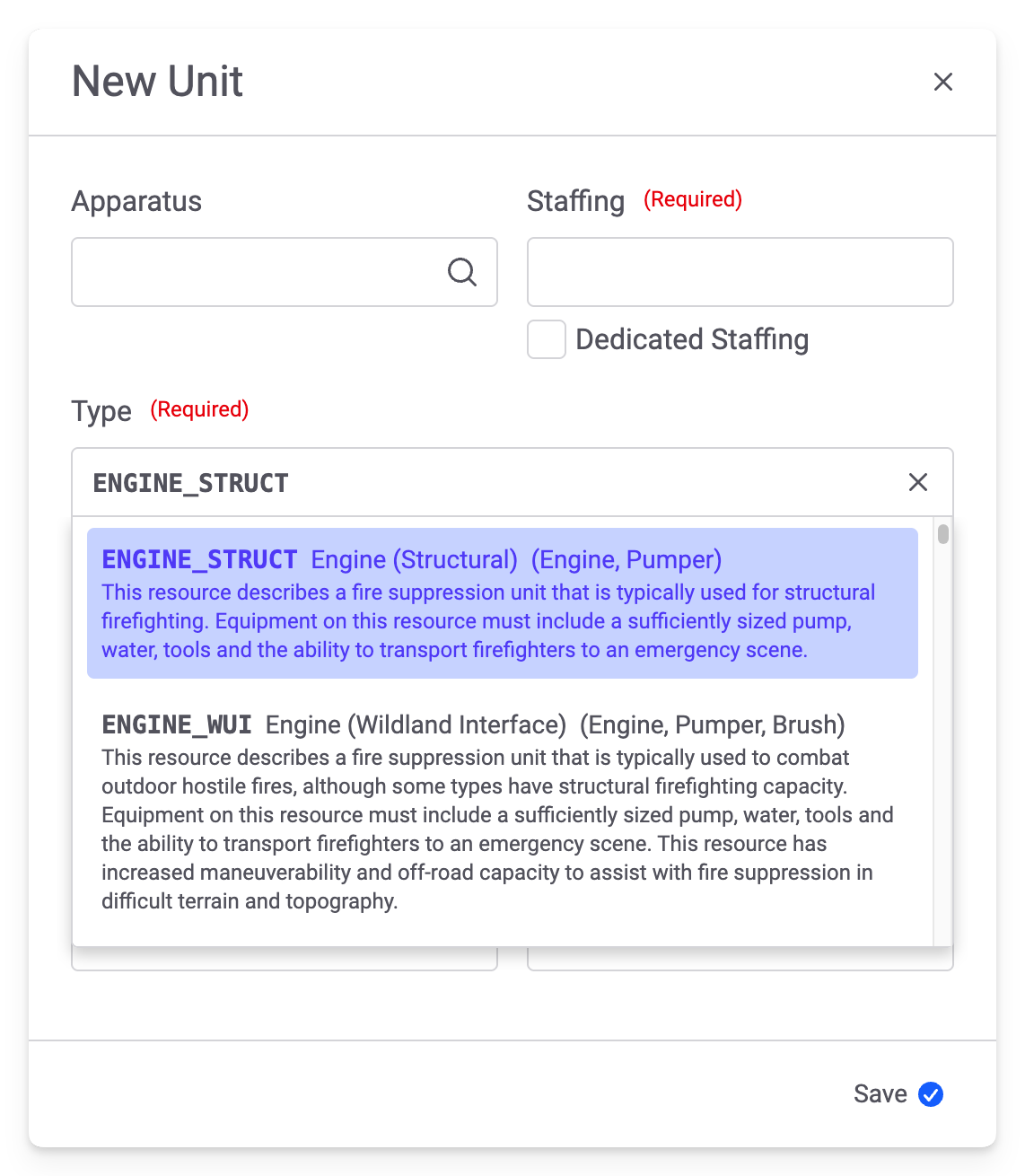
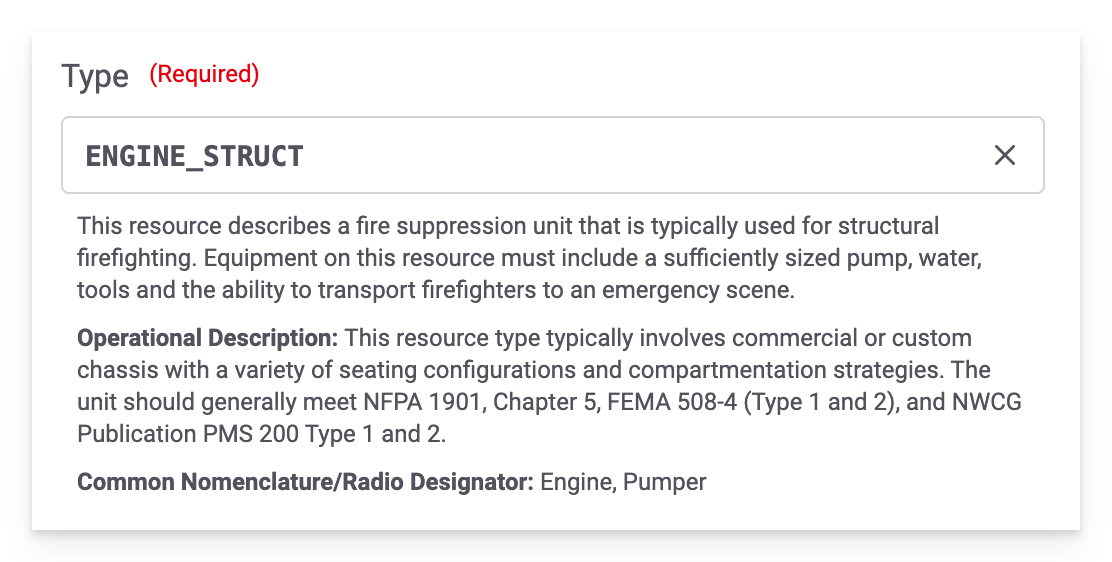
When a value is selected, details about the selected type are shown:
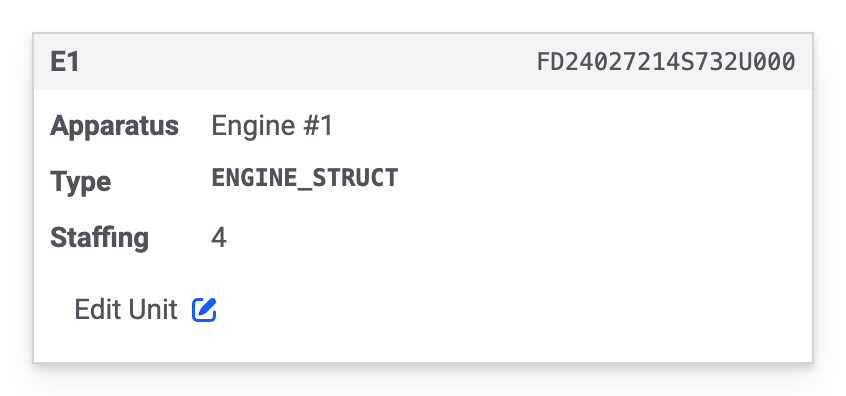
And, lastly, the Type displayed on the station details has been updated to show the value matching the dropdown in the modal:
Include in Payroll Configuration
It is now possible to disable the Include in Payroll field when adding personnel to a NERIS call. Previously this was enabled for all departments. A new option on the Other tab of the NERIS Settings page has been added to control this field:
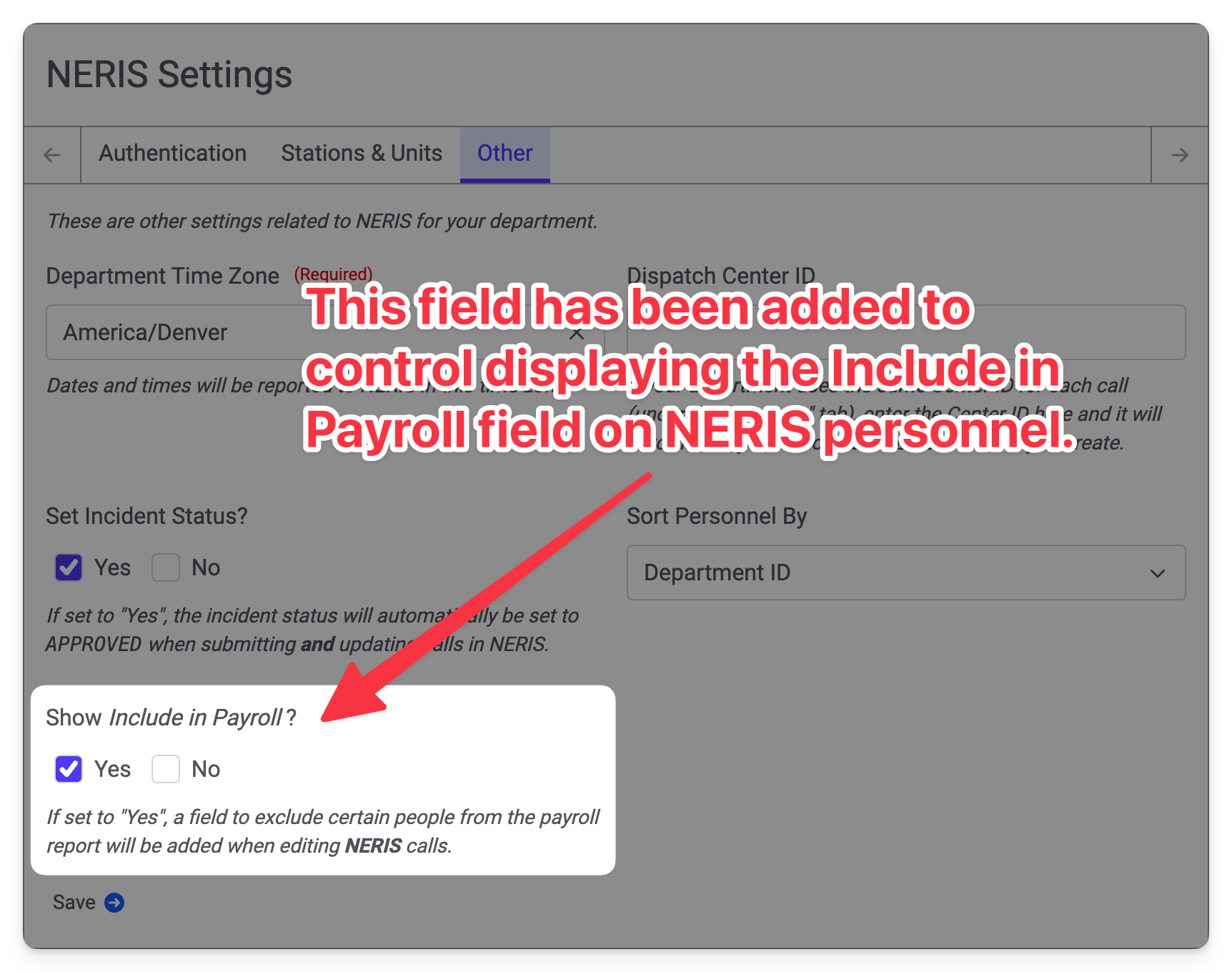
If you have never used the Include in Payroll field, this option will be set to No and you will no longer see the field. If you have used this field before, this option will be set to Yes and you will continue to see the field. You may always come back to these settings to enable or disable the Include in Payroll field as needed.
If you set Show Include in Payroll to No, all personnel will be included in the payroll report regardless of the previously selected value in Include in Payroll; however, disabling the field does not delete any previously entered values. If you re-enable the field, any previously selected options will be retained.
Updated Tactic Timestamps Layout
The layout of the Tactic Timestamps section of NERIS calls has been updated to look like this:
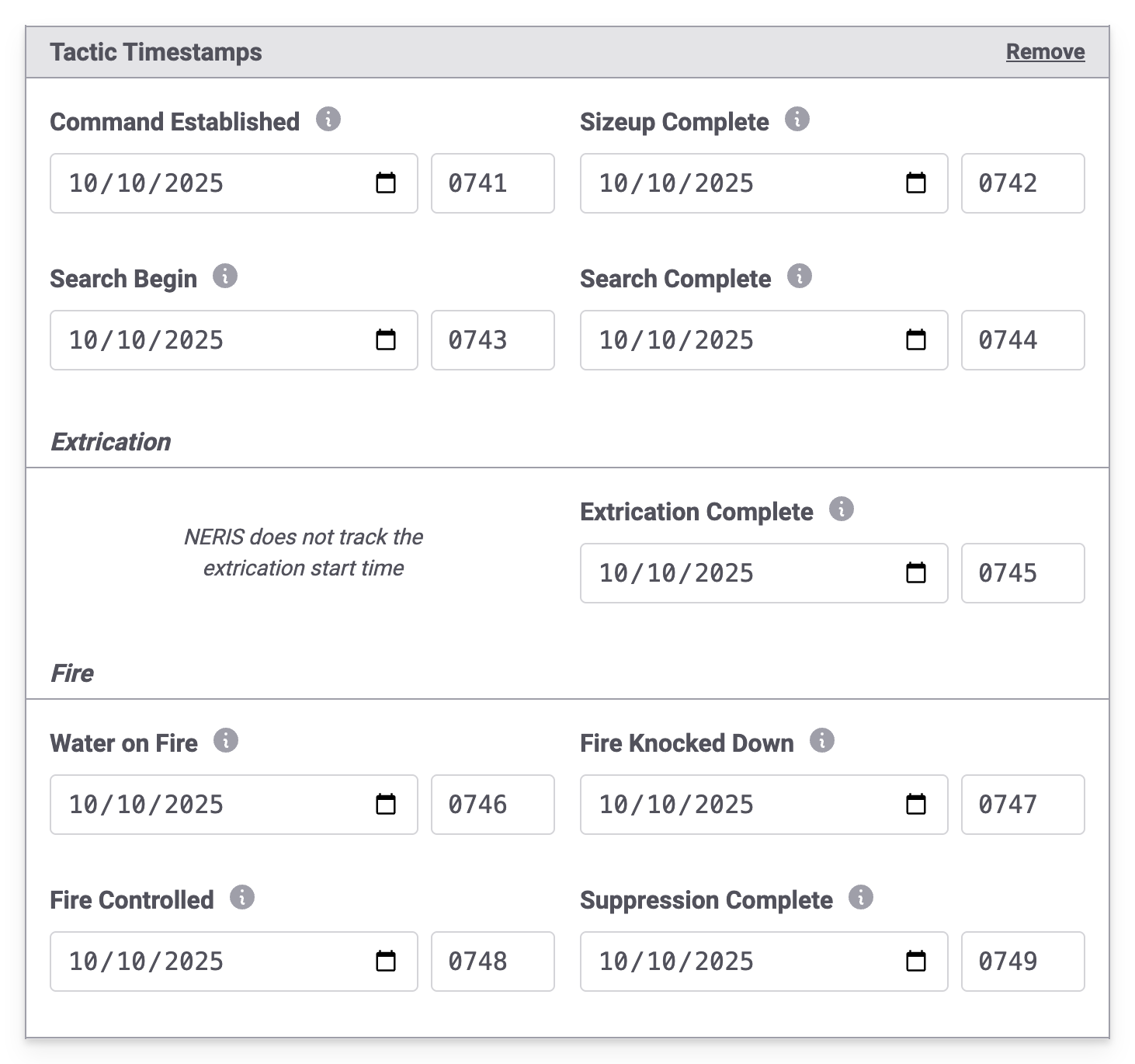
When printing a NERIS call with tactic timestamps, the timestamp layout has also been updated to match.

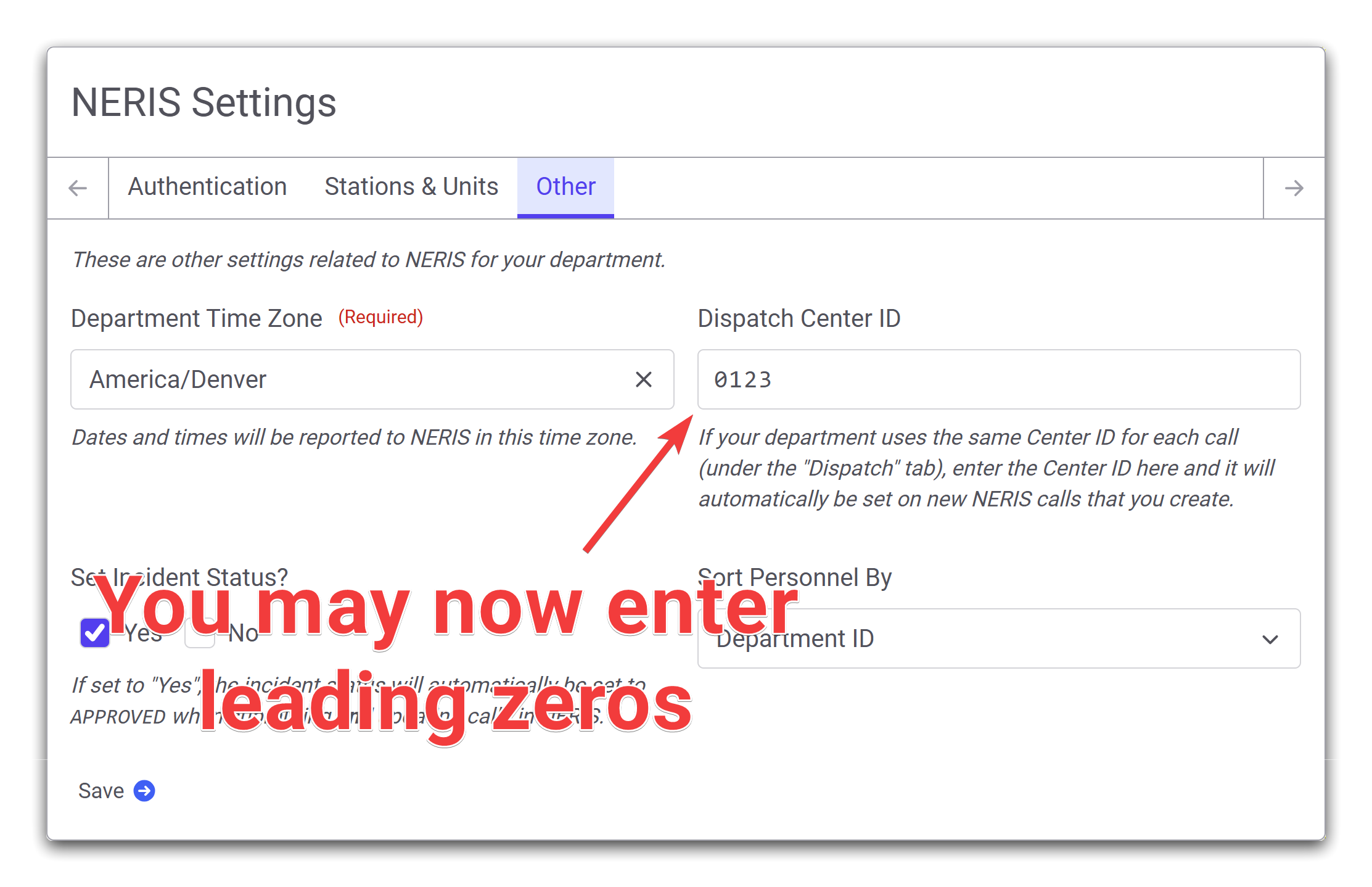
Leading Zeros in Dispatch Center IDs
A bug has been corrected that prevented entering leading zeroes in the default Dispatch Center ID that is configured under the Other tab on the NERIS Settings page.
Errors Printing NERIS Incidents After Deleting Apparatus
An error has been fixed where printing a NERIS call that included an apparatus that is now deleted failed.
October 14th, 2025
This deployment introduces small changes and bug-fixes to the NERIS sign-in process.
Default NERIS Environment - Fixed
An issue was found during the initial NERIS setup process where the credentials entered were incorrect. It was found that the NERIS testing environment was being used instead of the live NERIS production environment. This release corrects the issue so that the correct NERIS environment is used.
NERIS Sign In Screen Improvements
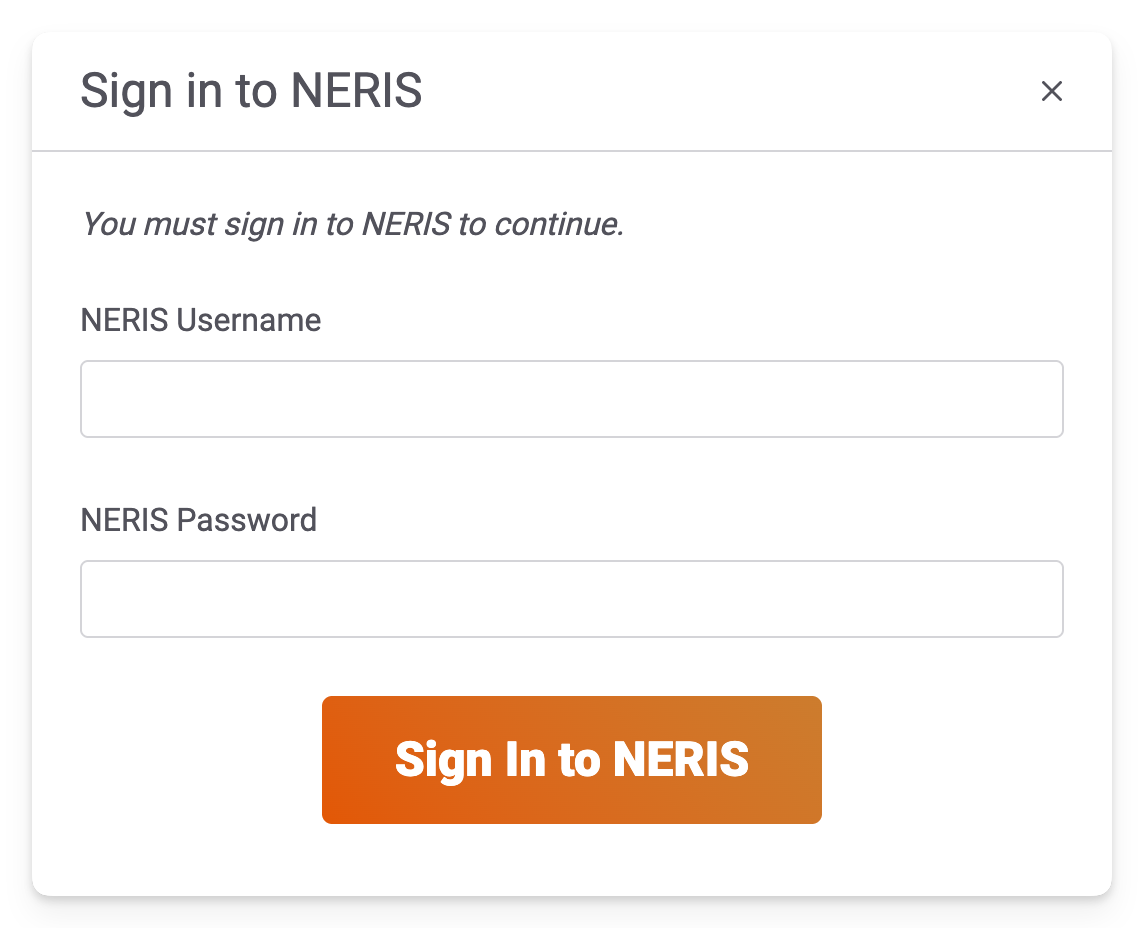
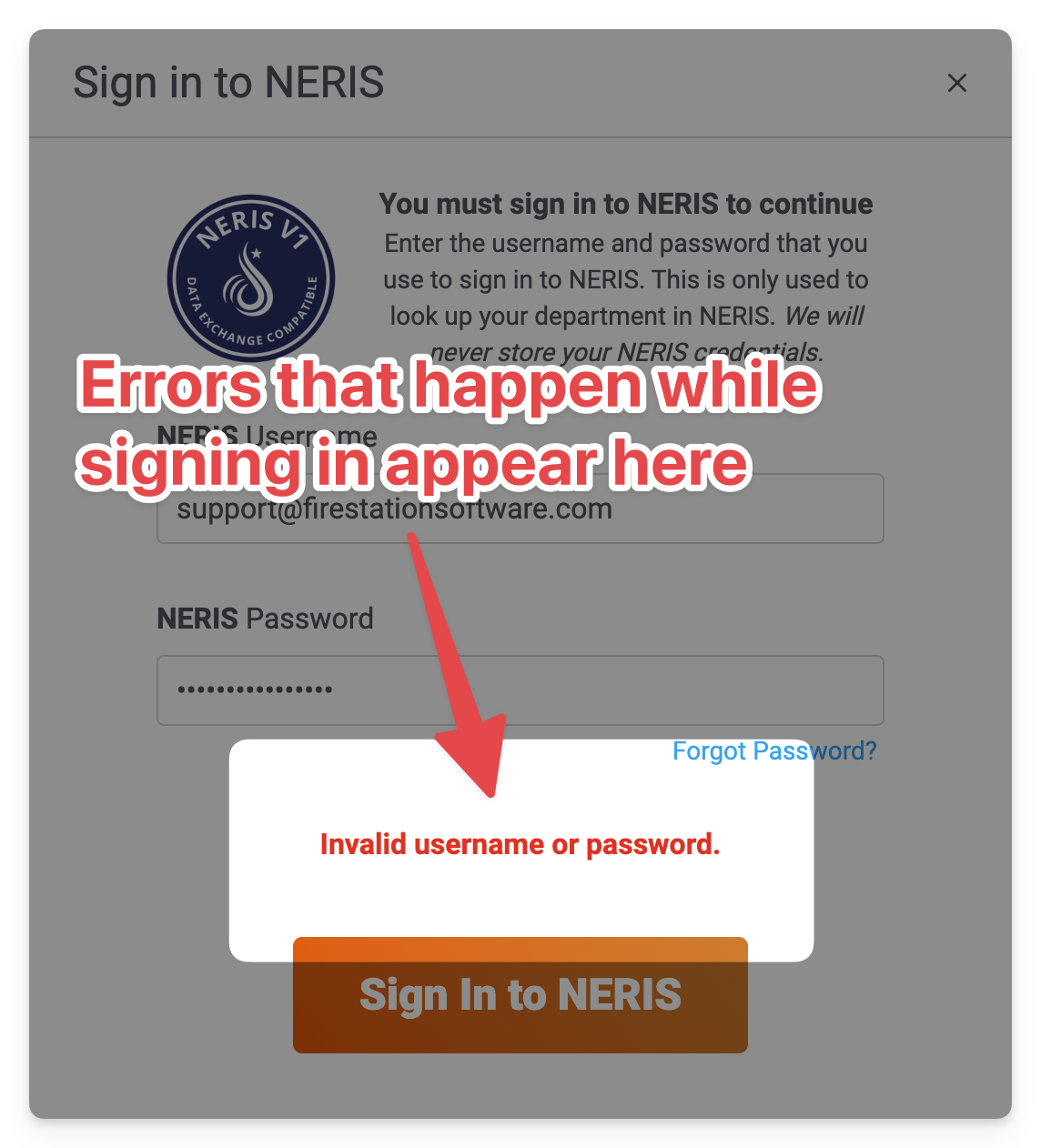
The NERIS sign in screen that you see during the initial NERIS setup process has been updated to improve clarity and error handling.
The old sign-in screen looked like this:
The new sign-in screen looks like this:
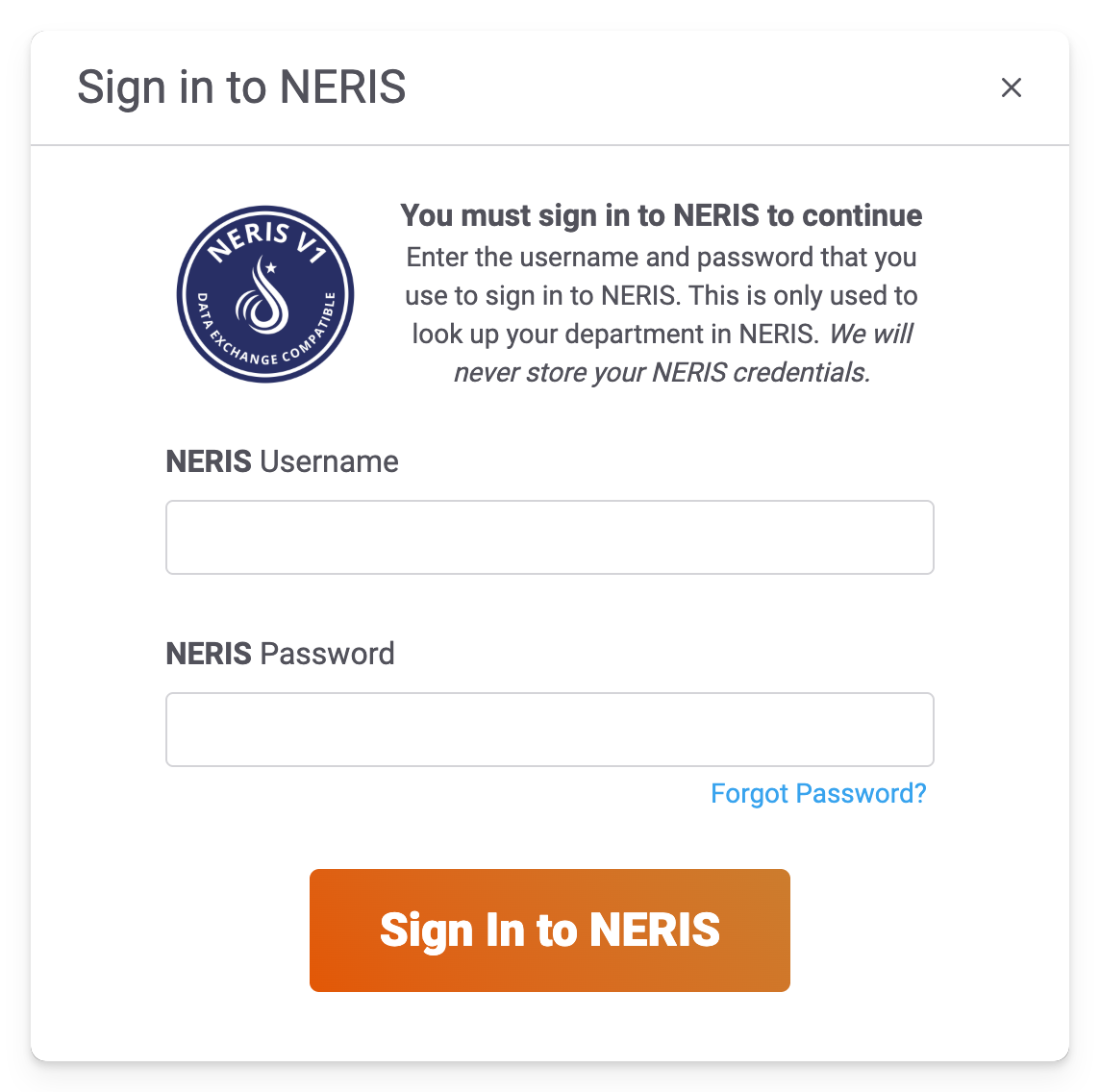
The purpose for this change was to make it more obvious that you are entering your NERIS username and password, not your FSSID credentials. There's also a link to the password reset page that NERIS has added, making it easier to recover your NERIS password from Fire Station.
We've also corrected an issue where an unexpected error was displayed when the incorrect username or password was entered. Errors during the sign-in process now appear above the sign in button.
October 13th, 2025
Improvements and new features for Fire Station's online NERIS Incident Reporting module are being deployed on Monday, October 13th, 2025. These changes are available automatically, without installing any updates.
Errors When Saving NERIS Calls - Fixed
We have received various reports of errors happening when editing NERIS calls. The source of these errors have been tracked down to periodic and temporary network re-connections. We have corrected the issue and have deployed the changes required to fix these problems. If your department continues to see errors while editing NERIS calls, please continue to reach out to our support team for help.
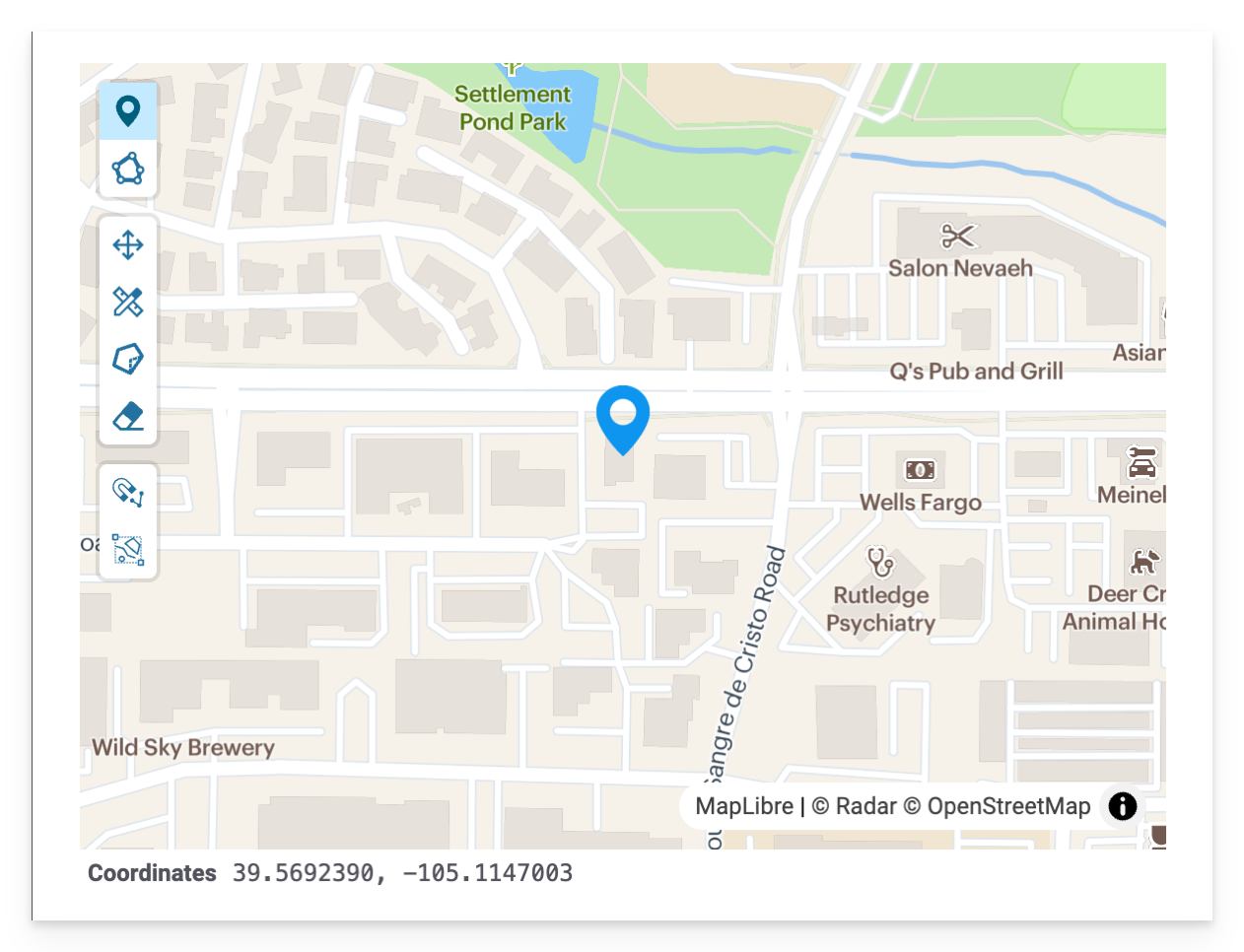
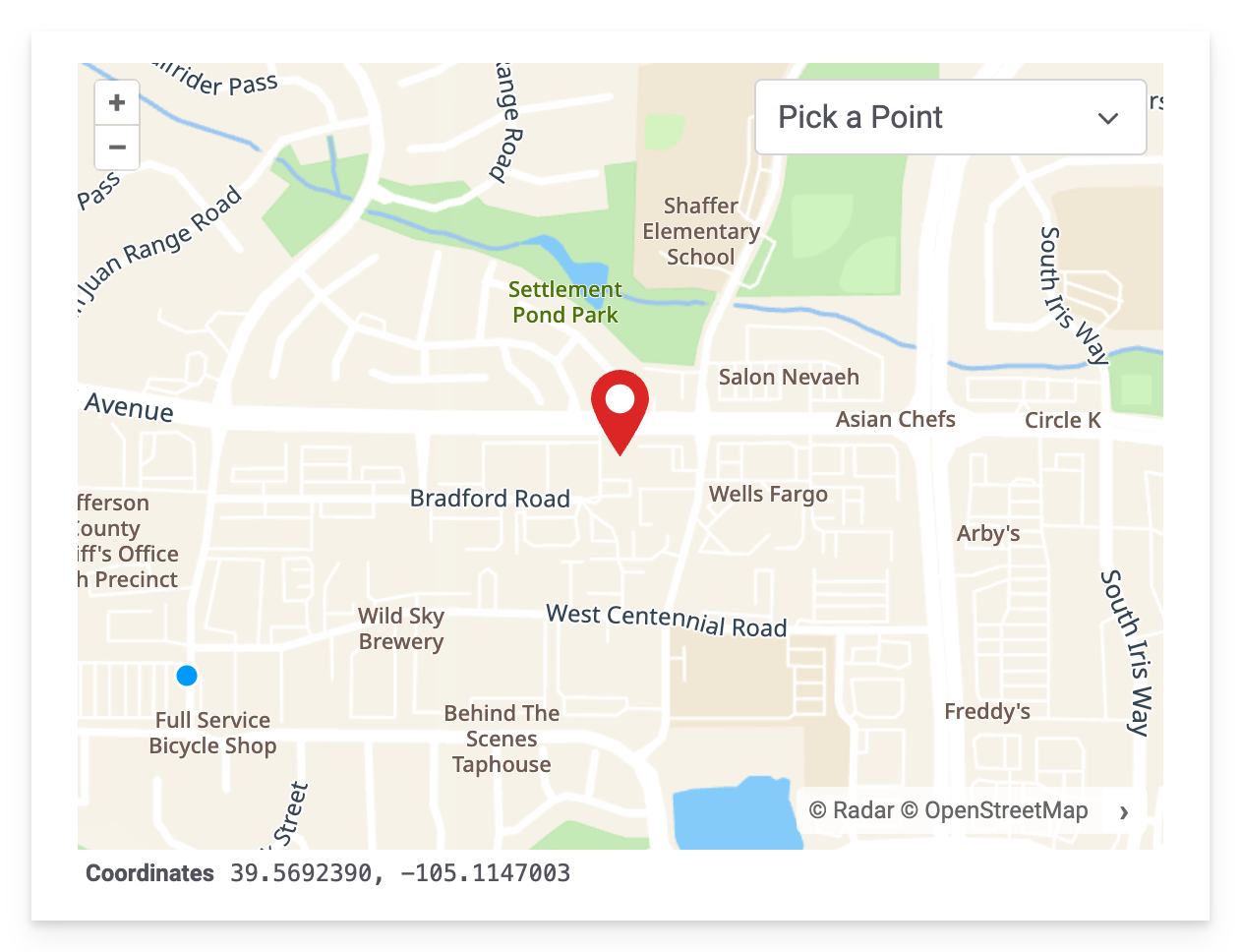
Improved Map Editing
The map that you see while entering a NERIS call location has been updated to fix errors occurring when moving the pin from a previously selected location. We continue to support entering exact GPS coordinates, what3words addresses, and street addresses. You may also choose a call location by clicking a point on the map.
This is the old map editor:
This is the updated map editor:
NERIS Submission to Fire Recovery USA
With this release, we now have early support for submitting NERIS calls to Fire Recovery USA. This feature is enabled if your department has previously submitted NFIRS calls to Fire Recovery USA in the Windows application.
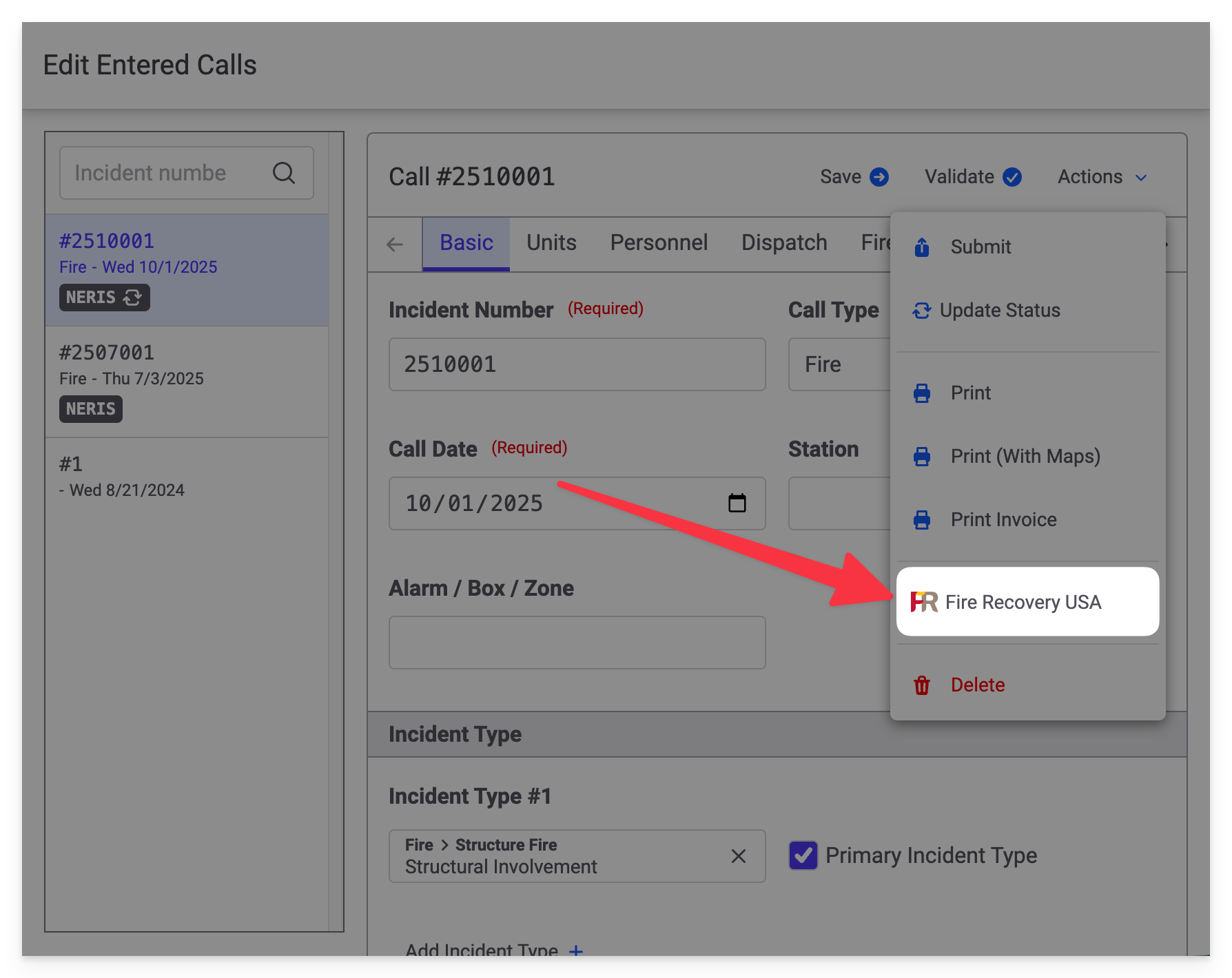
The first time you submit a NERIS call to Fire Recovery USA you will be guided through the necessary setup process.
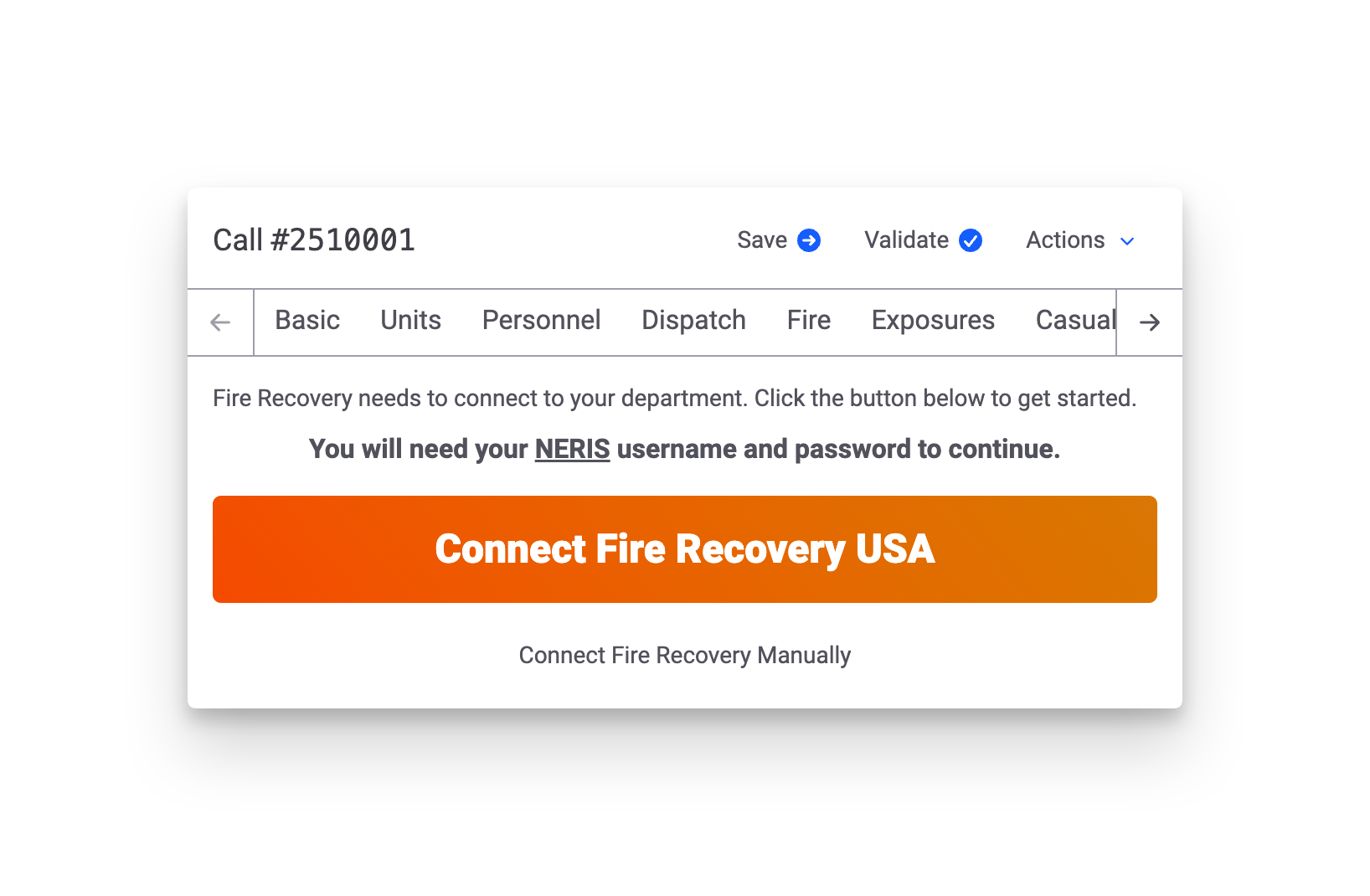
If you encounter any issues during the submission process, or if you need help submitting NERIS calls to Fire Recovery USA, please reach out to our support team.
Fire Station Desktop - Version 4.12.0.2
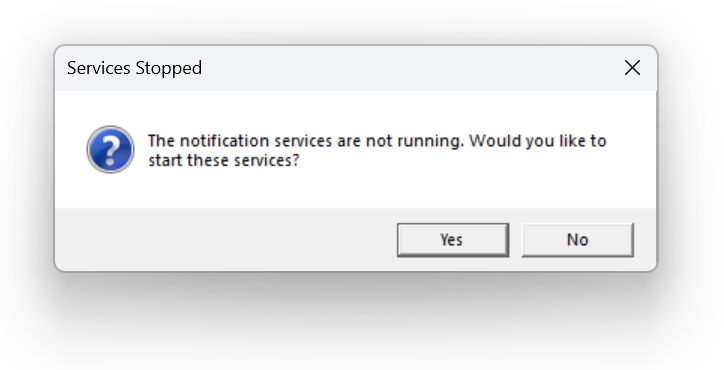
This release fixes the Expired Items Notification Service and the Apparatus Checks Notification Service that fail to start in versions 4.12.0.0 and 4.12.0.1.
If you see the following error message when signing into Fire Station, and you have updated to Version 4.12, this release should fix this error:
Fire Station Desktop - Version 4.12.0.1
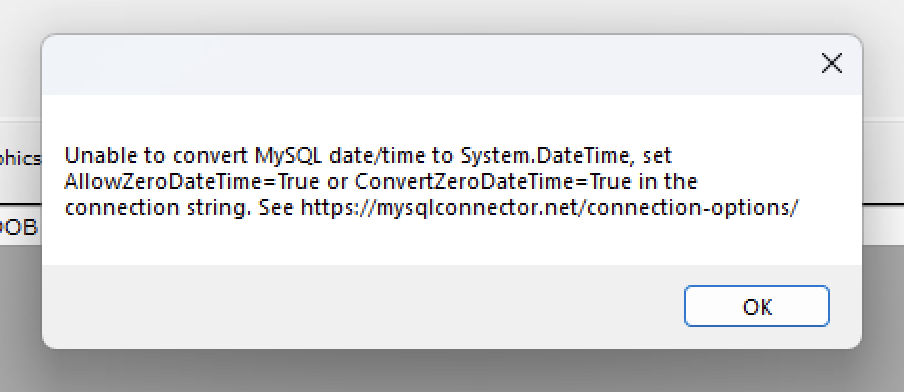
This release fixes errors that you may have received when editing calls or viewing your frequent flier list when entering a new Quick Call.
The error that was fixed is would show a message like this:
Fire Station Desktop - Version 4.12.0.0
June 2025 - Version 4.12.0.2 of Fire Station Desktop has been released, fixing error messages that appear indicating that the notification services are not running when signing into Fire Station after updating to Version 4.12.
May 2025 - We are happy to announce the following changes have been made to Fire Station Desktop and the Fire Station+ online platform. All of these changes are available to your department if you have an active license and use Cloud Data Hosting.
Fire Station+ Incident Reporting
The Incident Reporting functionality for Fire Station+ enables your department to enter NFIRS incidents online using an improved call editor. This editor supports partials saves and calls entered online are pushed to the Fire Station Desktop call list once complete. This feature has been available in beta for a few months, but it is now generally available.
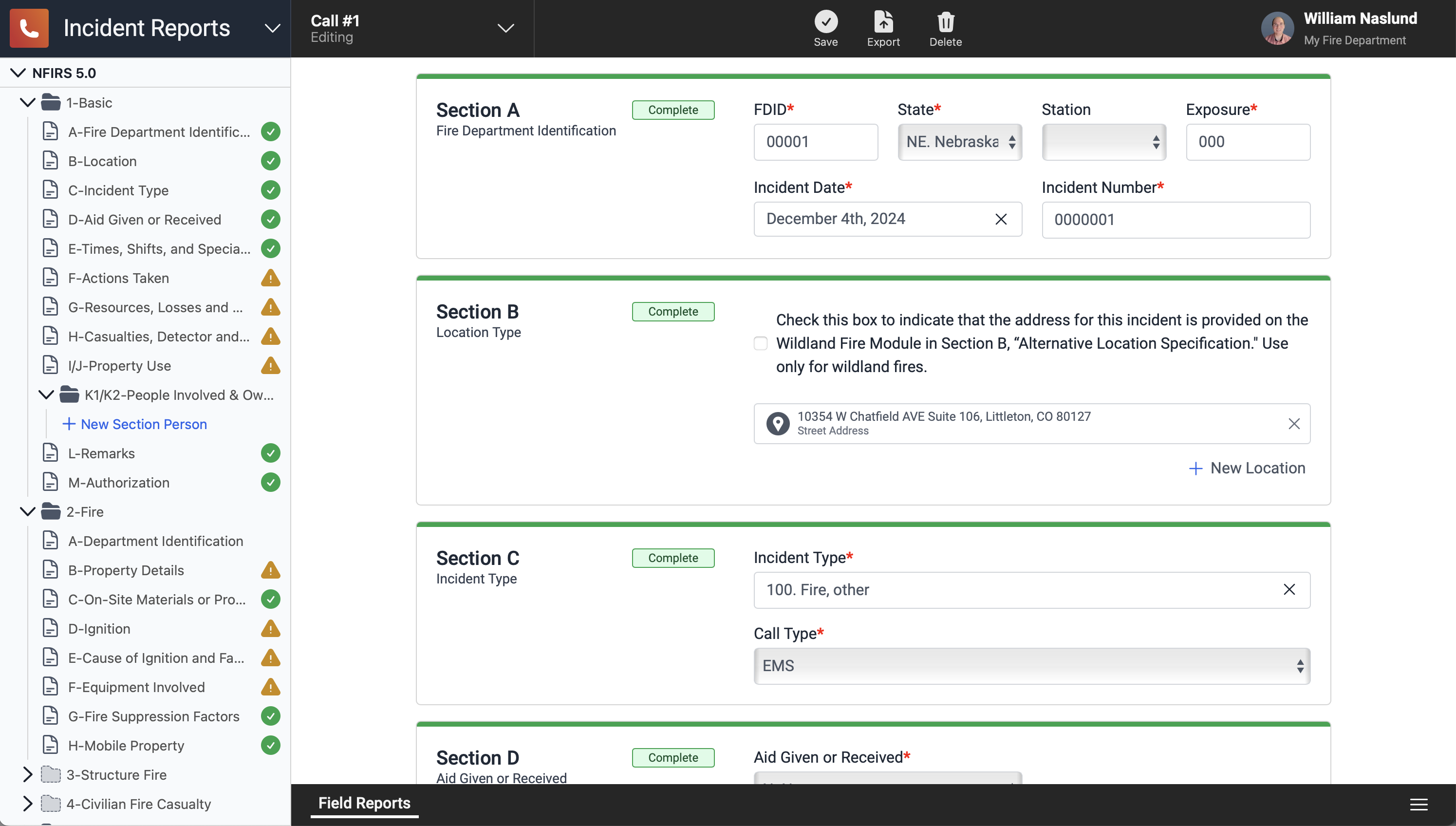
To access the online Fire Station+ Incident Reporting, sign in to the Fire Station Hub using your FSSID at hub.firestationsoftware.com and select "Incident Reports" from the drop-down menu at the top.
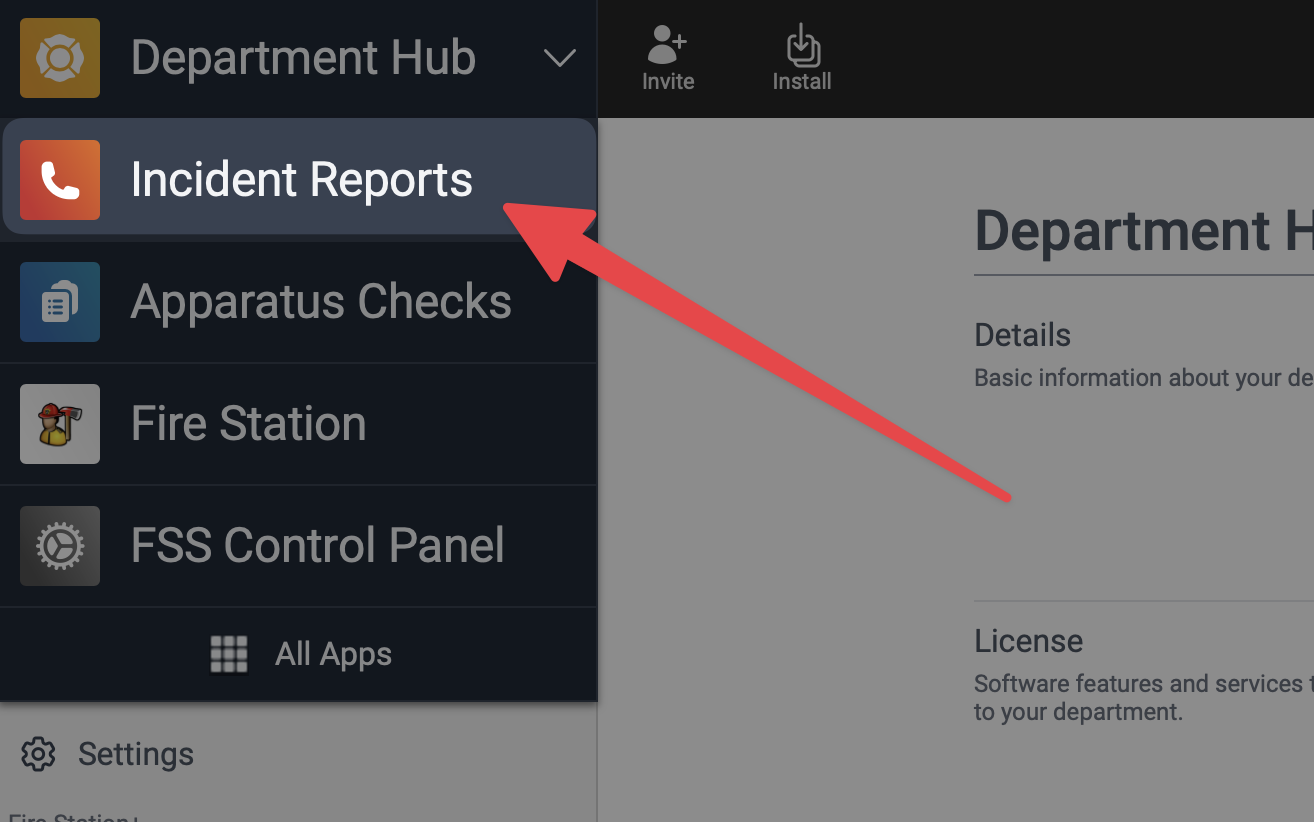
This feature has been enabled for all departments that have an active license that includes the incident reporting module and Cloud Data Hosting. For more information, see the Fire Station+ User Guide: Enter an Incident Report
Database Connection Issues Fixed
We have seen a number of issues caused by the database connection being reset while Fire Station Desktop is open. The latest version of Fire Station Desktop introduces a series of bug-fixes to address this issue. If you are using Fire Station Desktop and the database connection is lost you will see a message indicating that the connection is being re-established. Also, no data will be lost once the connection has been restored. If you are filling out a call and this happens, the call information you already entered will be preserved.
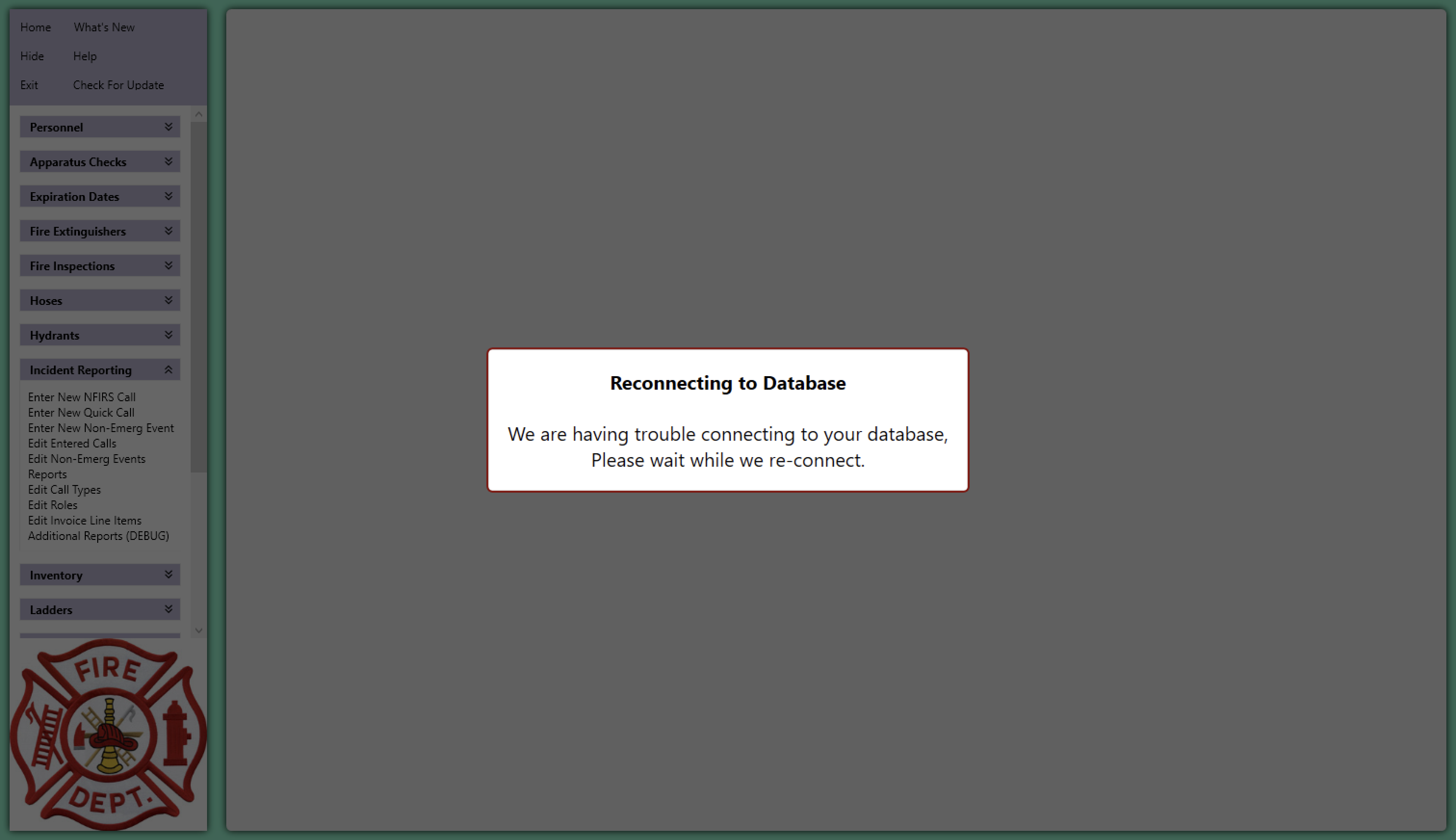
Be sure to install Fire Station Desktop Version 4.12 to get this update. This version has been made available to all departments with an active license.
Active911 for Quick Calls
Our integration with the Active911 services allows you to import alert details when entering quick calls from Fire Station Desktop. This feature has been available in beta for a few months, but it is now generally available.
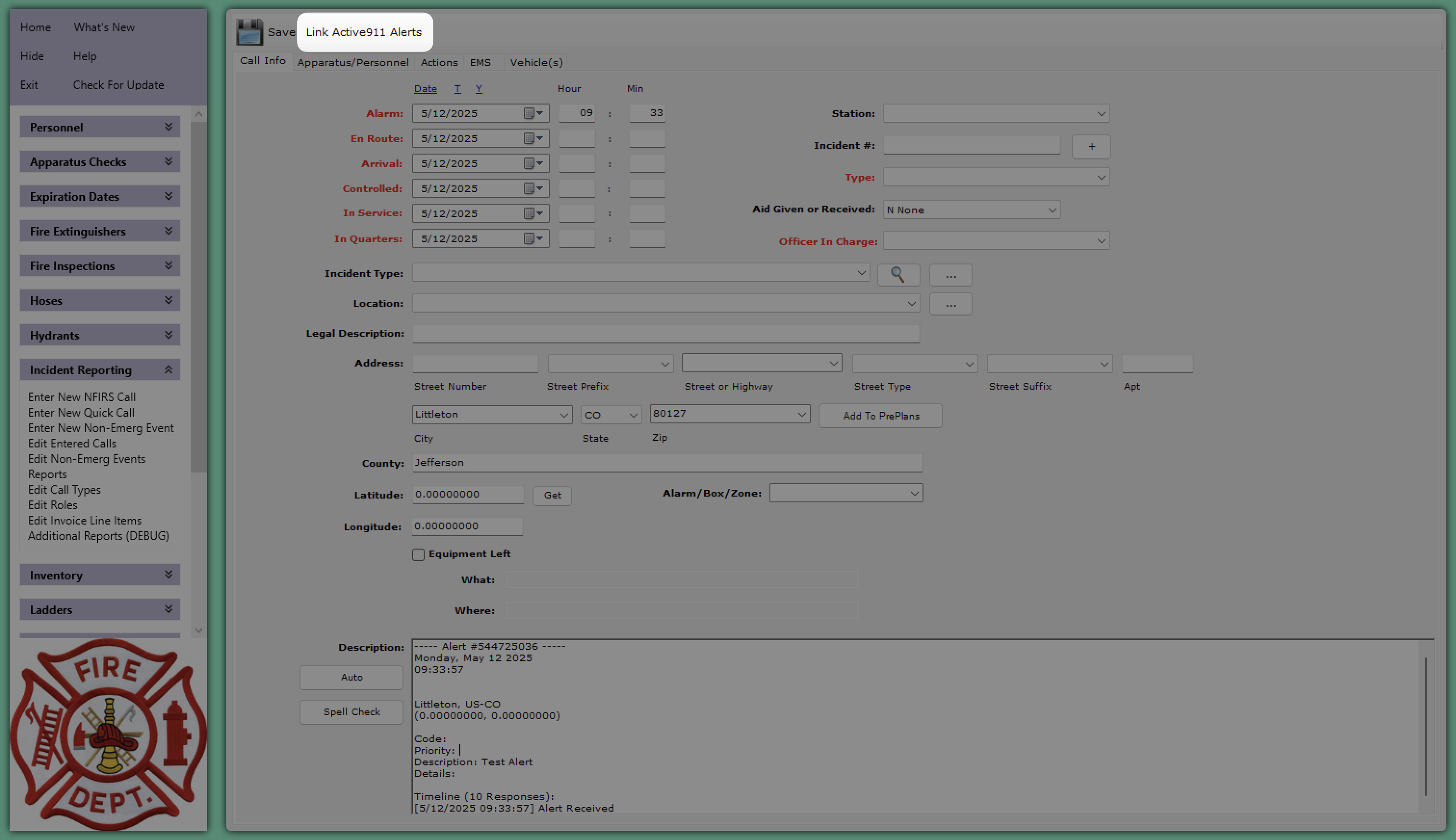
If your department is using Active911 and you want to enable this feature, please reach out to our support team by sending an email to support@firestationsoftware.com or by giving us a call at (888) 809-2673 ext. 2
NERIS Support (Alpha)
We are happy to announce that support for entering NERIS incidents from the Fire Station Online Platform is now available for early testing. There's a lot of exciting things coming to support everyone as we transition to NERIS based incident reporting. NERIS incidents will be entered from our new online application using the web browser on your computer, tablet or phone. With Cloud Data Hosting, this new platform works seamlessly with your existing department records and the Fire Station Desktop application.
Here's what it looks like so far:
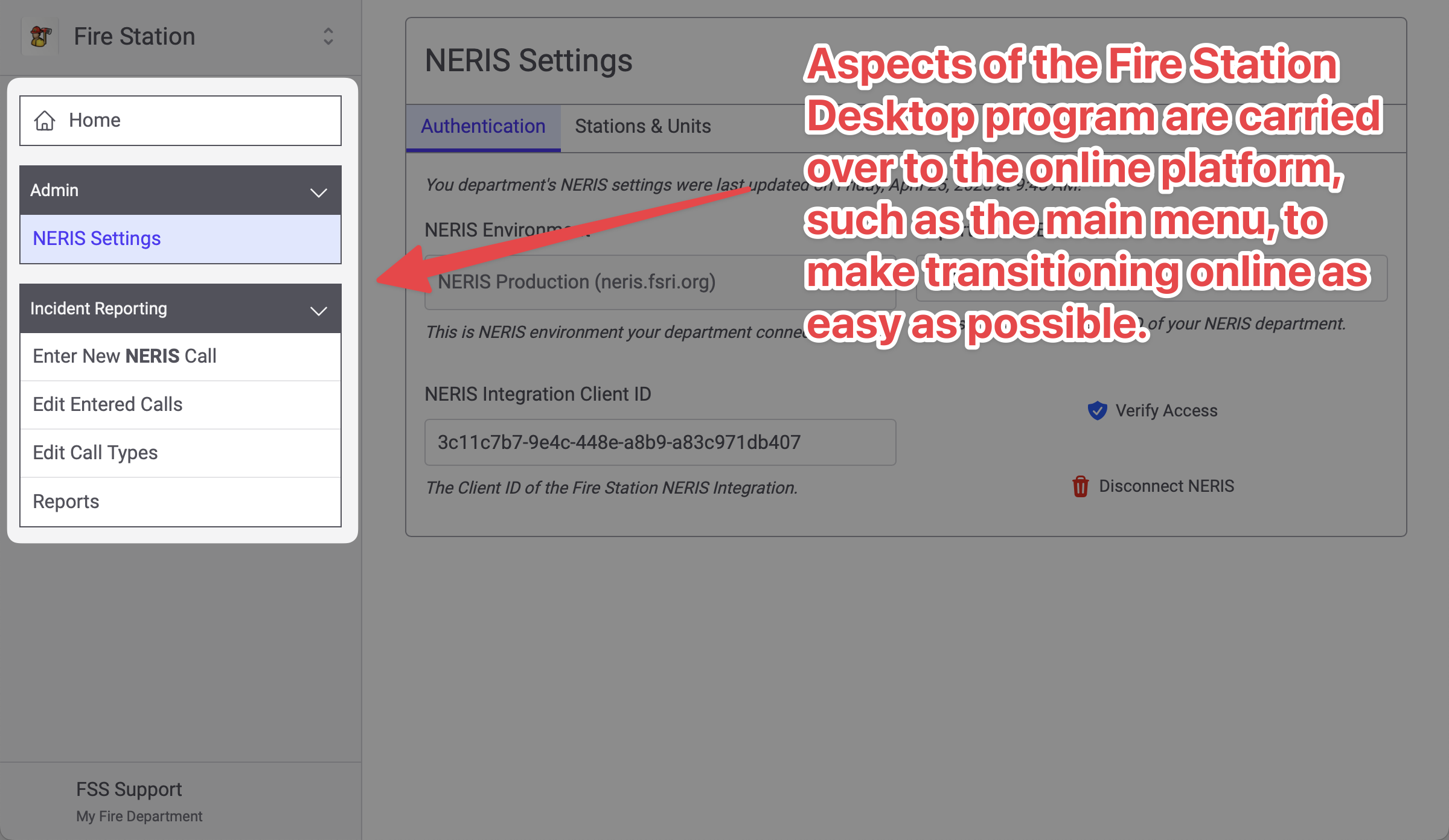
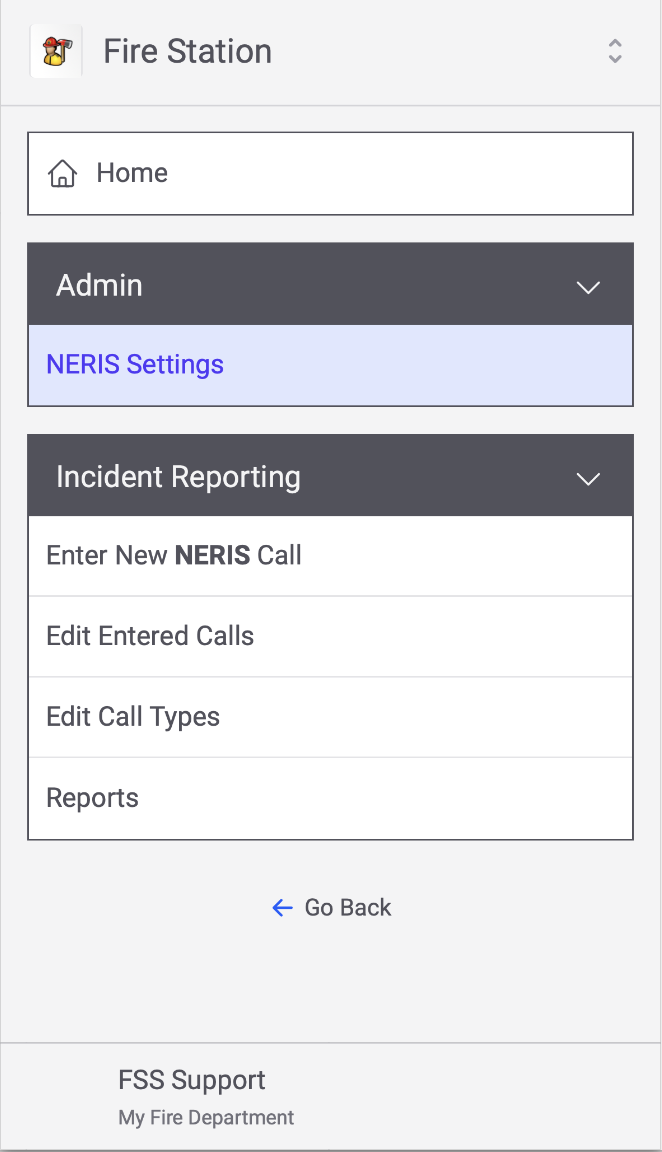
We've also been working to adapt the desktop layout to a phone in ways that are as familiar as possible. For example, here's the main menu on a phone-sized screen:
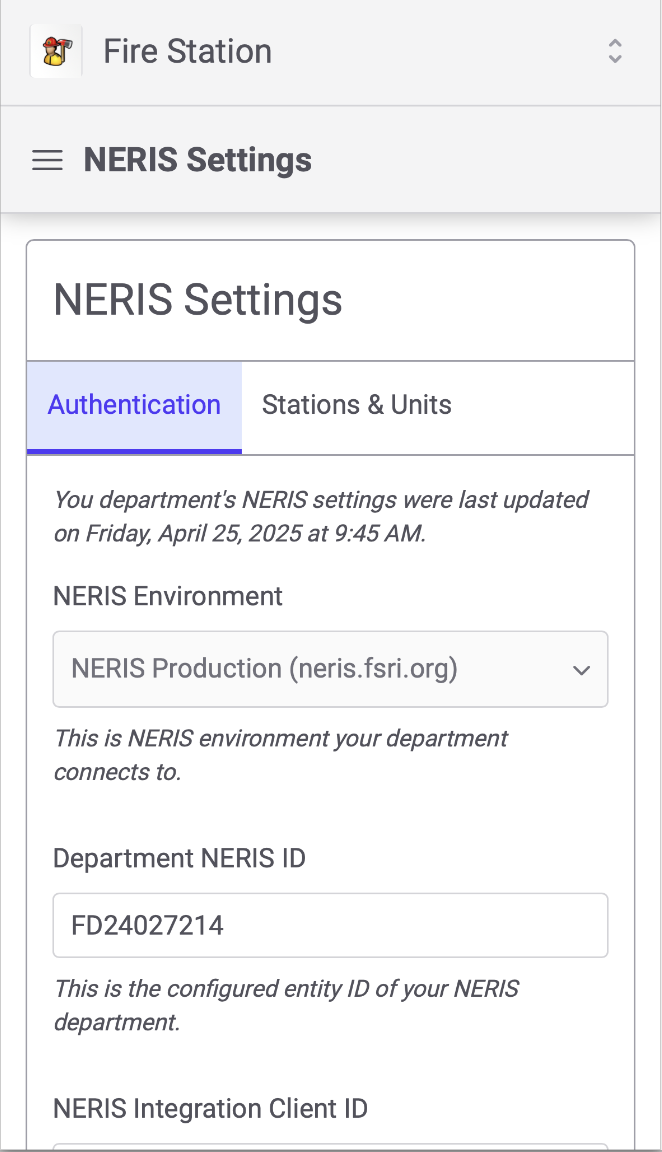
And, as you view the pages the menu collapses like so:
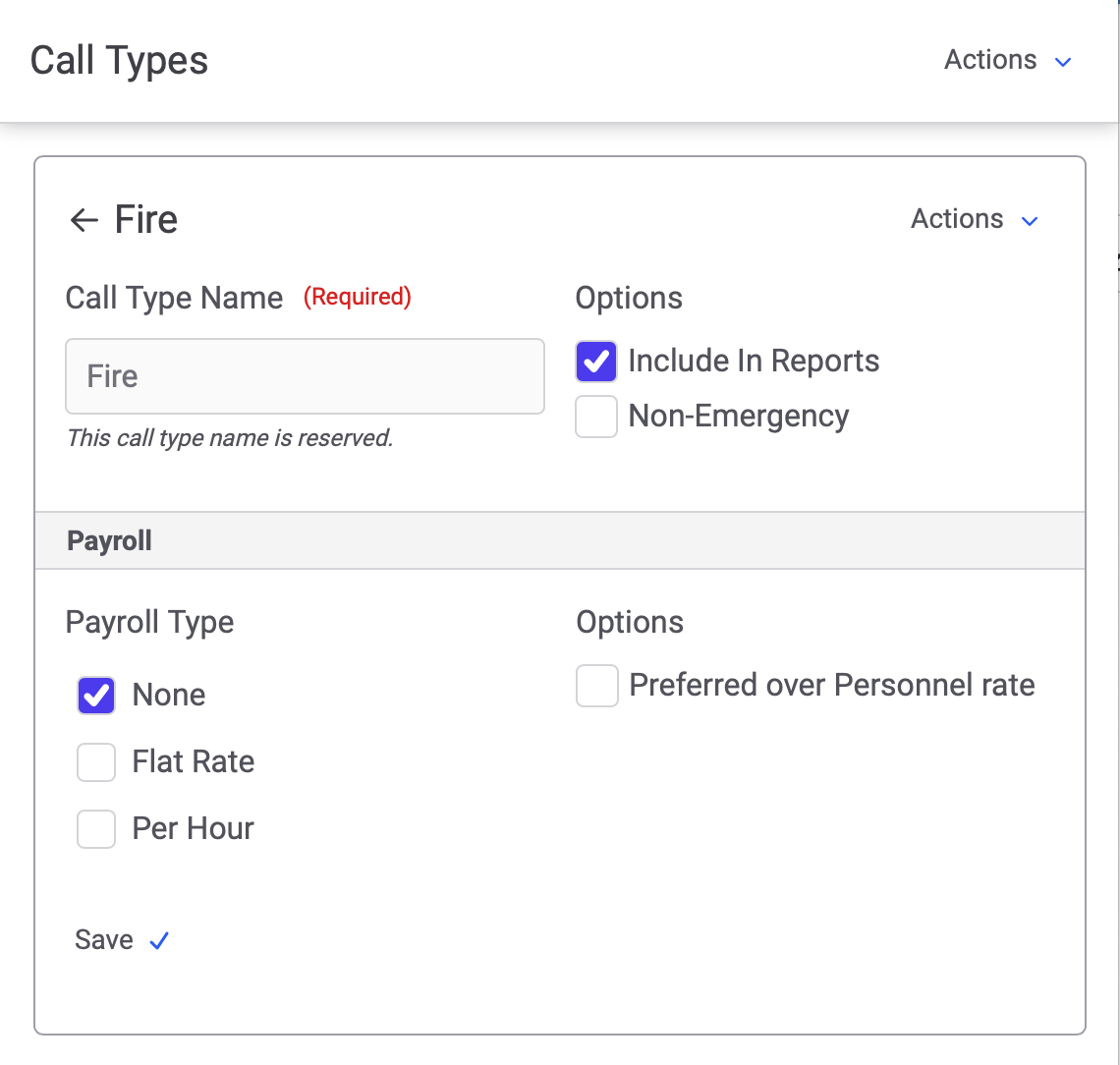
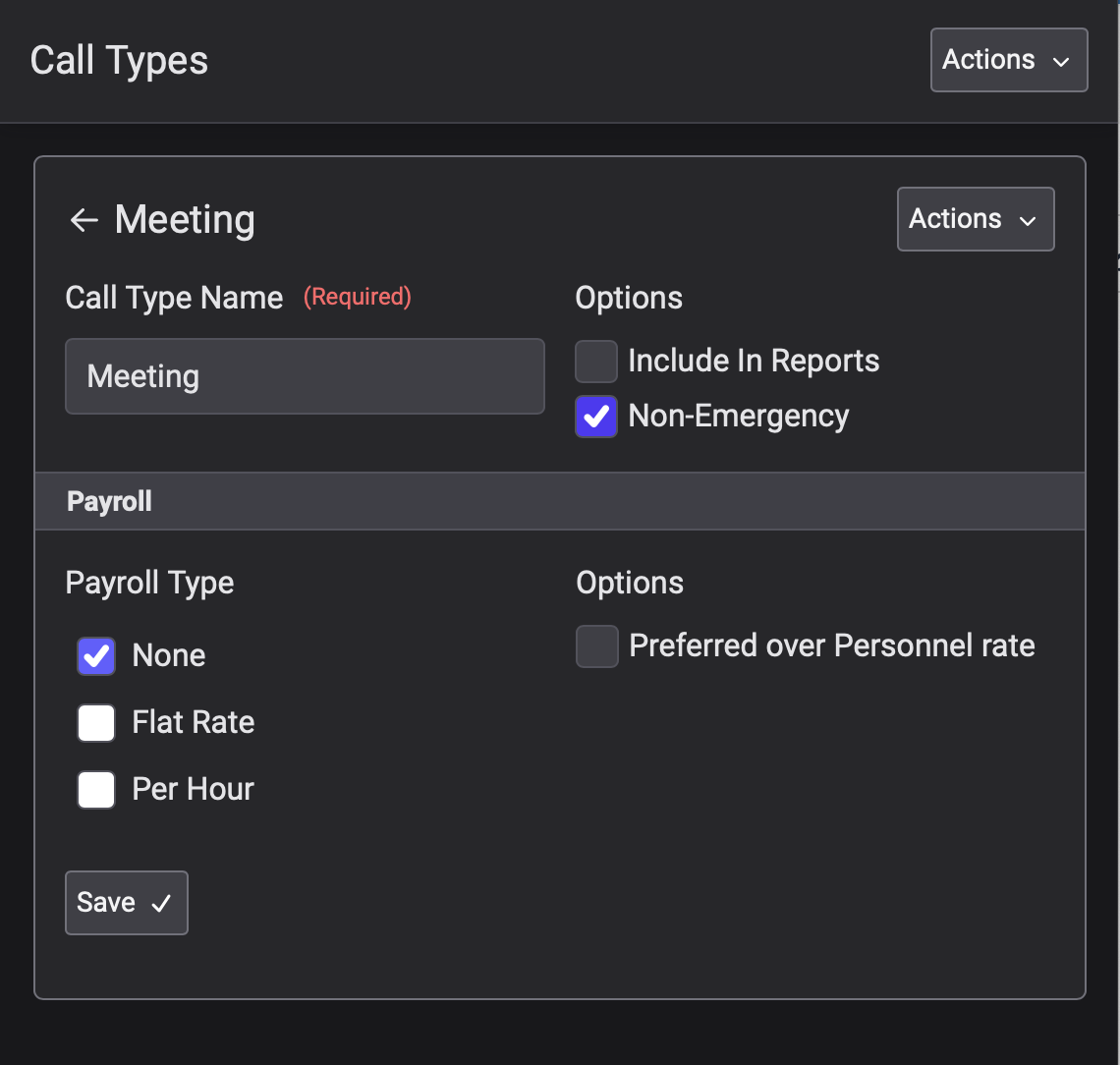
We've also included support for some different color schemes:
|
Light
|
Dark
|
High Contrast
|
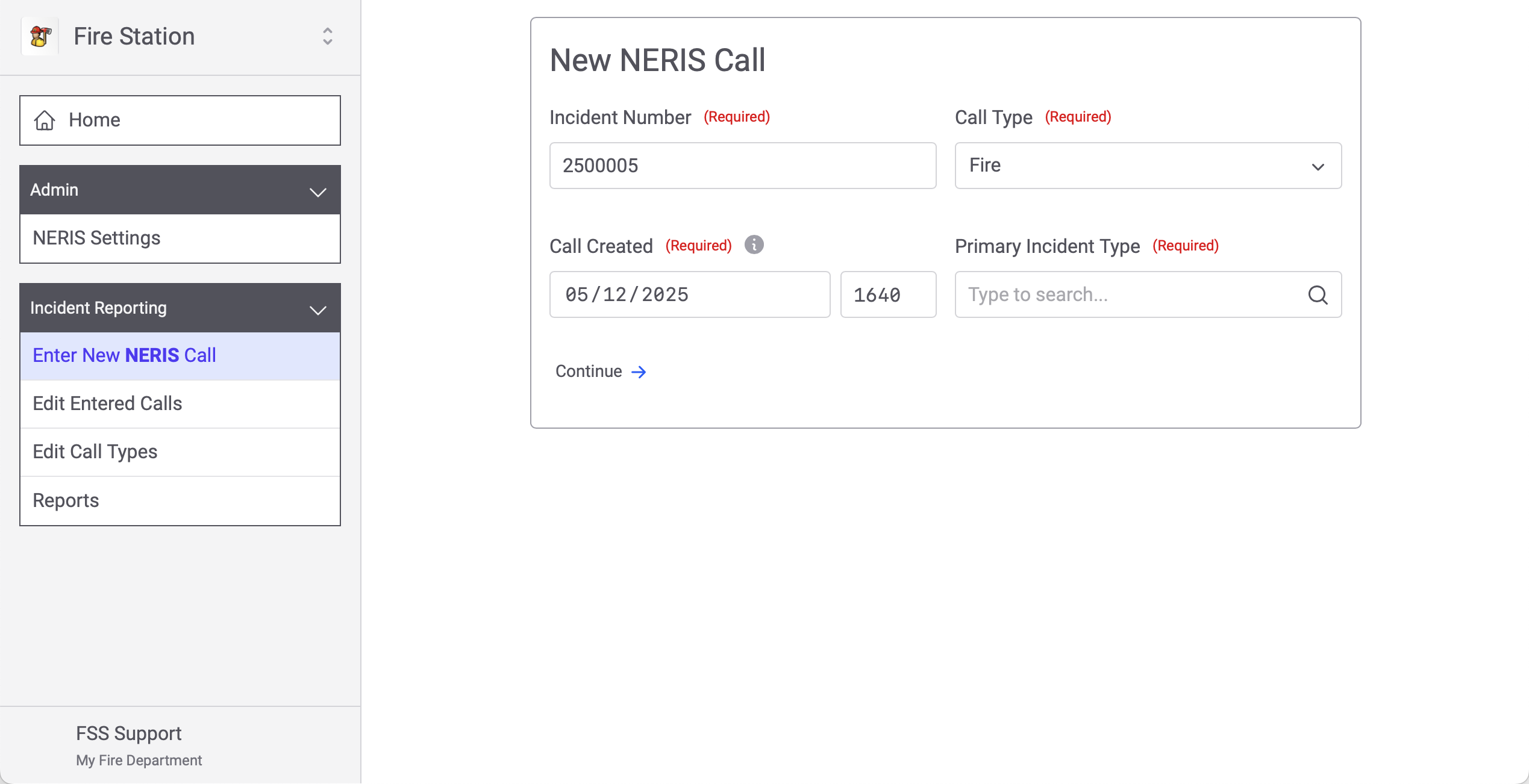
NERIS Incidents can be entered directly in Fire Station then validated and pushed directly to NERIS. The integration works with both the NERIS Testing environment and the NERIS Production environment, though your department can only be connected to one NERIS department/environment at a time. You enter a NERIS incident by clicking "Enter New NERIS Call" under "Incident Reporting"...
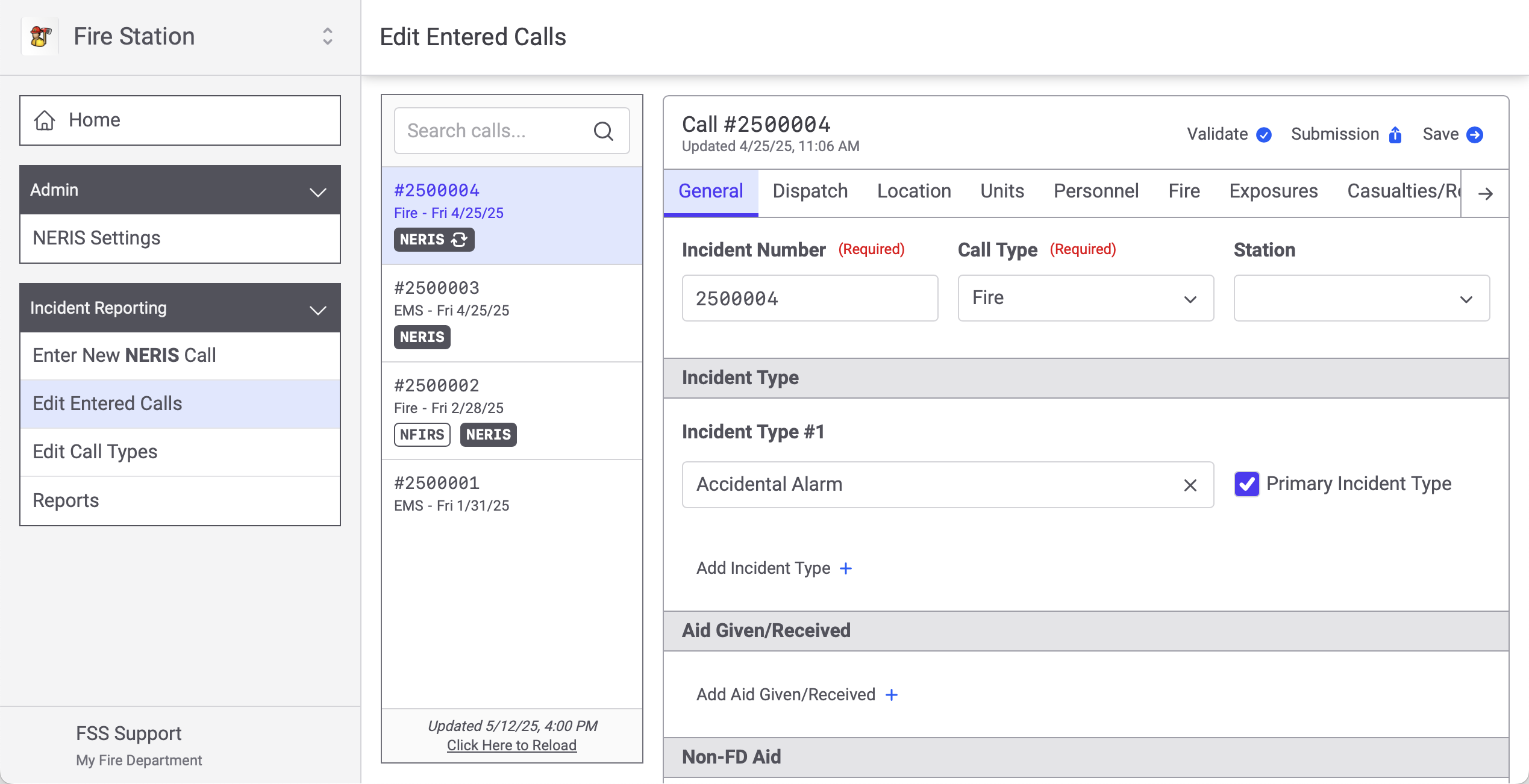
And you edit existing NERIS incidents, that have been entered from Fire Station, by clicking "Edit Entered Calls".
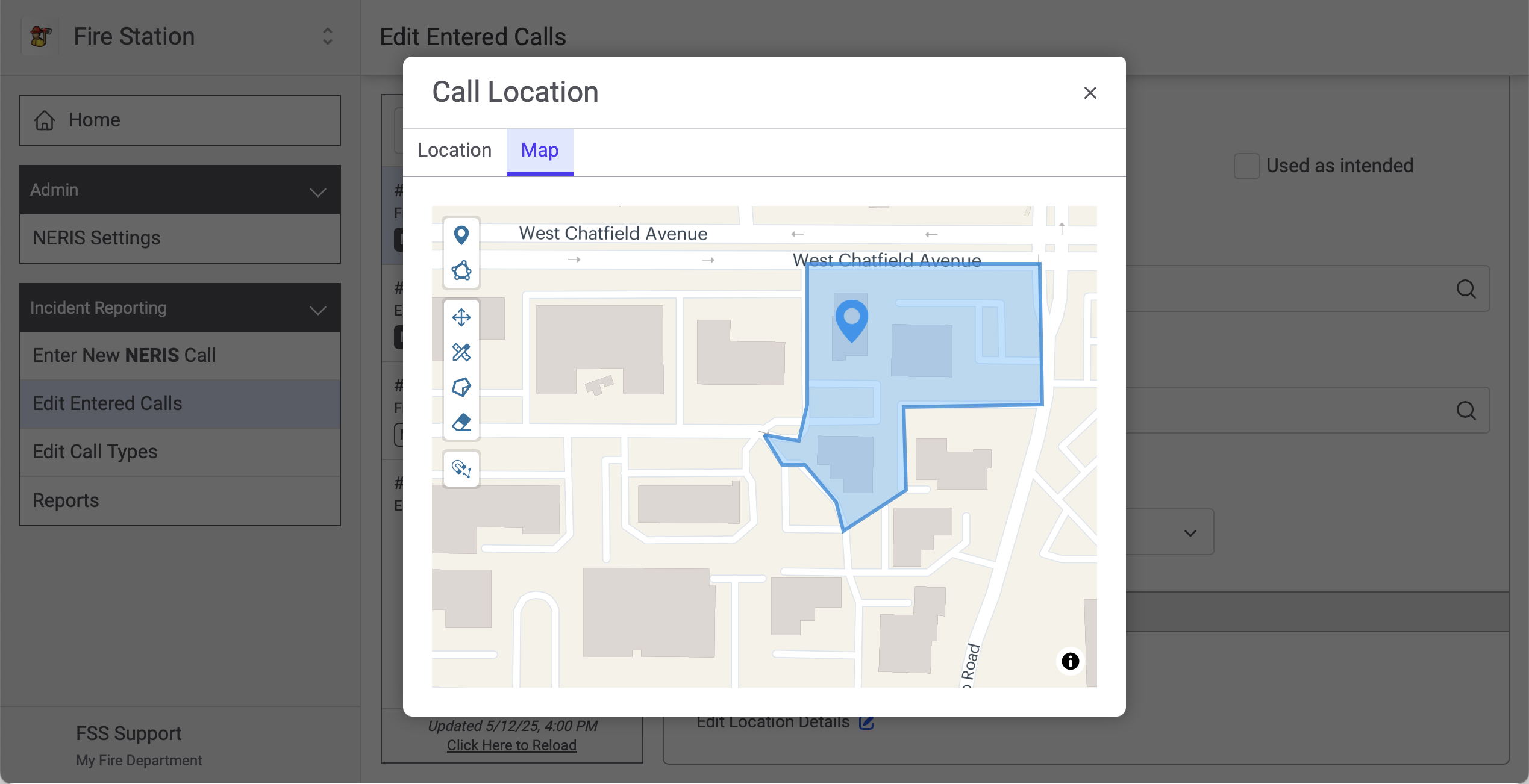
Clicking through the tabs takes you to different modules and sections of the NERIS incident. We've also included support for editing map geometries (for the NERIS location and exposure modules) directly from Fire Station.
NERIS units map to your Fire Station apparatus...
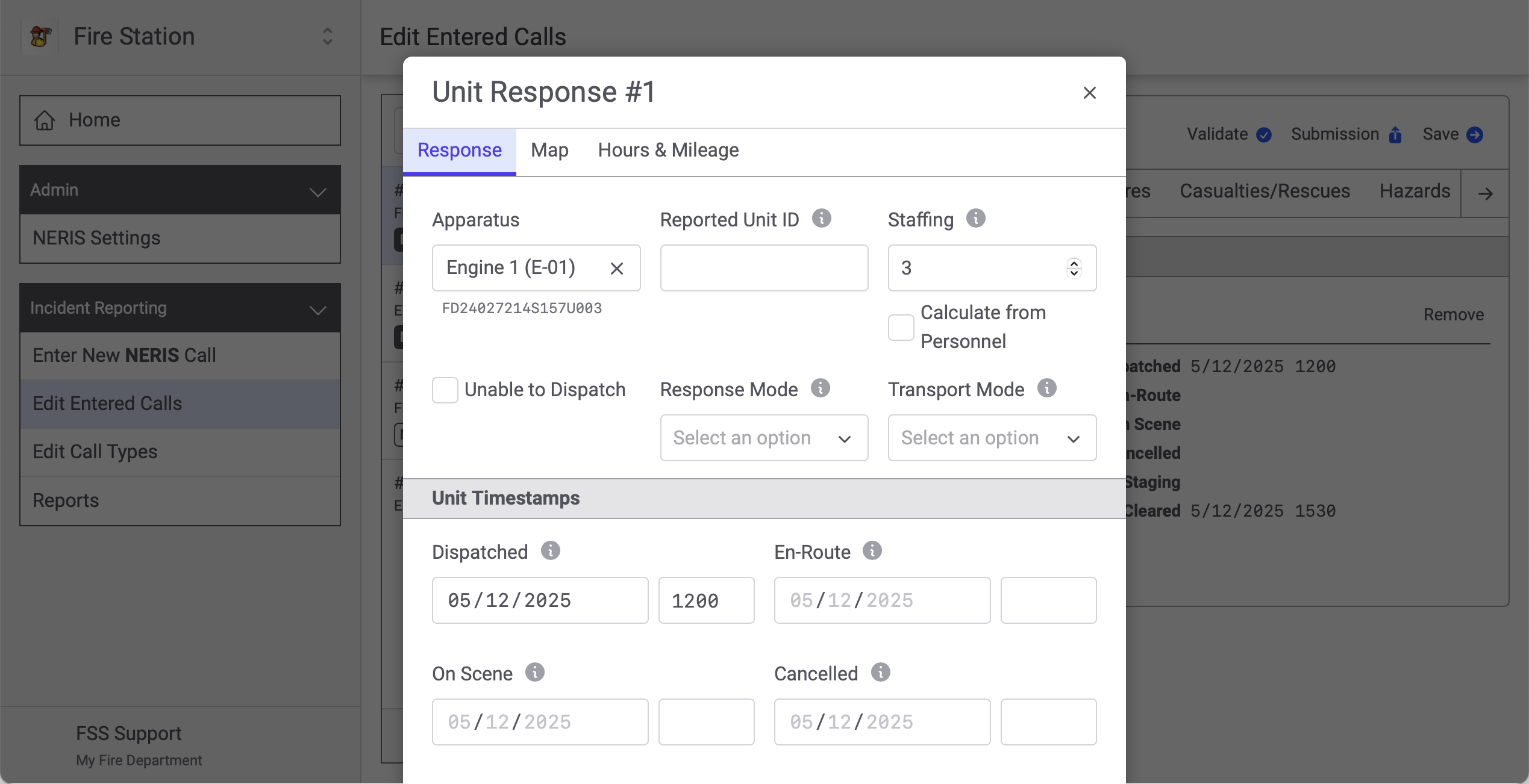
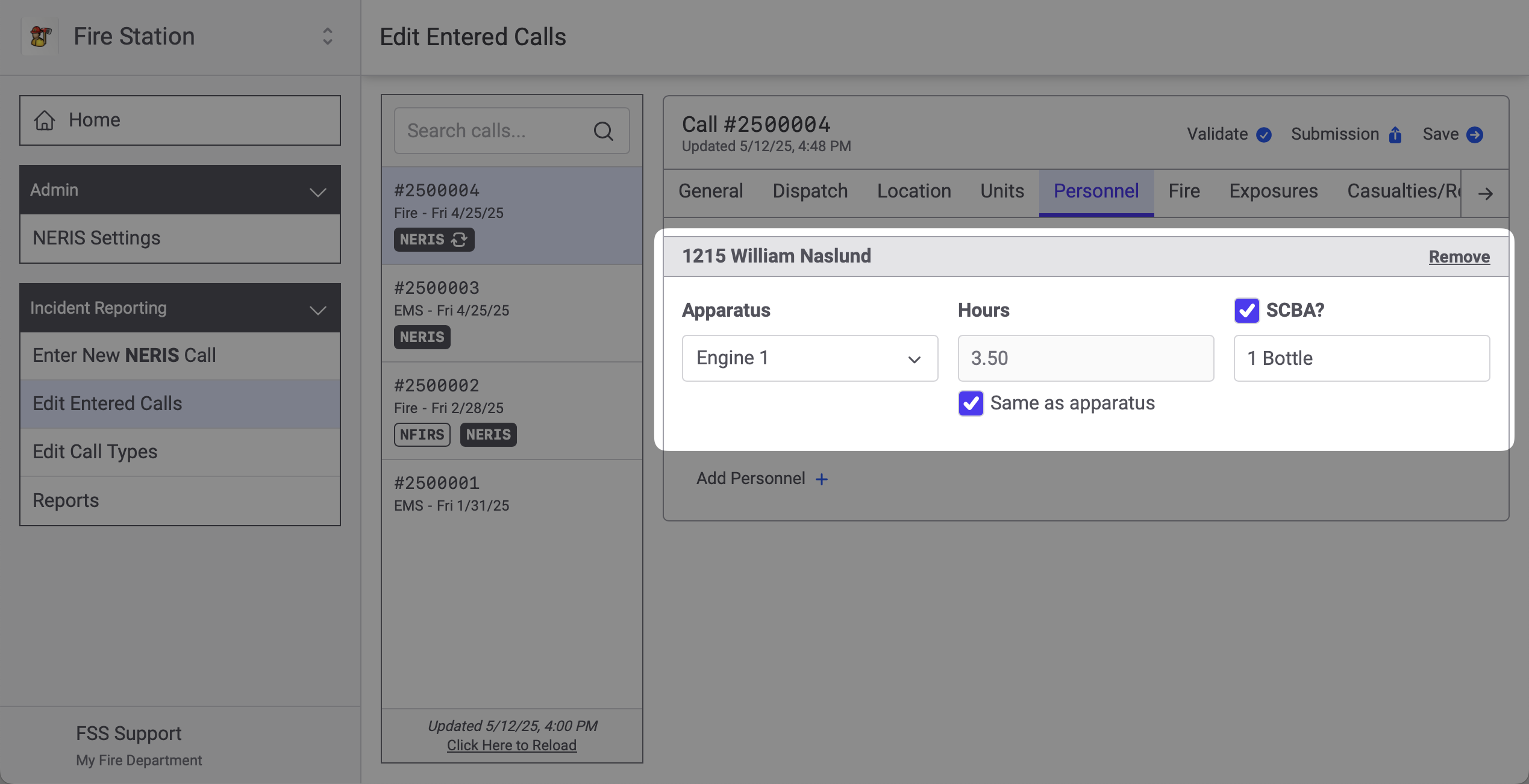
And you can add personnel to NERIS incidents.
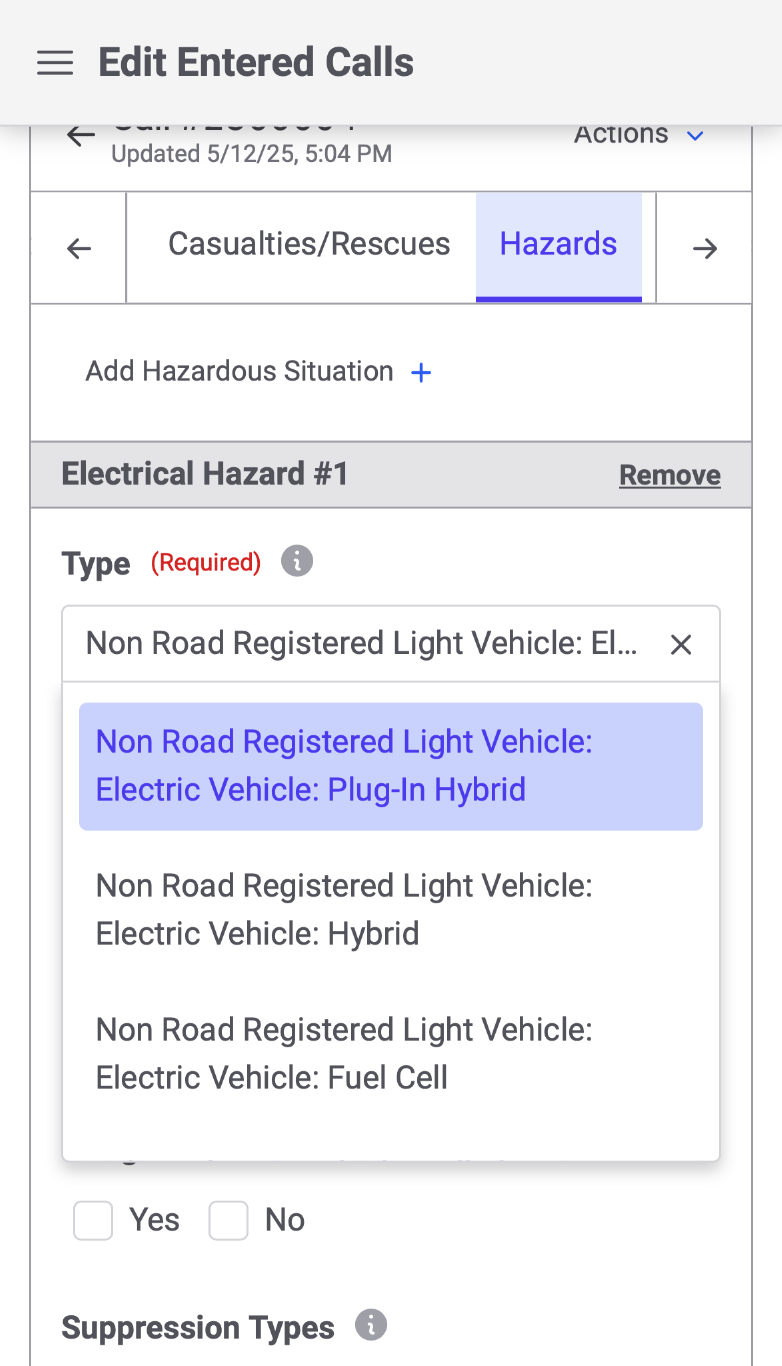
The entire NERIS incident can be edited from a phone as well. The layout adapts to the screen you are using. The tabs collapse and you can swipe left and right to get to the tab you need.
The same reports you run from Fire Station Desktop can also be run from the online platform. When you run a report online it shows NERIS incidents in addition to NFIRS Incidents and Quick Calls entered from the desktop app. NERIS is available online, but you can also fall back to using the desktop application to work with you NFIRS and Quick Calls. In this way you can try out NERIS online while still retaining access to NFIRS/Quick Calls in the desktop application.
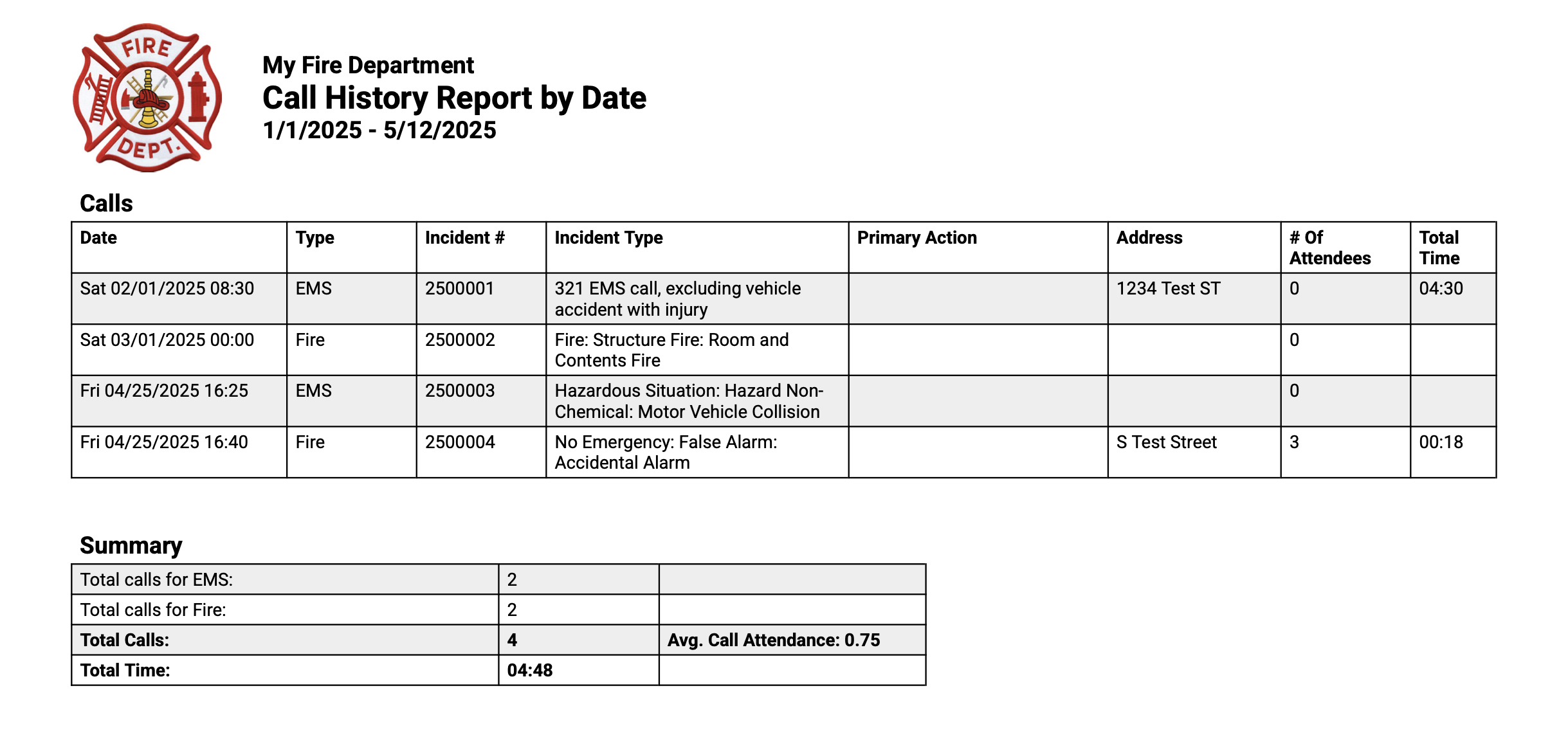
Generating reports as Excel spreadsheets has also been added.
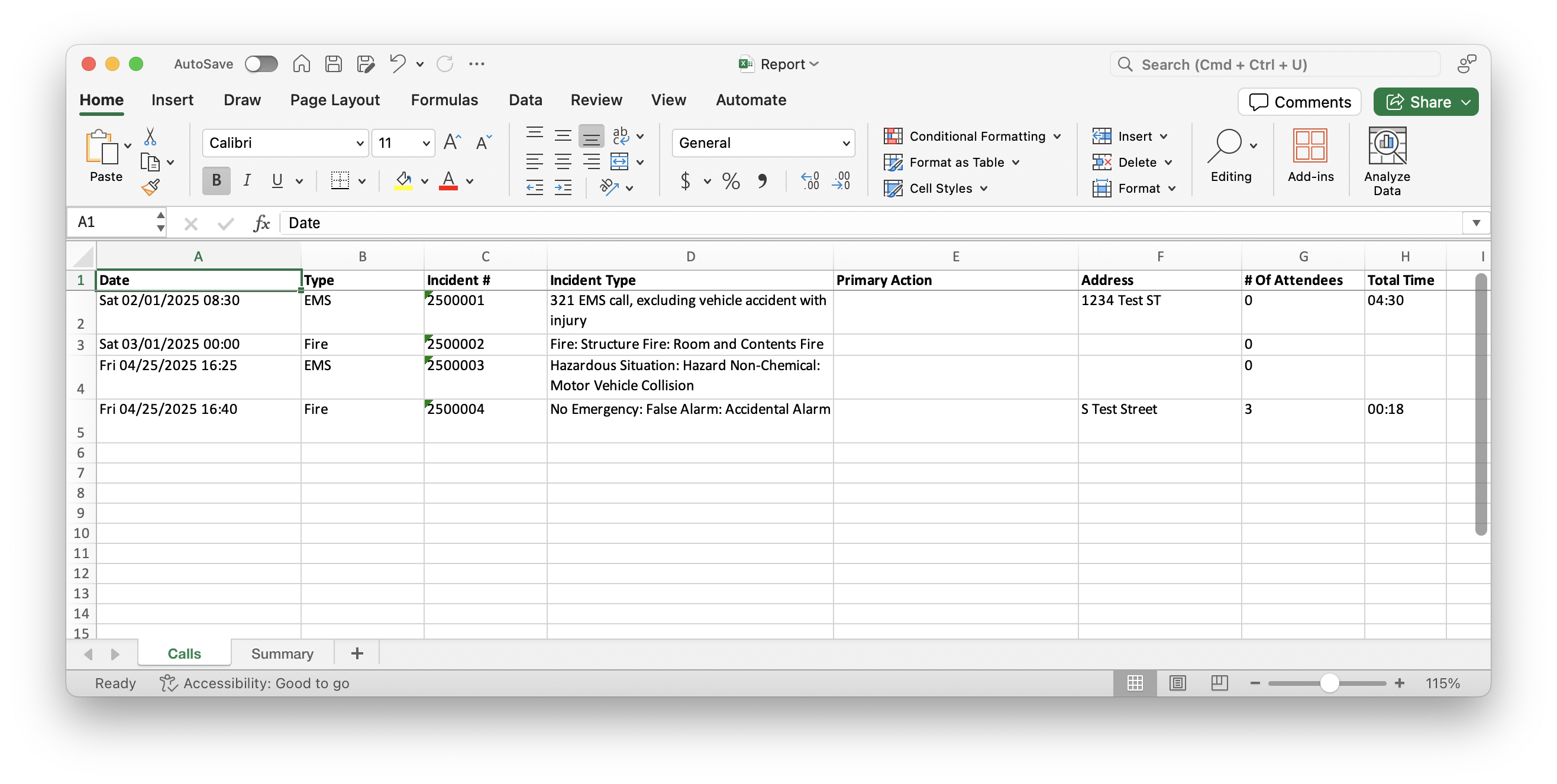
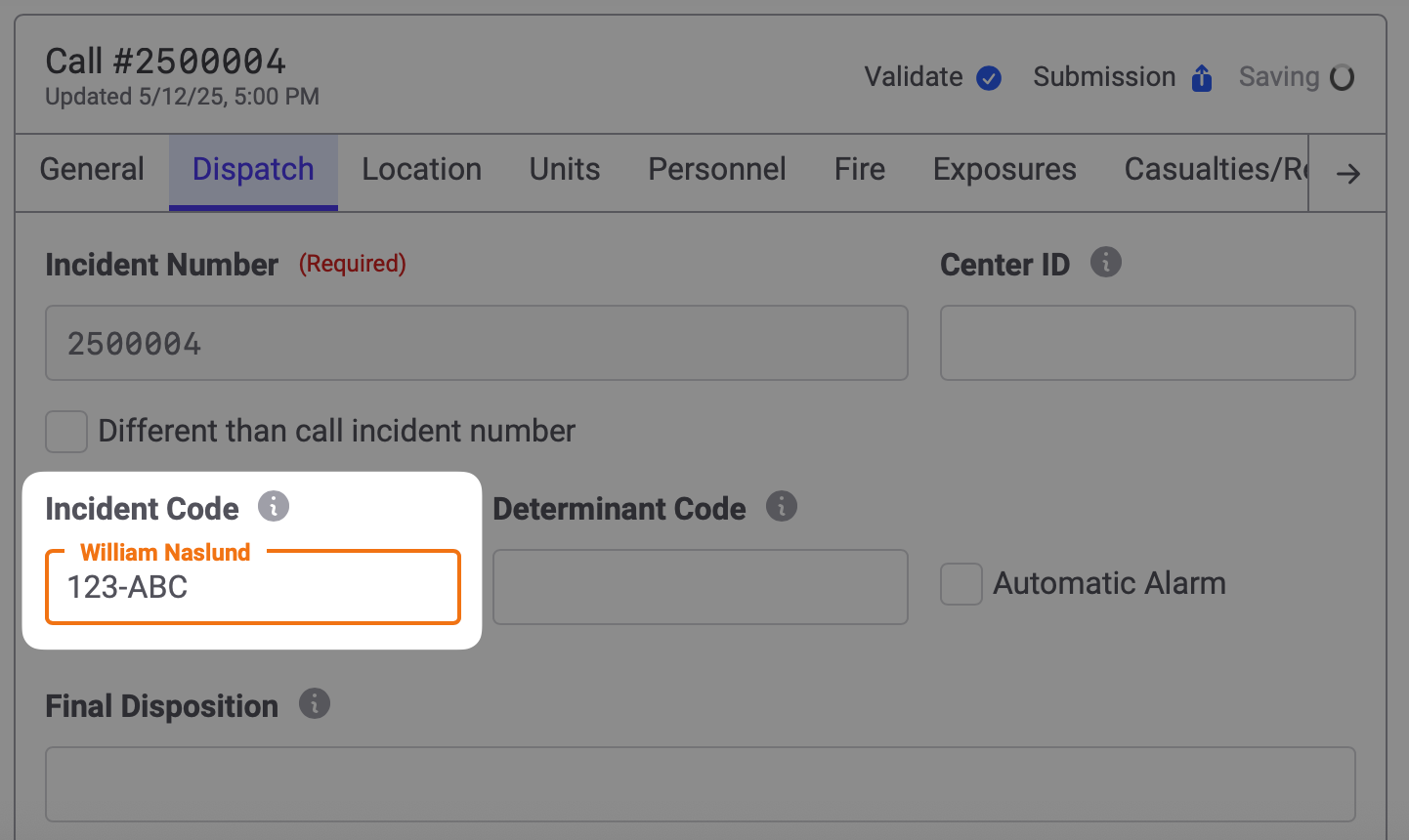
Oh, and one other thing: editing NERIS calls online saves as you fill out the report and multiple people may fill out a report at the same time. Changes are synchronized, in real time, across all the devices currently viewing a report. If someone is typing in a field you will see their name and a border around the field.
That's it for now. We are still on the road to finishing our NERIS integration and we'd love to have your help. The NERIS functionality shown above is available for testing on a limited basis. If you would like to try out our NERIS functionality, please contact us by sending an email to us at support@firestationsoftware.com or by giving us a call at (888) 809-2673 ext. 2
Further Bug Fixes
These are releases to Fire Station Desktop that have been made since the initial 4.12.0.0 release:
2024
November 2024
Fire Station Desktop
Rolled out to Active911 Beta customers on November 1st, 2024.
General
- Added improved net code support for handling database connection errors.
Active911 Beta
- Fixed a bug when no firefighters match the alert responses.
- Fixed a bug where the alert "details" were not appearing.
- Converted the alert times and response times to the timezone of the computer running Fire Station.
September 2024
Fire Station Desktop
Rolled out September 5th, 2024
Active911 Integration Beta
Link devices to personnel and copy alert information to quick calls. Requires the Incident Reporting Module and CDH.
If you are interested in participating in beta testing this feature, please reach out to sales@firestationsoftware.com
Sign in to Auxiliary Databases
Sign in to alternate databases to review data migrations during onboarding.
Reauthorize Device Credentials
Device registrations for Fire Station Desktop expire after a year. You can now reauthorize your devices after the registration expires by signing in again with your FSSID.
Other Changes
- Enhanced the loading screen after signing in
Fire Station+
Rolled out September 5th, 2024
Incident Reports Beta
Collect information on scene with a new Android application. Enter NFIRS reports quicker with the online report form. Requires the Incident Reporting Module and CDH.
If you are interested in participating in beta testing this feature, please reach out to sales@firestationsoftware.com
June 2024 (Summer 2024)
Fire Station+
Rollout Date: June 28th, 2024
Apparatus Checks
Bug Fixes
- Fixed the status of apparatus listed on the switch apparatus page when there is a check in progress and no checks have been submitted yet. Previously, under these conditions, the switch apparatus page listed the apparatus as "Never Checked". With this release, such an apparatus now says "Check in Progress".
- On the switch apparatus screen, after clicking the "Show Hidden Apparatus" to view archived apparatus, a new button has been added with the label "Hide Apparatus". Clicking this button hides the archived apparatus, thus bringing you back to the original list of apparatus.
May 2024 (Spring 2024)
Fire Station Desktop
We are excited to announce the Spring 2024 release of Fire Station Desktop. This release streamlines how your department uses Fire Station Desktop.
The following modules have been updated as part of this release:
Personnel Module
Enhanced Personnel List Sorting
|
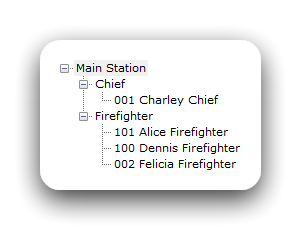
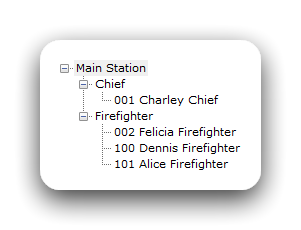
The personnel list now sorts using the number and name alphabetically.
|
Before
|
|
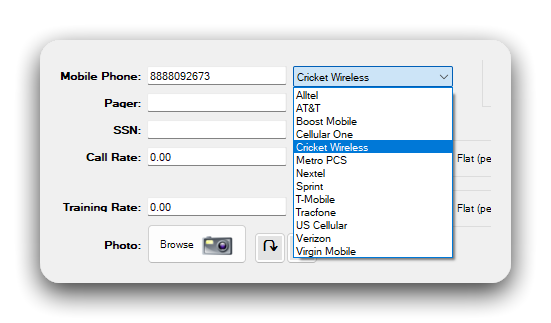
Carrier Support for Cricket Wireless
|
|
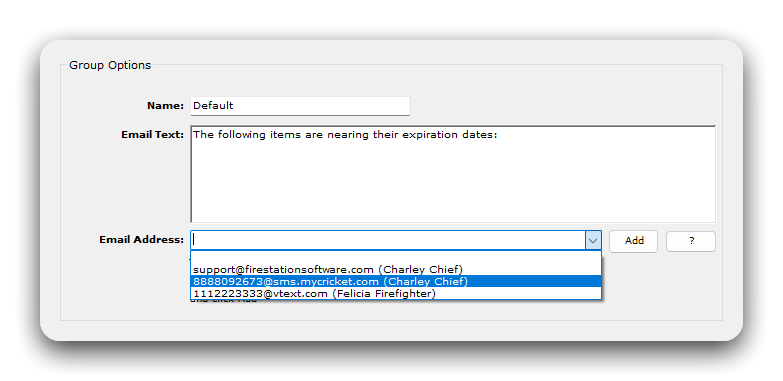
Cricket Wireless has been added as a mobile carrier option when entering a mobile phone number.
When enabling notifications, the personnel's Cricket Wireless number can be selected to send notifications via SMS text messages.
For a full list of mobile carrier emails, see the Fire Station Desktop documentation on Notification Text Messages (link). |
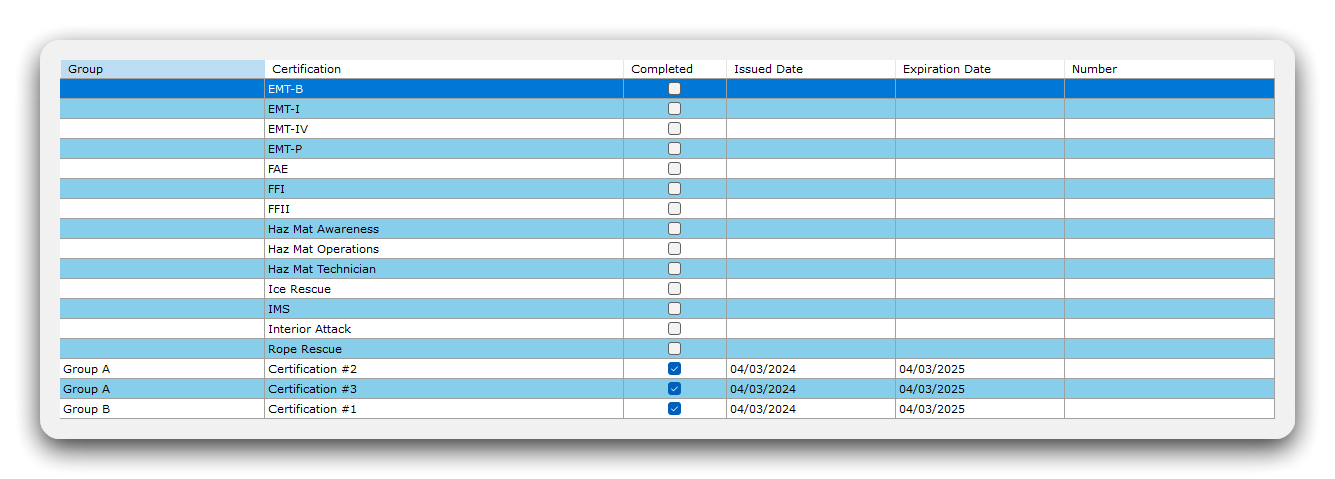
Improved Personnel Certification Sorting
| The personnel certification list now includes the certification group and sorts by certification group. |
|
Incident Reporting Module
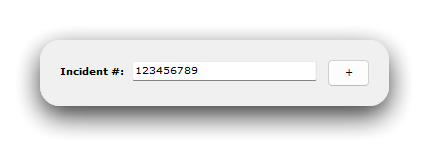
9-Digit Incident Number Support
|
|
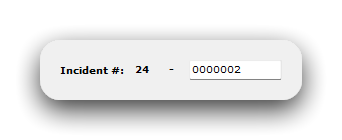
Quick calls now support entering incident numbers up to 9-digits long. 9-digit support is also available when using automatic incident numbering.
You must enable this options from the Admin menu before it is available. See the Fire Station Desktop documentation for more information (link). |
Support for ZIP Codes with Leading Zeros
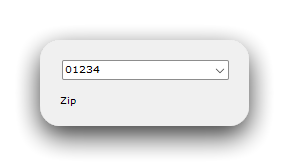
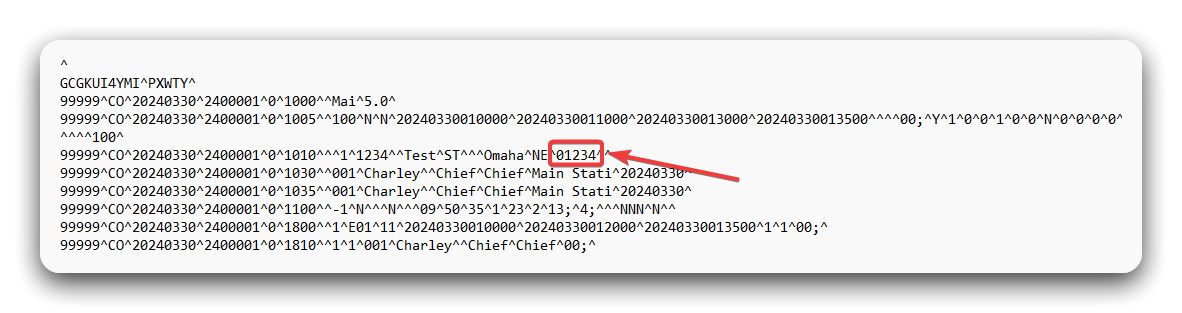
| Entering ZIP codes with leading zeros is now supported on quick calls and NFIRS calls. The leading zero is preserved when running the NFIRS 5.0 report. |
|
Bug Fixes
- When using the address on the NFIRS-8 (Wildland Fire) module instead of the address on the NFIRS-1 (Basic) module, the NFIRS 5.0 report no longer includes a blank 1010 (Incident Address) transaction in the generated file. This prevents parsing errors when submitting your NFIRS 5.0 report.
- Factors Contributing to Ignition and Human Factors Contributing are now copied between the NFIRS-2 (Fire) and NFIRS-8 (Wildland Fire) modules. Fire Suppression Factors are also copied if the other module does not already have Fire Supporession Factors selected. Previously, selecting Factors Contributing to Ignition and Human Factors Contributing on the NFIRS-8 (Wildland Fire) module would clear the factors selected on the NFIRS-2 (Fire) module. This has been fixed.
- Layout improvements were made to the NFIRS-9/10 (Apparatus/Personnel) module to show all form controls when editing a NFIRS call.
PPE Module
Support for Entering Generic PPE Inspections
|
|
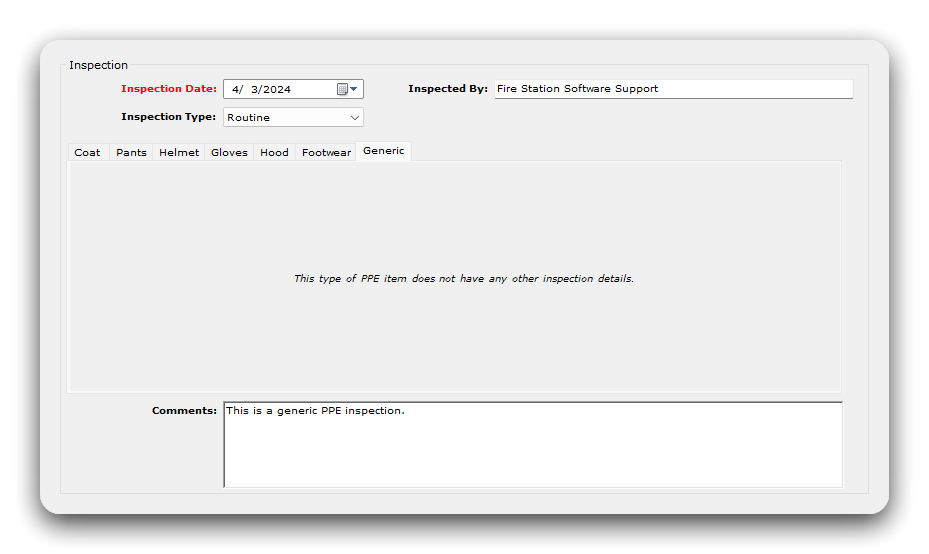
You can now enter inspections for PPE items that do not use the built in types. When running the PPE report, if inspection data is included, generic inspections now appear. |

SCBA Module
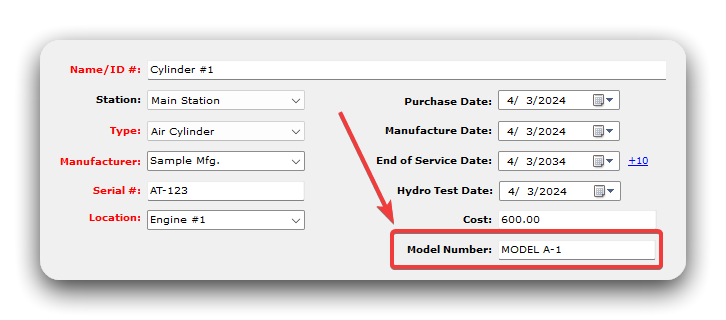
New Model Number Field
| The model number field has been added to SCBA records. |
|
New Re-Inspection Date Shortcuts
|
|
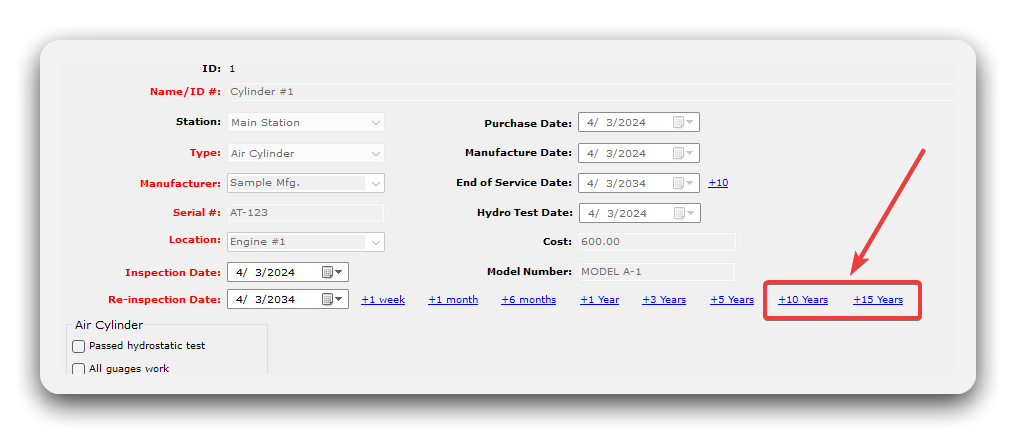
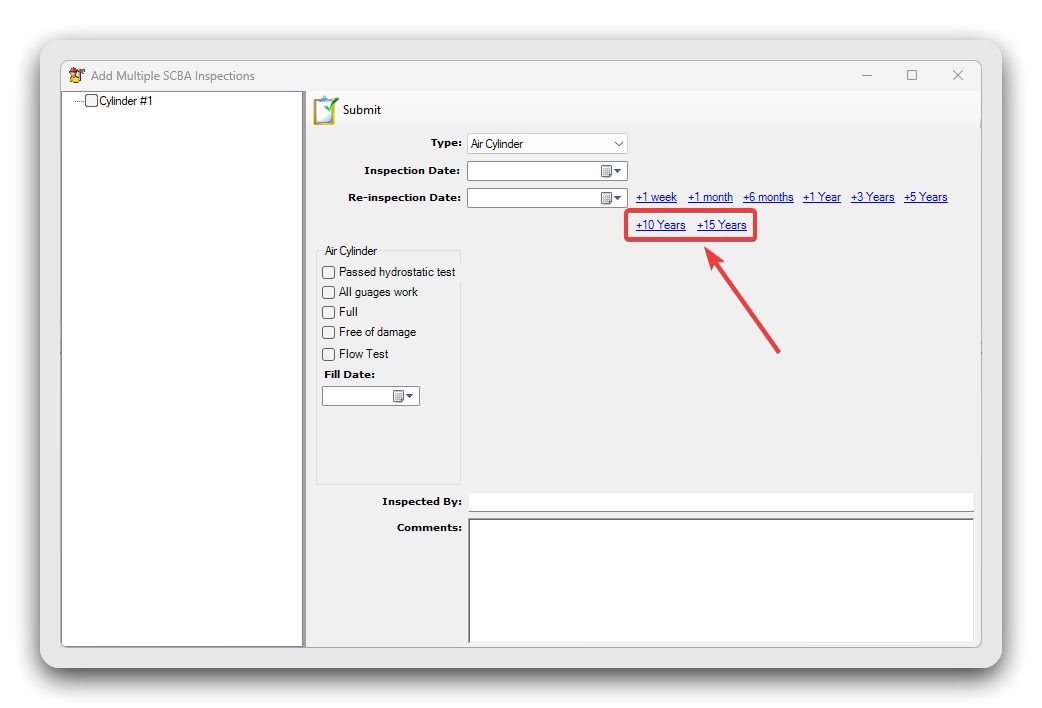
Shortcuts for selecting a date 10 years and 15 years from today has been added when entering SCBA inspections. These shortcuts are also available when adding multiple inspections at once. |
Training Module
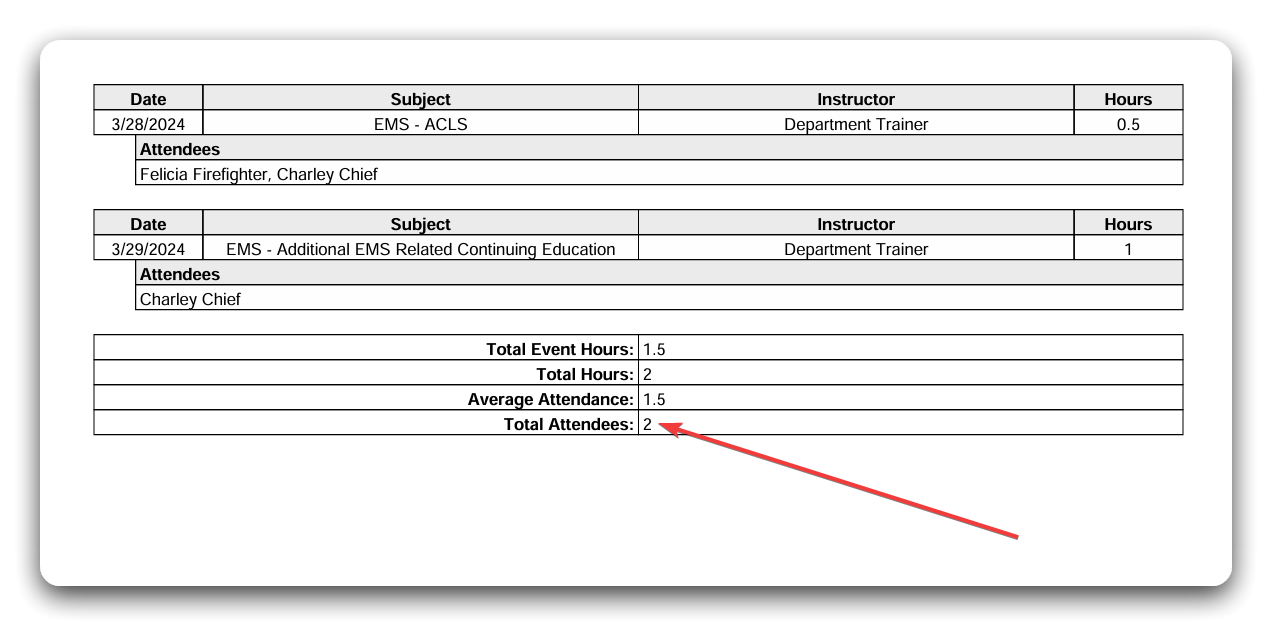
Total Number of Attendees Added to Training Report
| The training report now includes the total number of personnel that attended at least one training event in the selected reporting period. |
|
Application Settings
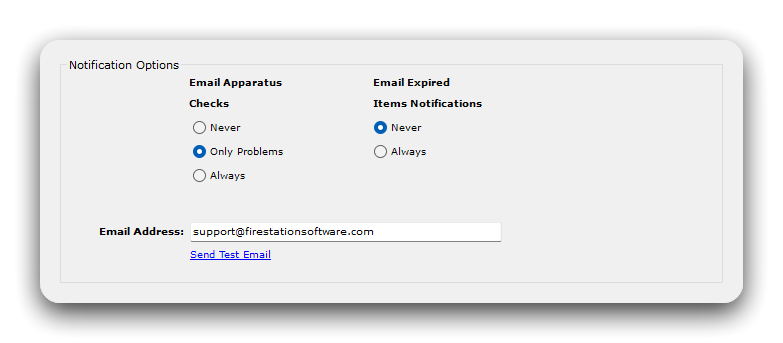
Improvements to Notification Setup
|
|
The notification configuration screen has been updated to use radio buttons, instead of a checkbox, when enabling apparatus check or expired item notifications. This removes the ambiguity of the older UI. |
Additional Changes
- If you sign in to multiple departments using Fire Station Desktop, the list of departments is now alphabetized.
- To avoid unnecessary errors, it is no longer possible to register your device for a department with an expired license.
Fire Station+
We are excited to introduce the Spring 2024 release of Apparatus Checks for Fire Station+. This release includes a number of changes that make Apparatus Checks easier to use.
Apparatus Checks
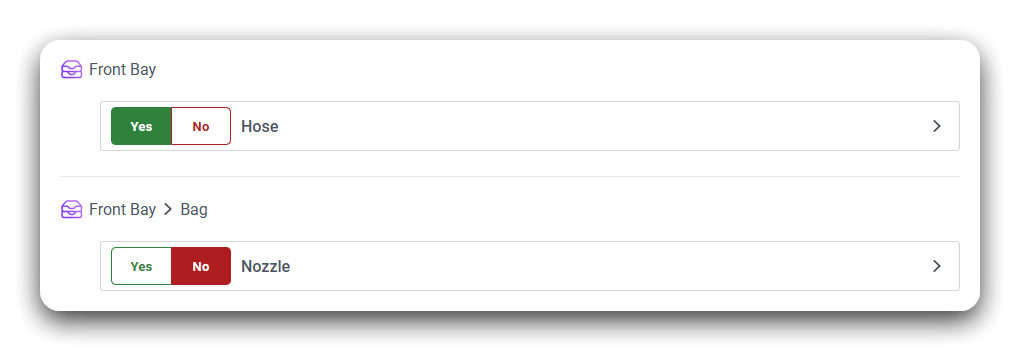
Inventory Item Yes/No Option
|
You may now enable "Yes" and "No" buttons instead of a checkbox when checking compartments.
When this option is enabled, "Yes" and "No" buttons are displayed for each inventory item in place of the checkbox. You may enter problems on items marked as "Yes" or on items marked as "No".
For more information, review the documentation (link). |
|
Disable All Items to be Checked
|
|
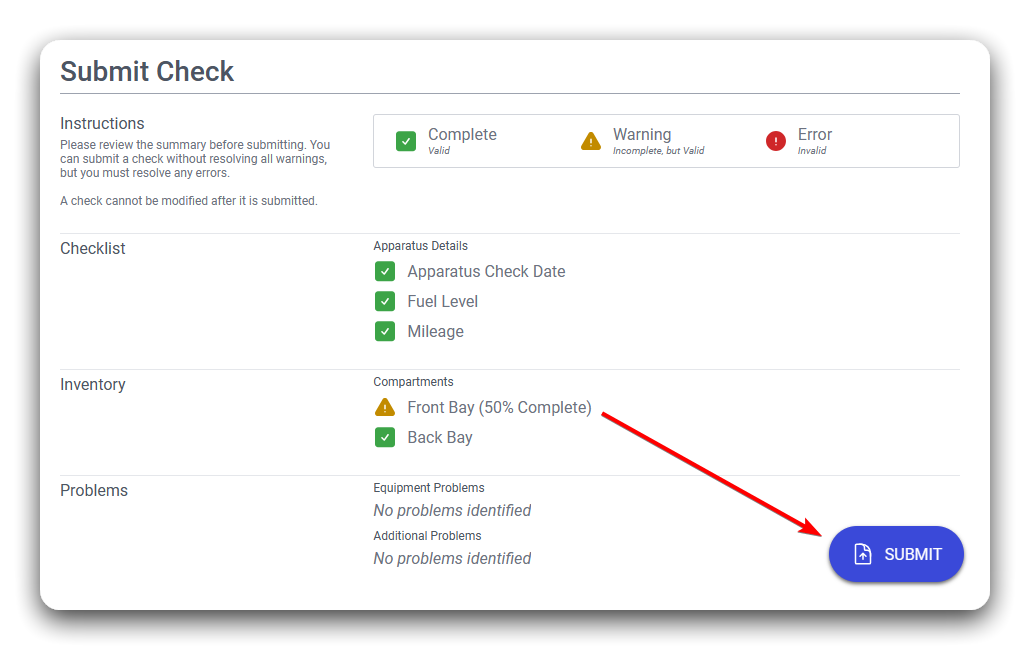
You can now disable the requirement that all items must be checked to submit the apparatus check.
For more information, review the documentation (link). |
Improvements to Saving Apparatus Checks
|
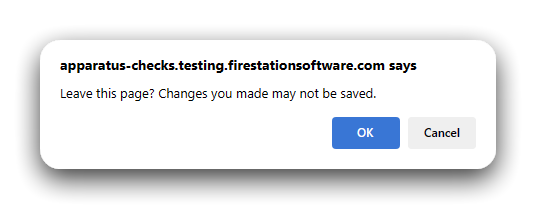
When running an apparatus check you now must click the save button after making changes to the page you are on. This applies to the checklist and any compartment pages. The save button turns from green to blue when a pending change is ready to be saved.
If you have a pending change and try to open a different page, or close the browser window, a warning appears to verify that you want to leave the page without saving and discard the changes. |
|
Bug Fixes
- The date and time that an apparatus check was submitted is now displayed correctly when viewing the completed checks in Fire Station Desktop. Previously the time was changed to UTC time. This applies to apparatus checks submitted after the Spring 2024 release only.
January 2024
Fire Station+
Rollout Date: January 5th – 11th
Apparatus Checks
General
- Refactored the entire user interface to bring it in line with the Department Hub
- Improved the user experience when running the app on tablet devices
Apparatus Management Layout
- Added layout to view all apparatus in a list and quickly switch between them
- Apparatus check status is visible at all times
- Added per-apparatus settings for days-between-checks to drive the status indicator
- Added menu shortcuts to create new apparatus records
Apparatus Management – Check History Page
- Added new page to view all checks for an apparatus
- A new check can be quickly launched for an apparatus
- A warning appears when a check is currently in progress for the apparatus
Apparatus Management – Checklist Page
- Added new page to configure the apparatus checklist
Apparatus Management – Inventory
- Added a new page to explore the compartment and item configuration for an apparatus
- Added a new page to edit and sort compartments and items
Apparatus Management – Apparatus Details
- Added a new page to edit apparatus details
- A picture of the apparatus can be uploaded and viewed in-app
- Apparatus can now be removed from the app
Apparatus Checks Page
- Streamlined the check process
- Added support for viewing compartment and item photos during checks
- Added better control for editing and deleting all apparatus problems on a single page
- Streamlined the check assignment and participation controls
- If a non-assigned member participates in the check, they will automatically be included on the participation screen
2023
November 2023 (Fall 2023)
Stage 1
Rollout Date: November 13th, 2023
Department Hub
General
- Rebuilt the entire user interface to improve navigation and provide consistency across all apps going forward
- Improved security for authentication and app access
- Added improved user profile (FSSID) editing, and added ability to upload a profile photo
- Added department switching option to the user menu to streamline multiple department management
- Added dedicated app switcher and launcher to quickly switch between apps
Accept Invitation Page
- Streamlined the invitation process for new members with an FSSID vs new members without one
Home Page
- Added a new Home page to summarize the department’s status and configuration settings
- Added ability to edit department information, including updating the department logo
License Page
- Added new License page to view the current department license
Members Page
- Added new standalone page for enhanced member searching
- Added new member detail page with streamlined interface for common tasks (i.e. Send Password Reset, Remove Member, Update Permissions, Link Member to Fire Station Firefighter)
Invitations Page
- Added a new standalone page for managing department invitations
- All invitations are now visible, whether they are pending, expired or accepted
- Invitations can now be resent and if they are expired, the expiration will be moved forward
- Invitation can now be deleted before they are accepted
Fire Station+ App Compatibility
- Updated Apparatus Checks authentication to use the new login user interface
Stage 2
Rollout Date: November 15th - December 15th
Department Hub
Fire Station Install Page
- Added a new page to download the installer
- Added installation and update instructions
- Added a feature to email the installer to people
- If they are not a member, they will be invited to the department
- Added permissions for allowing members to install and register Fire Station on their devices
Fire Station Devices
- Added a new page to look through registered devices for the department
- Added a new page to manage the software and configuration settings for a single registered device
Fire Station Settings
- Added a new page to view Fire Station configuration settings
- Added a feature to allow department managers to disable automatic software updates and pick when to distribute the software changes
- Added a feature to make policy changes (i.e. Enforce FSSID Sign In)
- Added a feature to allow department managers to change which device is running notification services
Fire Station+ Settings
- Added a new page to view Fire Station+ configuration settings
- Added device and browser compatibility list for Fire Station+ apps
Fire Station Setup
General
- Added new setup program for registering devices and installing Fire Station
- Department files are now separated into individual folders to prevent issues with multiple department management
Register & Install Page
- Can install updates directly from the Department Hub
- Added screens to configure and test self-hosted database connection information
- Can detect when settings are broken and need to be fixed
- Streamlined controls for enabling the notification services on the device
Fire Station Desktop
Sign In Page
- Added new sign in page that allows FSSID sign in
- Added department switching page to streamline multiple department management
- Added shortcuts to register the device for new departments and remove a registered device
- Added Fire Station+ shortcuts to launch apps (i.e. Department Hub, Apparatus Checks)
- The launcher will sign in with your currently selected department
Manage Personnel Page
- Added new tab (FSSID) for admins to link firefighters to their FSSID in the Department Hub
- Added shortcut to send department hub member invitations
- Invitation is sent directly from Fire Station Desktop instead of going through the Department Hub
- Made the “Check for Updates” feature always accessible in Fire Station Desktop in favor of disabling automatic updates in the Department Hub
Bugfixes
- Fixed expired license message so that it does not refer to non-demo licenses as demo licenses
- Fixed issue where the Basic Module address was included in the NFIRS file when Wildland Fire Module address was present
- When NFIRS file is generated, Human Factors Involved on the Fire Module now defaults to “N” when no option is selected
- Fixed issue where Wildland Fire Property Ownership did not load selections correctly when editing
- Fixed validation related to property ownership (NFIRS 5.0 Relational Edit 44)
- Fixed issue where Mobile Property Involved dropdown was hidden by other form elements in the Fire Module
- Fixed NFIRS Relational Edit 97 on the NFIRS-5 (Fire Service Casualty) module
- When exporting NFIRS 5.0 reports with the NFIRS-4 (Civilian Casualty) module, when block M2 (General Location at Time of Injury) is set to “1 In area of origin” the NFIRS 5.0 report included “-1” in the Story At Start of Incident and Story When Injury Occurred fields of the Civilian Fire Casualty Transaction (Type 1400). This has been corrected to include blank values instead of “-1”.
- Updated the layout of block F1, F2, and F3 of the NFIRS-2 (Fire) module to line up the fields
- Updated block F1 (Equipment Involved in Ignition) of the NFIRS-2 (Fire) module to require “None” to be selected or an option to be selected
- Updated block H1 (Mobile Property Involved) of the NFIRS-2 (Fire) module to require “None” to be selected or an option to be selected
- Implemented validation on NFIRS-1 (Basic) module Person Involved and Owner that requires phone numbers to be at least 10 characters for departments using OFIRMS
- Fixed NFIRS Relational Edit 17 on the NFIRS-9/10 (Personnel and Apparatus) module
- Fixed NFIRS Relational Edit 142 on the NFIRS-11 (Arson) Juvenile Firesetter module
- Fixed NFIRS Relational Edit 58 on the NFIRS-2 (Fire) module
- Updated the NFIRS 5.0 Report to exclude NFIRS-4 (Civilian Casualty) transactions when the Incident Typer is greater than the 100 series, in accordance with NFIRS Relational Edit 35
- When using OFIRMS, added additional validation for Human Factors Involved for Incident Type 140
- Added validation rule to handle NFIRS Relational Edit 35 when using OFIRMS on the NFIRS-1 (Basic) Continued module’s civilian injury and death counts
- Fixed issue where spaces in the training event type, subject or instructor could cause events to be hidden
- Fixed an issue where updating was blocked when the license was expired
- Updated the NFIRS report to generate dates/times (i.e. alarm time) with 00 for seconds if it is left blank in the form to avoid validation errors in OFIRMS
- Fixed a bug where department logos were sometimes not display due to the app’s internal naming of the file
- When using OFIRMS, added additional validation to not allow the arrival time for Incident Type 611
- Fixed a bug in the Yearly training report where table headers on subsequent pages were not starting with the selected month
- Fixed a bug where editing a training event could sometimes reset the event hours to 0