2025
- December 16th, 2025
- December 9th, 2025
- November 25th, 2025
- November 18th, 2025
- November 11th, 2025
- October 28th, 2025
- October 14th, 2025
- October 13th, 2025
- Fire Station Desktop - Version 4.12.0.2
- Fire Station Desktop - Version 4.12.0.1
- Fire Station Desktop - Version 4.12.0.0
December 16th, 2025
This release includes a few enhancements to the NERIS incident reporting process in Fire Station Online.
Updating Address from Active911 Fixed
A fix has been deployed to allow you to update the street number of addresses when importing the address from an Active911 alert.
Ampersand in Active911 Addresses
If there is an ampersand in the address of an alert imported from Active911, and the ampersand is separating two street names, the streets will be imported as cross streets in NERIS now.
Payroll Rate on Non-Emergency Events
In Fire Station Online, the training rate was used insted of the call rate for non-emergency events when running the payroll report. This has been corrected to match the desktop app and use the call rate for non-emergency events.
December 9th, 2025
This release includes various improvements as described below:
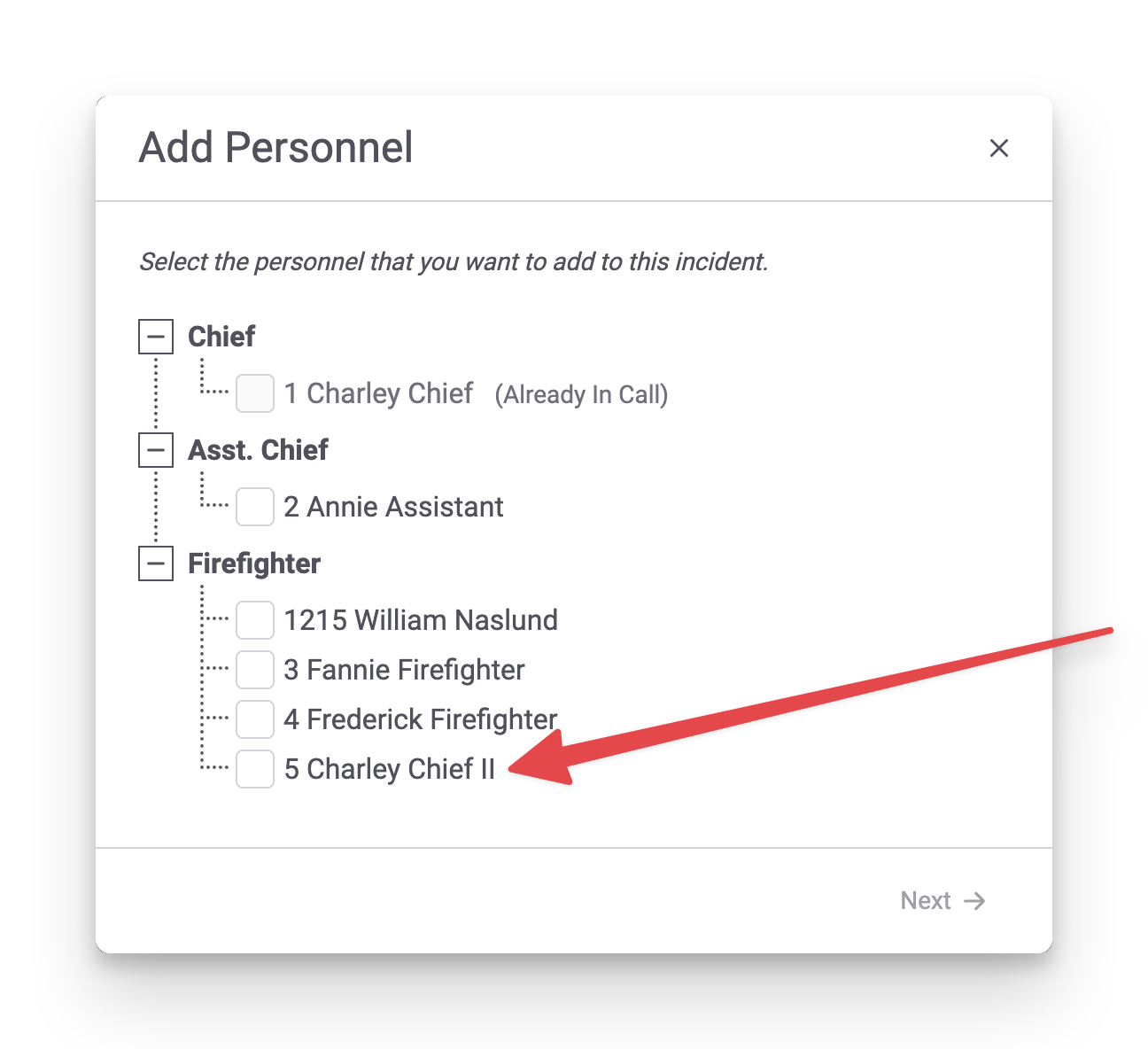
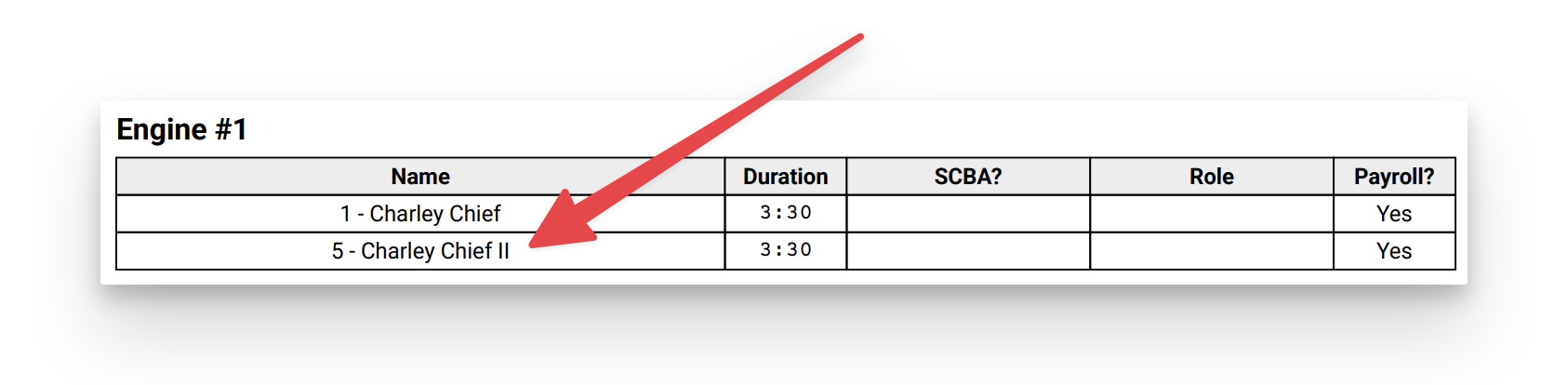
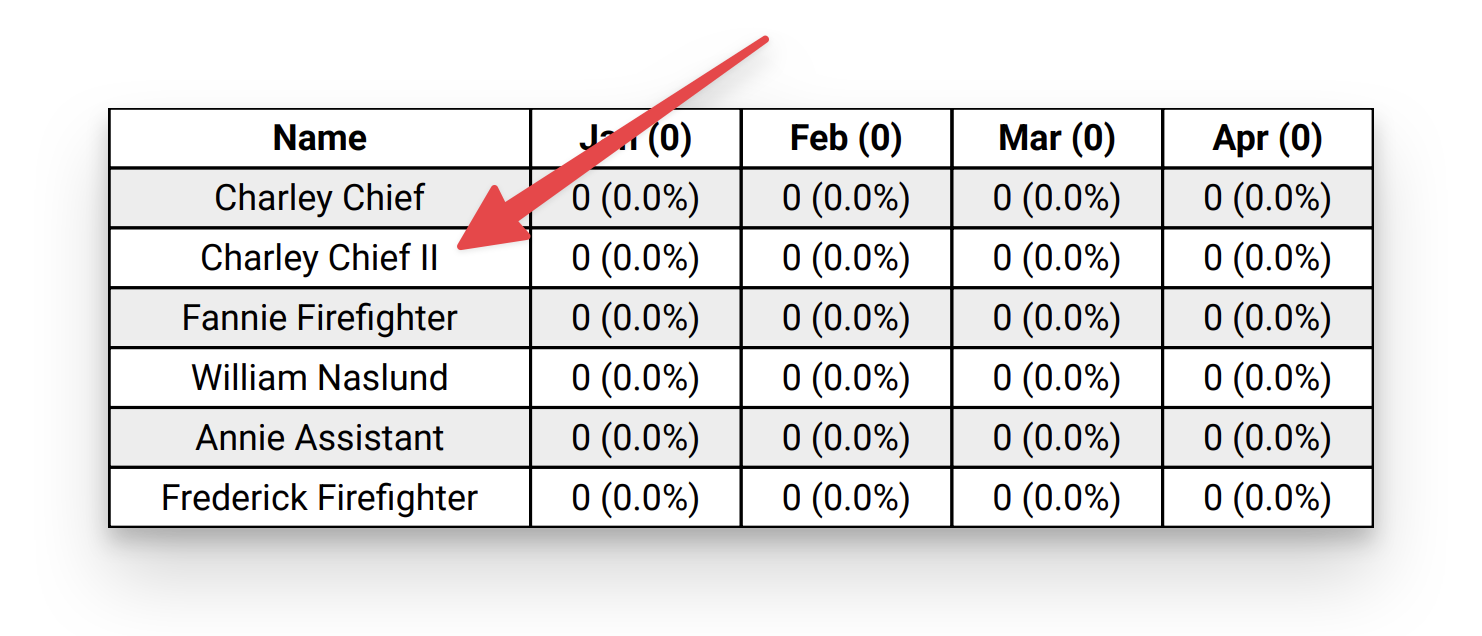
Personnel Suffix In NERIS & Reports
Fire Station Online has been updated to show a person's suffix, in their name, while addins someone to a NERIS call:
When printing a NERIS call:
And on various reports, such as the Year Summary Report:
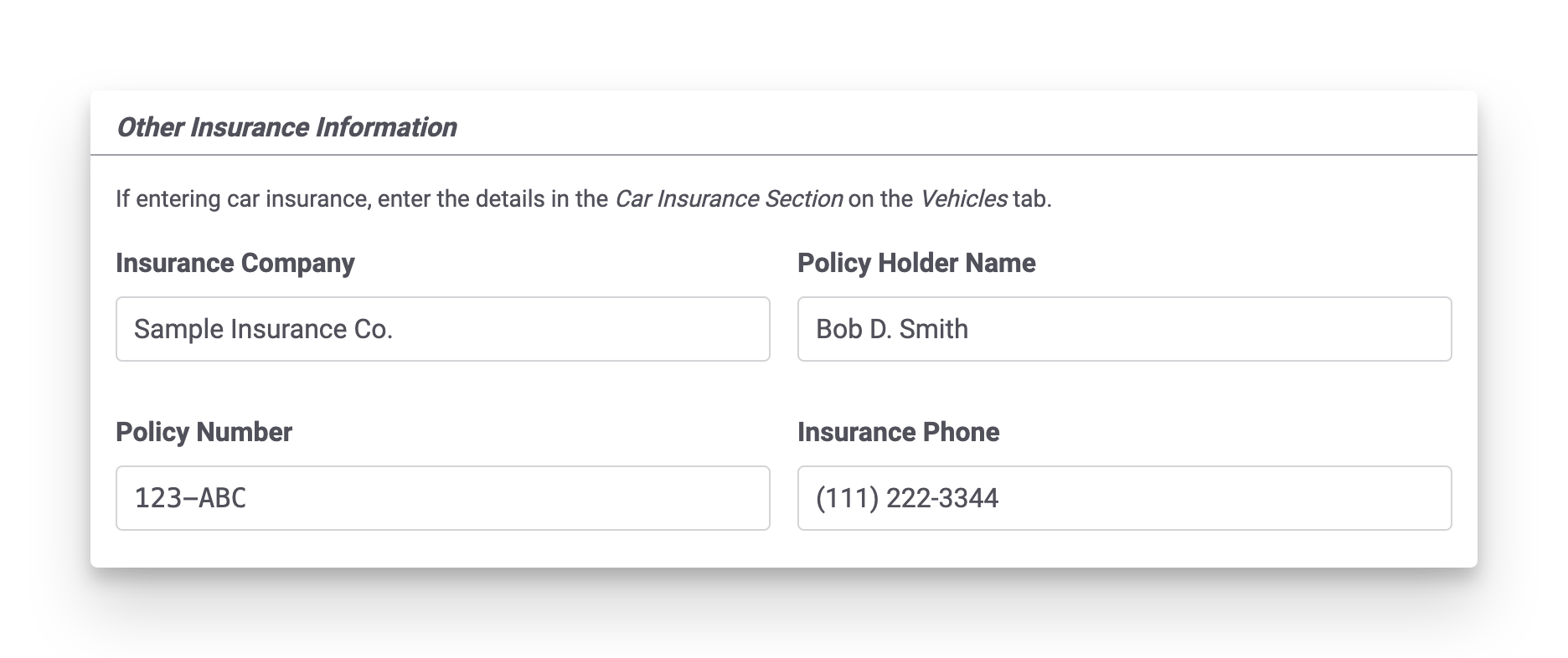
Other Insurance Information for NERIS Calls
A section for Other Insurance Information has been added to the People Involved tab on NERIS calls. This can be used to track insurance information when the incident does not involve vehicles. Car insurance information should still be added to the Vehicles tab, under the Car Insurance Information section.
Water Source In Water/Foam Usage Report Incident Table
The Water/Foam Usage Report has been updated to show water source details from NERIS incidents in the incident row, in addition to the per-water source tables. When water source information is not entered the report remains unchanged except for being in landscape now, to allow for more room in the table.

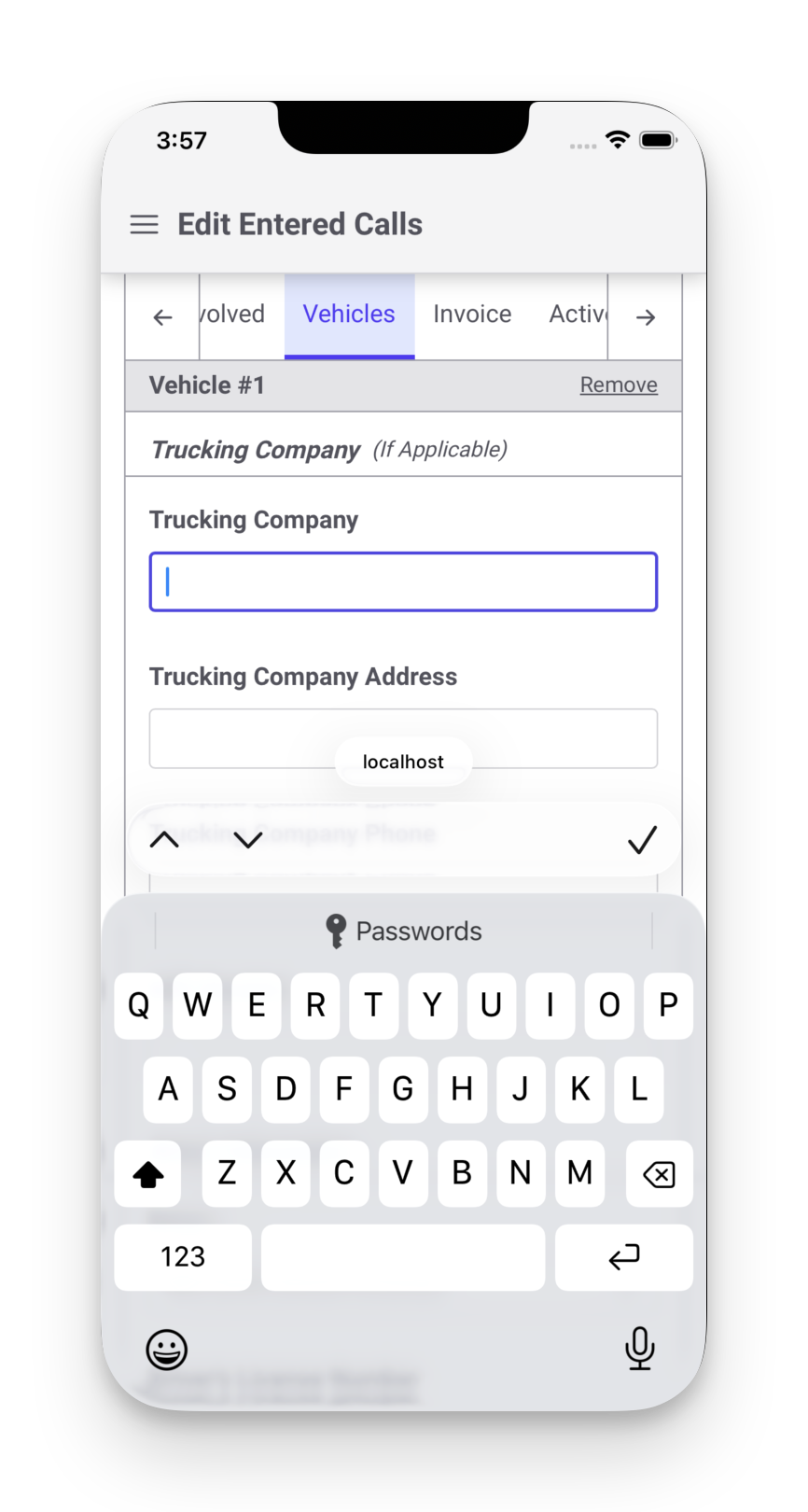
Trucking Company Mobile Keyboard Fixed
Previously, all the fields in the Trucking Company section of the Vehicles tab of a NERIS call showed the numeric keyboard instead of a full keyboard. This has been fixed.
November 25th, 2025
This release adds support for marking attendees at non-emergency events as Excused so that they still get credit for attending, but there is a record that they did not attend.
Non-Emergency Event Attendee Status
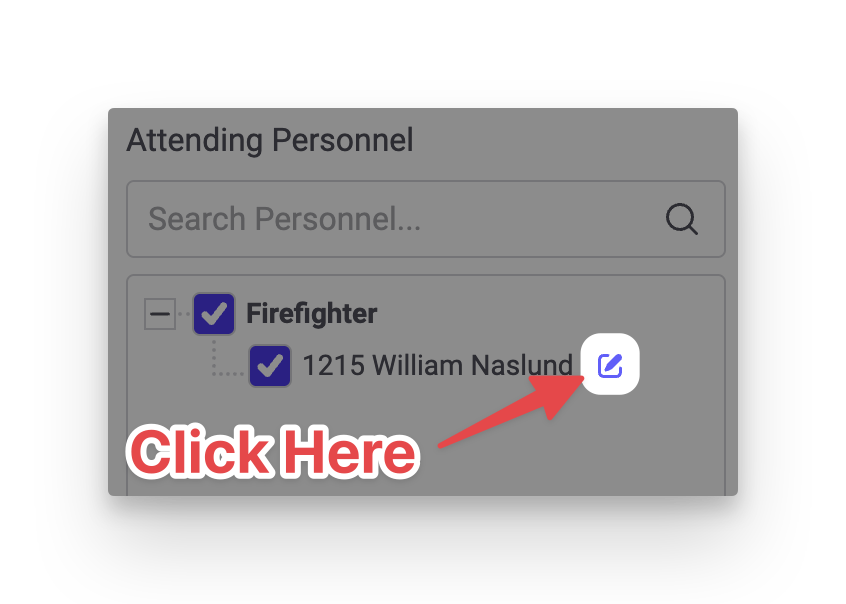
To mark an attendee as excused, click the pencil icon next to the attendee's name while entering or updating a non-emergency event:
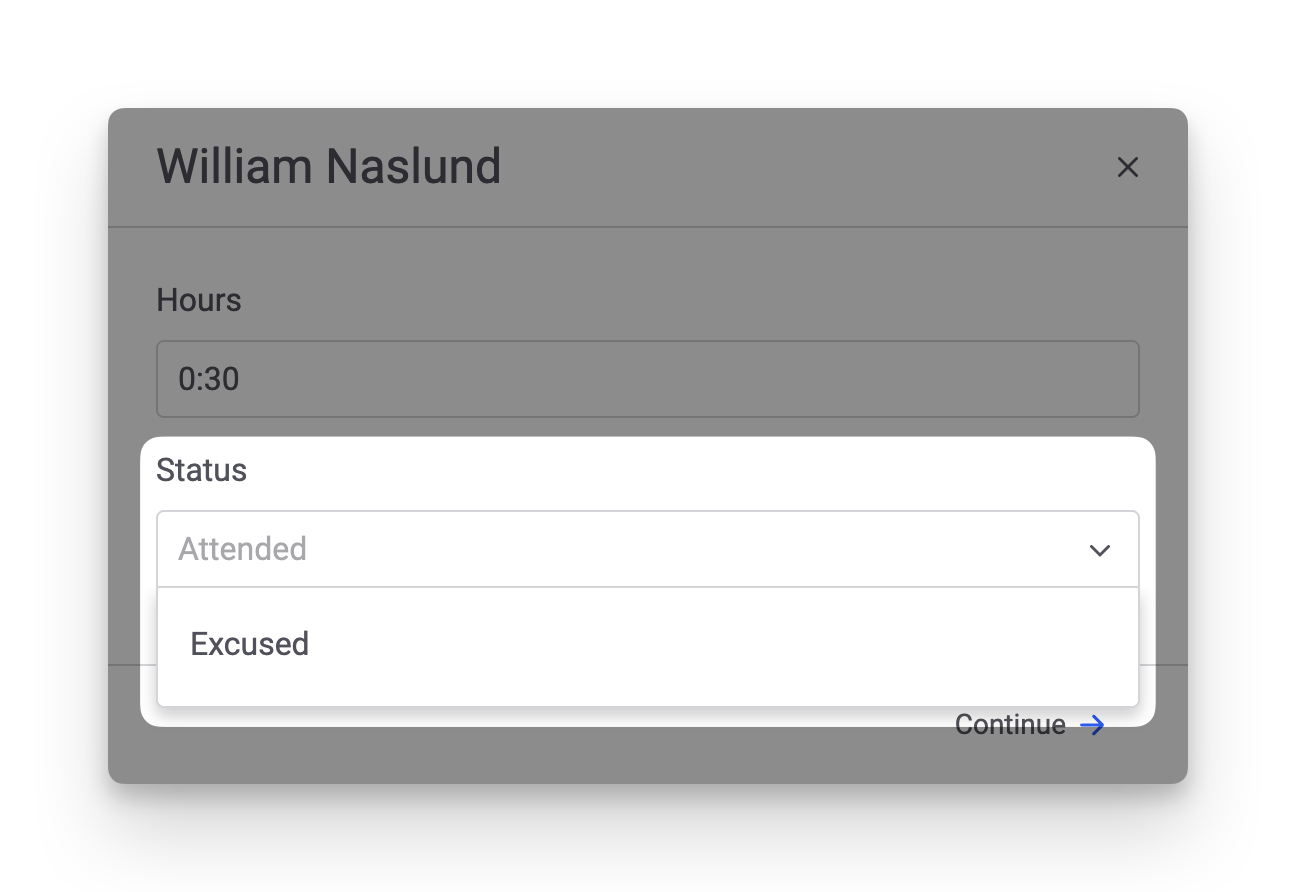
This opens the attendee details. A new Status field has been added. You can select Excused or type in any text you wish.
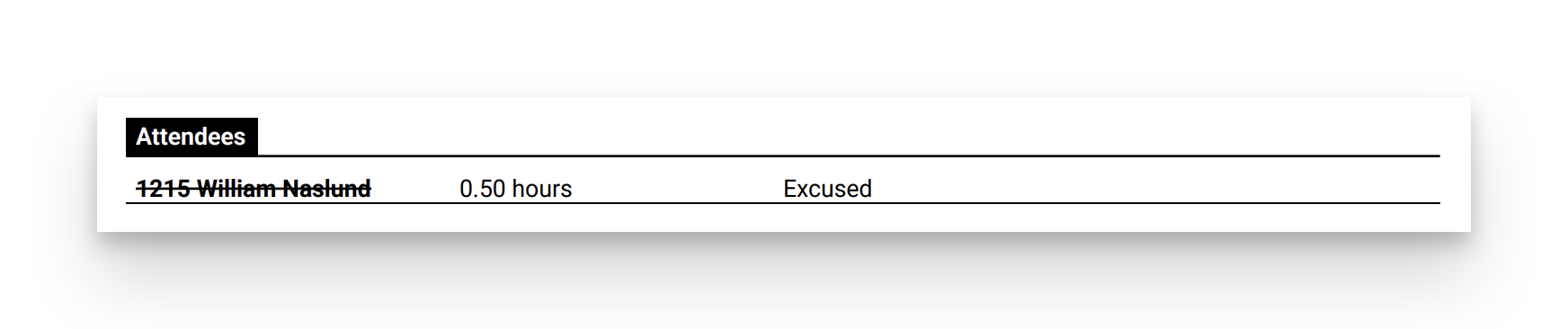
Attendees marked as Excused will appear with a line through their name. The Print page has also been updated to show each attendee's Status, if a value has been entered:
November 18th, 2025
This release adds the Average Response Time Report and contains some small bug fixes.
Average Response Time Report
The Average Response Time Report is now available in Fire Station online. It has been updated to support NERIS calls.
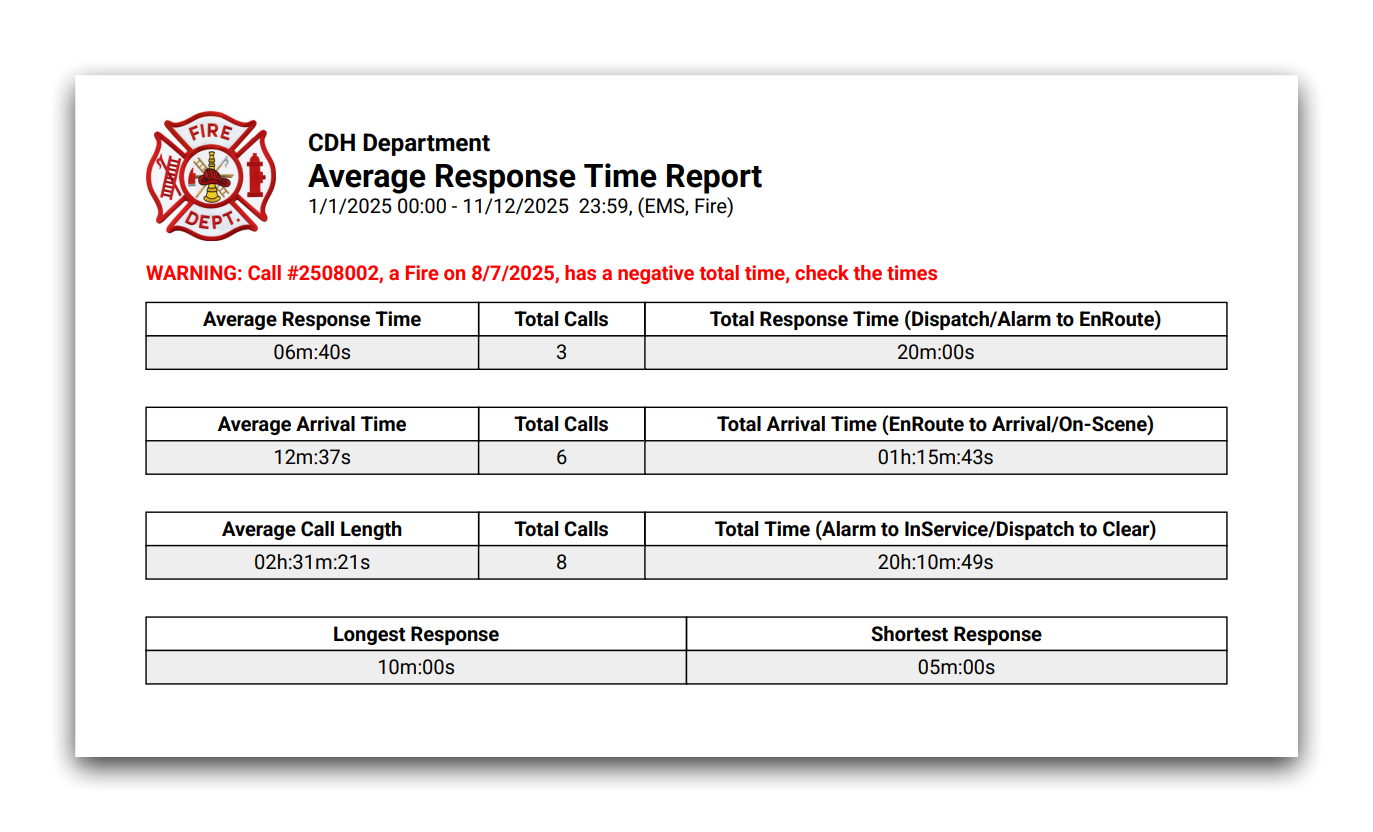
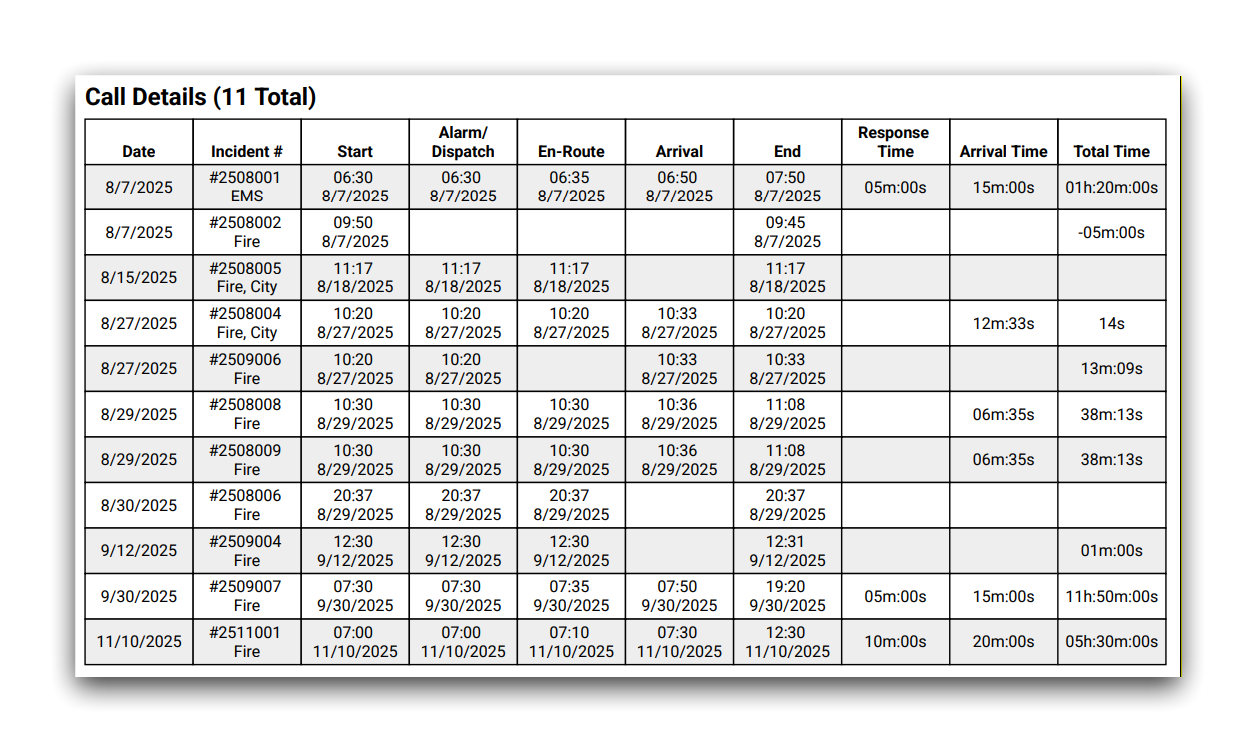
The report has also been updated to include details from the summarized calls. This appears after the first page of the report.
Additional NERIS Unit Validation
When entering NERIS units from Fire Station, the form has been updated to match validation rules that have been added in NERIS.

Bug Fixes
- Fixed personnel appearing that have been deleted or entered in error.
November 11th, 2025
This release adds support for Non-Emergency Events in Fire Station online and includes updates to support changes made in NERIS.
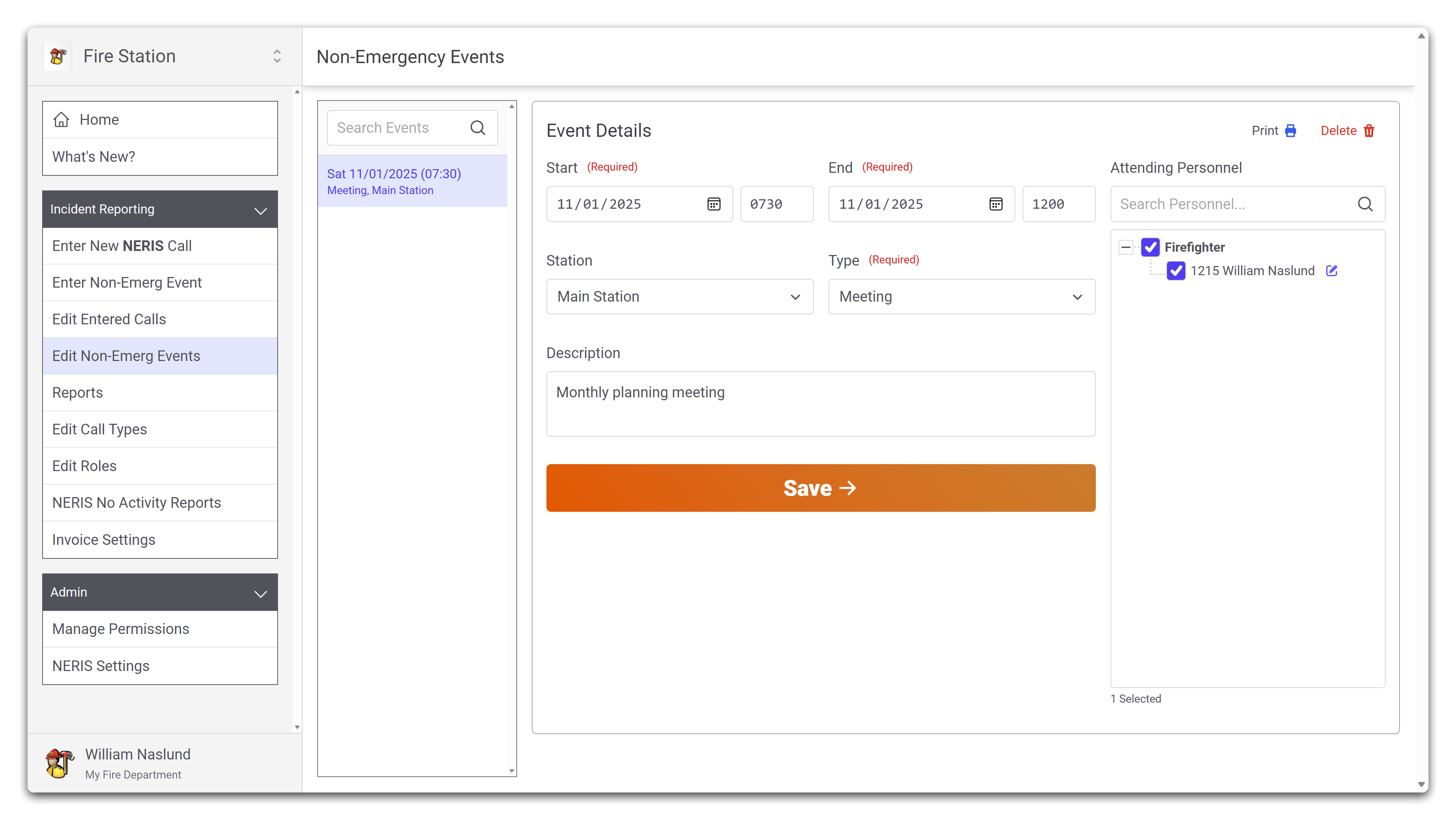
Non-Emergency Events Online
Non-Emergency events may now be managed in Fire Station online. Any non-emergency events entered from the Windows application appear online, and any non-emergency events entered from Fire Station online appear in the Windows application.
New permissions have been added in addition to the Can Edit Non-Emergency Events to allow more control over creating and deleting non-emergency events:
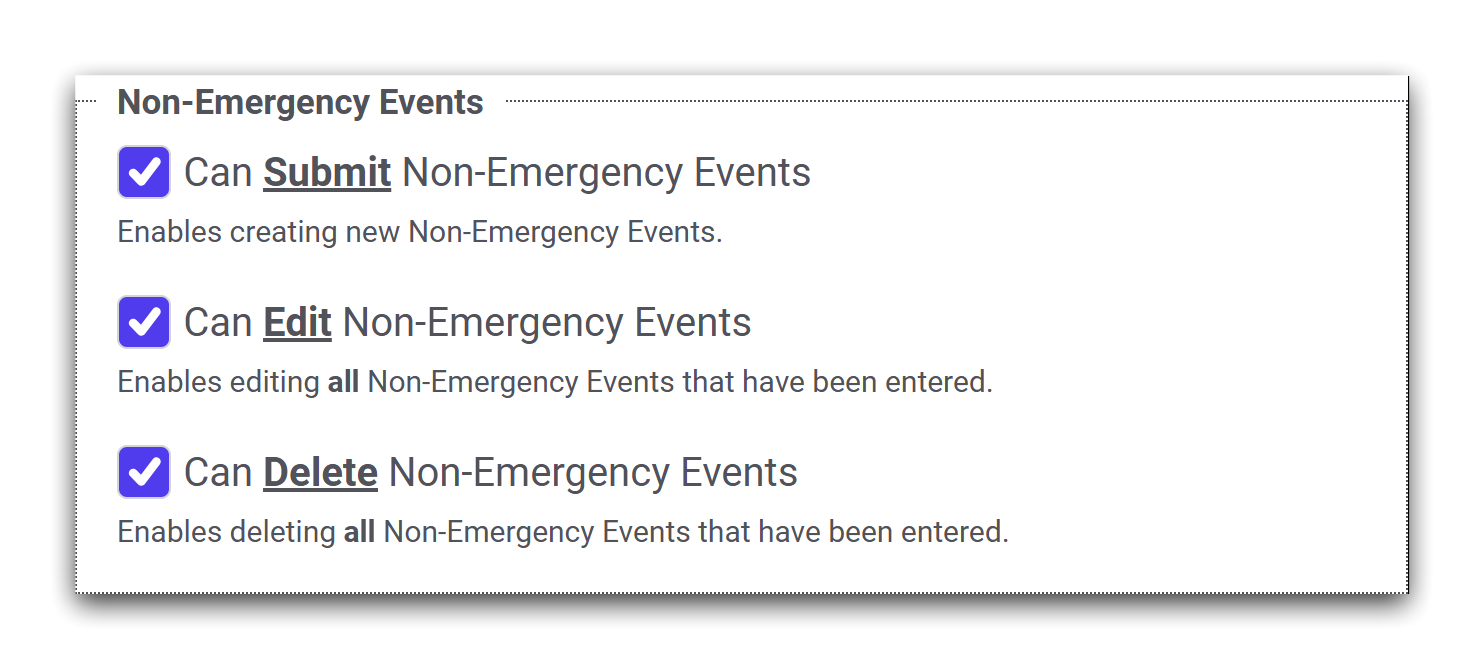
- Can Submit Non-Emergency Events allows someone to create new non-emergency events from Fire Station online.
- Can Edit Non-Emergency Events allows someone to view and edit all non-emergency events that have been entered.
- Please note: In the Windows application, granting this permission allows someone to edit and delete non-emergency events as well. In Fire Station online, granting this permission only allows someone to edit non-emergency events.
- Can Delete Non-Emergency Events allows someone to view and delete any non-emergency in Fire Station online.
Any member of your department that previously had the Can Edit Non-Emergency Events permission has been automatically granted the Can Submit Non-Emergency Events and Can Delete Non-Emergency Events permission, thus enabling all functionality of non-emergency events in Fire Station online.
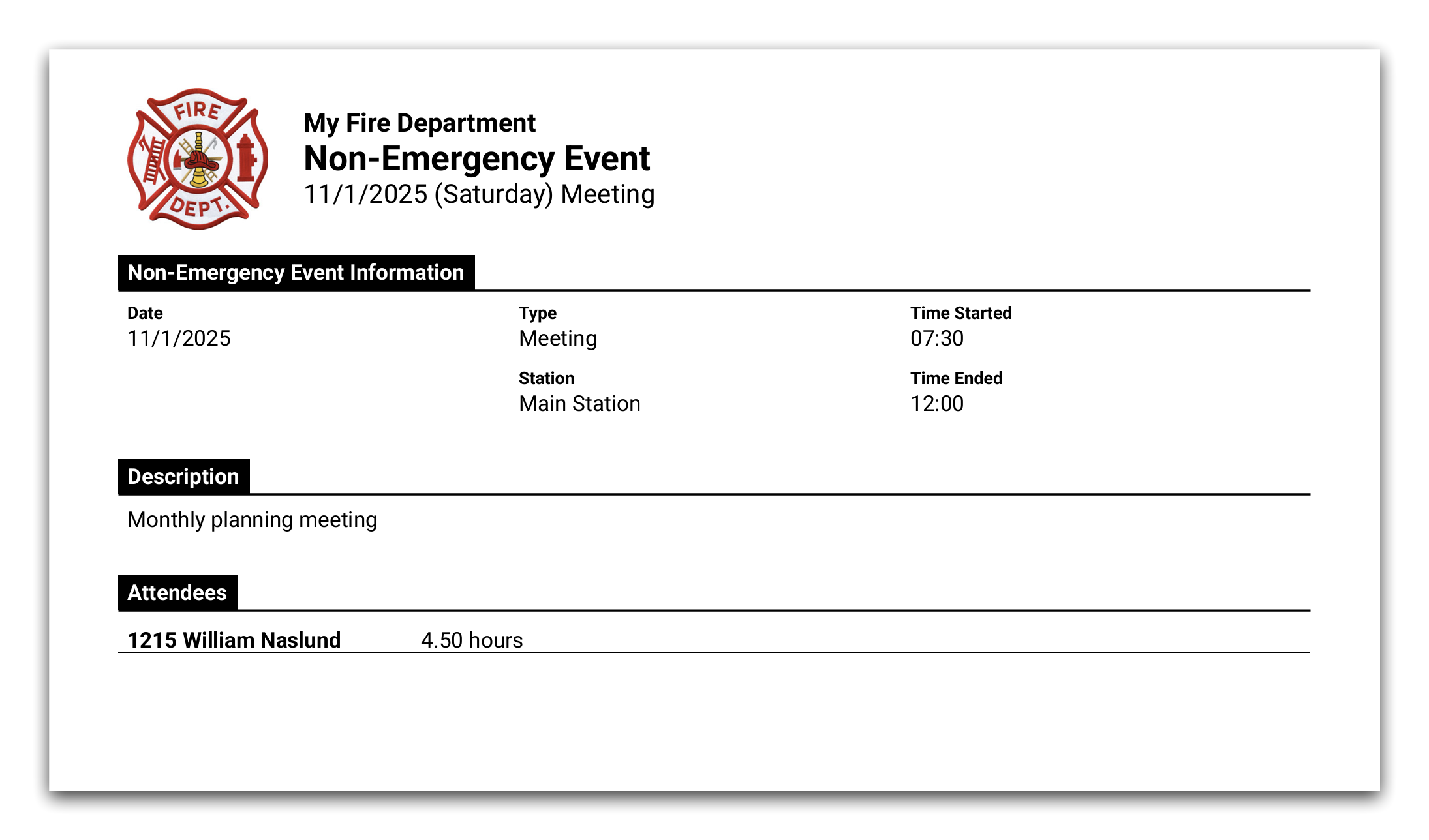
Printing a non-emergency event is also available online. The styling of this report has been updated to be similar in style to printed NERIS reports, but all the same information is there as in the Windows application. It looks like this online:
Updated Validation for Structure Fire NERIS Calls
In accordance with changes made to NERIS, when all aid on a call is SUPPORT_AID and the direction is GIVEN, if the call is a structure fire the alarm and suppression sections on the Fire tab are no longer required. Previously, as a workaround, selecting Not Applicable in the Presence field was required. Fire Station has been updated to no longer show the Required label on sections that aren't required after the NERIS update.
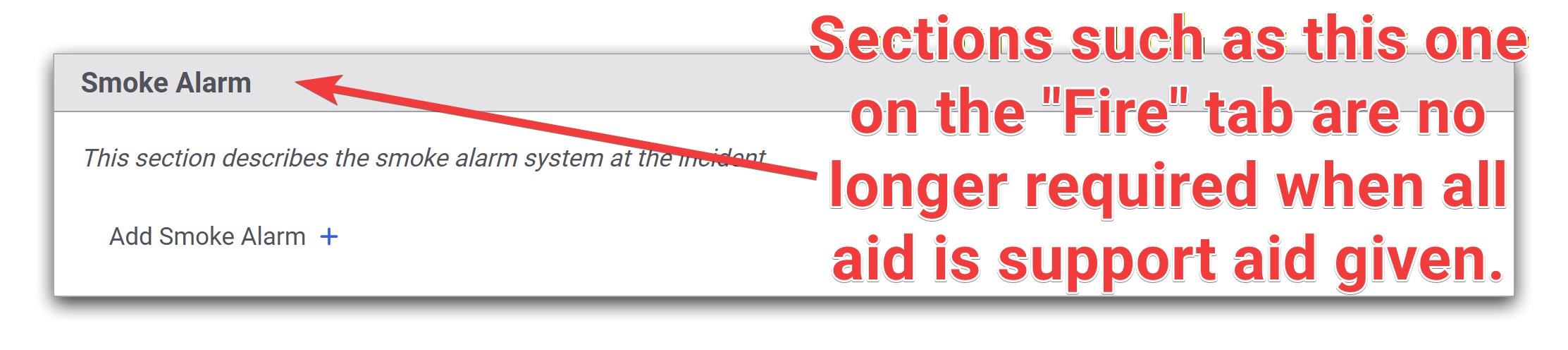
Fire Station will still show an error when validating a NERIS call for structure fires where there is no aid, or not all the aid is support aid given.

EMS Option for Non-FD Aid
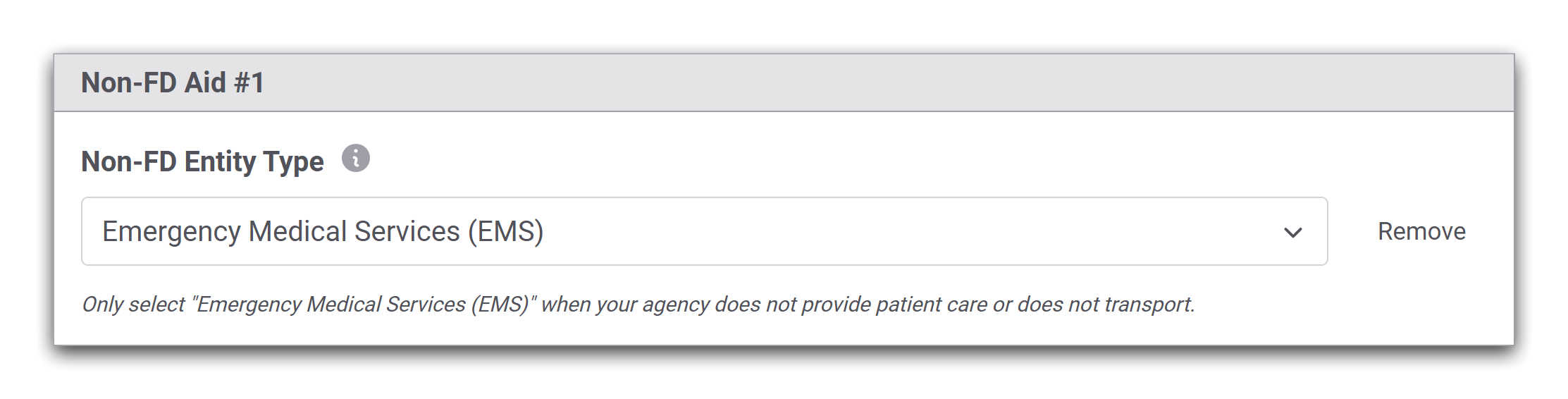
A new option for EMS has been added when specifying the type of Non-FD on the NERIS Basic tab. This option should only be used if your department does not provide patient care or transport and EMS aid was received.
October 28th, 2025
This release adds new functionality to the Fire Station online NERIS Incident Reporting module.
NERIS No Activity Reports
You may now submit No Activity Reports to NERIS directly from Fire Station. Users with the Manage NERIS No Activity Reports permission, which is also new, can create and delete No Activity Reports.
This permission has been enabled automatically for all people with the Can Manage Settings permission.
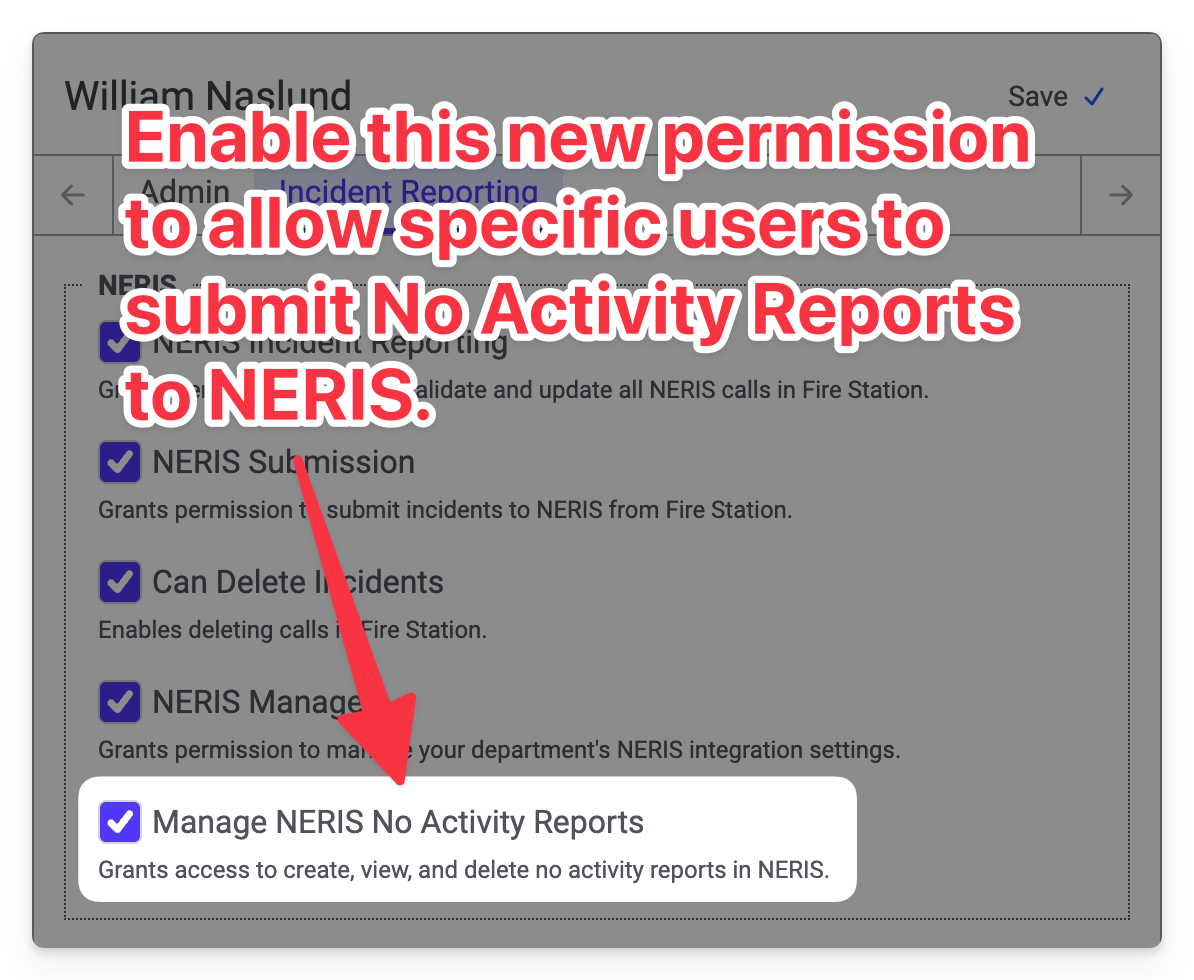
Turning this permission on allows you to access the new NERIS No Activity Reports page in the Incident Reporting menu.
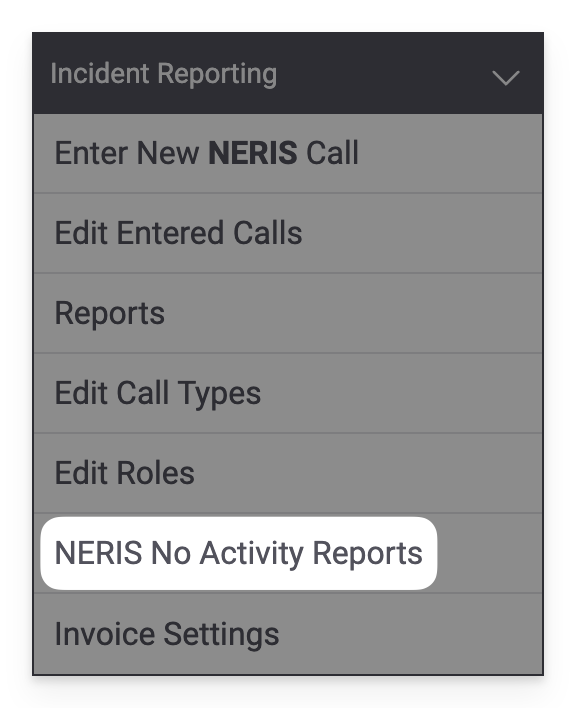
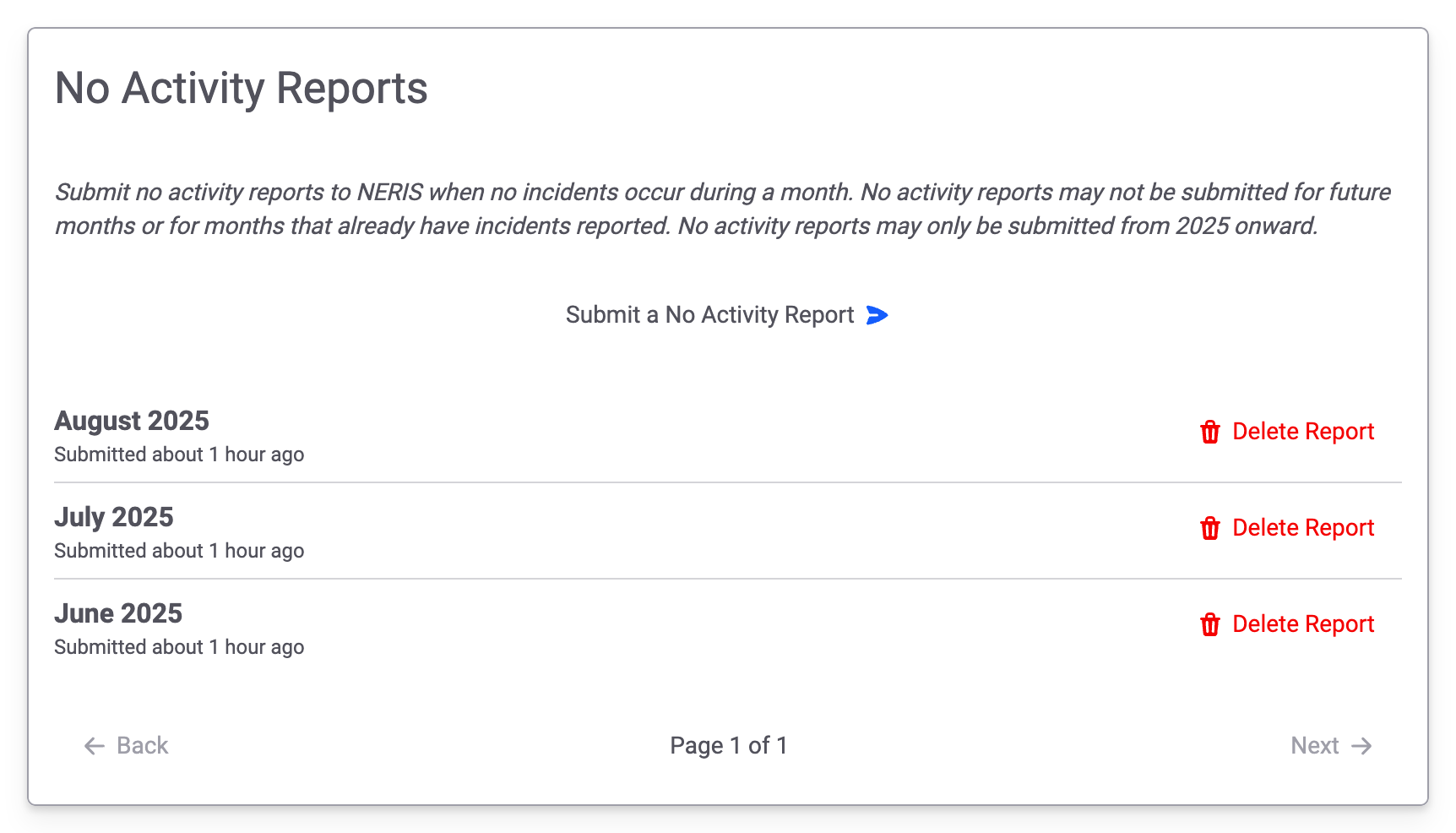
Accessing this link will take you to the new No Activity Reports page. You will see a list of No Activity Reports that have been previously submitted. Clicking the Submit a No Activity Report button allows you to send new reports to NERIS. Clicking the Delete Report button allows you to delete the No Activity Report in both NERIS and Fire Station.
Release Notes in Fire Station
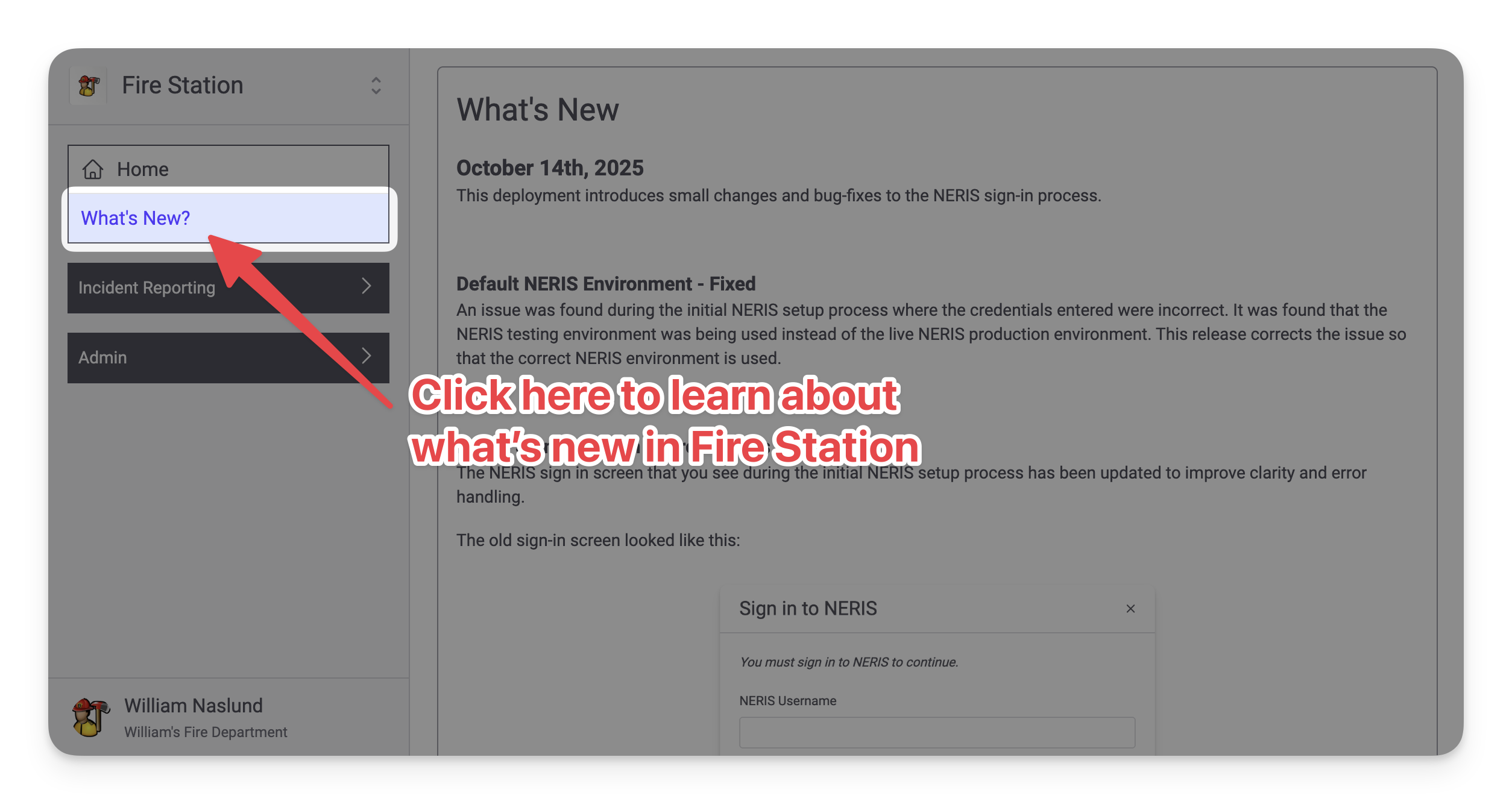
Similar to how the Windows application worked, there is now a What's New? page available in the main menu (right beneath the Home page link). This page shows the latest release notes and will be constantly updated as Fire Station is updated.
Improvements While Editing NERIS Units
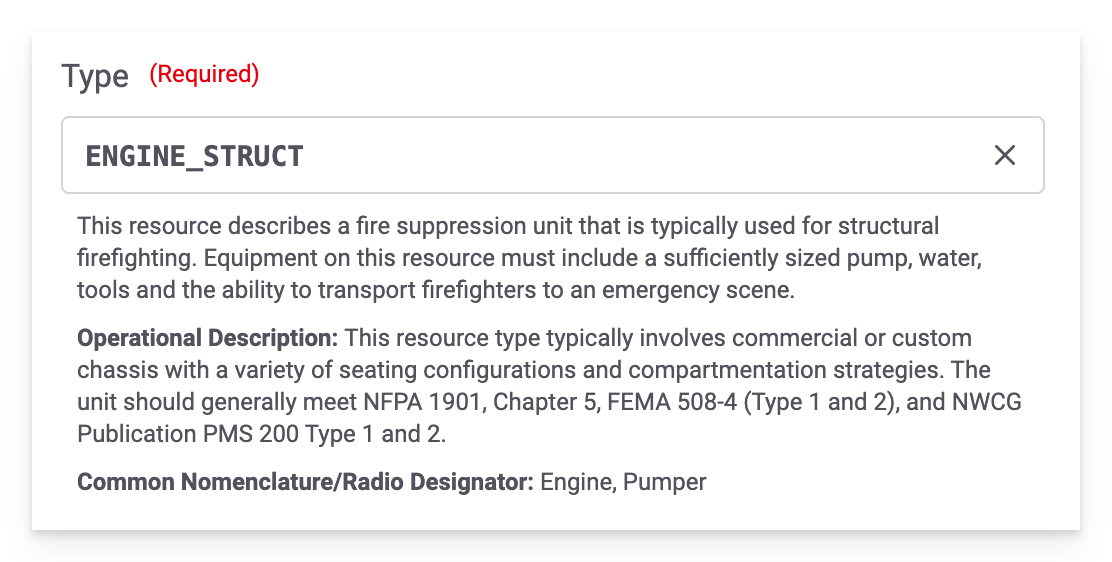
The Type dropdown used to create/update NERIS units from Fire Station has been updated to include more details to help you select the correct option:
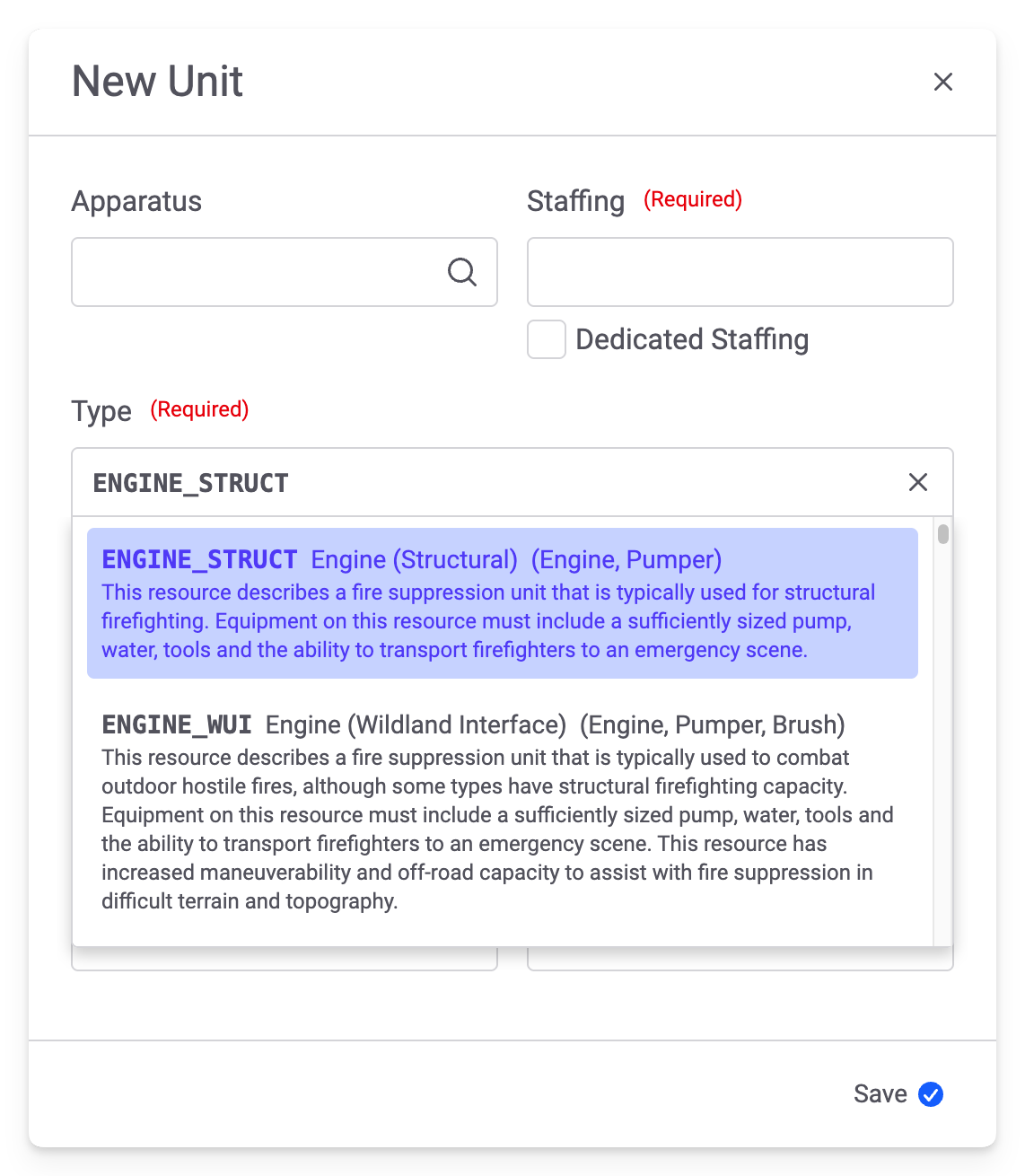
When a value is selected, details about the selected type are shown:
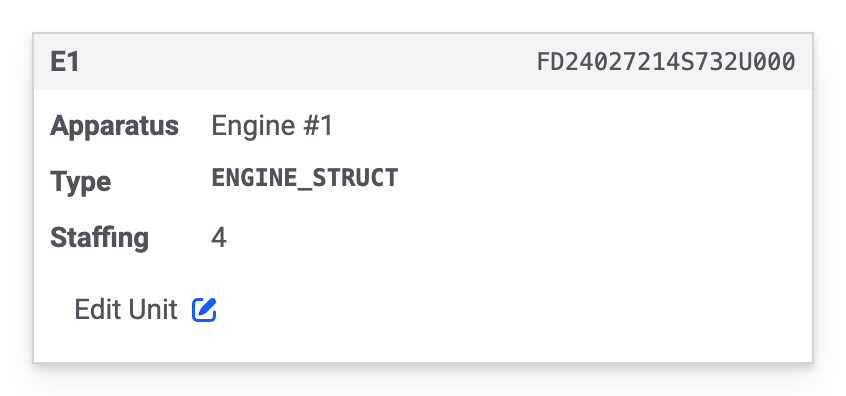
And, lastly, the Type displayed on the station details has been updated to show the value matching the dropdown in the modal:
Include in Payroll Configuration
It is now possible to disable the Include in Payroll field when adding personnel to a NERIS call. Previously this was enabled for all departments. A new option on the Other tab of the NERIS Settings page has been added to control this field:
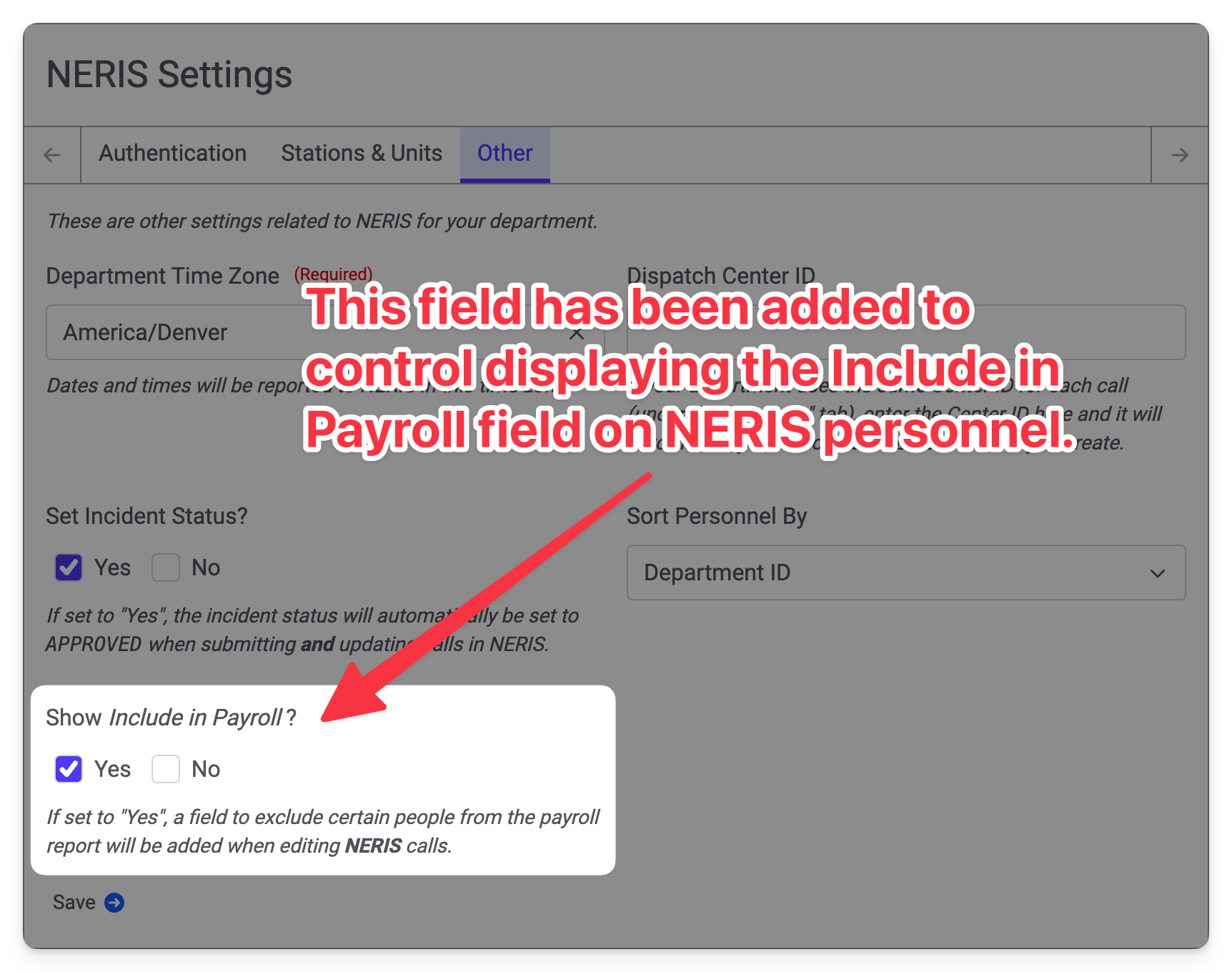
If you have never used the Include in Payroll field, this option will be set to No and you will no longer see the field. If you have used this field before, this option will be set to Yes and you will continue to see the field. You may always come back to these settings to enable or disable the Include in Payroll field as needed.
If you set Show Include in Payroll to No, all personnel will be included in the payroll report regardless of the previously selected value in Include in Payroll; however, disabling the field does not delete any previously entered values. If you re-enable the field, any previously selected options will be retained.
Updated Tactic Timestamps Layout
The layout of the Tactic Timestamps section of NERIS calls has been updated to look like this:
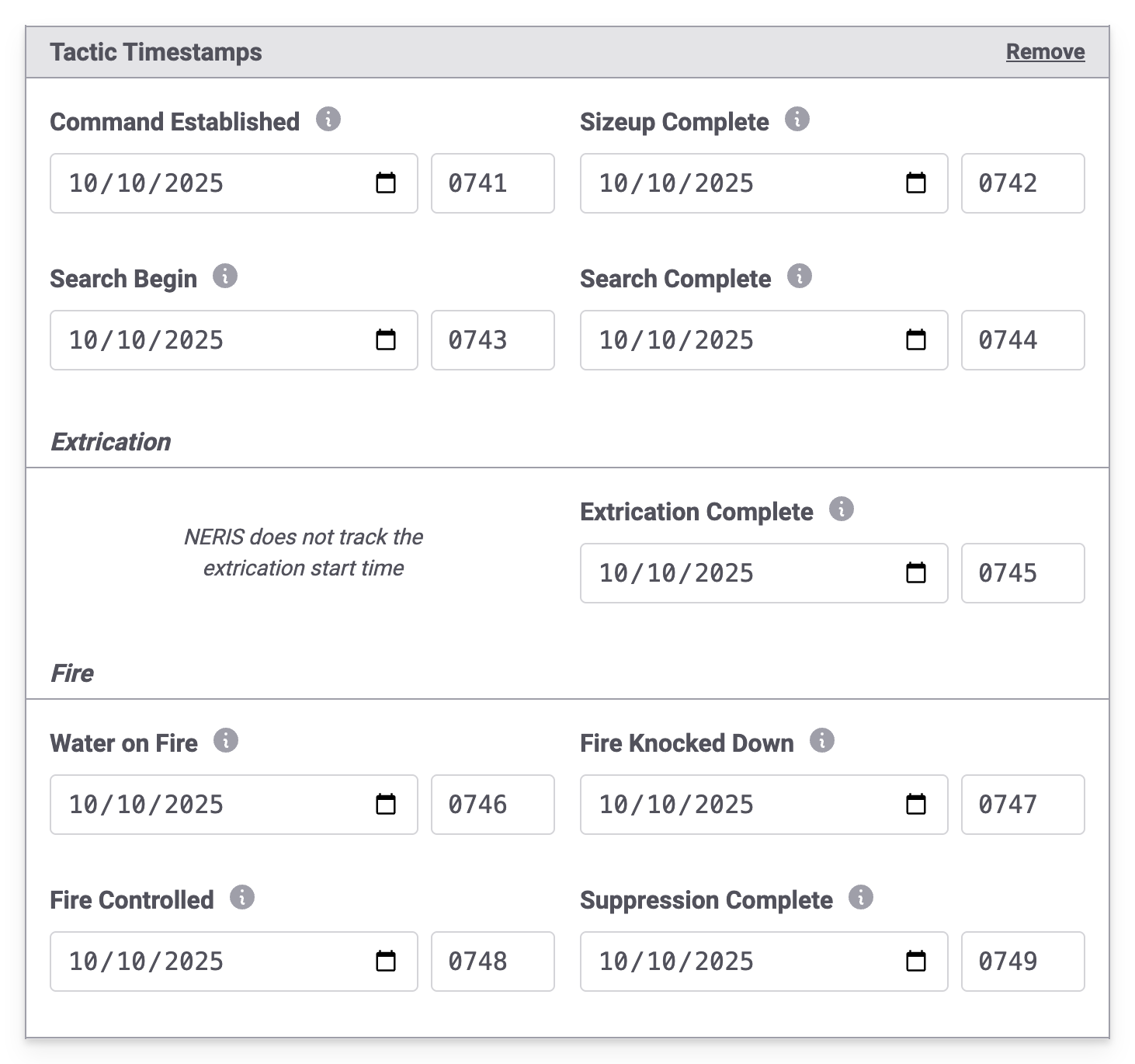
When printing a NERIS call with tactic timestamps, the timestamp layout has also been updated to match.

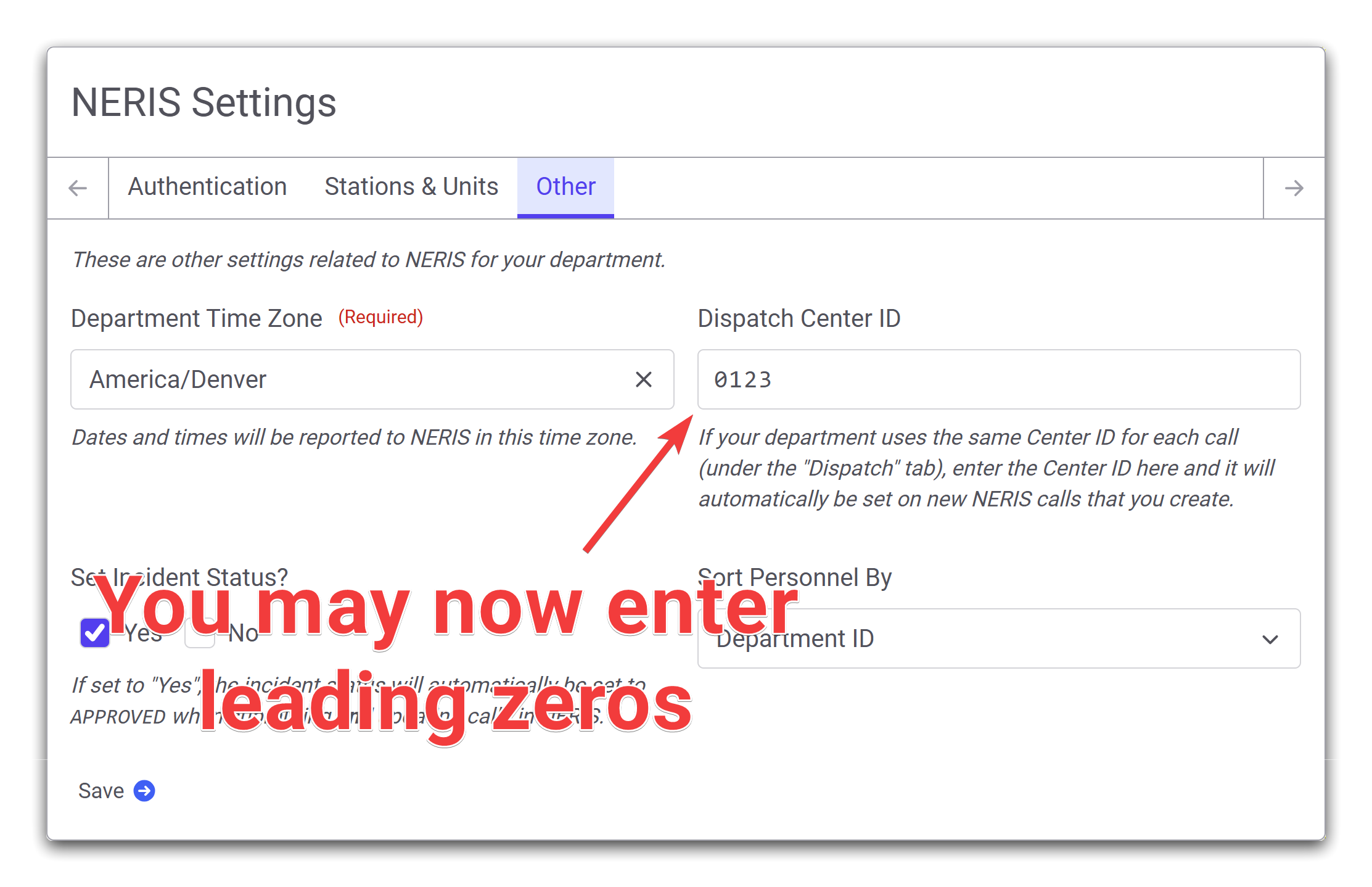
Leading Zeros in Dispatch Center IDs
A bug has been corrected that prevented entering leading zeroes in the default Dispatch Center ID that is configured under the Other tab on the NERIS Settings page.
Errors Printing NERIS Incidents After Deleting Apparatus
An error has been fixed where printing a NERIS call that included an apparatus that is now deleted failed.
October 14th, 2025
This deployment introduces small changes and bug-fixes to the NERIS sign-in process.
Default NERIS Environment - Fixed
An issue was found during the initial NERIS setup process where the credentials entered were incorrect. It was found that the NERIS testing environment was being used instead of the live NERIS production environment. This release corrects the issue so that the correct NERIS environment is used.
NERIS Sign In Screen Improvements
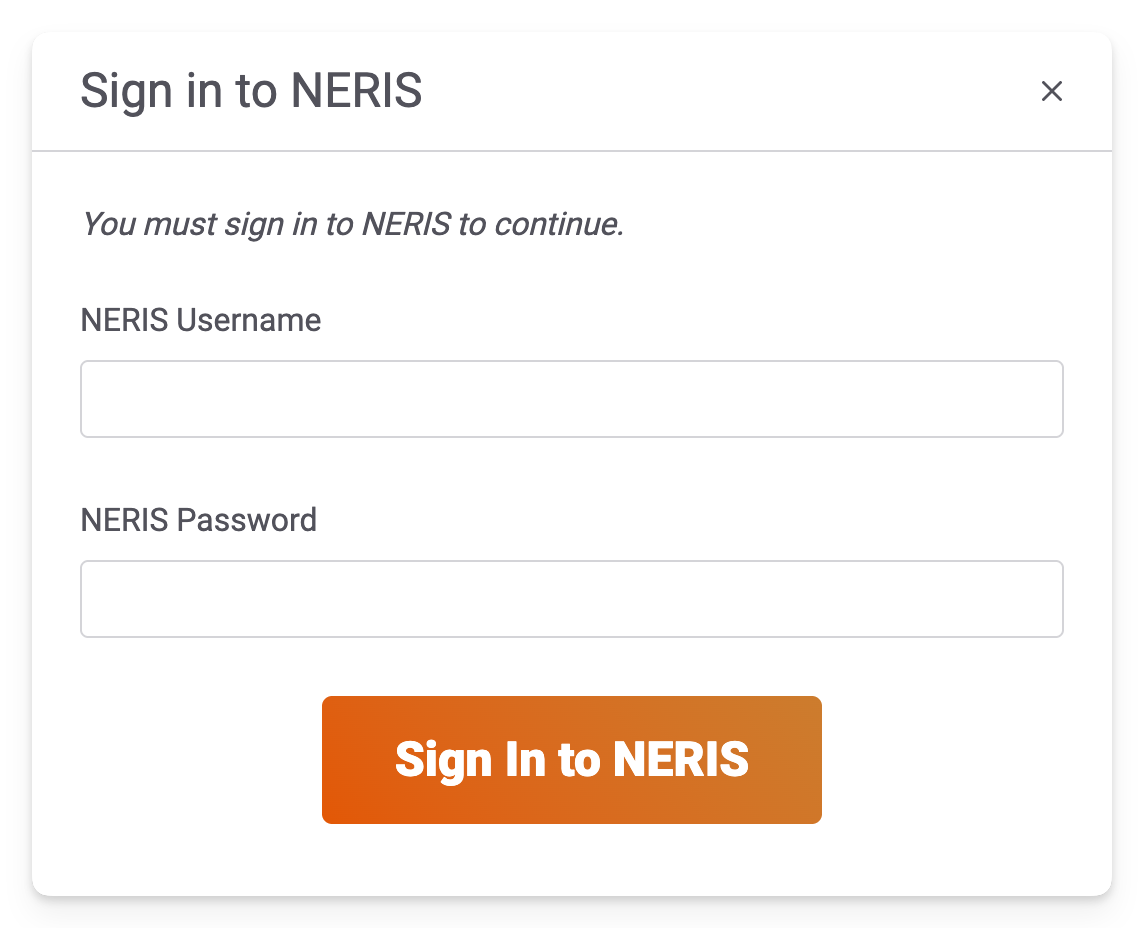
The NERIS sign in screen that you see during the initial NERIS setup process has been updated to improve clarity and error handling.
The old sign-in screen looked like this:
The new sign-in screen looks like this:
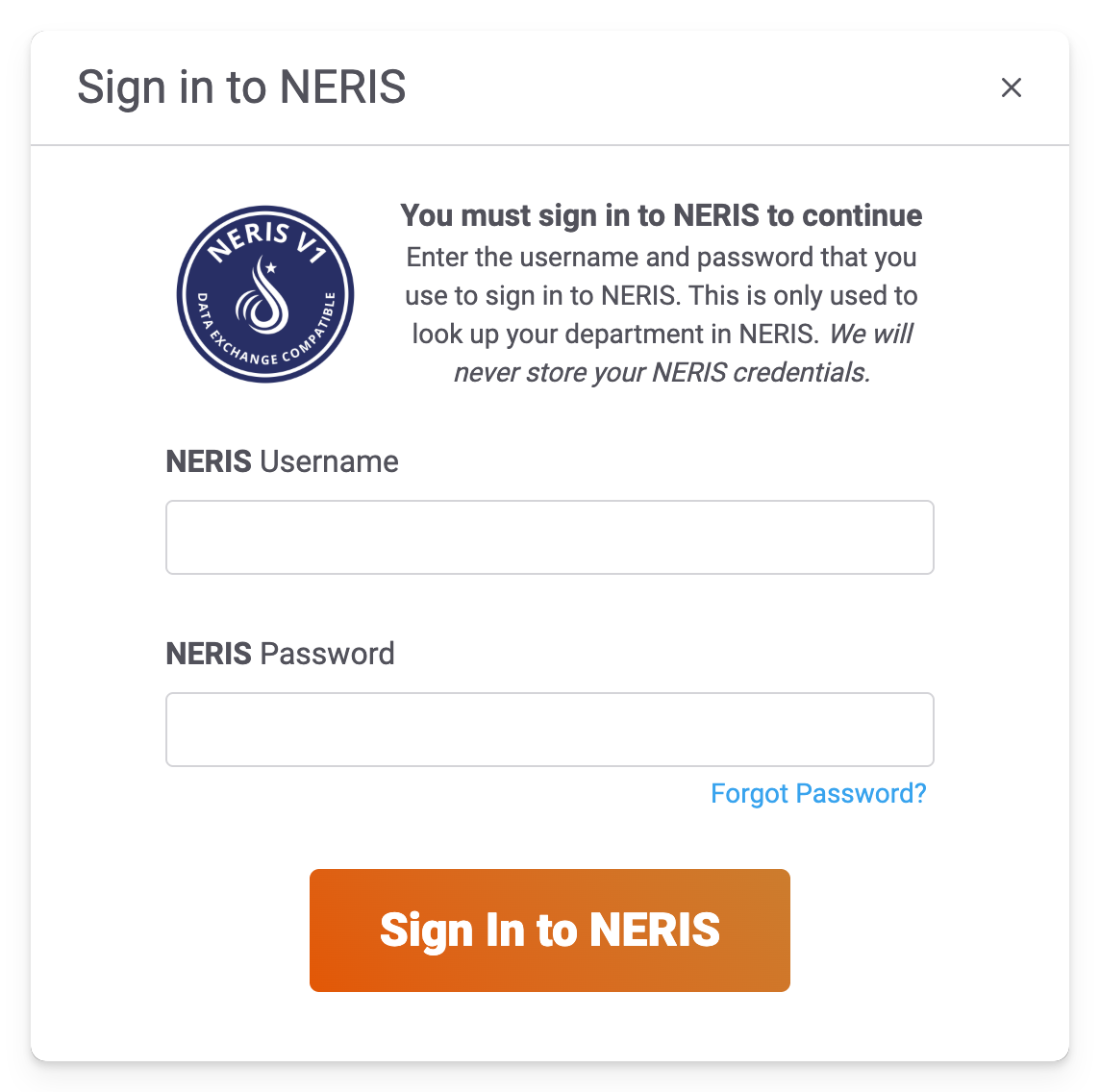
The purpose for this change was to make it more obvious that you are entering your NERIS username and password, not your FSSID credentials. There's also a link to the password reset page that NERIS has added, making it easier to recover your NERIS password from Fire Station.
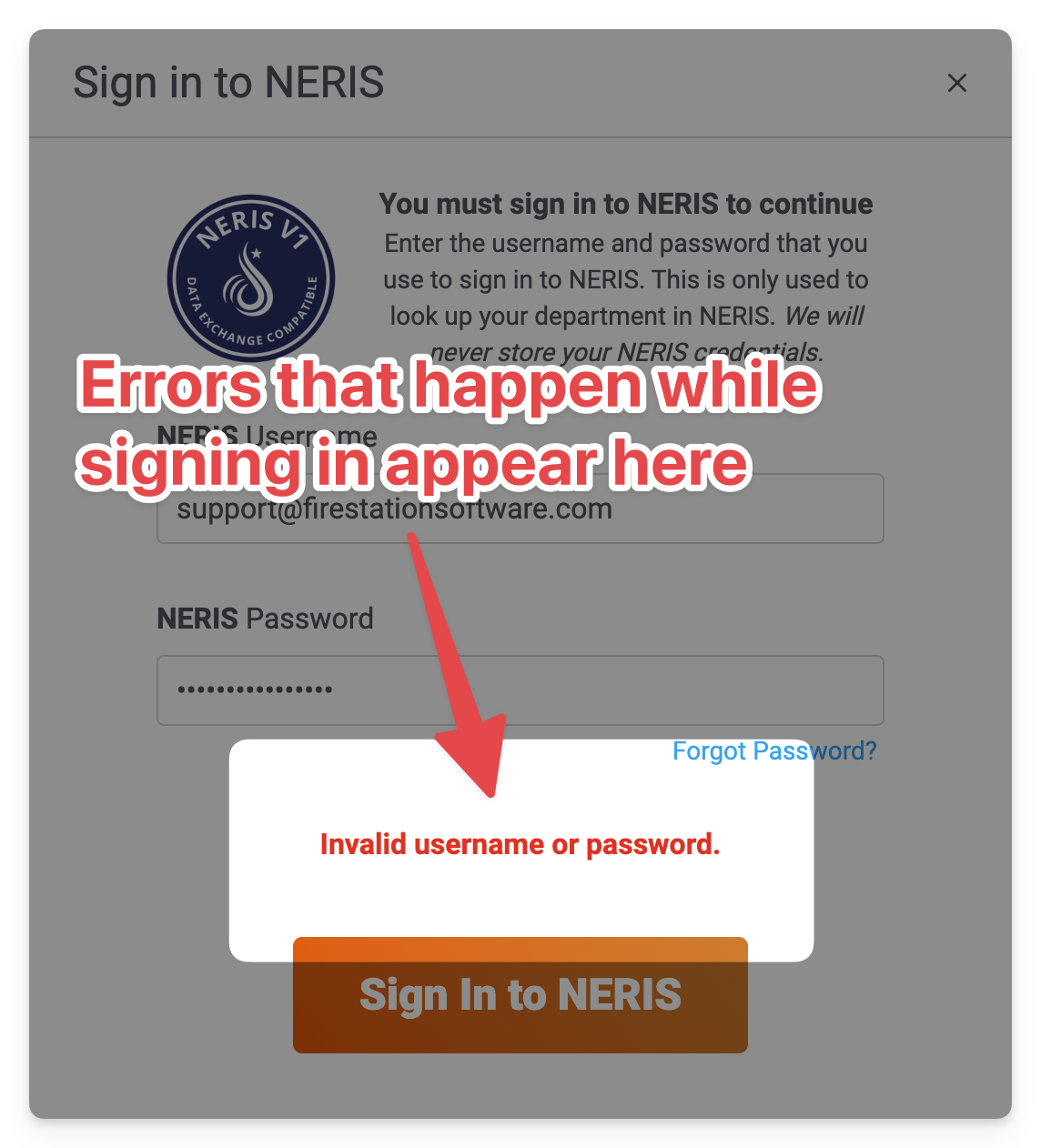
We've also corrected an issue where an unexpected error was displayed when the incorrect username or password was entered. Errors during the sign-in process now appear above the sign in button.
October 13th, 2025
Improvements and new features for Fire Station's online NERIS Incident Reporting module are being deployed on Monday, October 13th, 2025. These changes are available automatically, without installing any updates.
Errors When Saving NERIS Calls - Fixed
We have received various reports of errors happening when editing NERIS calls. The source of these errors have been tracked down to periodic and temporary network re-connections. We have corrected the issue and have deployed the changes required to fix these problems. If your department continues to see errors while editing NERIS calls, please continue to reach out to our support team for help.
Improved Map Editing
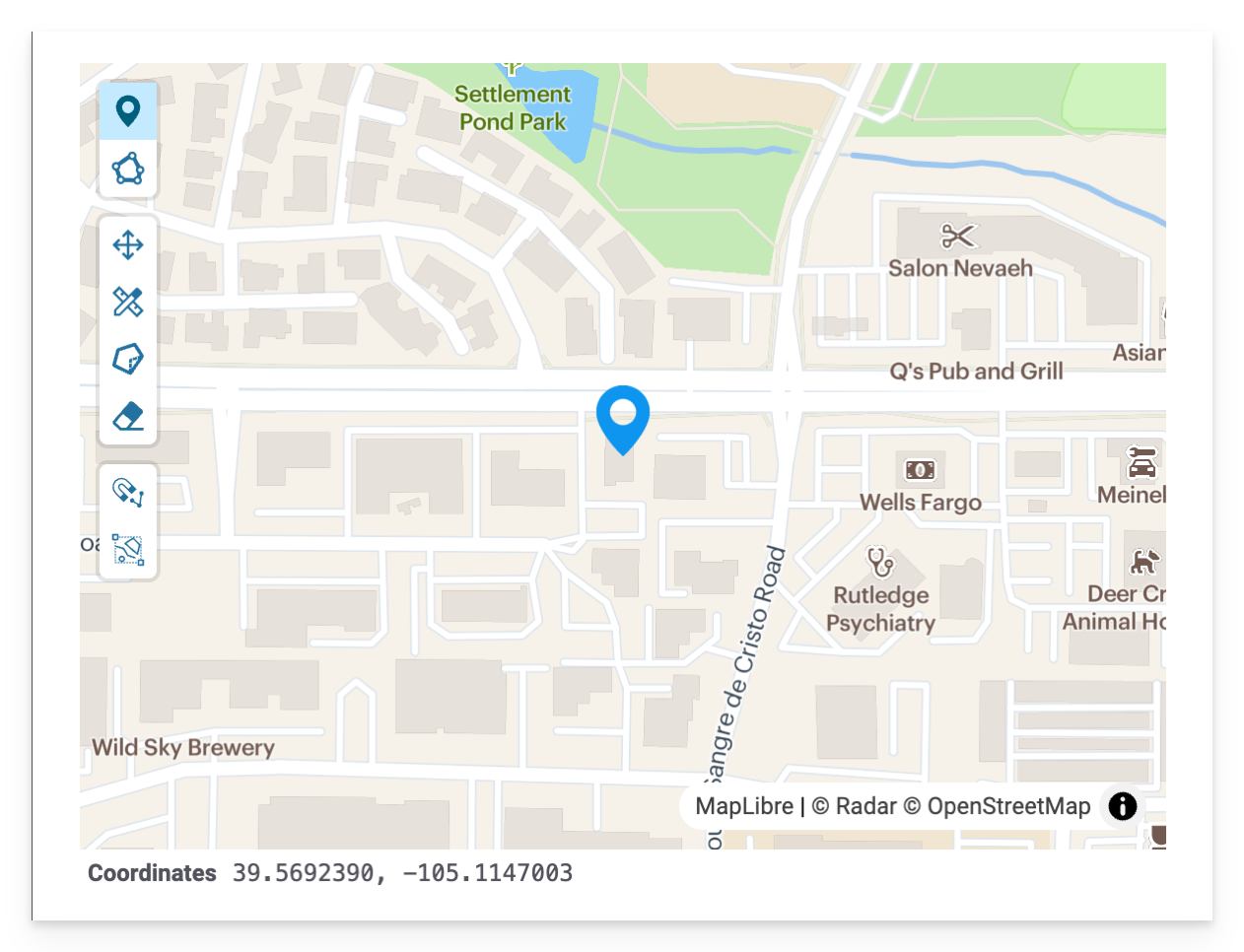
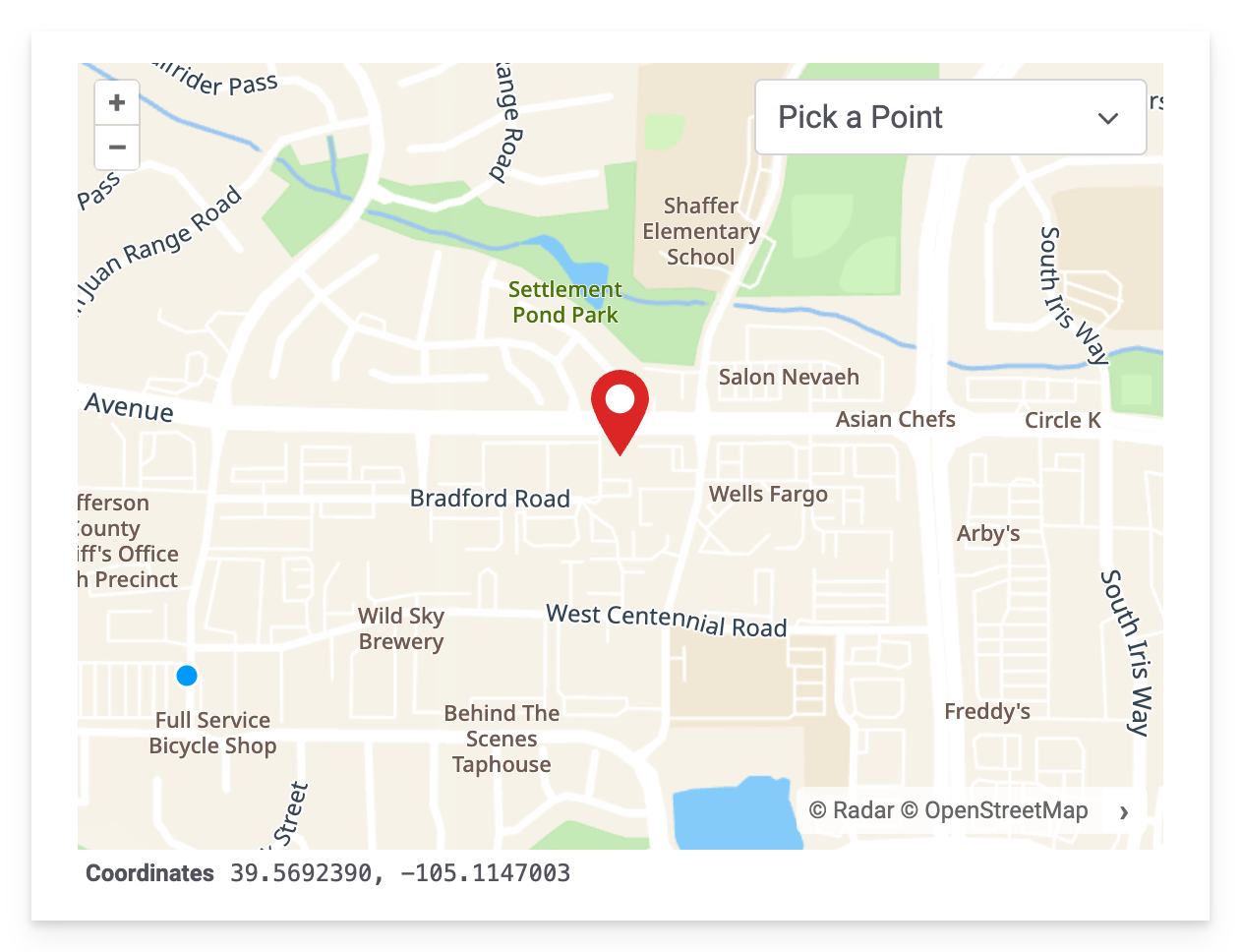
The map that you see while entering a NERIS call location has been updated to fix errors occurring when moving the pin from a previously selected location. We continue to support entering exact GPS coordinates, what3words addresses, and street addresses. You may also choose a call location by clicking a point on the map.
This is the old map editor:
This is the updated map editor:
NERIS Submission to Fire Recovery USA
With this release, we now have early support for submitting NERIS calls to Fire Recovery USA. This feature is enabled if your department has previously submitted NFIRS calls to Fire Recovery USA in the Windows application.
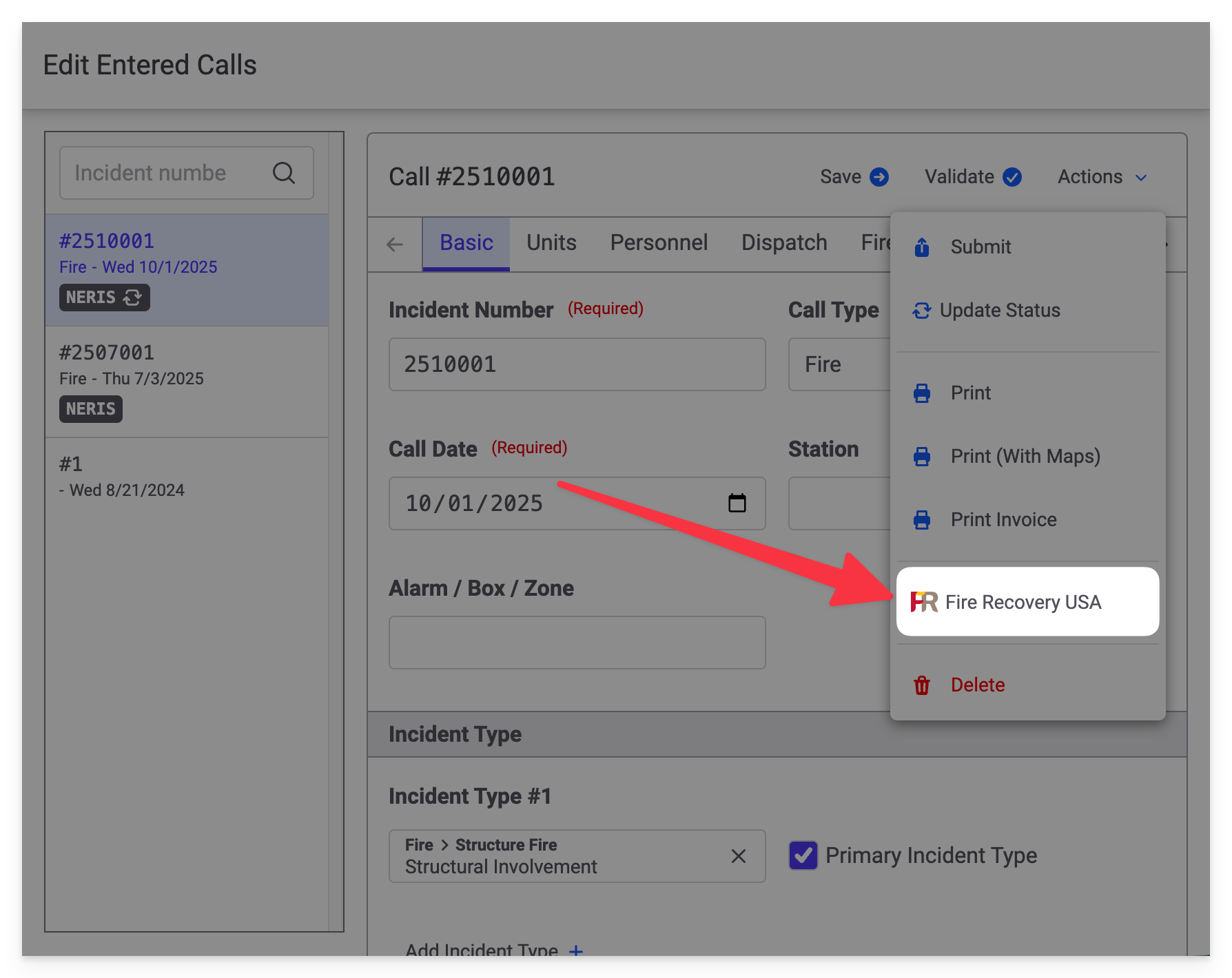
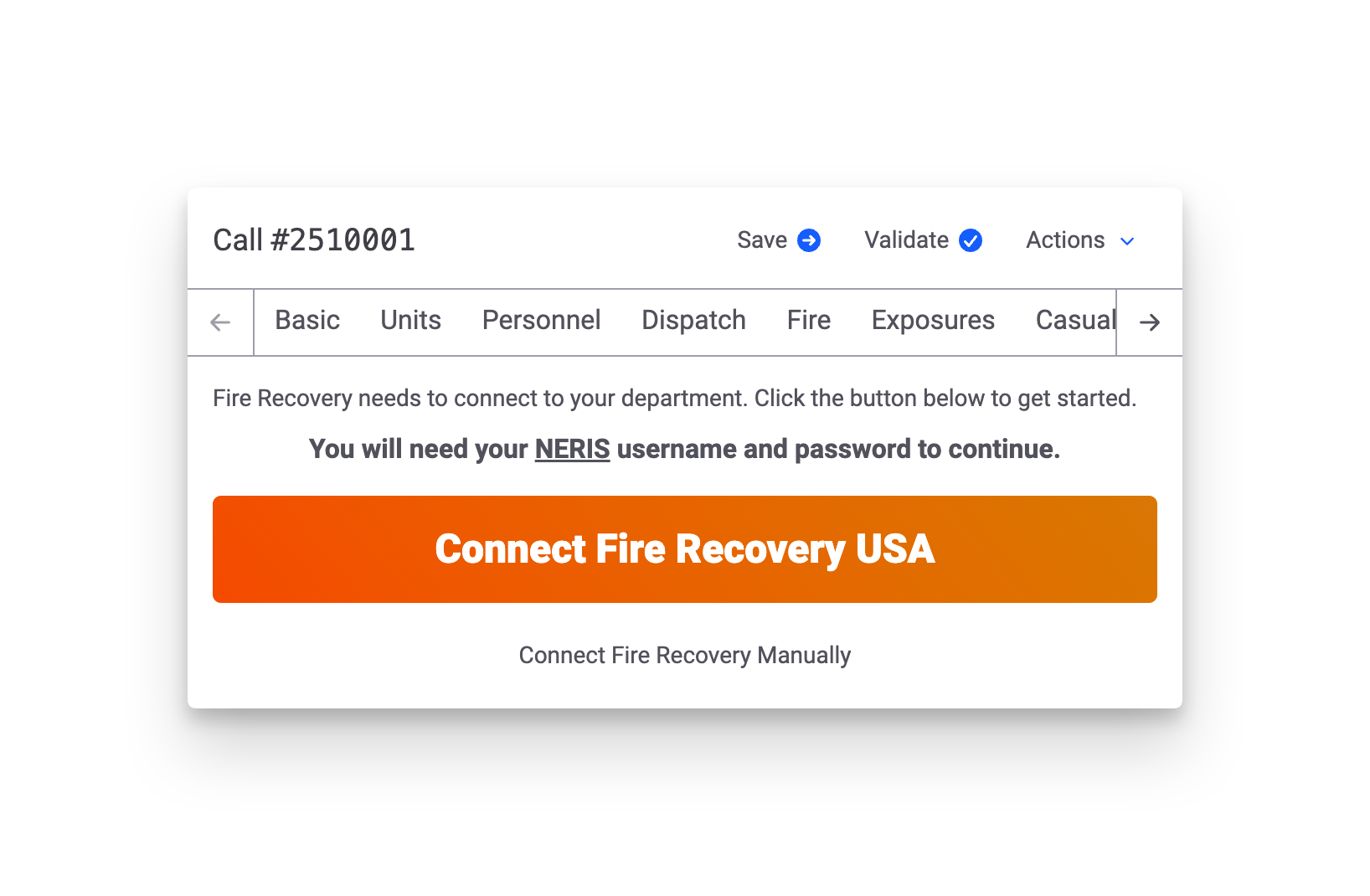
The first time you submit a NERIS call to Fire Recovery USA you will be guided through the necessary setup process.
If you encounter any issues during the submission process, or if you need help submitting NERIS calls to Fire Recovery USA, please reach out to our support team.
Fire Station Desktop - Version 4.12.0.2
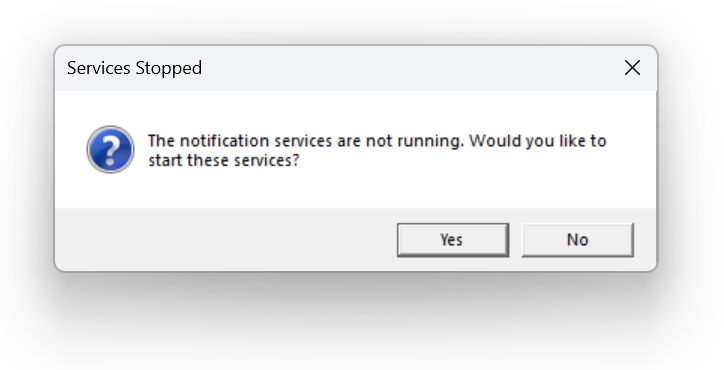
This release fixes the Expired Items Notification Service and the Apparatus Checks Notification Service that fail to start in versions 4.12.0.0 and 4.12.0.1.
If you see the following error message when signing into Fire Station, and you have updated to Version 4.12, this release should fix this error:
Fire Station Desktop - Version 4.12.0.1
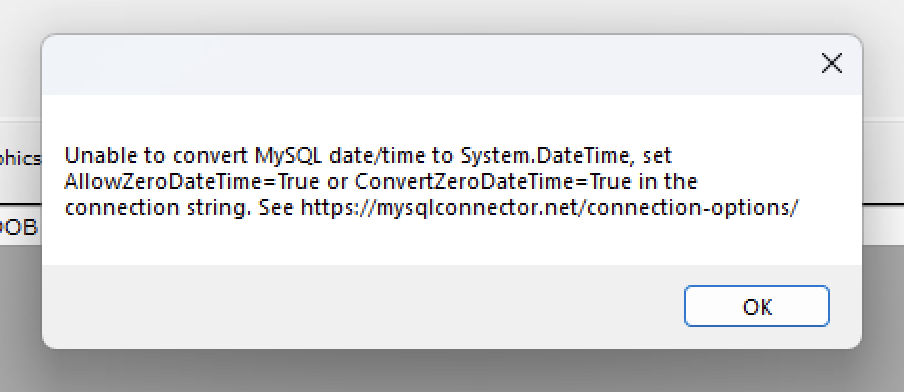
This release fixes errors that you may have received when editing calls or viewing your frequent flier list when entering a new Quick Call.
The error that was fixed is would show a message like this:
Fire Station Desktop - Version 4.12.0.0
June 2025 - Version 4.12.0.2 of Fire Station Desktop has been released, fixing error messages that appear indicating that the notification services are not running when signing into Fire Station after updating to Version 4.12.
May 2025 - We are happy to announce the following changes have been made to Fire Station Desktop and the Fire Station+ online platform. All of these changes are available to your department if you have an active license and use Cloud Data Hosting.
Fire Station+ Incident Reporting
The Incident Reporting functionality for Fire Station+ enables your department to enter NFIRS incidents online using an improved call editor. This editor supports partials saves and calls entered online are pushed to the Fire Station Desktop call list once complete. This feature has been available in beta for a few months, but it is now generally available.
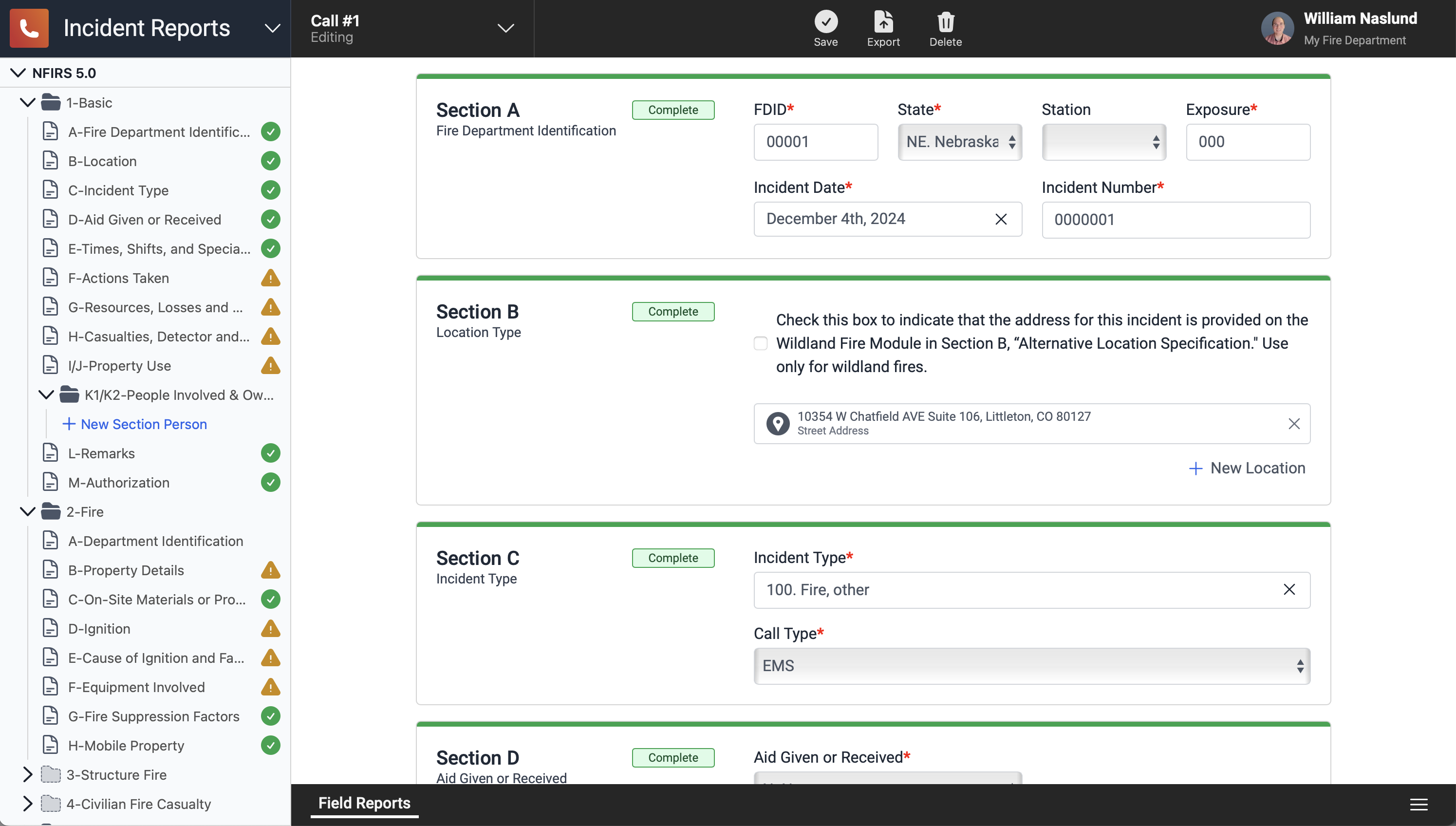
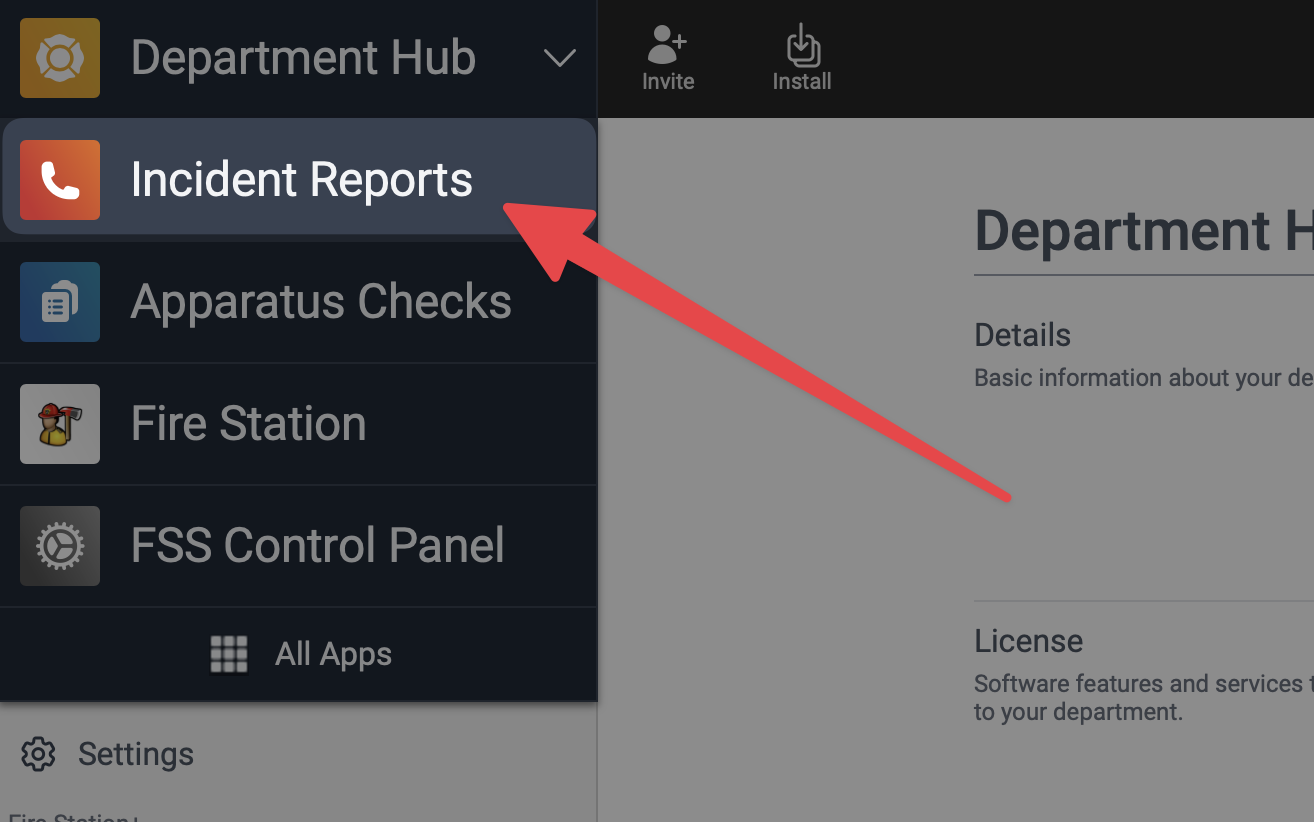
To access the online Fire Station+ Incident Reporting, sign in to the Fire Station Hub using your FSSID at hub.firestationsoftware.com and select "Incident Reports" from the drop-down menu at the top.
This feature has been enabled for all departments that have an active license that includes the incident reporting module and Cloud Data Hosting. For more information, see the Fire Station+ User Guide: Enter an Incident Report
Database Connection Issues Fixed
We have seen a number of issues caused by the database connection being reset while Fire Station Desktop is open. The latest version of Fire Station Desktop introduces a series of bug-fixes to address this issue. If you are using Fire Station Desktop and the database connection is lost you will see a message indicating that the connection is being re-established. Also, no data will be lost once the connection has been restored. If you are filling out a call and this happens, the call information you already entered will be preserved.
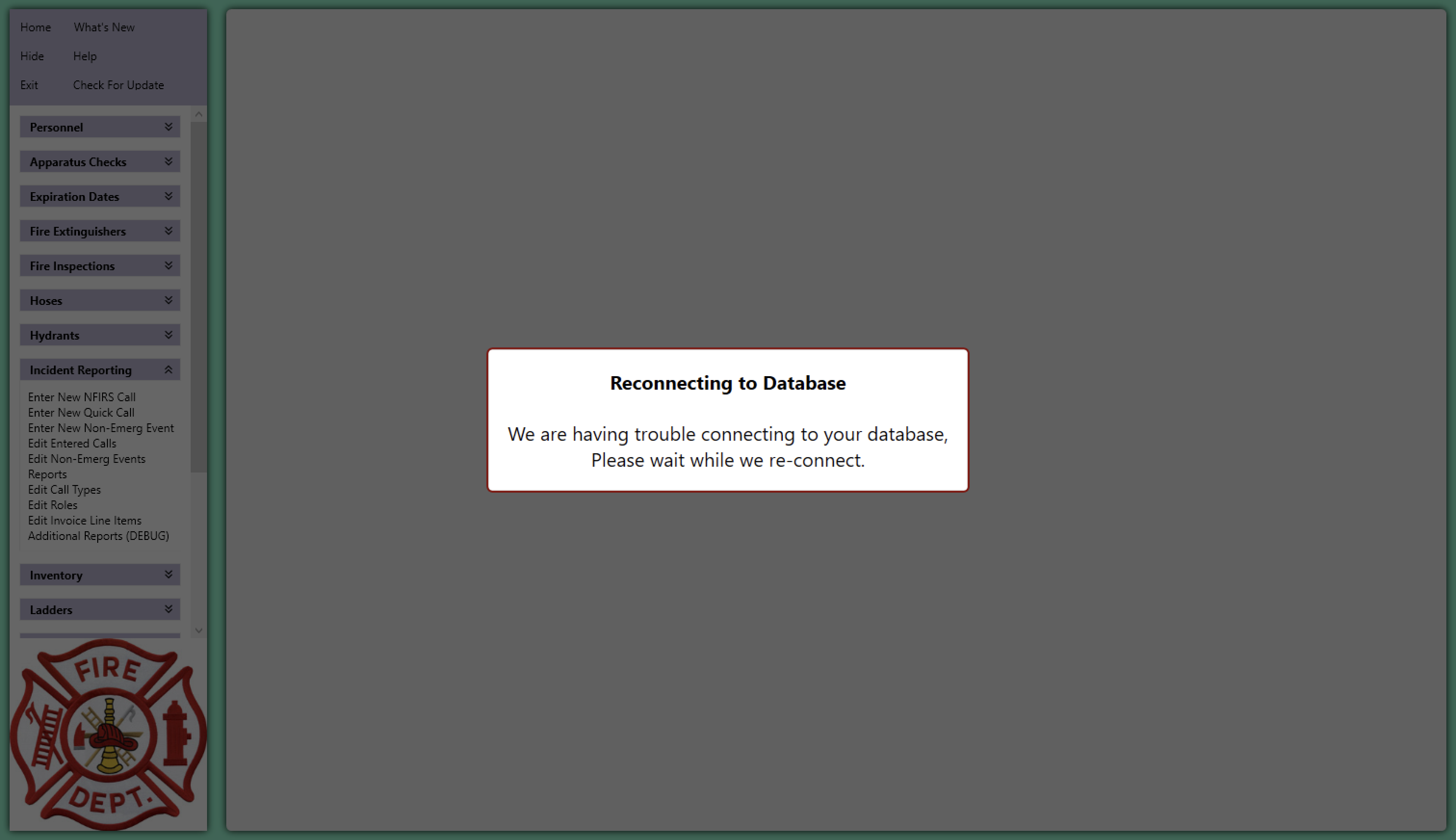
Be sure to install Fire Station Desktop Version 4.12 to get this update. This version has been made available to all departments with an active license.
Active911 for Quick Calls
Our integration with the Active911 services allows you to import alert details when entering quick calls from Fire Station Desktop. This feature has been available in beta for a few months, but it is now generally available.
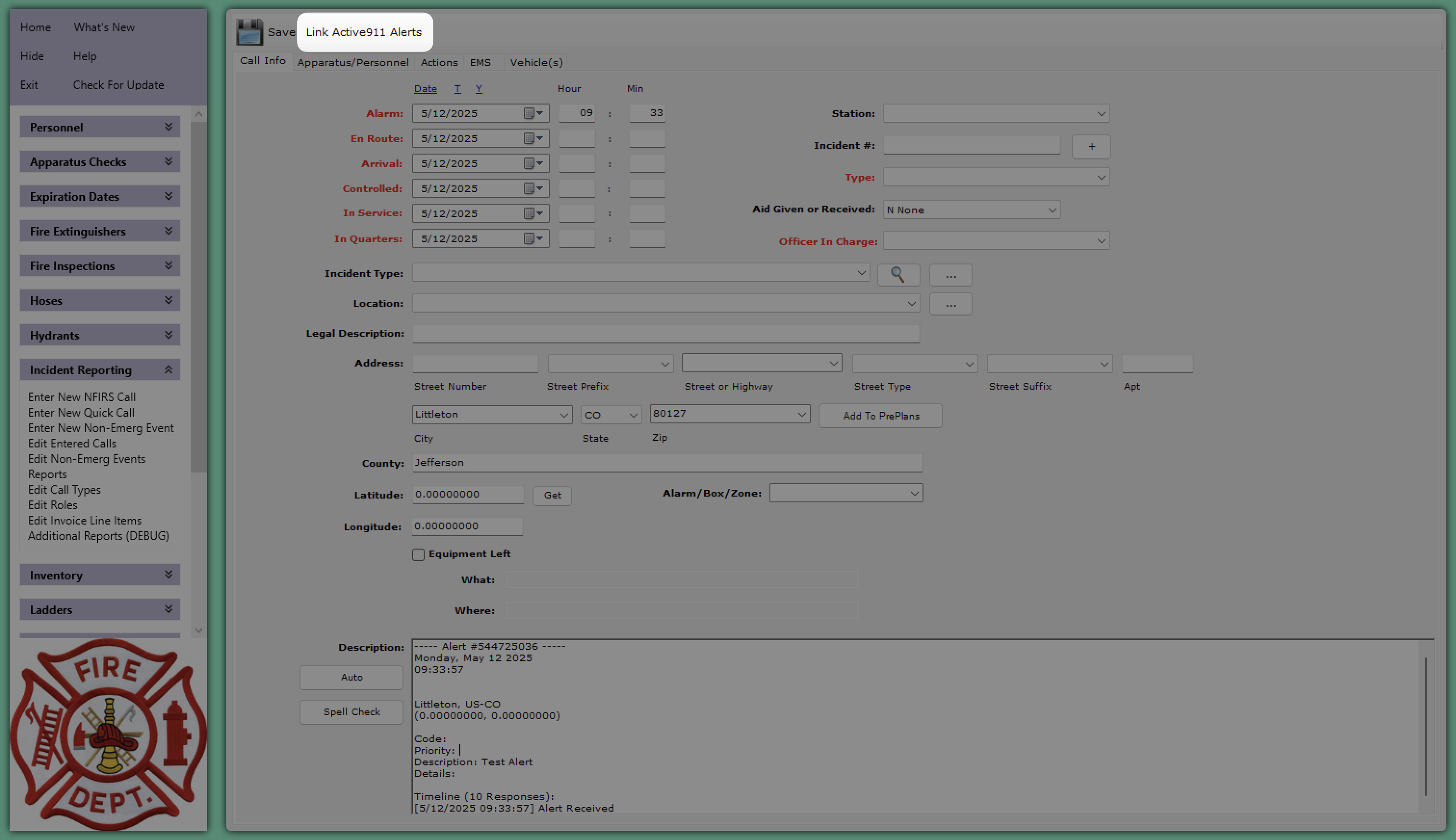
If your department is using Active911 and you want to enable this feature, please reach out to our support team by sending an email to support@firestationsoftware.com or by giving us a call at (888) 809-2673 ext. 2
NERIS Support (Alpha)
We are happy to announce that support for entering NERIS incidents from the Fire Station Online Platform is now available for early testing. There's a lot of exciting things coming to support everyone as we transition to NERIS based incident reporting. NERIS incidents will be entered from our new online application using the web browser on your computer, tablet or phone. With Cloud Data Hosting, this new platform works seamlessly with your existing department records and the Fire Station Desktop application.
Here's what it looks like so far:
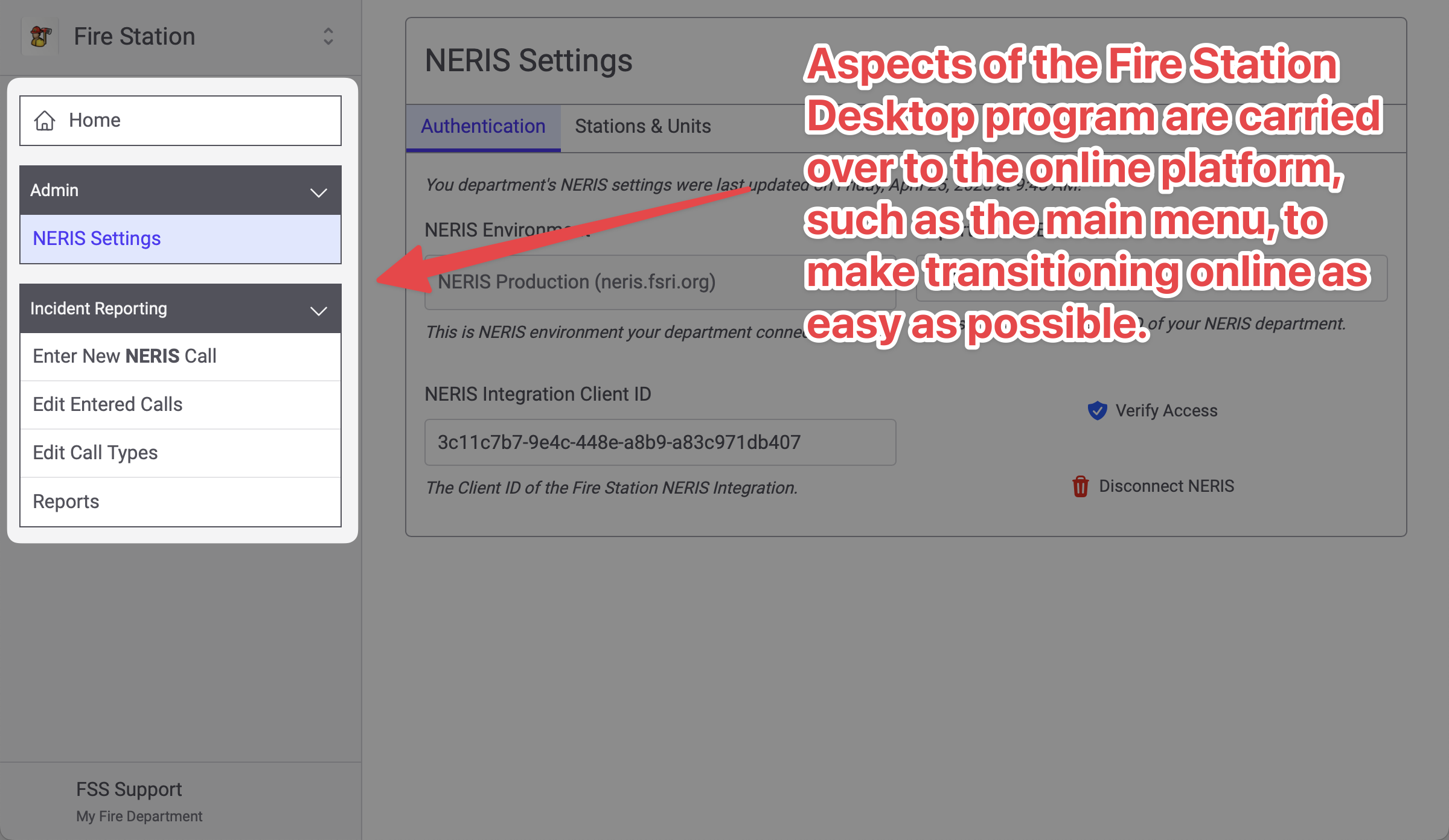
We've also been working to adapt the desktop layout to a phone in ways that are as familiar as possible. For example, here's the main menu on a phone-sized screen:
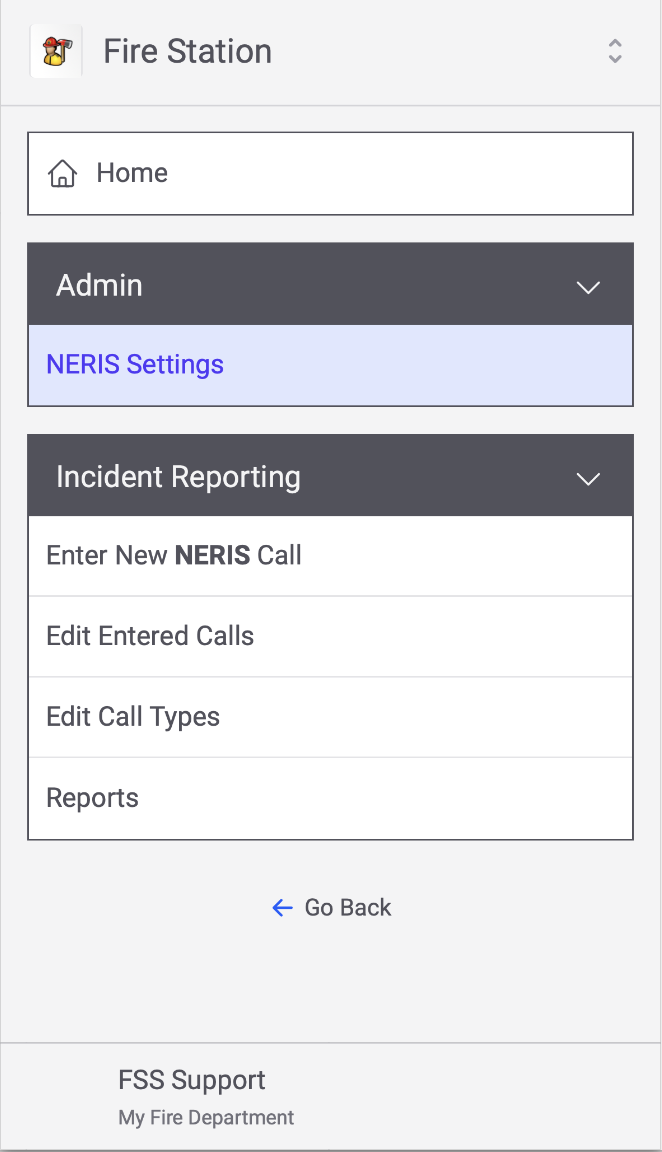
And, as you view the pages the menu collapses like so:
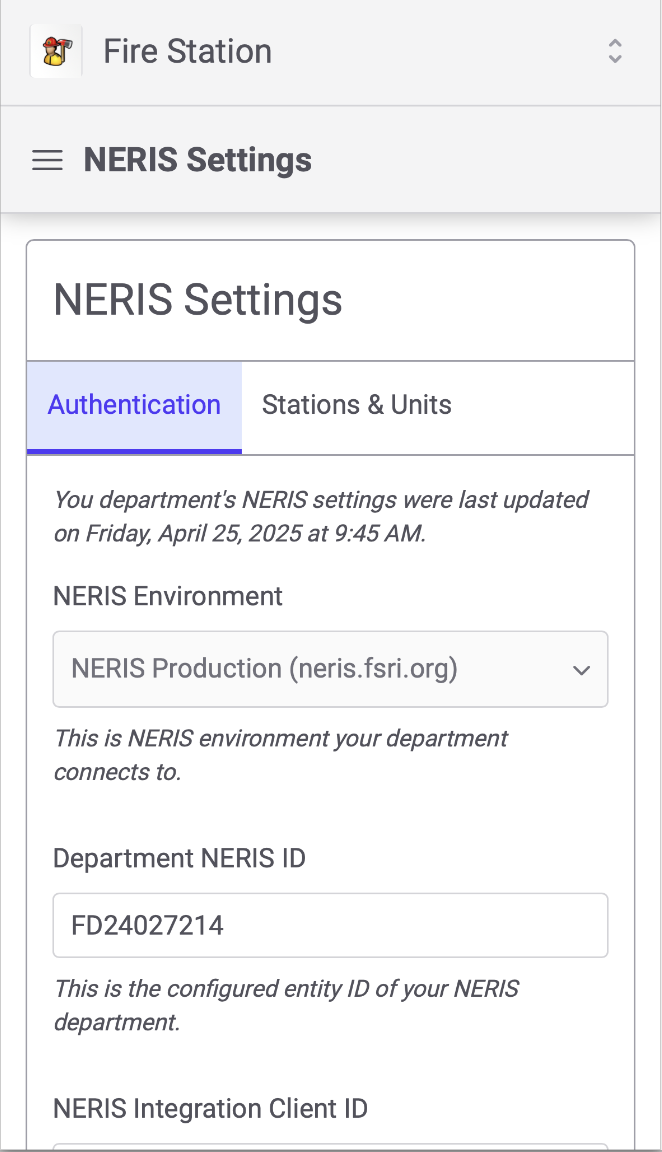
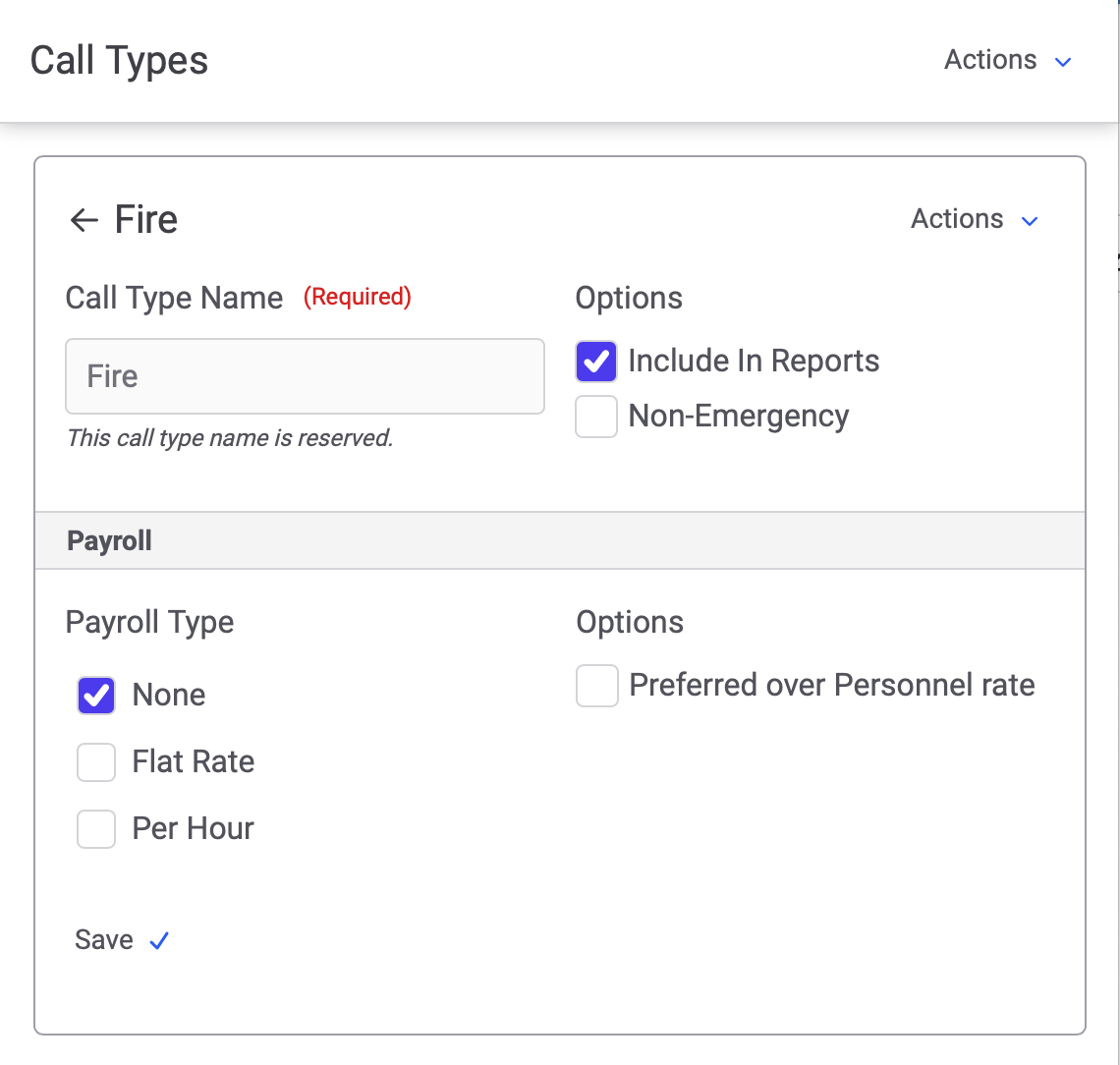
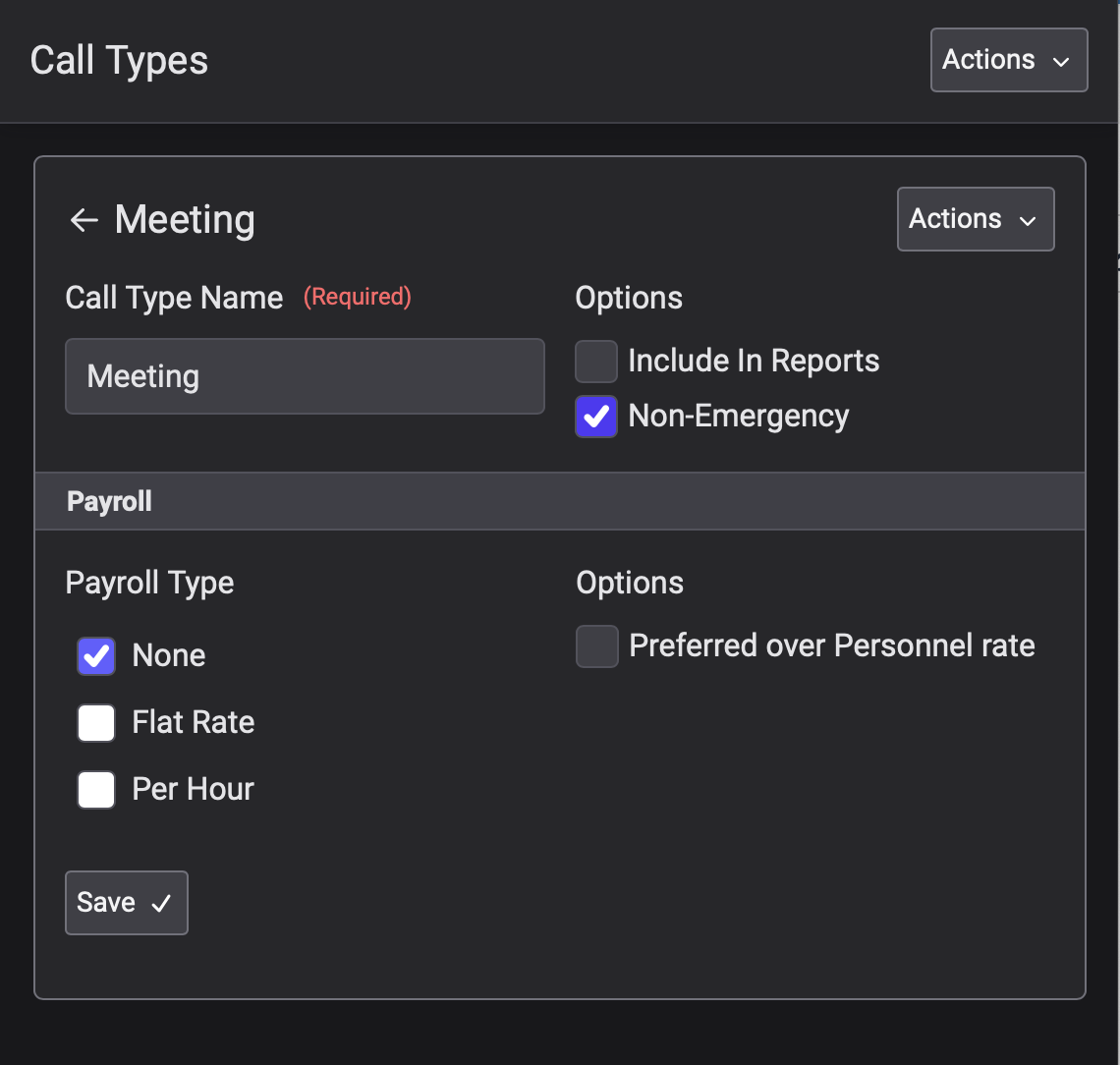
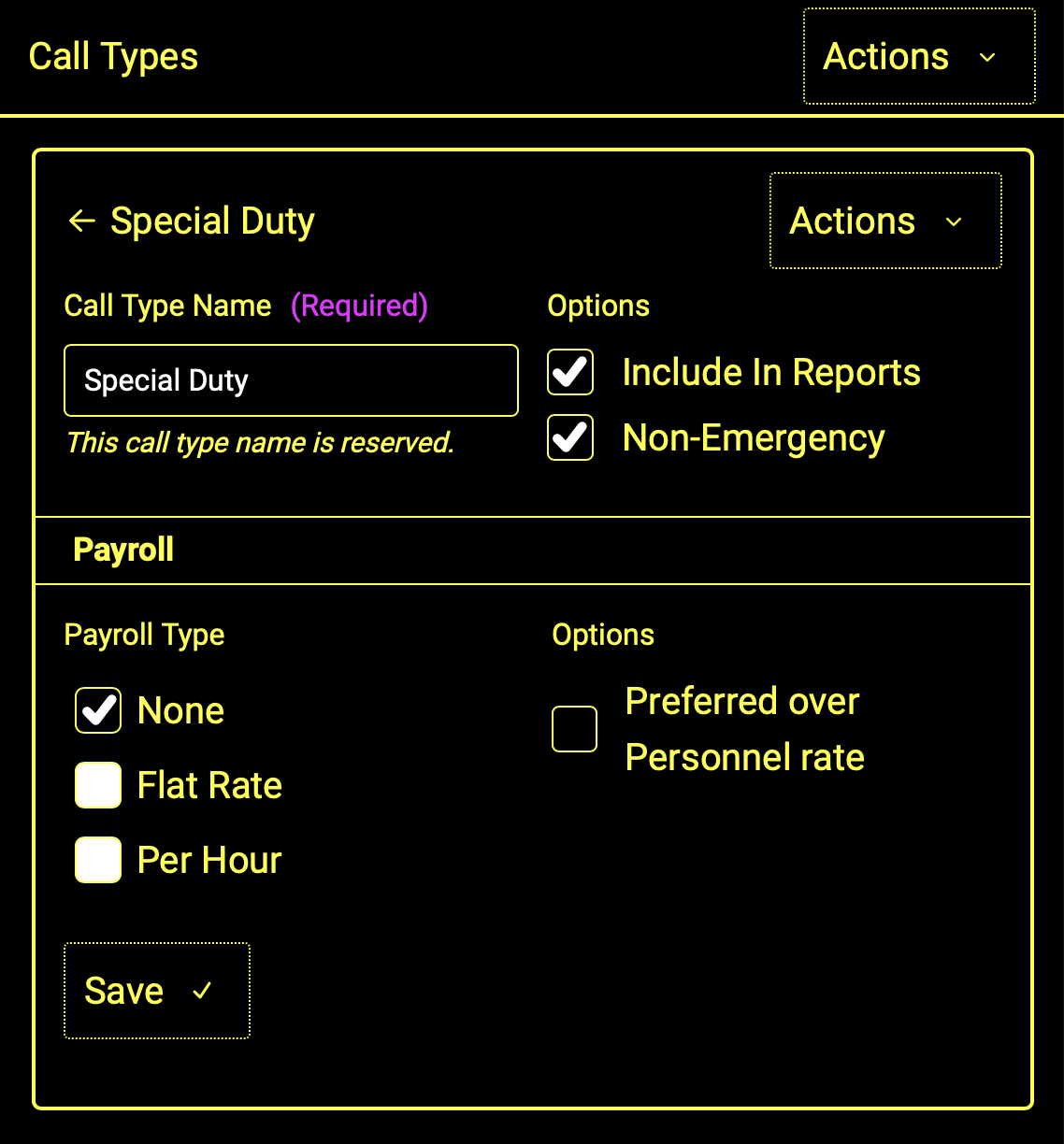
We've also included support for some different color schemes:
|
Light
|
Dark
|
High Contrast
|
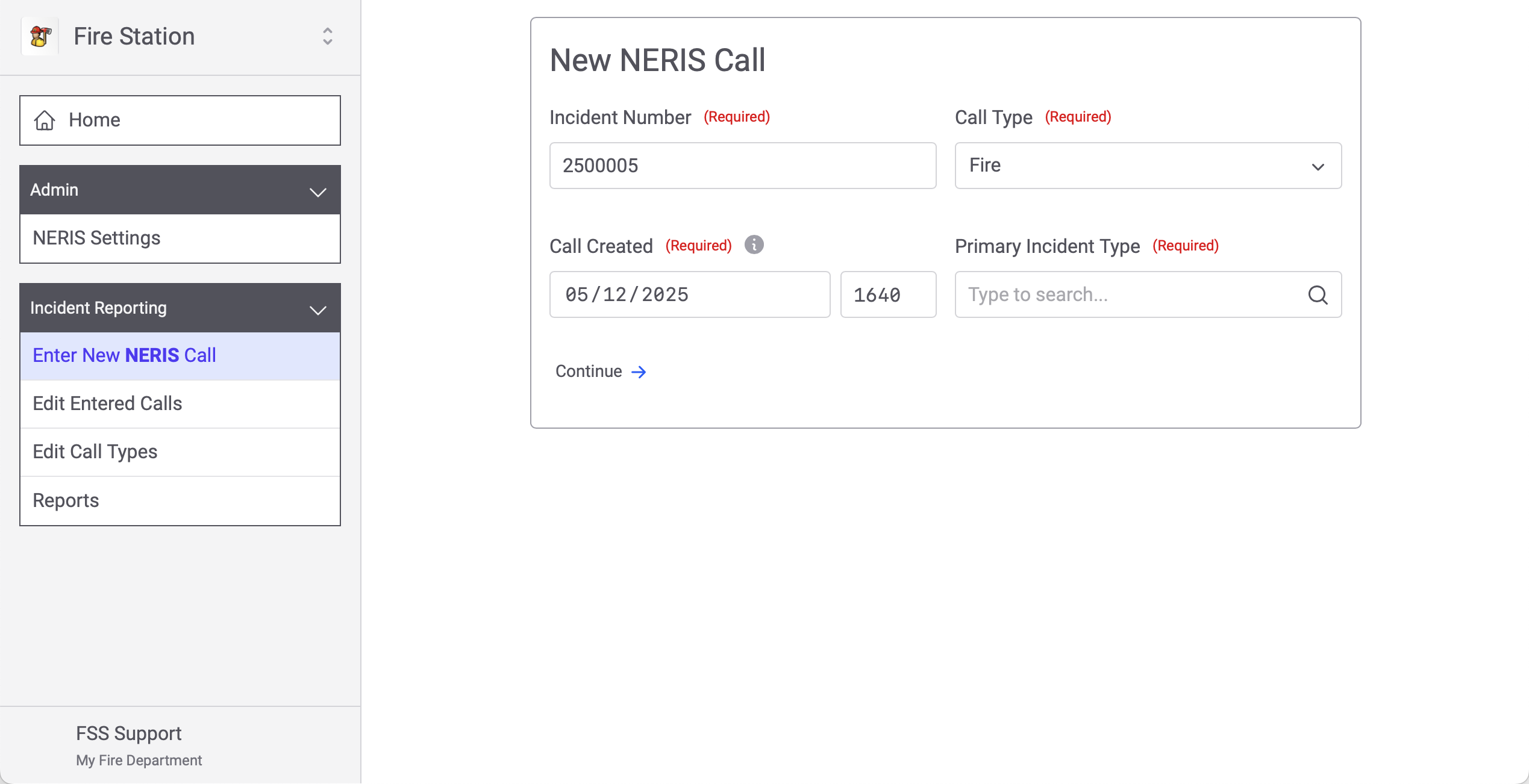
NERIS Incidents can be entered directly in Fire Station then validated and pushed directly to NERIS. The integration works with both the NERIS Testing environment and the NERIS Production environment, though your department can only be connected to one NERIS department/environment at a time. You enter a NERIS incident by clicking "Enter New NERIS Call" under "Incident Reporting"...
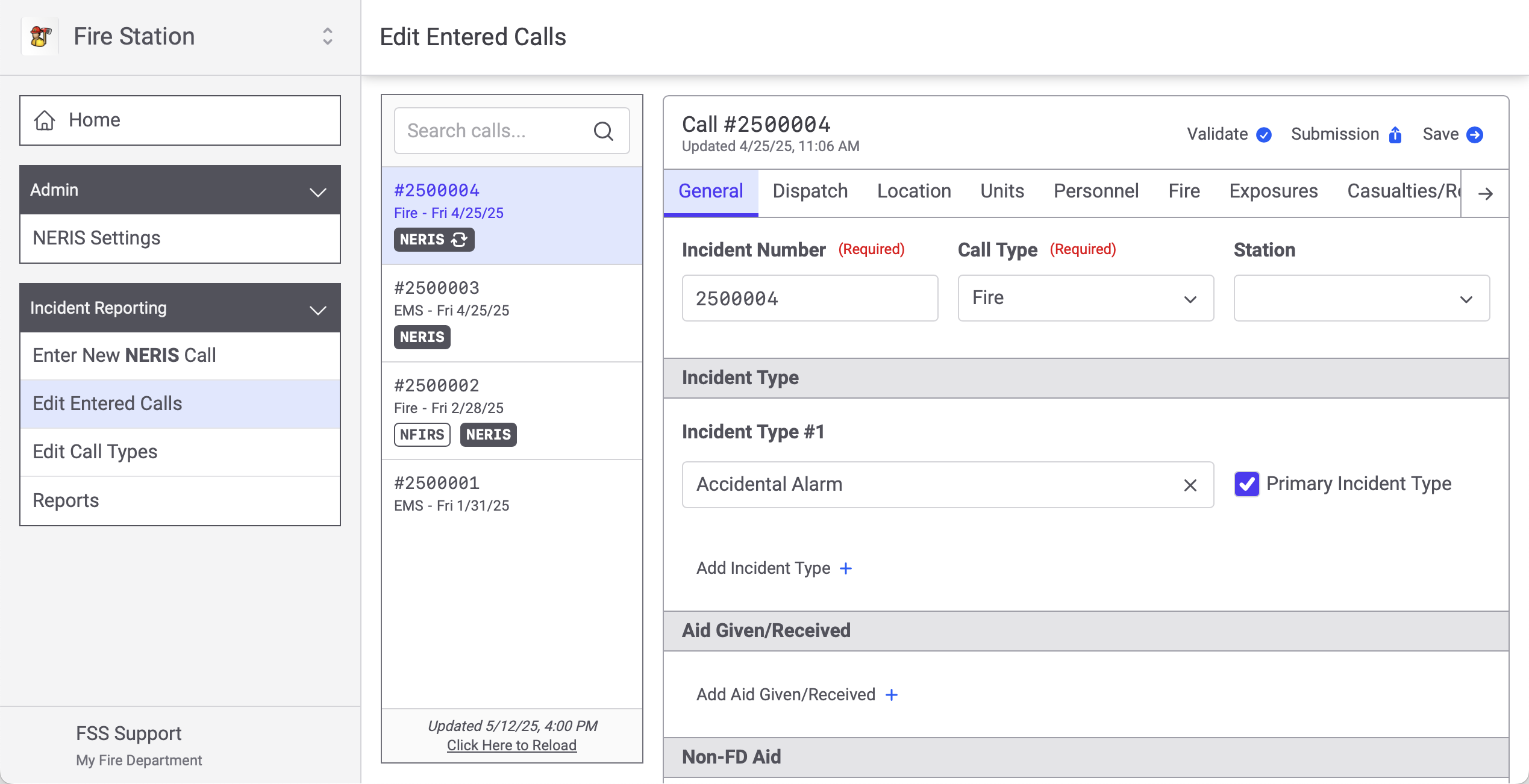
And you edit existing NERIS incidents, that have been entered from Fire Station, by clicking "Edit Entered Calls".
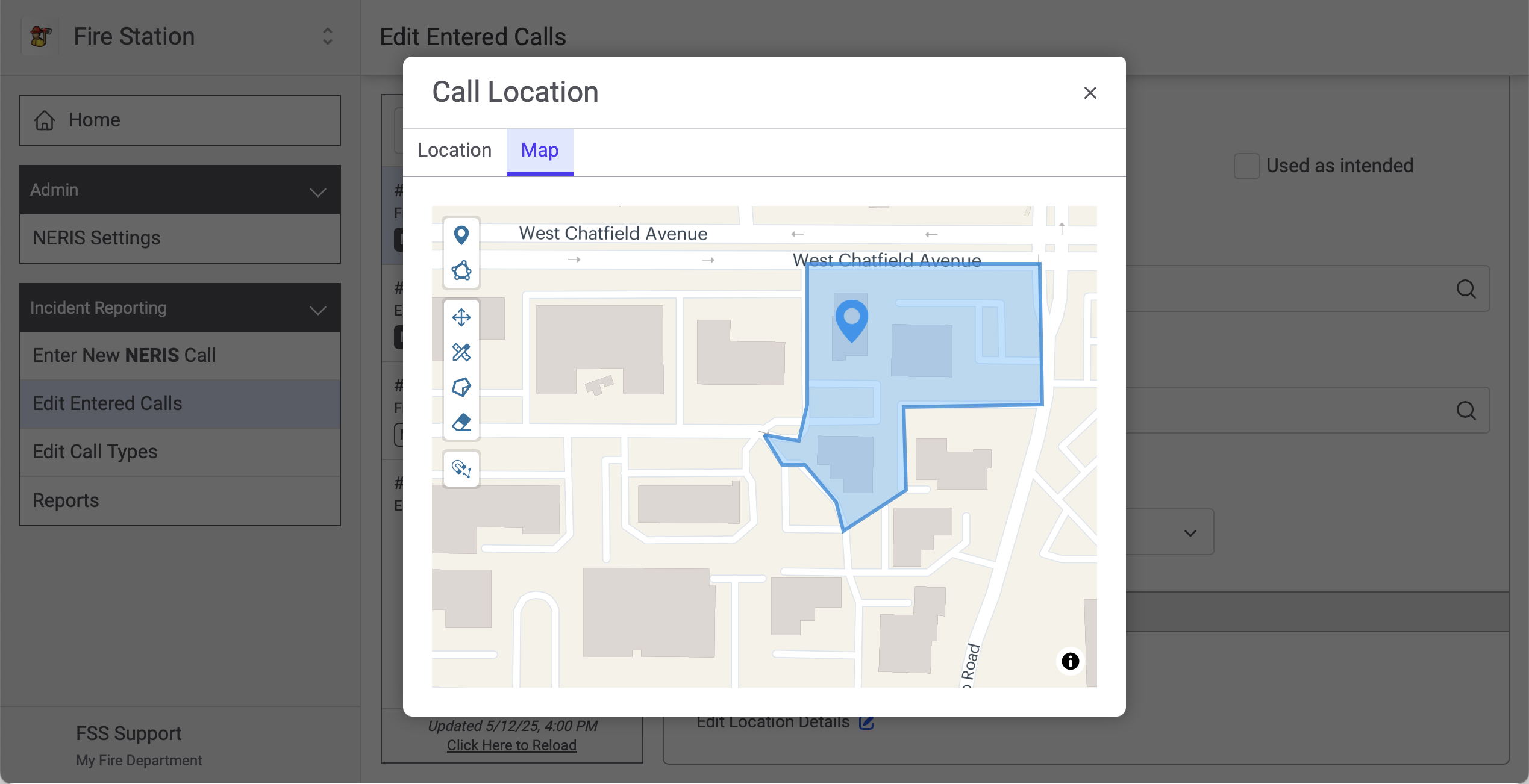
Clicking through the tabs takes you to different modules and sections of the NERIS incident. We've also included support for editing map geometries (for the NERIS location and exposure modules) directly from Fire Station.
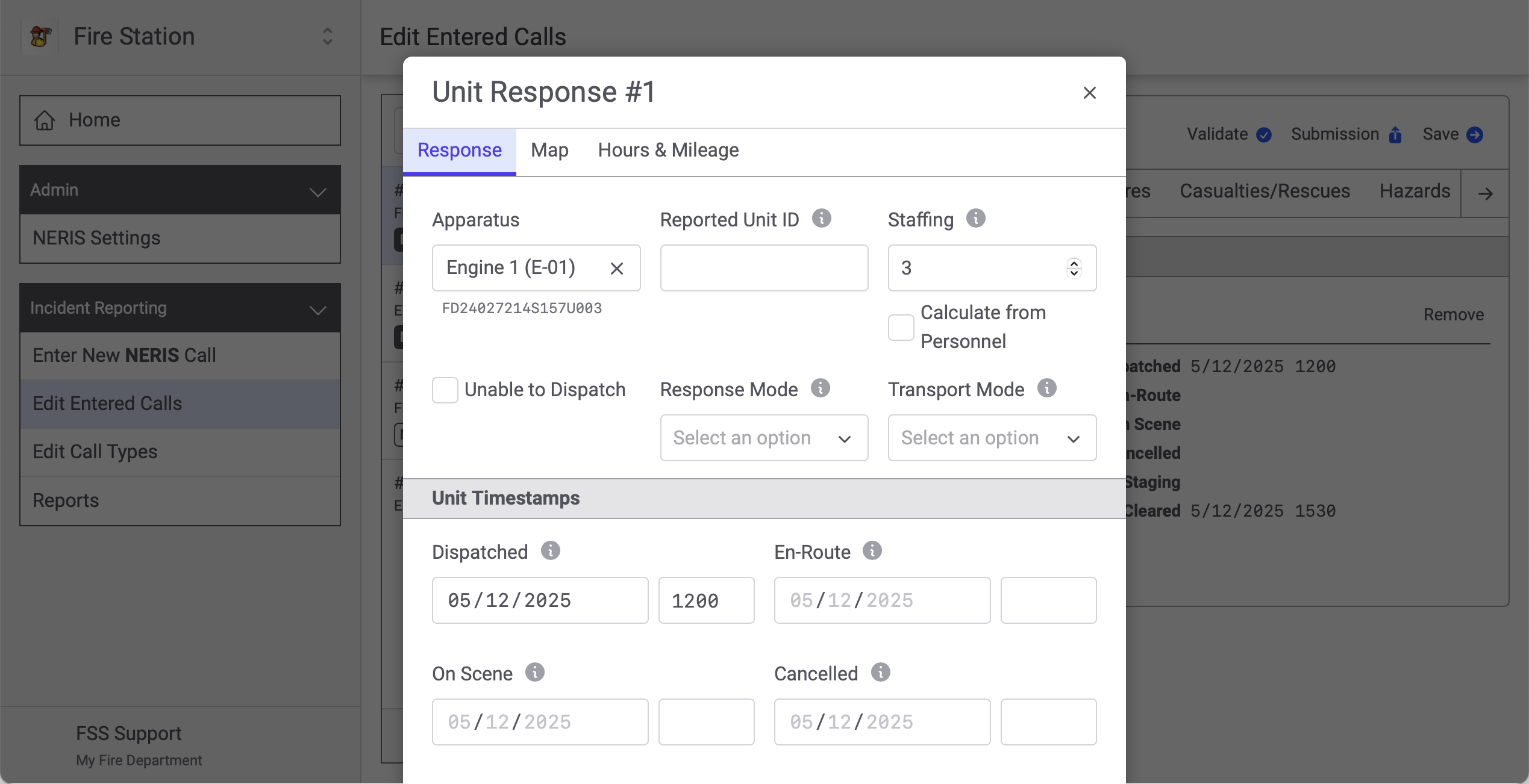
NERIS units map to your Fire Station apparatus...
And you can add personnel to NERIS incidents.
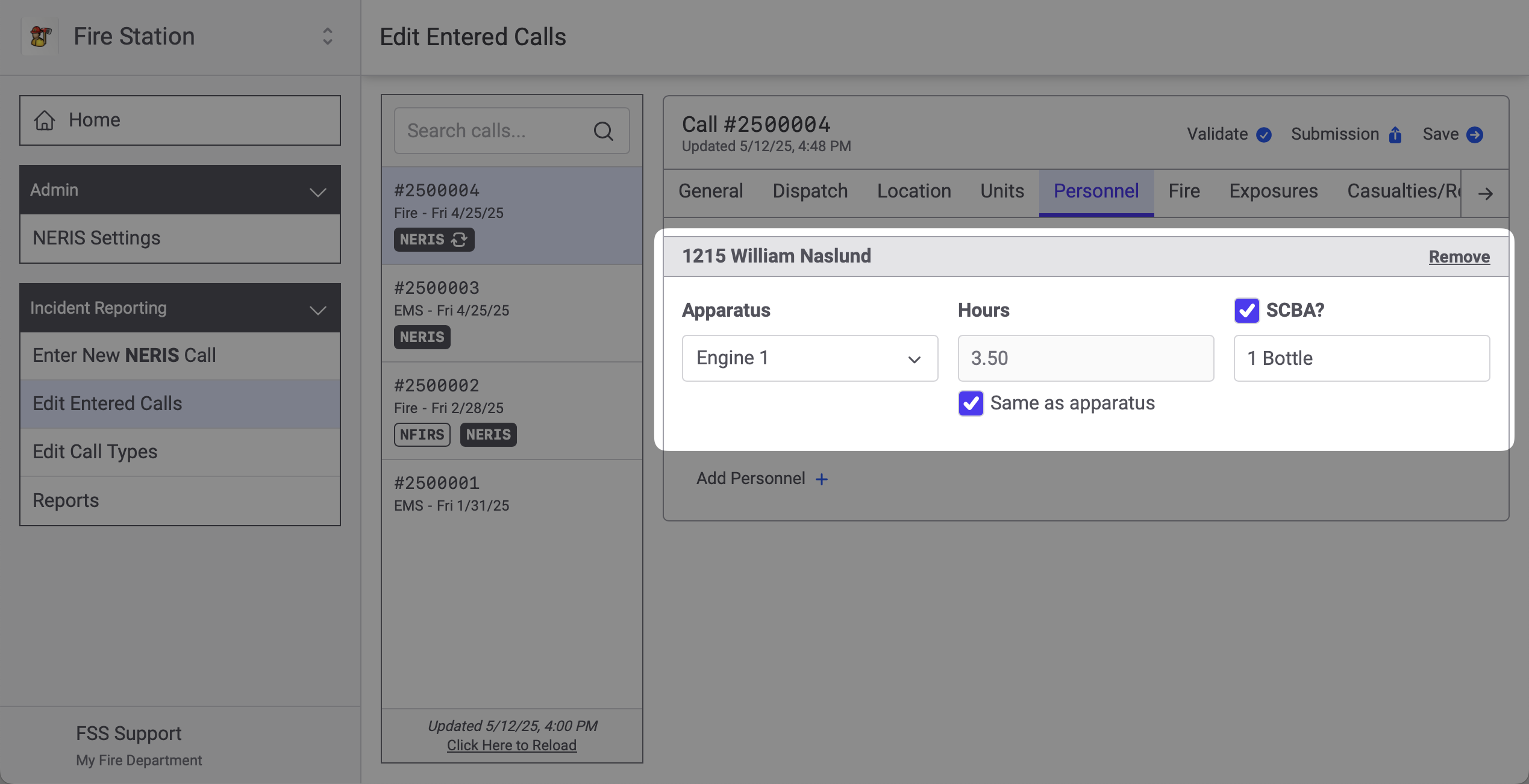
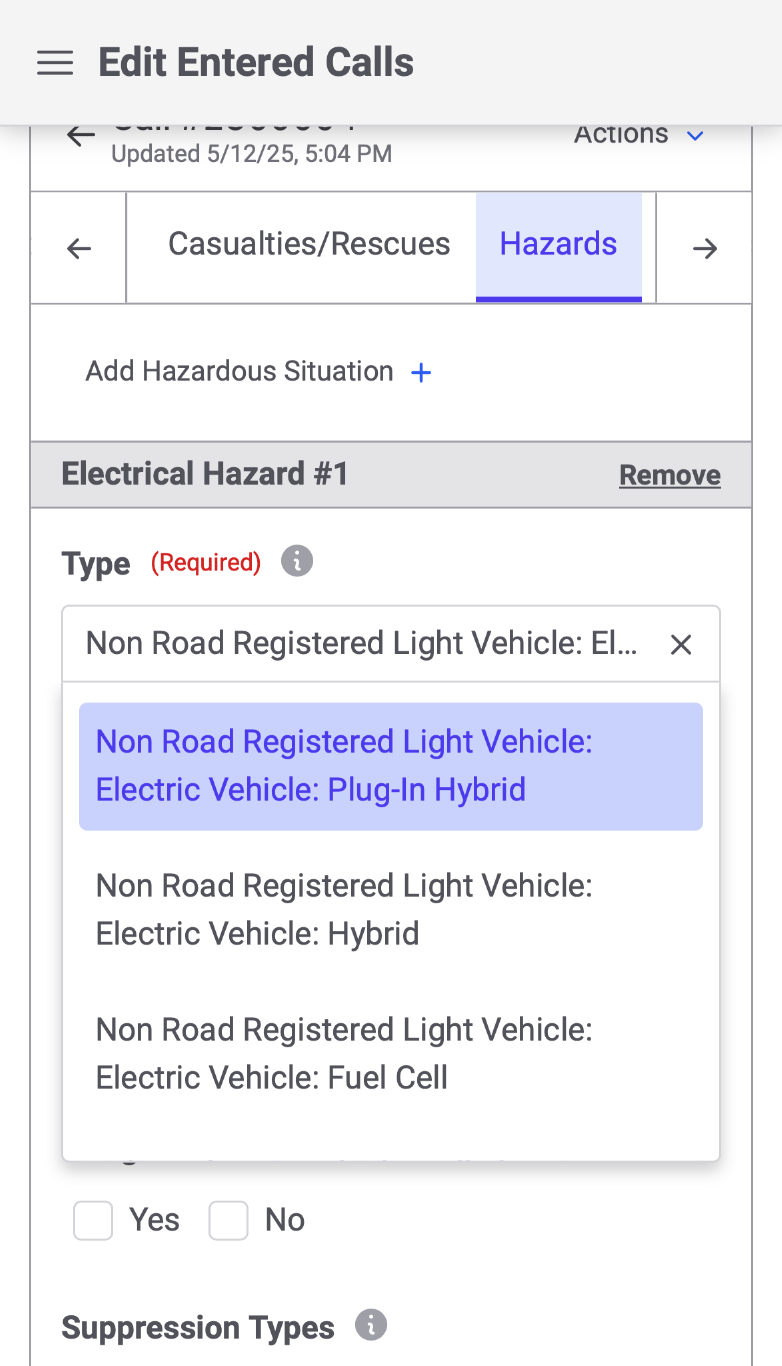
The entire NERIS incident can be edited from a phone as well. The layout adapts to the screen you are using. The tabs collapse and you can swipe left and right to get to the tab you need.
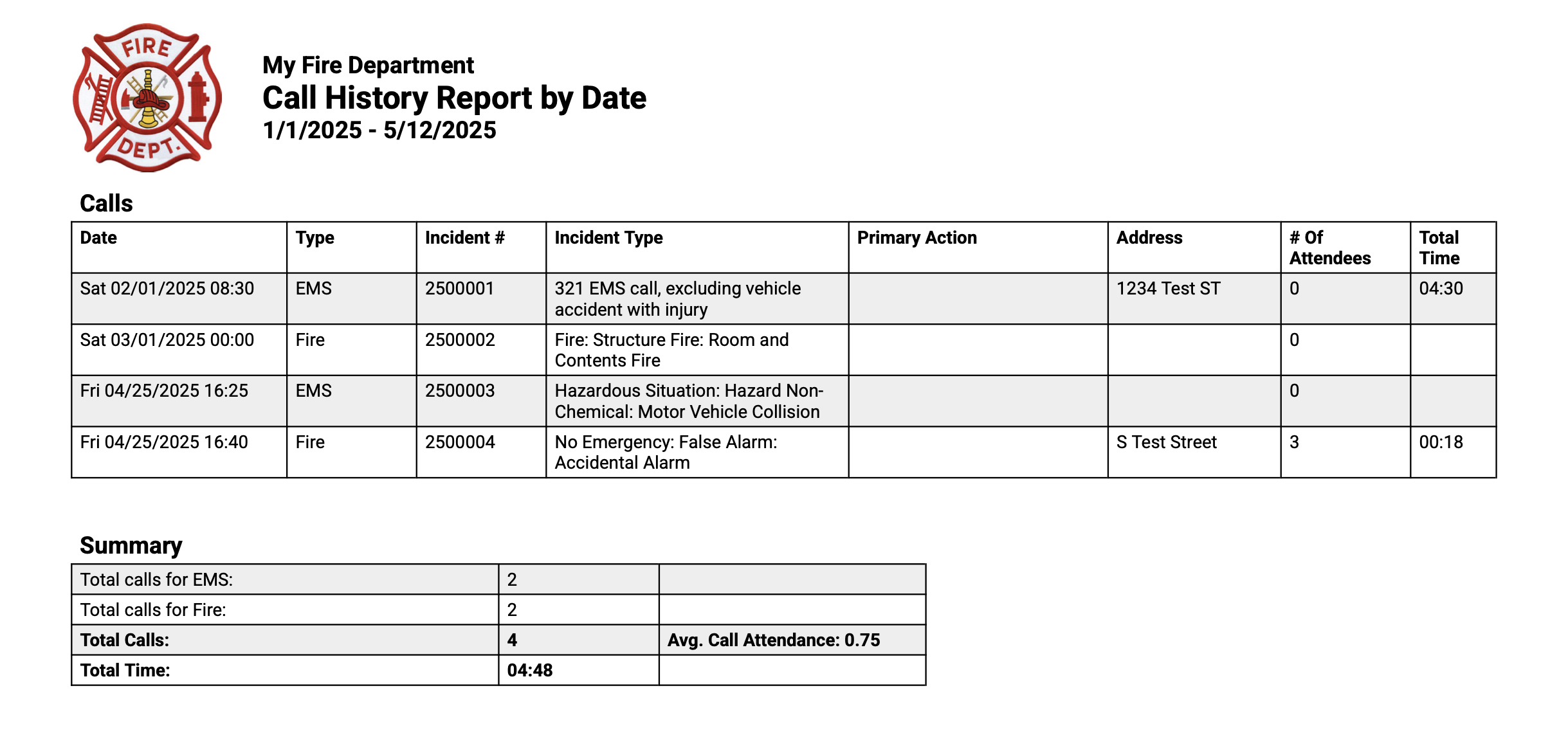
The same reports you run from Fire Station Desktop can also be run from the online platform. When you run a report online it shows NERIS incidents in addition to NFIRS Incidents and Quick Calls entered from the desktop app. NERIS is available online, but you can also fall back to using the desktop application to work with you NFIRS and Quick Calls. In this way you can try out NERIS online while still retaining access to NFIRS/Quick Calls in the desktop application.
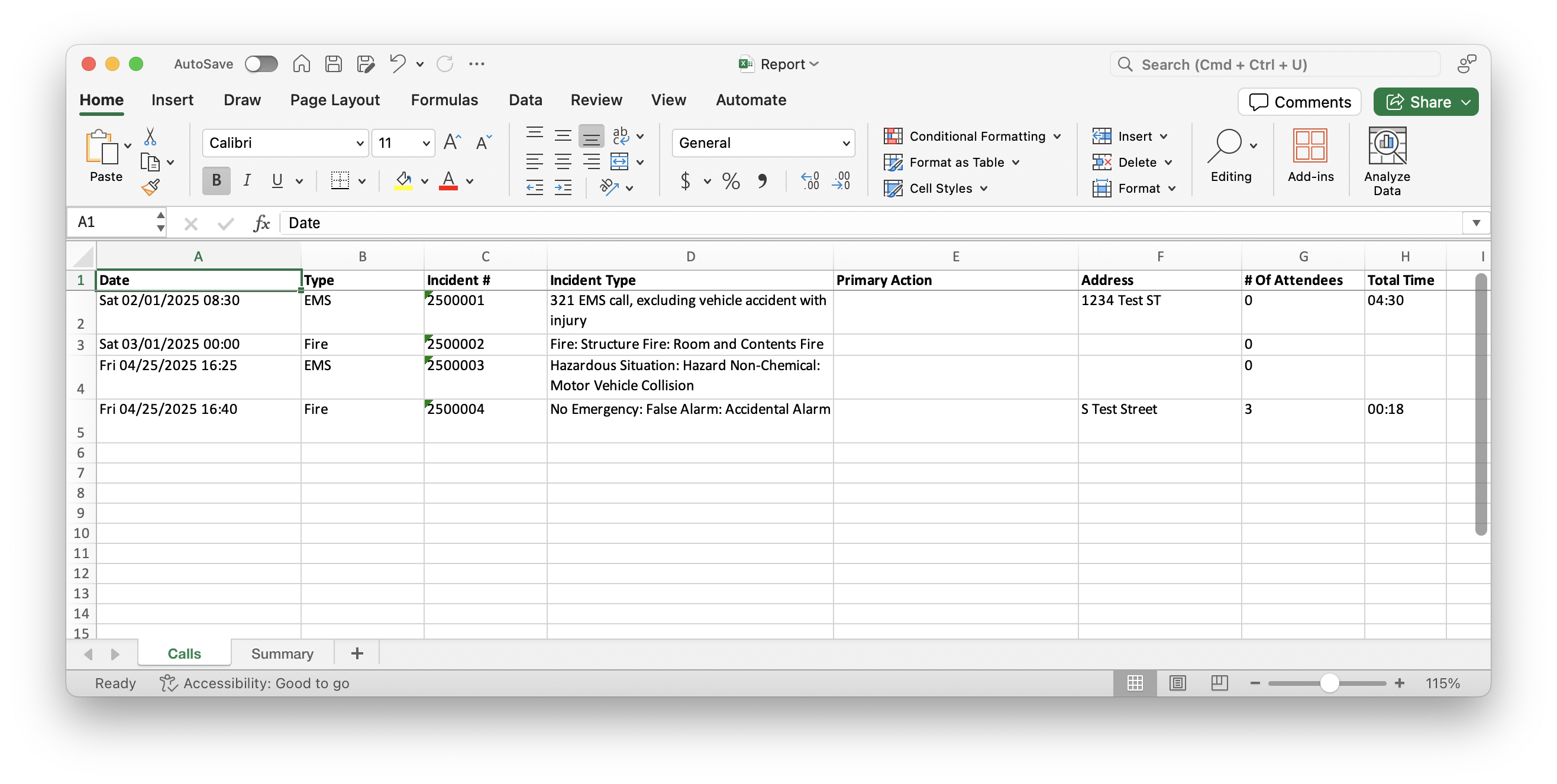
Generating reports as Excel spreadsheets has also been added.
Oh, and one other thing: editing NERIS calls online saves as you fill out the report and multiple people may fill out a report at the same time. Changes are synchronized, in real time, across all the devices currently viewing a report. If someone is typing in a field you will see their name and a border around the field.
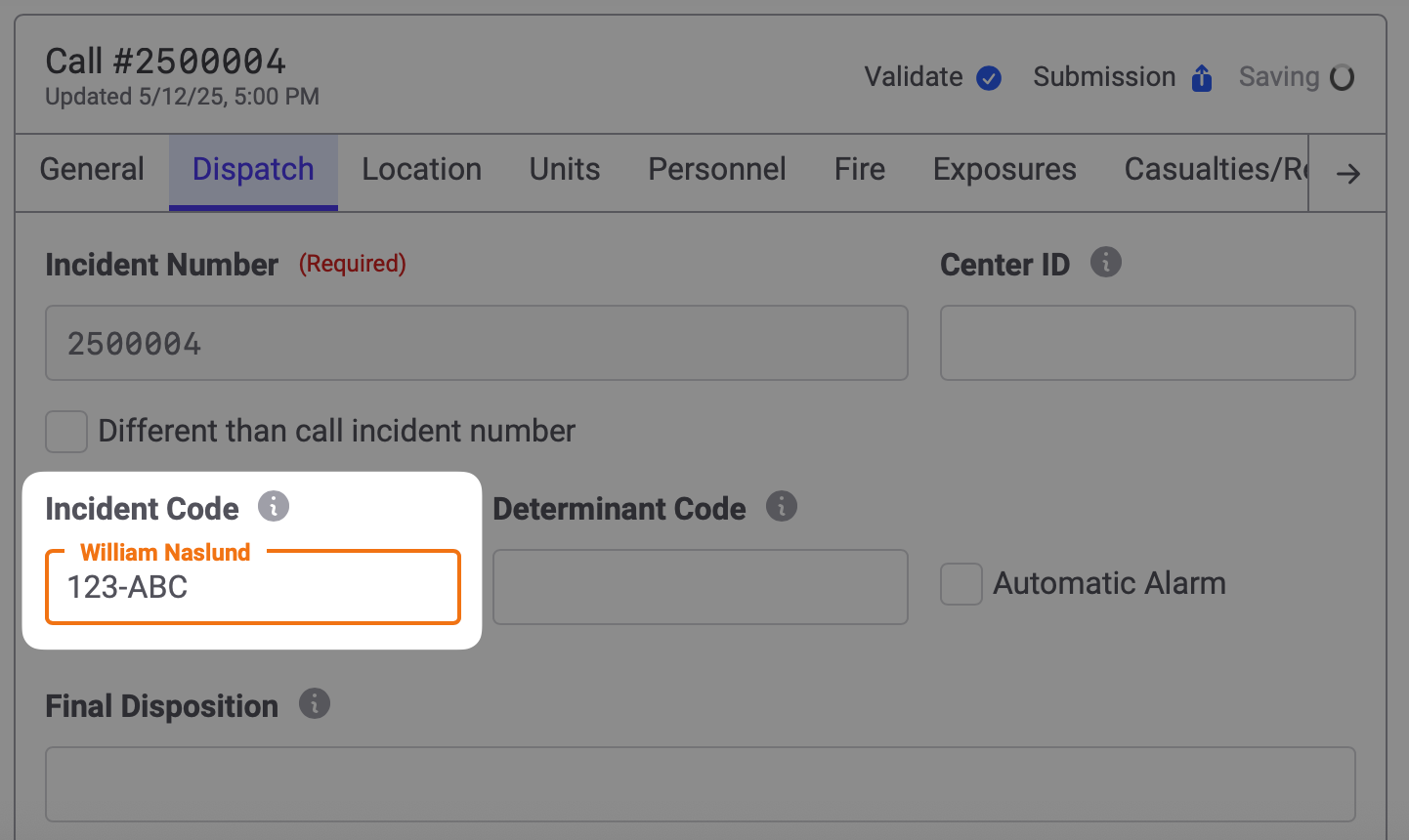
That's it for now. We are still on the road to finishing our NERIS integration and we'd love to have your help. The NERIS functionality shown above is available for testing on a limited basis. If you would like to try out our NERIS functionality, please contact us by sending an email to us at support@firestationsoftware.com or by giving us a call at (888) 809-2673 ext. 2
Further Bug Fixes
These are releases to Fire Station Desktop that have been made since the initial 4.12.0.0 release: