November 25th, 2025
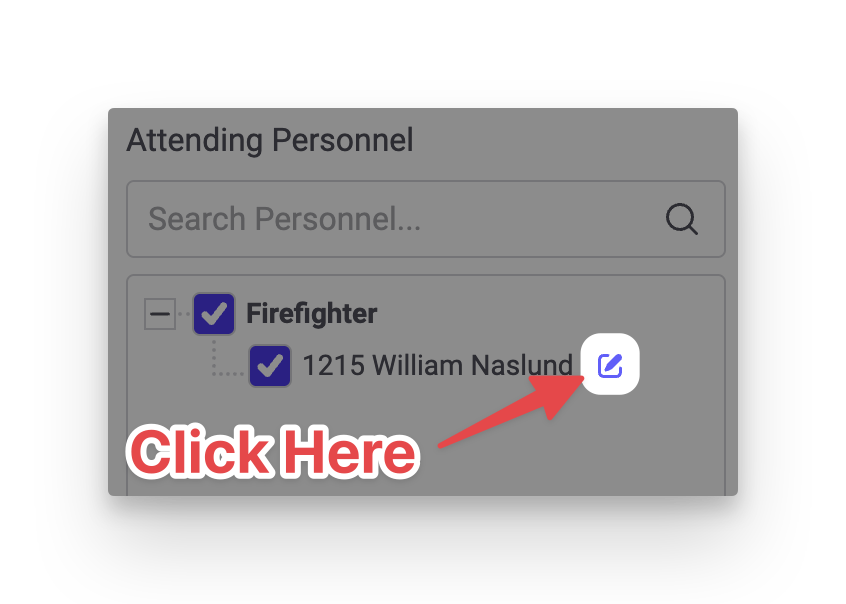
This release adds support for marking attendees at non-emergency events as Excused so that they still get credit for attending, but there is a record that they did not attend. To mark an attendee as excused, click the pencil icon next to the attendee's name while entering or updating a non-emergency event:
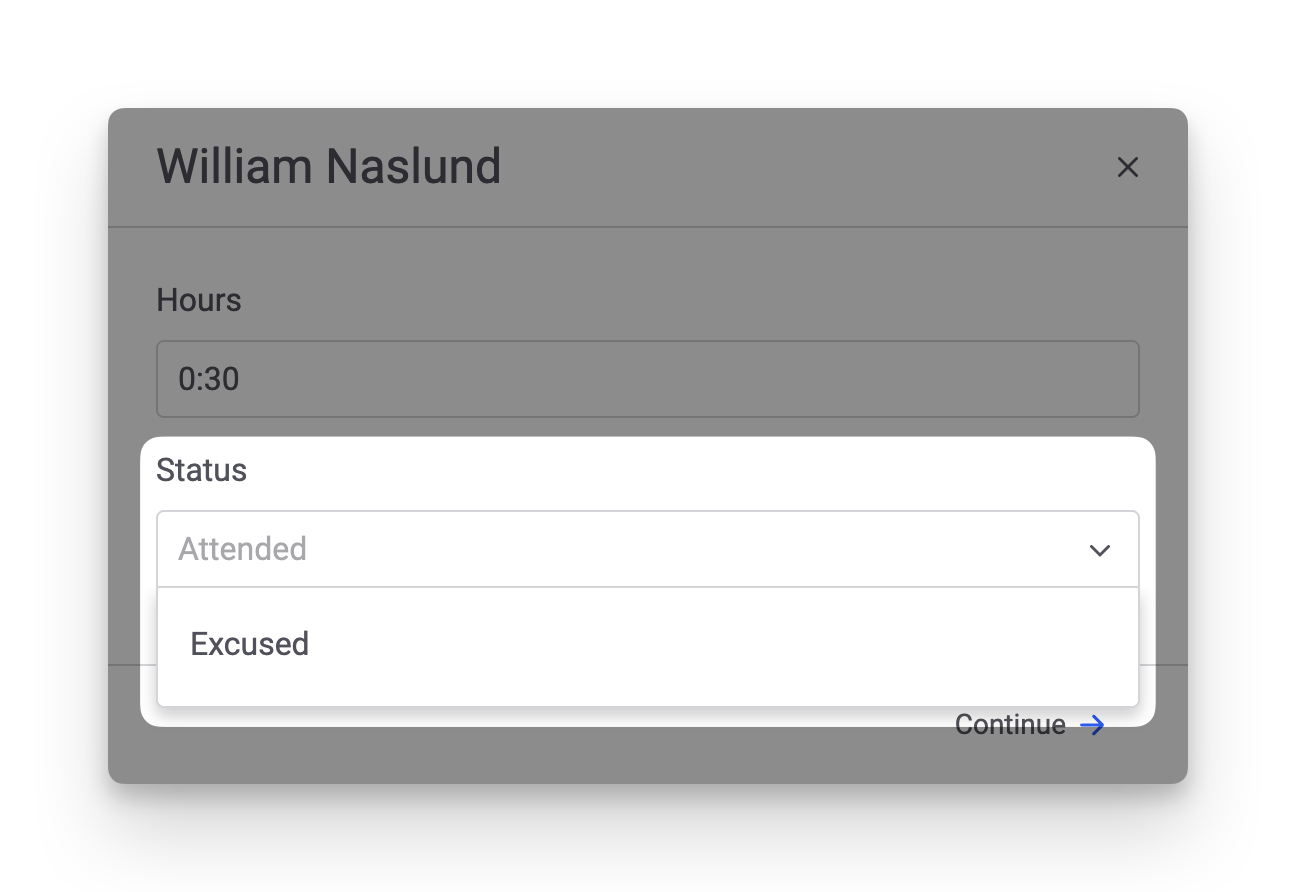
This opens the attendee details. A new Status field has been added. You can select Excused or type in any text you wish.
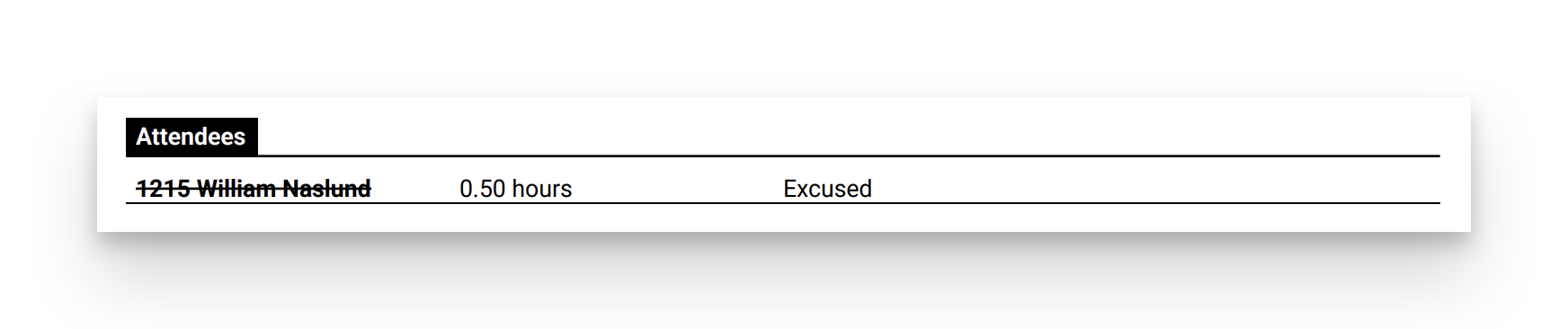
Attendees marked as Excused will appear with a line through their name. The Print page has also been updated to show each attendee's Status, if a value has been entered: