
October 20th, 2025
This release adds new functionality to the Fire Station online NERIS Incident Reporting module.
NERIS No Activity Reports
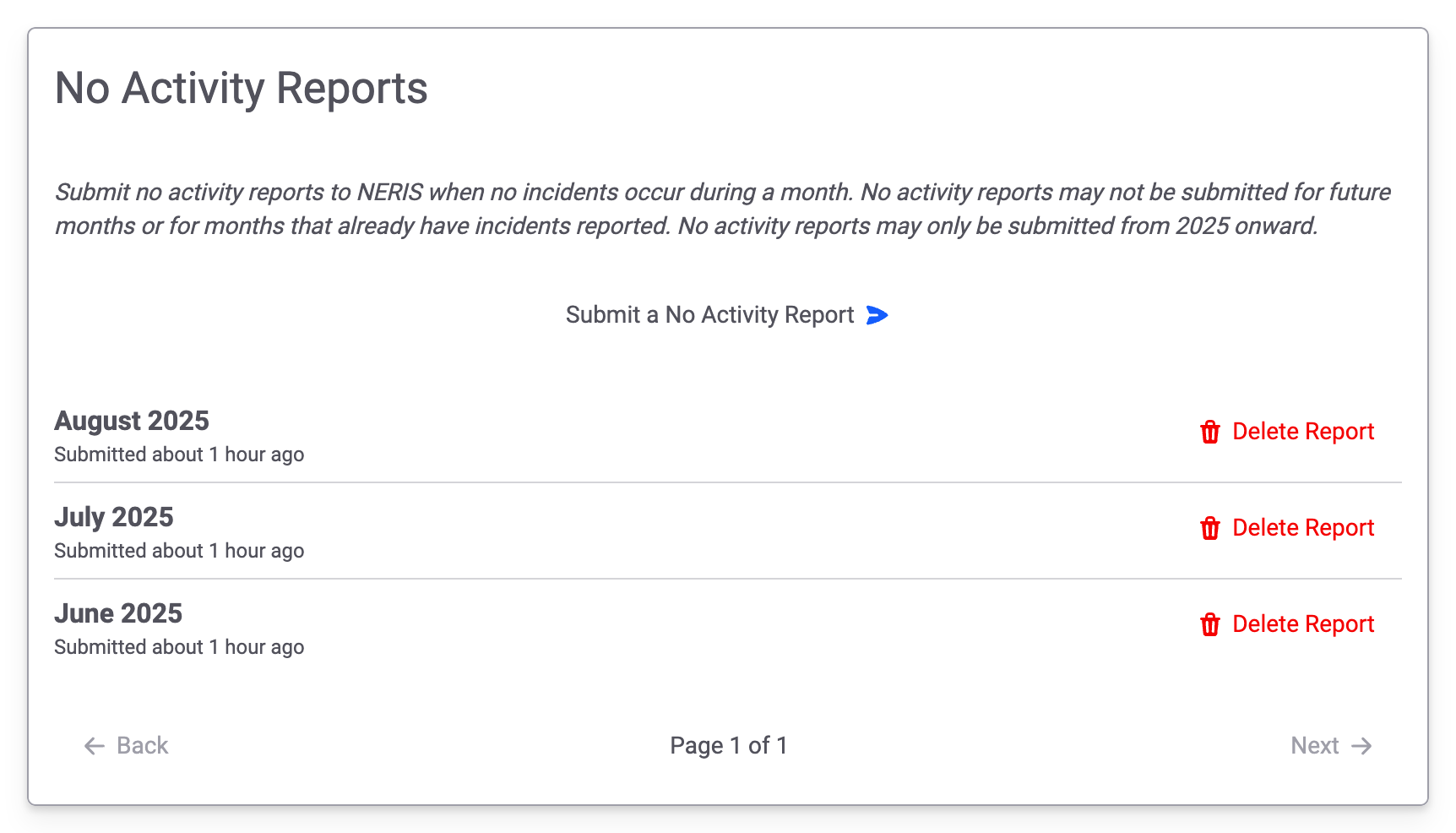
You may now submit No Activity Reports to NERIS directly from Fire Station. Users with the Manage NERIS No Activity Reports permission, which is also new, can create and delete No Activity Reports.
This permission has been enabled automatically for all people with the Can Manage Settings permission.
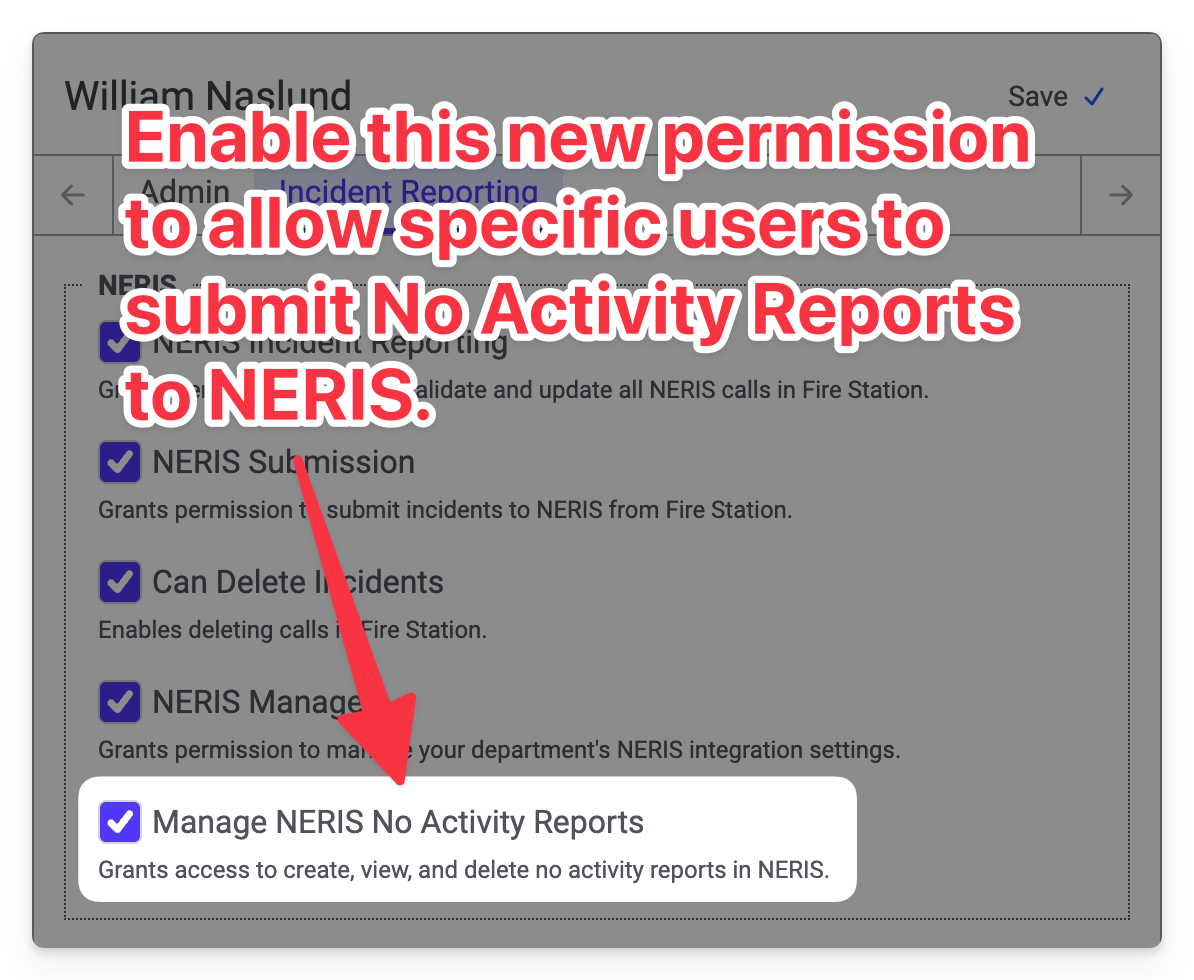
Turning this permission on allows you to access the new NERIS No Activity Reports page in the Incident Reporting menu.
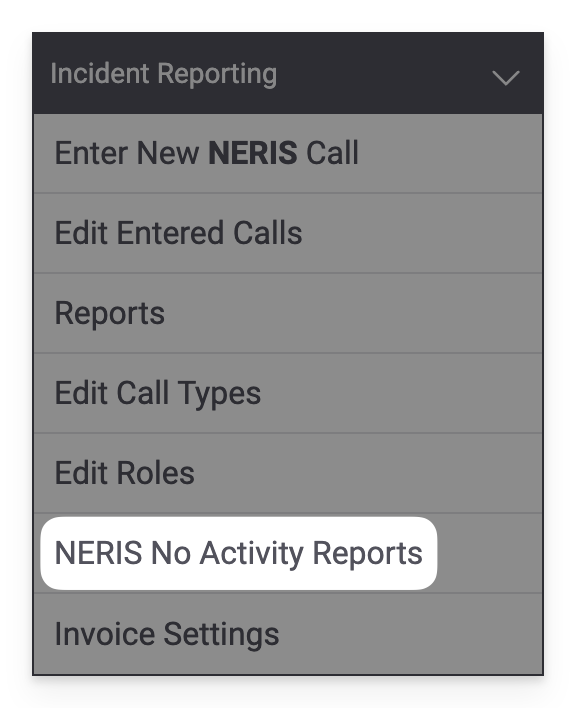
Accessing this link will take you to the new No Activity Reports page. You will see a list of No Activity Reports that have been previously submitted. Clicking the Submit a No Activity Report button allows you to send new reports to NERIS. Clicking the Delete Report button allows you to delete the No Activity Report in both NERIS and Fire Station.
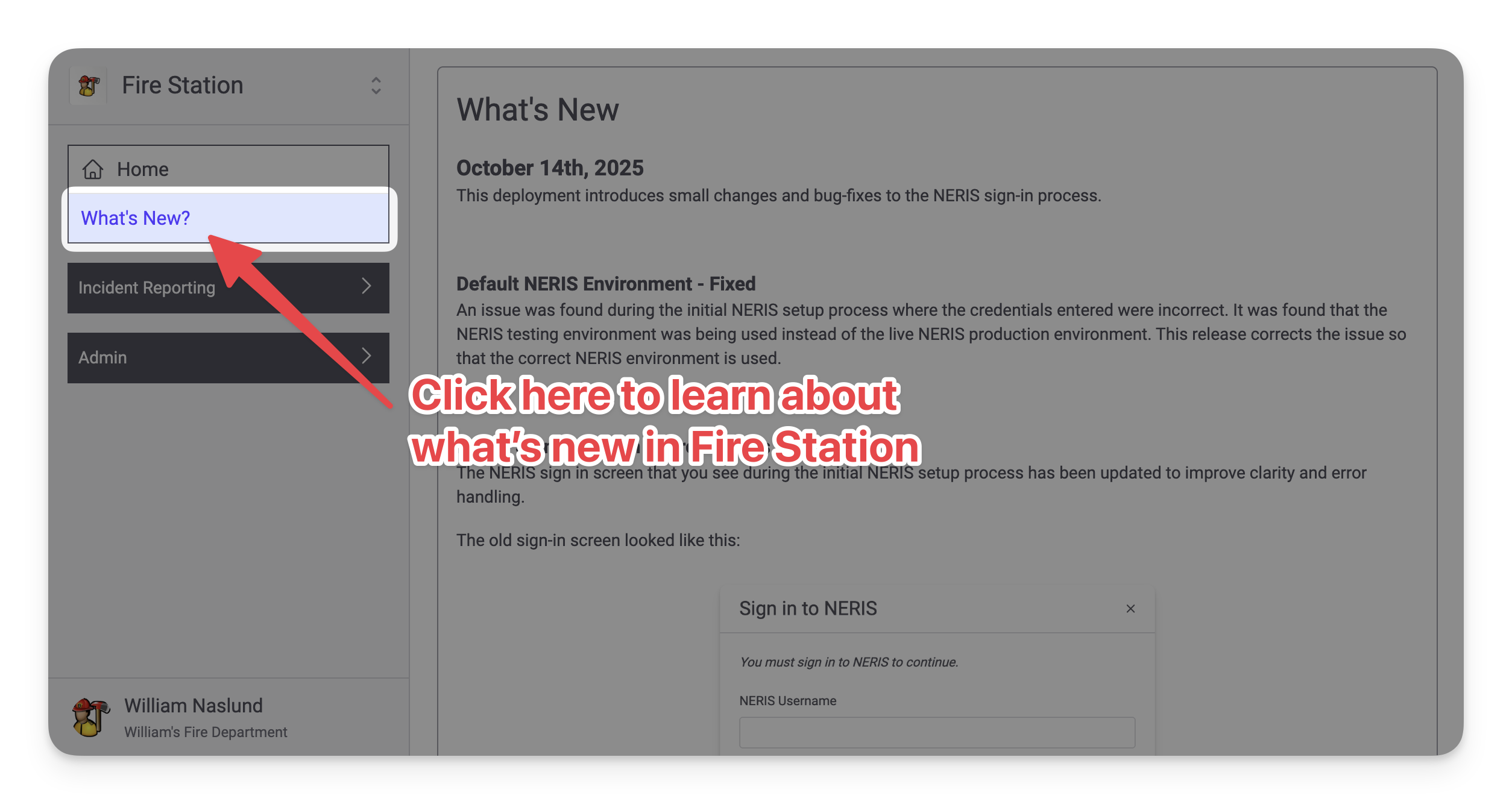
Release Notes in Fire Station
Similar to how the Windows application worked, there is now a What's New? page available in the main menu (right beneath the Home page link). This page shows the latest release notes and will be constantly updated as Fire Station is updated.
Improvements While Editing NERIS Units
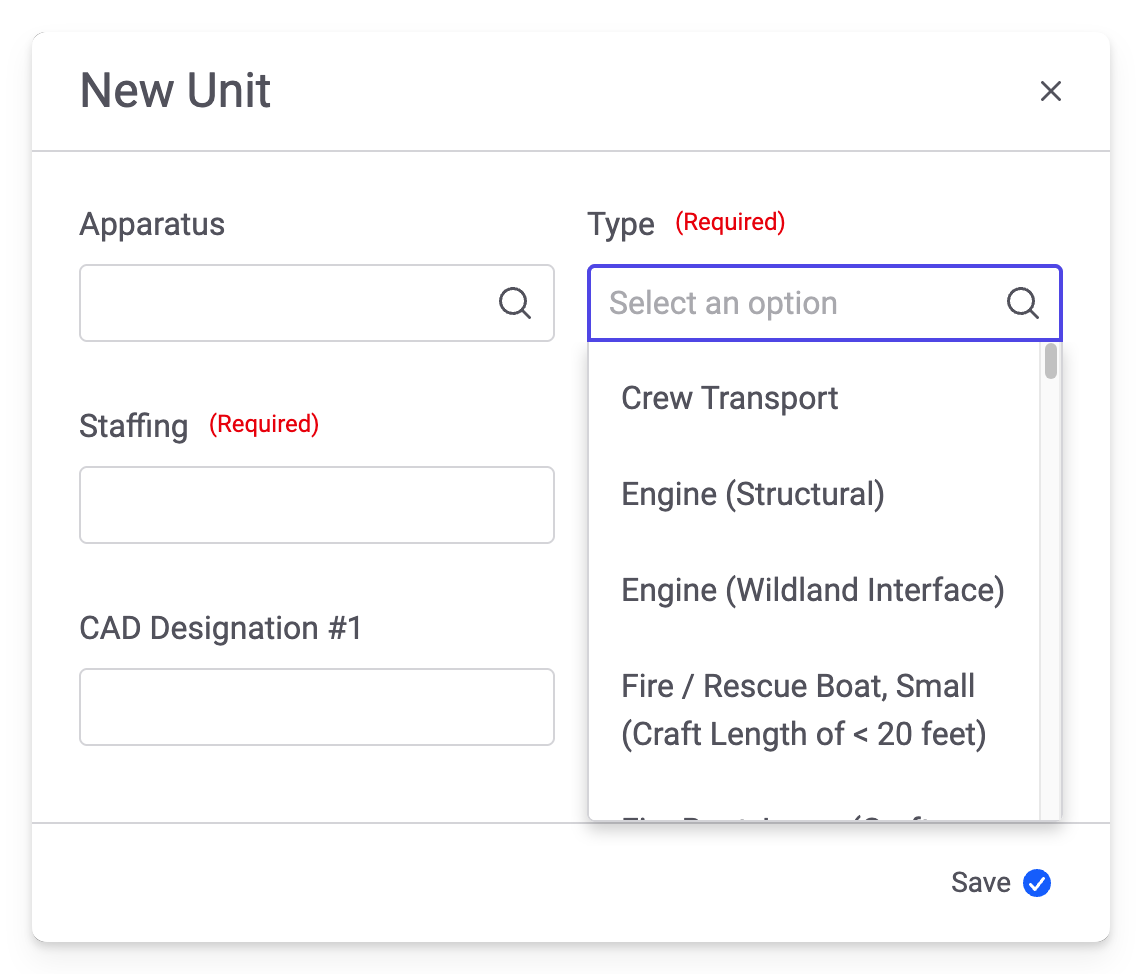
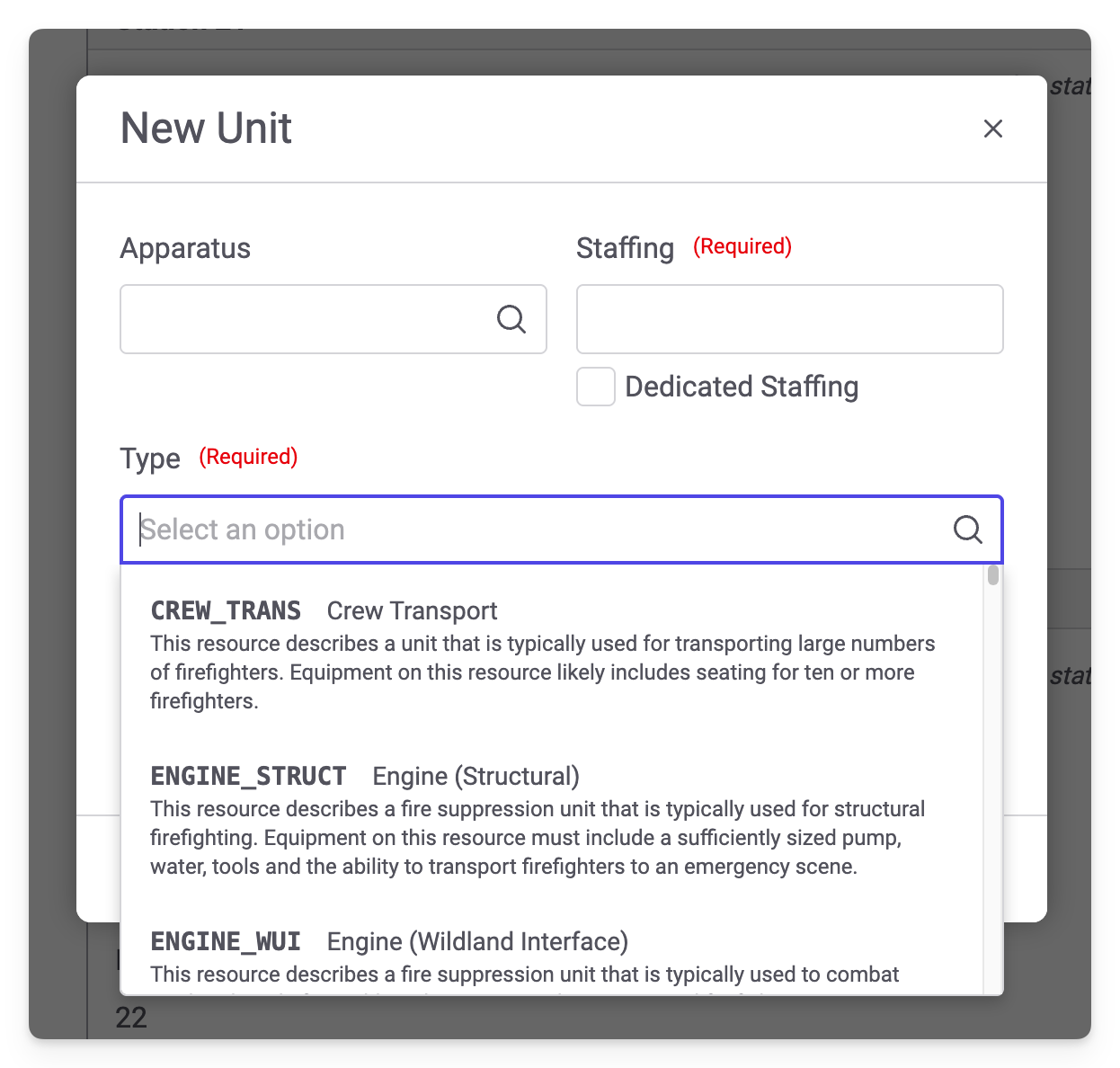
The NERIS unit editing modal used to create/update NERIS units from Fire Station has been updated to add additional details while selecting the unit type. Previously, the modal looked like this:
The Type dropdown has been updated to include more details to help you select the correct option:
a